MusicJOT
MusicJOT
Download on App Store

This page is not an official page of the app or its developer, but an independent editorial publication created for informational and commentary purposes. Unless expressly stated otherwise, neither the app nor its developer is affiliated with, endorsed by, sponsored by, authorized by, or otherwise officially connected with MWM, Apple, Google Play, the app publisher, or the app's developer, and nothing on this page implies that the app was developed using MWM's services. Any trademarks, logos, screenshots, and other content remain the property of their respective owners.


Logo of MusicJOT
Download on App Store

MusicJOT

Bridge the gap between manuscript and digital engraving. Transform your iPad into a powerful notation tool that turns your handwriting into beautiful, playback-ready scores.

Key Figures

Downloads

7K+

User Rating

3.7/5

Total Ratings

0

Publisher

Mona Lisa Sound, Inc.

Category

Music

Locales

1

Latest Version

3.0.5

Size

483.8 MB

First Released

Jan 26, 2017
Features

Elevate Your Composition Workflow

Experience the perfect harmony of traditional handwriting and digital precision. MusicJOT transforms your musical sketches into professional-grade notation instantly.

Natural Handwriting Recognition

Write music naturally with your Apple Pencil. Our advanced engine instantly renders your sketches into beautifully engraved, print-ready notation.

Fluid Interactive Editing

Iterate at the speed of thought. Simply drag notes to adjust pitch or duration, allowing for a creative process that is as intuitive as it is powerful.

The following screenshots and description are sourced directly from the app's official store listing and are the property of the app developer.

App Store

Screenshots
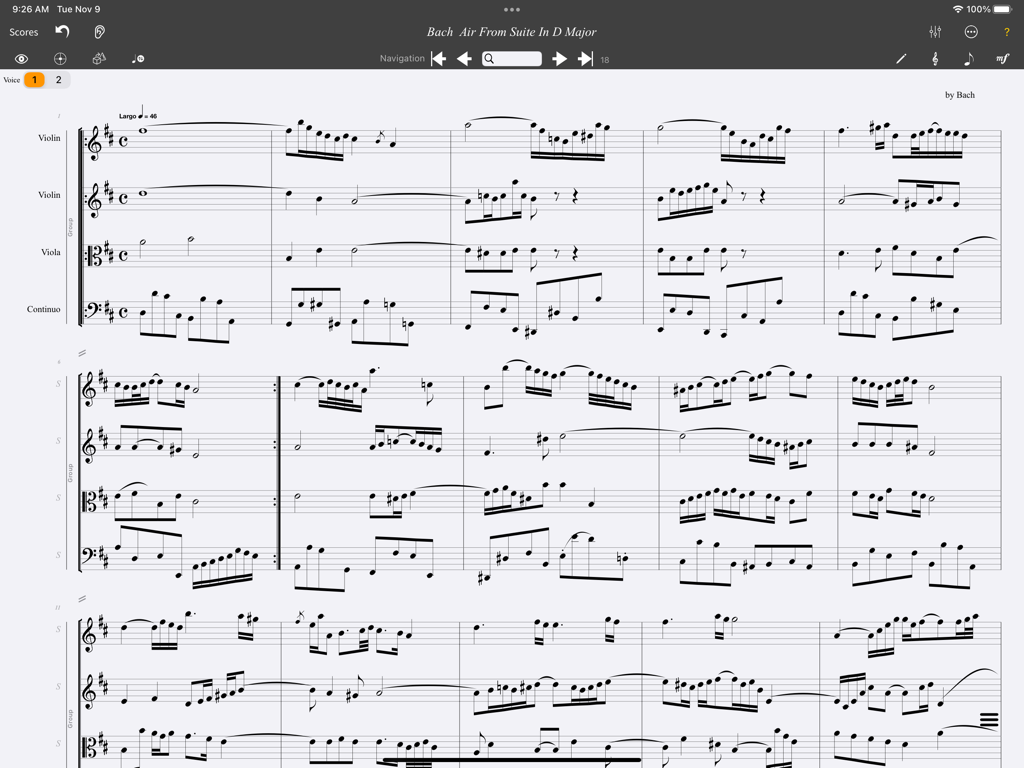
MusicJOT - MusicJOT app interface showing a multi-staff orchestral music score on an iPad
MusicJOT app interface showing a multi-staff orchestral music score on an iPad

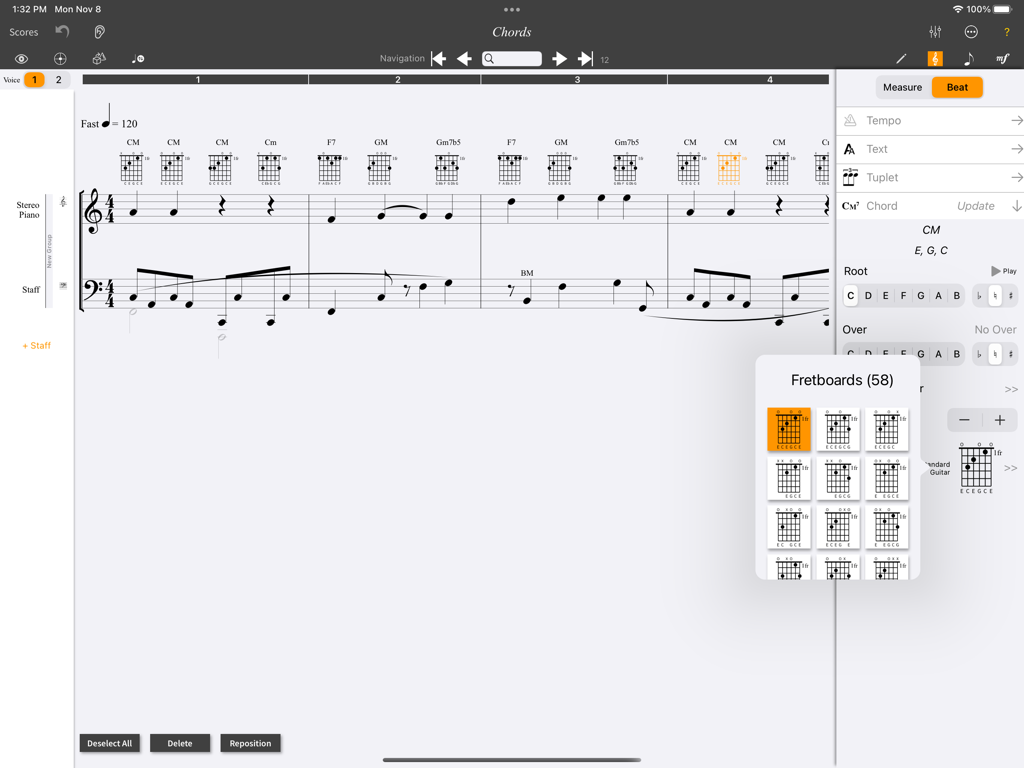
MusicJOT - MusicJOT iPad app interface showing a music score with guitar chord fretboard diagrams and a selection menu
MusicJOT iPad app interface showing a music score with guitar chord fretboard diagrams and a selection menu

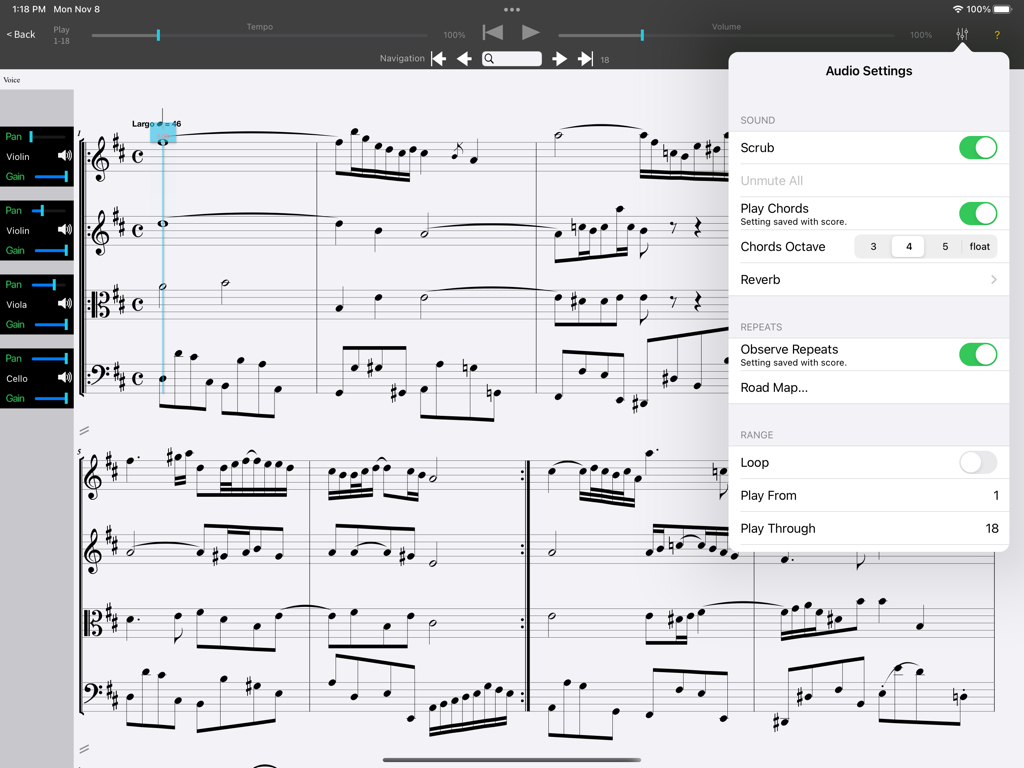
MusicJOT - MusicJOT app on iPad showing a musical score with the audio settings menu and instrument mixer open.
MusicJOT app on iPad showing a musical score with the audio settings menu and instrument mixer open.

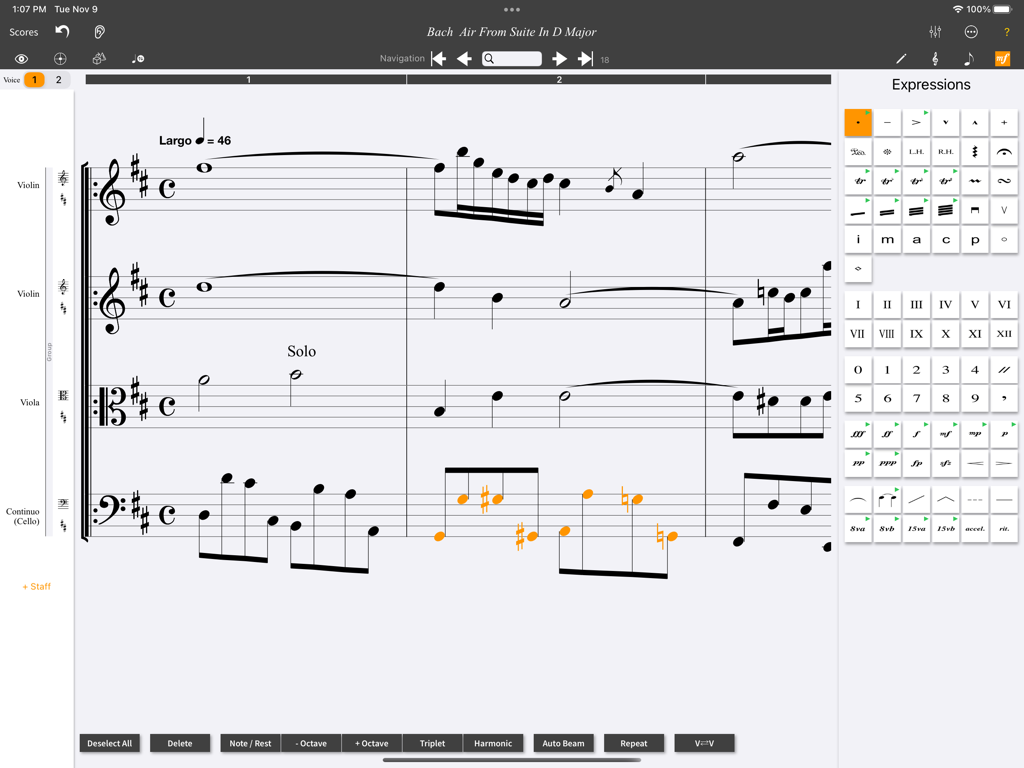
MusicJOT - MusicJOT app interface on iPad displaying a classical music score with an expressions panel for notations
MusicJOT app interface on iPad displaying a classical music score with an expressions panel for notations

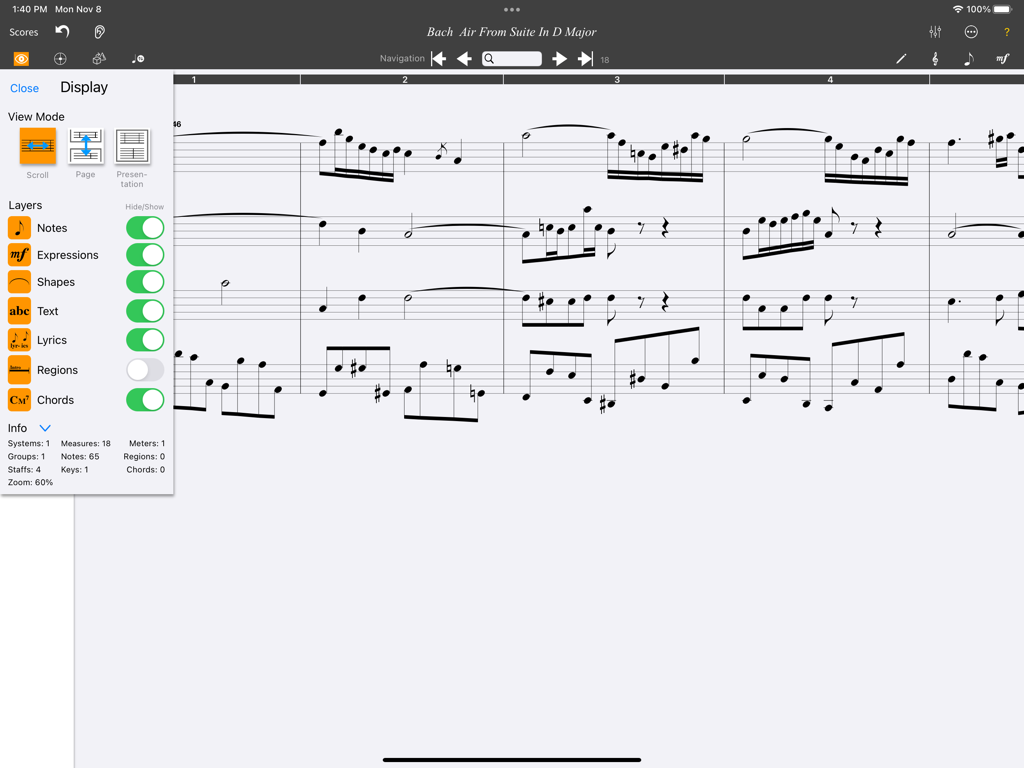
MusicJOT - MusicJOT interface displaying a musical score and the display settings menu with view mode and layer options.
MusicJOT interface displaying a musical score and the display settings menu with view mode and layer options.

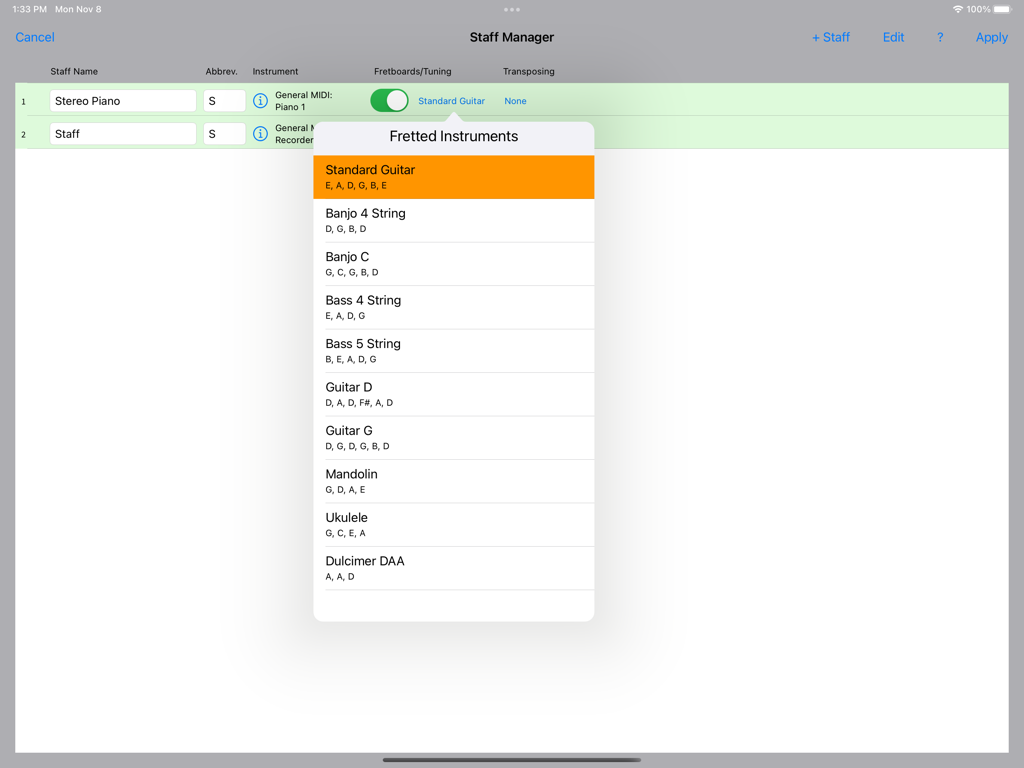
MusicJOT - Staff Manager in MusicJOT showing a list of fretted instruments and their tunings on an iPad
Staff Manager in MusicJOT showing a list of fretted instruments and their tunings on an iPad

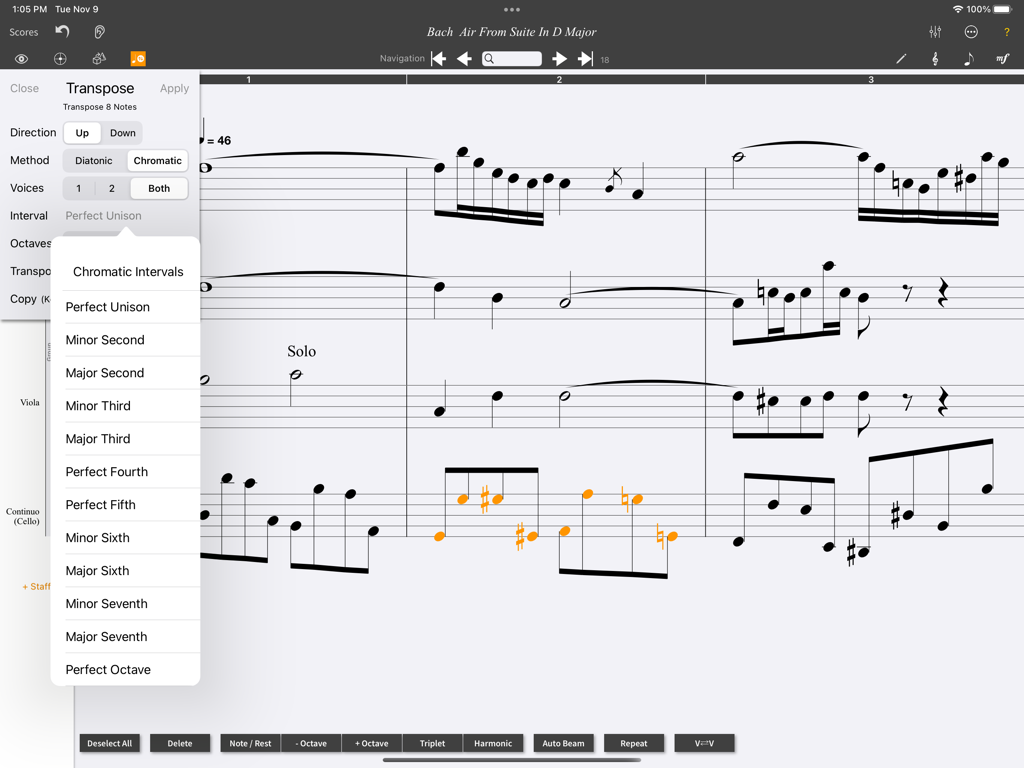
MusicJOT - MusicJOT app on an iPad displaying a musical score and the transposition settings menu.
MusicJOT app on an iPad displaying a musical score and the transposition settings menu.

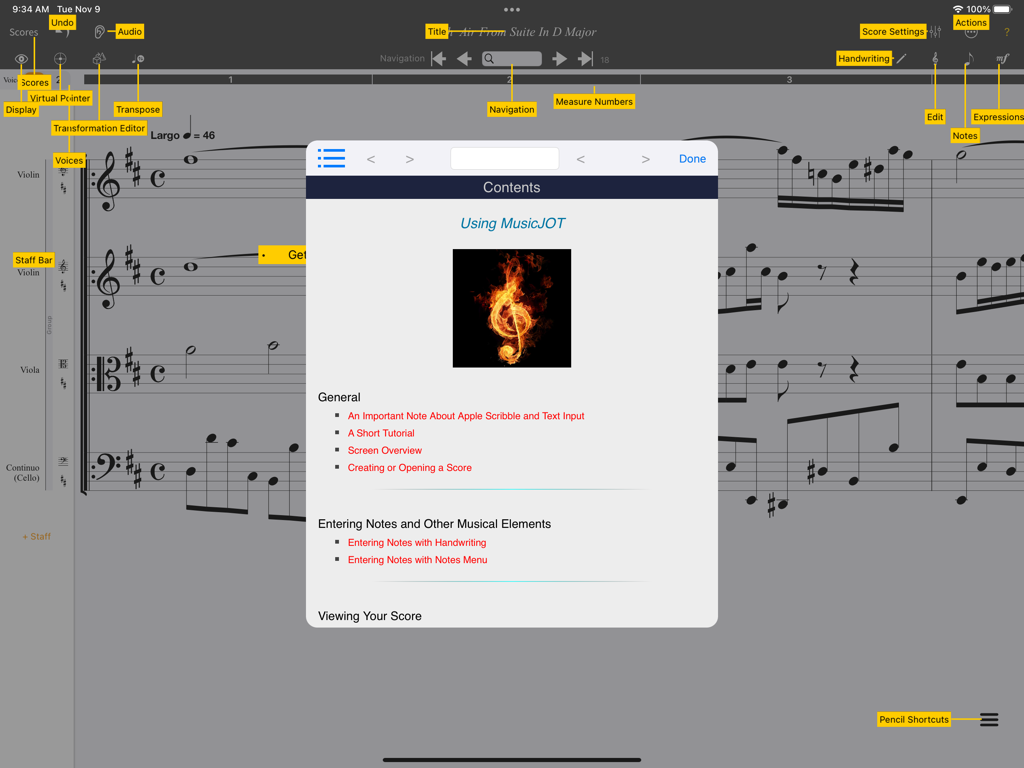
MusicJOT - Interface of the MusicJOT app on iPad with music score and tutorial menu.
Interface of the MusicJOT app on iPad with music score and tutorial menu.

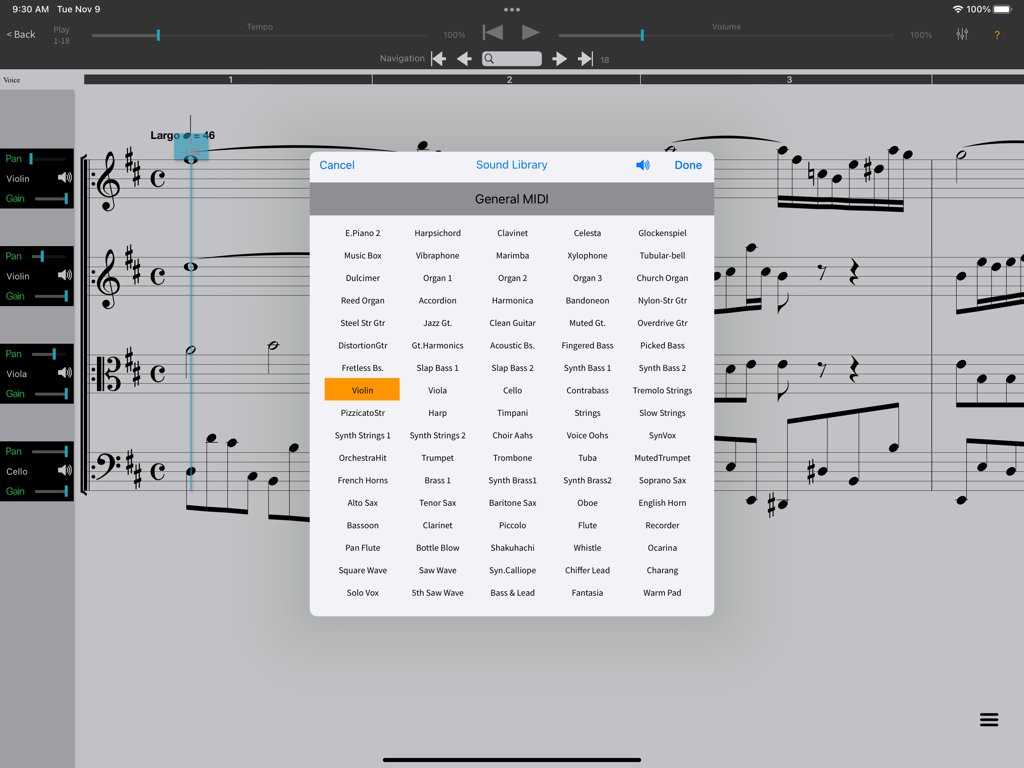
MusicJOT - MusicJOT app interface showing a comprehensive MIDI instrument selection list over a sheet music score.
MusicJOT app interface showing a comprehensive MIDI instrument selection list over a sheet music score.

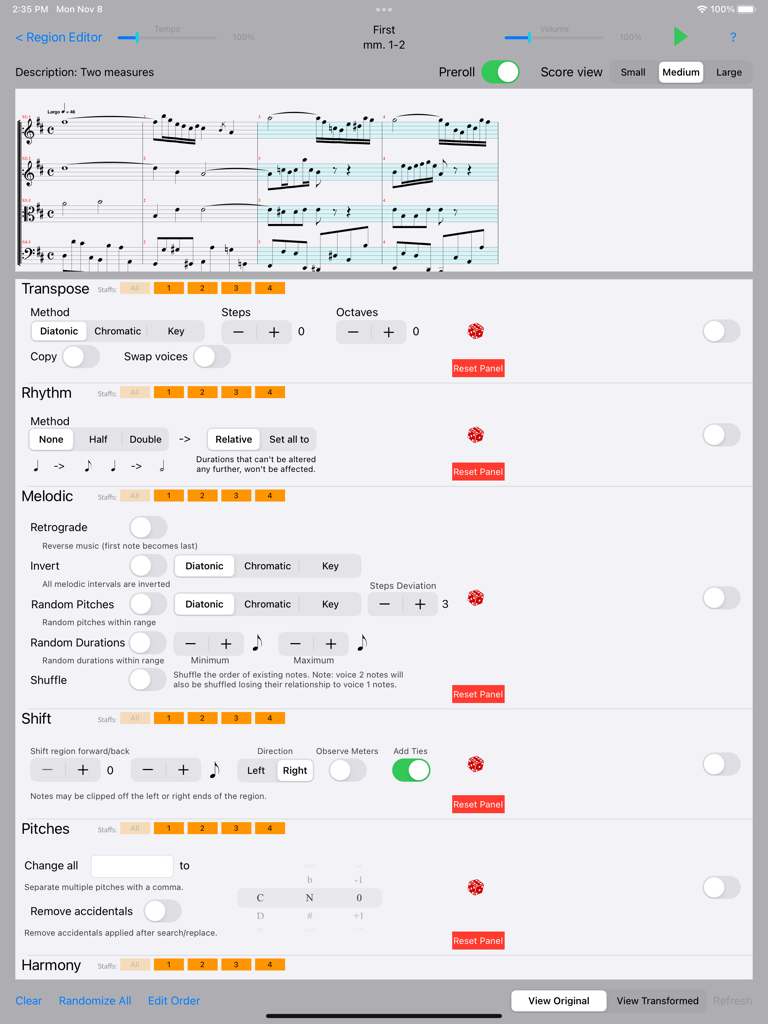
MusicJOT - The Region Editor screen of the MusicJOT app on iPad showing professional music notation and transformation tools.

The Region Editor screen of the MusicJOT app on iPad showing professional music notation and transformation tools.

Description

MusicJOT is a powerful, easy to use music notation app. Write with your own handwriting and watch MusicJOT render it into beautifully notated music ready for playback. Interact directly, quickly dragging notes around to change their pitch or duration. Included is a full-featured audio playback engine, featuring unlimited tracks and 128 built-in General MIDI instruments. General • Natural Handwriting Recognition • Support for Split Screen mode • Support for Dark Mode • Supports Apple Scribble • Support for chord symbols and fretboards • Export to MusicXML® • Export to MIDI • Export as an image attachment • Staffs limited only by memory • 128 General MIDI sounds • In-app sound library purchaes available • Cut, copy, paste, undo and redo • Paste Special with filters • Two voices per staff • Print to a wireless printer • Definable Regions • Custom beaming with beam breaking and joining • Alternate notes/rests/tools palettes for non-handwriting music entry • Searchable, context-sensitive reference manual • On-line tutorial while working in Split Screen • Auto rehearsal letters/numbers. Navigation • Unlimited view sizes • Scroll, page and presentation views • Live spacing • Go to measure # • Search for specific text • Change music spacing Notes • Drag up/down for pitch • Drag left/right for duration • Double flats to double sharps • Grace notes • Floating rests • Half step transpositions • Octave transpositions • Tuplets • Courtesy accidentals • Cross-staff notes Dynamics • Crescendo, decrescendo • ppp - fff, sfz, fp P Tempos • Tempo text P • Font, size, style • Beats per note duration Articulations & Ornaments • Staccato • Marcato • Accent • Dynamics • Tenuto • Harmonic • Tremolos • Guitar symbols • Left hand pizzicato • Fermata • Up and down bows • Roll chord • Turn P • Mordent • Trill, Trill flat, natural, sharp • Cesura • Breath • Pedal on/off • L.H., R.H. • Roman numerals (I - V) • Numbers (0 - 5) Shapes • Glissando • Bend hat • Dotted line • Solid line • Tie • Slur • Slur Flipping • 8va, 8vb • 15ma, 15mb • Accelerando/Ritardando Lyrics • Free, verse, chorus of unlimited number • Auto flow into score • Duplicate • Find in score • Span notes, group words, melismas • Layers Bars • Normal, double, solid, dotted, final • Repeats (playback enabled) • Show repeat map • Backwards, forwards, 1st and 2nd endings • DC, DS, Del Segno, Coda, Finé Text • Free form text • Placement - above/below staff • Border option for rehearsal letters • Font, size, style Clefs, keys, meters • Change selected only • Change selected to next change • Change selected to end • Mid-measure clef changes • Keys transpose up, down or none • Measure duration clipping • Automatic transpositions Audio • Change tempo, volume, pan, gain, mute and solo • Scrub forwards and backwards • Fretboards and chord symbols playback • Create loops with visual feedback • Playback with or without repeats active • Change any staffs instrument sounds • Add reverb • Set playback range • Dragging notes up or down to change pitch sounds note(s)

Download

Download on App Store

This page is not an official page of the app or its developer, but an independent editorial publication created for informational and commentary purposes. Unless expressly stated otherwise, neither the app nor its developer is affiliated with, endorsed by, sponsored by, authorized by, or otherwise officially connected with MWM, Apple, Google Play, the app publisher, or the app's developer, and nothing on this page implies that the app was developed using MWM's services. Any trademarks, logos, screenshots, and other content remain the property of their respective owners.







