
This page is not an official page of the app or its developer, but an independent editorial publication created for informational and commentary purposes. Unless expressly stated otherwise, neither the app nor its developer is affiliated with, endorsed by, sponsored by, authorized by, or otherwise officially connected with MWM, Apple, Google Play, the app publisher, or the app's developer, and nothing on this page implies that the app was developed using MWM's services. Any trademarks, logos, screenshots, and other content remain the property of their respective owners.


My Baby Heart Sounds App
Accessing an unborn baby's heart sounds used to require specialist equipment. This app gives expectant parents a direct, personal audio connection to their child, turning a simple iPhone into a personal listening device.
Downloads
1M+User Rating
Total Ratings
8.5KPublisher
Category
MedicalLocales
13Latest Version
2.7Size
129.8 MBFirst Released
May 26, 2021An evaluation of core functionalities designed to enhance the prenatal emotional connection and tracking experience.
My Baby Heart Sounds App: Key Features Analysis
Heart Sound Recording & Sharing
It allows users to record their baby's heart sounds directly on their iPhone and share these precious audio memories with loved ones.
Enhanced Audio Quality
The app provides advanced audio signal processing techniques to deliver high-quality sound, making it easier to distinguish the baby's heart sounds.
Integrated Pregnancy Tracking
This tool features comprehensive pregnancy tracking, including weekly insights, ultrasound scan interpretations, contraction monitoring, and a baby movement kick counter.
Effortless Setup & Usability
It ensures a quick and easy setup process, requiring only an iPhone, with simple in-app instructions for immediate use.
Privacy-Focused Local Storage
All recordings are securely stored locally on the user's phone, ensuring privacy as the app does not access personal audio data.
Free Listening Access
The app offers a free listening option, allowing users to experience the core functionality before deciding to subscribe for recording and sharing capabilities.
Frequently Asked Questions
Everything you need to know about My Baby Heart Sounds App
What is the primary function of the My Baby Heart Sounds App?
The My Baby Heart Sounds App allows users to listen, record, and share their baby's heart sounds using an iPhone. It uses advanced audio signal processing for high-quality sound.
What equipment is required to use the My Baby Heart Sounds App?
The My Baby Heart Sounds App only requires an iPhone. Users can achieve best results by removing the phone case, putting the phone in Airplane Mode, and using AirPods for listening.
Can users listen to baby heart sounds for free with the My Baby Heart Sounds App?
Yes, users can listen to their baby's heart sounds for free with the My Baby Heart Sounds App. Recording and sharing features require payment or a subscription.
Is the My Baby Heart Sounds App considered a medical device?
No, the My Baby Heart Sounds App is explicitly not a medical device or application. It is not suitable for medical opinion, advice, diagnosis, or health information.
Where does the My Baby Heart Sounds App store user recordings?
The My Baby Heart Sounds App stores all recordings directly on the user's phone. The developers do not have access to these recordings, ensuring user privacy.
How do users manage their subscription for the My Baby Heart Sounds App?
Users manage subscriptions and turn off auto-renewal from their iTunes Account Settings after purchase. Auto-renewal must be turned off at least 24 hours before the current period ends.
What is the recommended pregnancy stage for using the My Baby Heart Sounds App?
For best results, use the My Baby Heart Sounds App when you are 20-30 weeks or greater pregnant. It is also recommended to use the app in a quiet room.
Can recordings made with the My Baby Heart Sounds App be shared?
Yes, users can share recordings from the My Baby Heart Sounds App. The app offers features for sharing these precious audio-memories with family and friends.
Does the My Baby Heart Sounds App offer additional pregnancy tracking features?
Yes, the My Baby Heart Sounds App tracks pregnancy. It provides weekly insights on symptoms, teaches how to read ultrasound scans, monitors contractions, and includes a kick counter for baby movements.
The following screenshots and description are sourced directly from the app's official store listing and are the property of the app developer.
App Store
Screenshots

Users can effortlessly connect with their baby's sounds, as shown by the pregnant woman using the phone, and easily grasp the app's core functionality through the prominent 'Listen, Record, Share' motto.
Connect & Share Joy
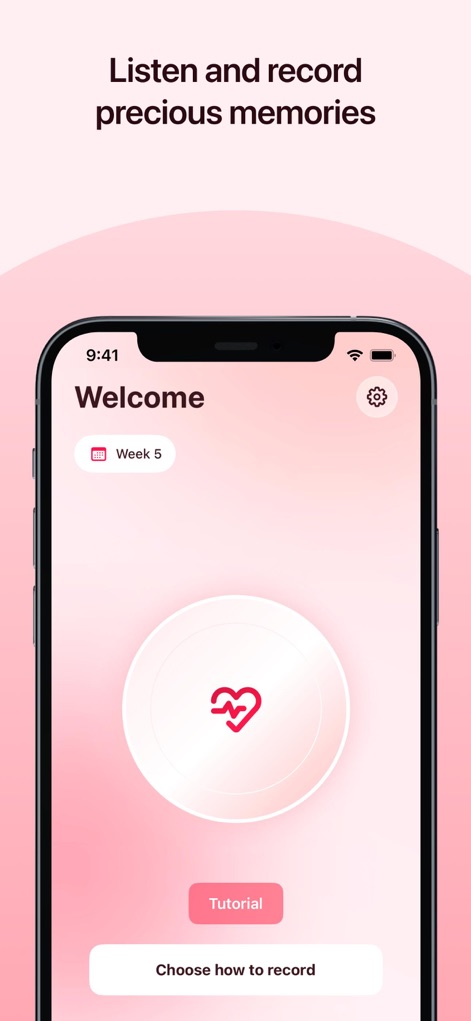
Discover the app's user-friendly interface, featuring a prominent heart-shaped recording button, and easily track pregnancy progress with the integrated 'Week 5' indicator.
Intuitive Recording Hub

Users can immerse themselves in quality sound with recommended AirPods, further personalizing recordings through the detailed baby in womb illustration and comprehensive 'Audio editor' and 'Notes' sections.
Enhance & Personalize
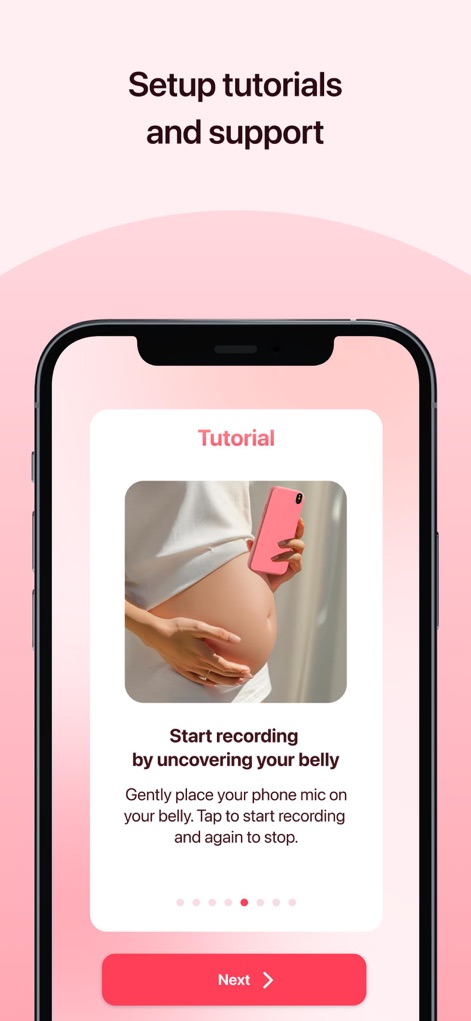
The app provides clear, step-by-step tutorial cards, visually demonstrating correct phone placement on the belly to ensure optimal recording results.
Simple Setup Guide
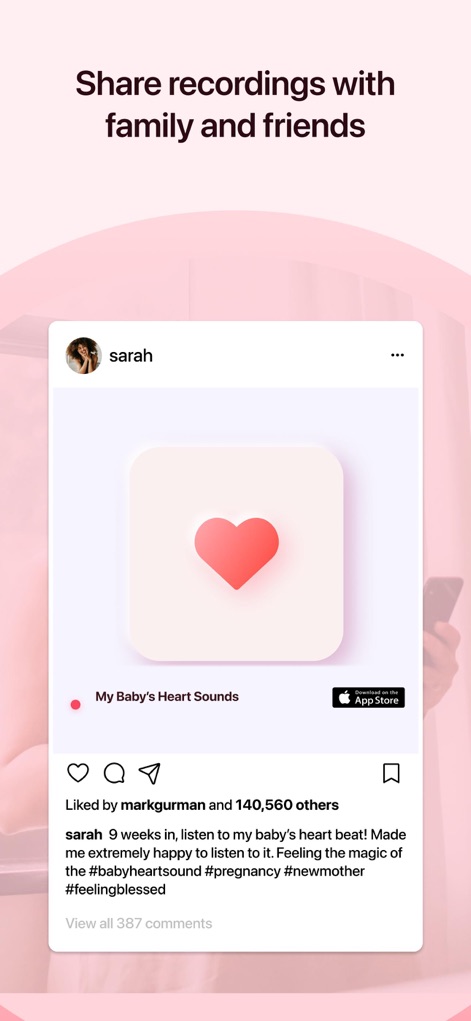
Easily share precious recordings with family and friends through the simulated social media post, enabled by the accessible and prominent 'Share' button.
Share Memorable Moments
Description
Download
More Like This
Apps with similar features and user experience




This page is not an official page of the app or its developer, but an independent editorial publication created for informational and commentary purposes. Unless expressly stated otherwise, neither the app nor its developer is affiliated with, endorsed by, sponsored by, authorized by, or otherwise officially connected with MWM, Apple, Google Play, the app publisher, or the app's developer, and nothing on this page implies that the app was developed using MWM's services. Any trademarks, logos, screenshots, and other content remain the property of their respective owners.