
This page is not an official page of the app or its developer, but an independent editorial publication created for informational and commentary purposes. Unless expressly stated otherwise, neither the app nor its developer is affiliated with, endorsed by, sponsored by, authorized by, or otherwise officially connected with MWM, Apple, Google Play, the app publisher, or the app's developer, and nothing on this page implies that the app was developed using MWM's services. Any trademarks, logos, screenshots, and other content remain the property of their respective owners.


My DIGI
Manage your consumption, download invoices, and secure your SIM settings with ease. Experience intuitive telecom management designed for your global lifestyle, whether you are at home or abroad.
Downloads
37K+User Rating
Total Ratings
0Publisher
Category
UtilitiesLocales
1Latest Version
1.0Size
9.8 MBFirst Released
Jul 9, 2025Take Command of Your DIGI Services
Whether you are in Lisbon or New York, manage your mobile data, internet subscriptions, and billing with ease and total autonomy.
Global Account Management
Effortlessly manage your Portuguese mobile and home internet services from across the Atlantic without the need for international calls or office visits.
Real-Time Usage Insights
Keep a close eye on your data consumption and accumulated balance to optimize your connectivity and avoid unexpected costs while traveling.
Frequently Asked Questions
Everything you need to know about My DIGI
How can I check my mobile data usage with My DIGI?
Yes, My DIGI allows mobile service customers to consult their accumulated mobile data and current consumption. Users view this information directly on the app's home screen.
Can I download my invoices using the My DIGI app?
Yes, My DIGI customers, both mobile and internet users, can consult and download their invoices. This feature is accessible within the "Faturas" section of the app.
How do I find my PUK code in My DIGI?
Yes, My DIGI allows mobile service customers to consult their PUK code. This option is available within the "Serviços adicionais" section under "Segurança" in the app.
Can I block my SIM card if it's lost using My DIGI?
Yes, My DIGI enables mobile service customers to instantly block their SIM card in case of loss or theft. This feature is found in the "Serviços adicionais" section under "Bloqueio do número".
Does My DIGI let me manage call waiting?
Yes, My DIGI allows mobile service customers to manage their call waiting notification. This setting is accessible within the "Serviços adicionais" section, under "Serviços do teu número".
Can I contract new services through the My DIGI app?
Yes, My DIGI customers can contract new mobile, internet, and TV services directly through the app. This functionality is available in the "Serviços" section.
How can I change my billing or contact details in My DIGI?
Yes, My DIGI mobile service customers can alter their billing data and contact details. The app provides dedicated functionality for managing this personal information.
Can I set consumption limits with the My DIGI app?
Yes, My DIGI allows mobile service customers to configure their consumption limits directly within the app. This feature helps users control their spending and usage.
The following screenshots and description are sourced directly from the app's official store listing and are the property of the app developer.
App Store
Screenshots
Welcome screen of the My DIGI app showing the logo on a blue background
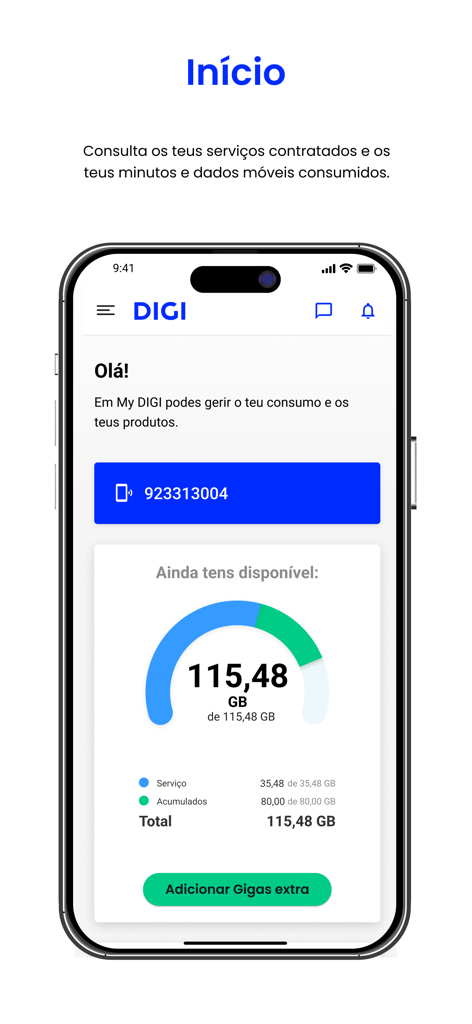
Dashboard of My DIGI app showing mobile data consumption and account details
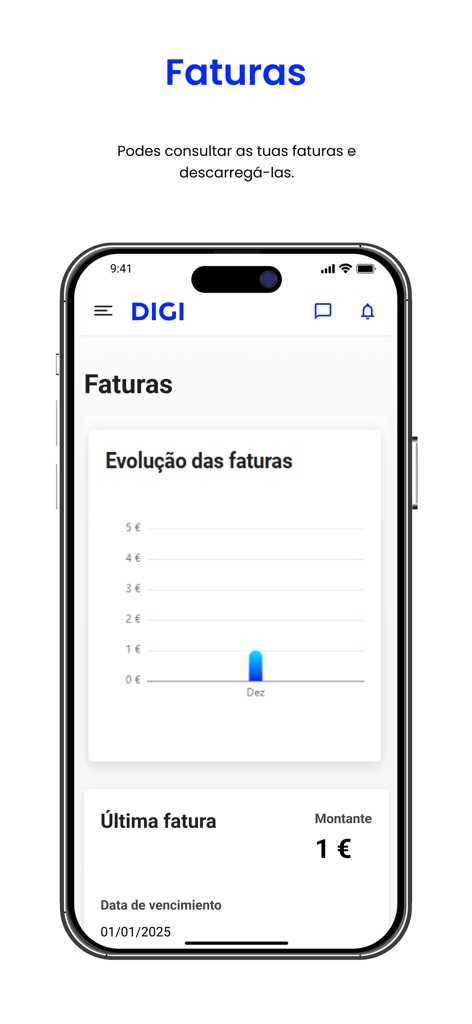
Interface of the My DIGI app showing invoice evolution and billing details
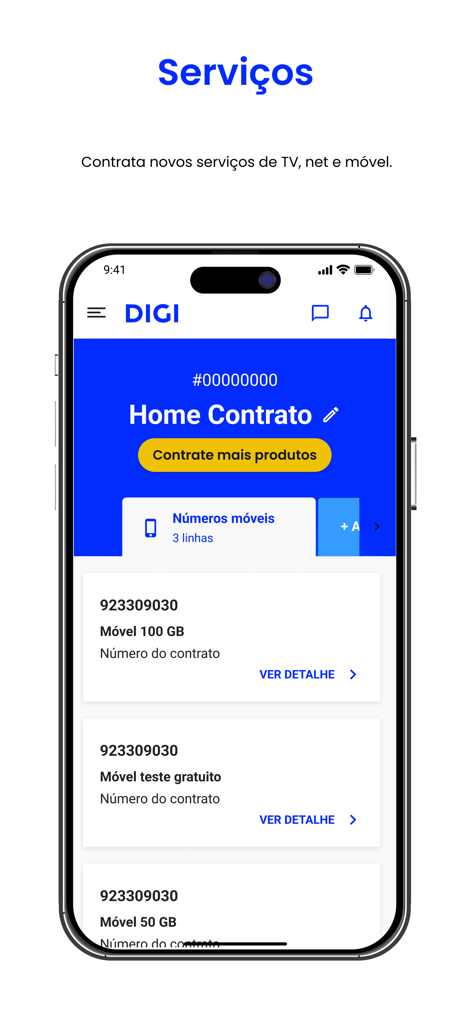
My DIGI mobile app interface displaying various mobile service plans and subscription management options in Portuguese.
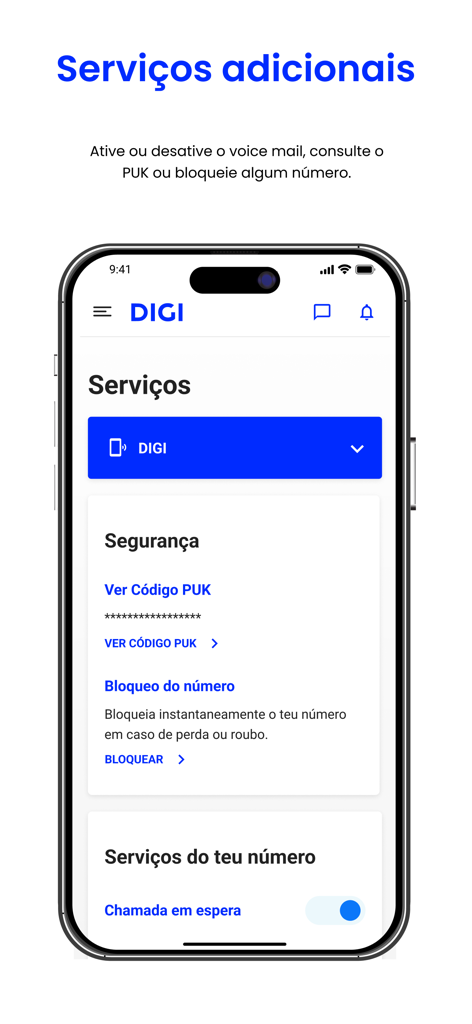
My DIGI app screen displaying security and number management services
Description
Download
More Like This
Apps with similar features and user experience

T-Life
T-Mobile USA, Inc.
My Spectrum
Charter Communications Operating, LLC

True
TRUE CORPORATION PUBLIC COMPANY LIMITED

Mobily - موبايلي
Etihad Etisalat Company
Altel.kz
Mobile Telecom-Service TOO

中華電信
TELECOMMUNICATION LAB,CHUNGHWA TELECOM CO., LTD
Mi Lowi
Vodafone Enabler Espana, S.L.

My Liberty App
Liberty Cablevision of Puerto Rico Ltd

中国移动(手机营业厅)
China Mobile Online Services Co., Ltd.
This page is not an official page of the app or its developer, but an independent editorial publication created for informational and commentary purposes. Unless expressly stated otherwise, neither the app nor its developer is affiliated with, endorsed by, sponsored by, authorized by, or otherwise officially connected with MWM, Apple, Google Play, the app publisher, or the app's developer, and nothing on this page implies that the app was developed using MWM's services. Any trademarks, logos, screenshots, and other content remain the property of their respective owners.