
This page is not an official page of the app or its developer, but an independent editorial publication created for informational and commentary purposes. Unless expressly stated otherwise, neither the app nor its developer is affiliated with, endorsed by, sponsored by, authorized by, or otherwise officially connected with MWM, Apple, Google Play, the app publisher, or the app's developer, and nothing on this page implies that the app was developed using MWM's services. Any trademarks, logos, screenshots, and other content remain the property of their respective owners.


My Feed・Grid Preview & Planner
The all-in-one planner to preview your grid, style aesthetic captions, and schedule posts with ease. Drag, drop, and curate a professional presence that turns visitors into followers.
Downloads
3M+User Rating
Total Ratings
29K+Publisher
Category
Photo & VideoLocales
10Latest Version
13.0Size
80.7 MBFirst Released
Nov 27, 2020Master Your Instagram Aesthetic
Everything you need to curate a professional grid, edit high-quality content, and schedule your growth in one seamless experience.
Visual Grid Planning
Perfect your 'vibe' before you post. Use drag-and-drop to preview how new photos, reels, and carousels fit into your existing feed.
Professional Caption Styling
Stop fighting with Instagram's formatting. Add clean line breaks, use aesthetic fonts, and save hashtag groups for maximum engagement.
Frequently Asked Questions
Everything you need to know about My Feed・Grid Preview & Planner
What is My Feed・Grid Preview & Planner?
My Feed is an app designed to help users map out and arrange their Instagram content, including planning future posts and visualizing their feed layout.
How does My Feed help me plan my Instagram feed?
My Feed syncs with your accounts to display future posts alongside published ones. It provides tools like drag & drop, hide & unhide, and pin & unpin for feed arrangement.
What types of Instagram content can My Feed plan and manage?
My Feed is compatible with various publication types. It plans posts, stories, reels, carousels, grids, and highlights, offering comprehensive content management for Instagram.
Can I rearrange my Instagram posts using My Feed?
Yes, My Feed allows you to rearrange your Instagram posts. It features drag & drop functionality, enabling you to organize your feed visually before publishing.
Does My Feed allow users to schedule Instagram posts and reels?
Yes, My Feed allows scheduling of all publication types. Users can plan posts, stories, reels, carousels, grids, and highlights ahead of time within the app.
Can I manage multiple Instagram accounts with My Feed?
Yes, My Feed supports unlimited accounts. This feature enables users to manage multiple Instagram projects and compare various content plan options effectively.
Does My Feed include photo and video editing tools for Instagram content?
Yes, My Feed provides photo and video editing tools. Features include filters, color correction (exposure, contrast, saturation), graphics, placeholders, and icons for stories highlights.
What caption editing features are available in My Feed?
My Feed offers caption editing features. These include aesthetic fonts, Instagram space for readable text, and hashtag groups to simplify hashtag management for publications.
Is My Feed・Grid Preview & Planner a free application?
No, My Feed offers exclusive benefits through a Premium plan subscription. The app description indicates that users unlock these benefits by subscribing.
Is My Feed affiliated with Instagram or Meta?
No, My Feed is not affiliated, associated, sponsored, endorsed by, or officially connected with Instagram and Meta in any way. This is stated explicitly in its disclaimer.
Does My Feed offer direct publication to Instagram?
Yes, My Feed supports direct publication. It allows users to export new images, including their captions, for seamless posting directly onto Instagram.
Can I edit my Instagram profile information using My Feed?
Yes, My Feed allows users to edit their profile header. This includes changing the profile photo, bio, and links directly within the application.
Does My Feed provide a data backup feature?
Yes, My Feed ensures secure storage of user data through its backup feature. This tool protects your content and planning progress within the application.
Where can I find the Privacy Policy for My Feed?
The Privacy Policy for My Feed is available online. You can access the full document at https://bigrowth.io/privacy.pdf as indicated in the app description.
The following screenshots and description are sourced directly from the app's official store listing and are the property of the app developer.
App Store
Screenshots
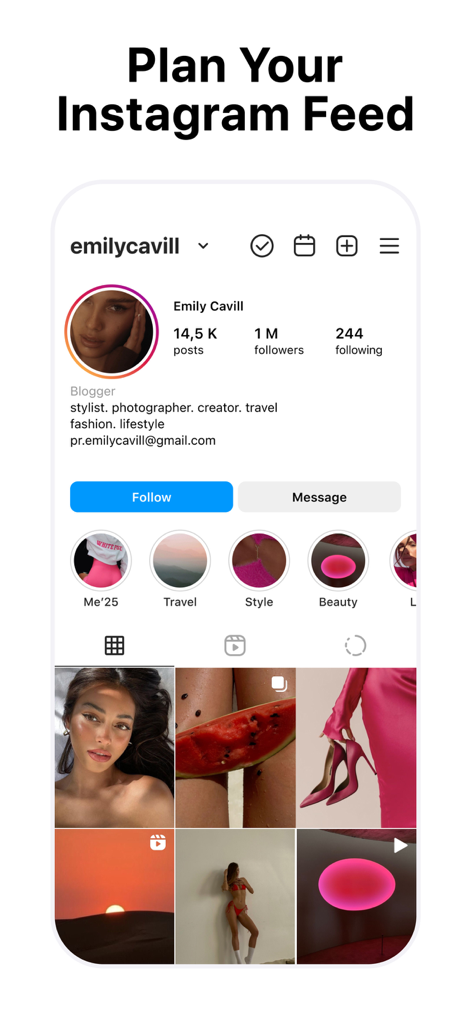
A preview of the My Feed app showing a curated Instagram grid layout with professional aesthetic planning tools
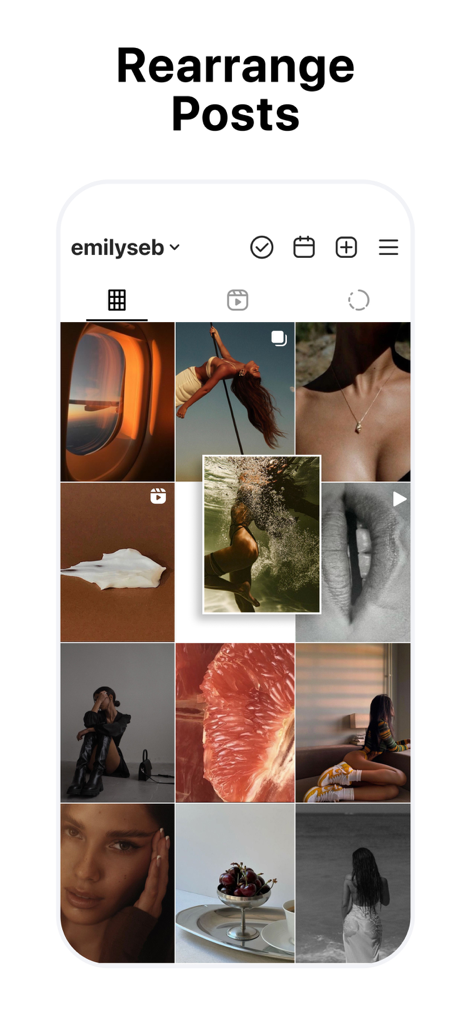
Rearranging Instagram posts in a grid preview using drag and drop
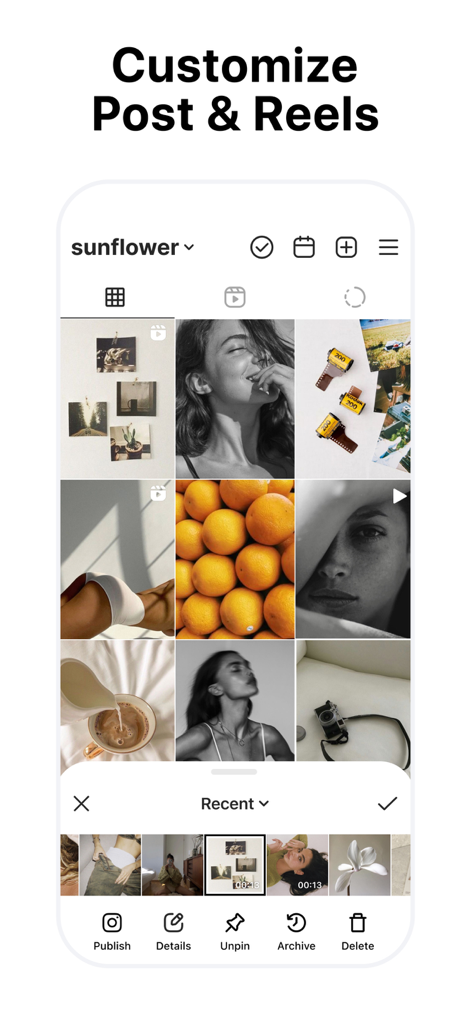
Interface showing an Instagram grid preview with options to customize posts and reels
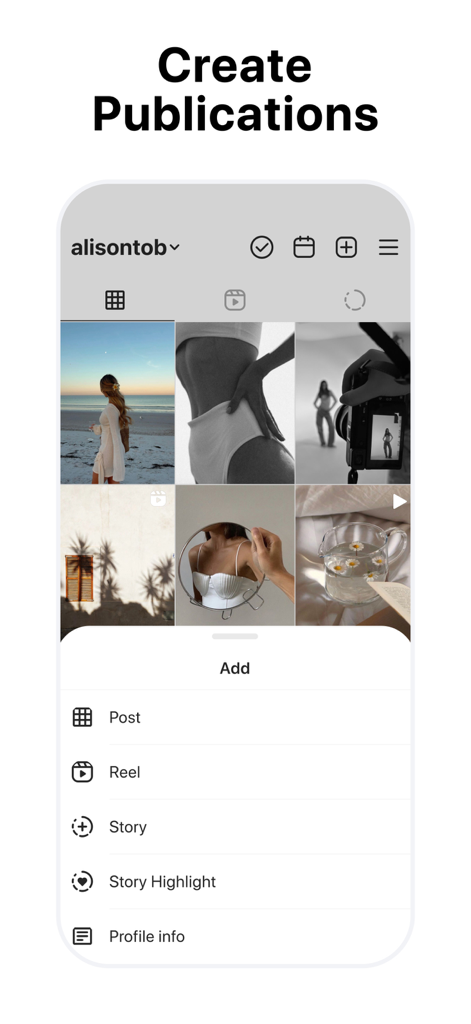
Mobile app screen showing the create publications menu for an Instagram grid planner
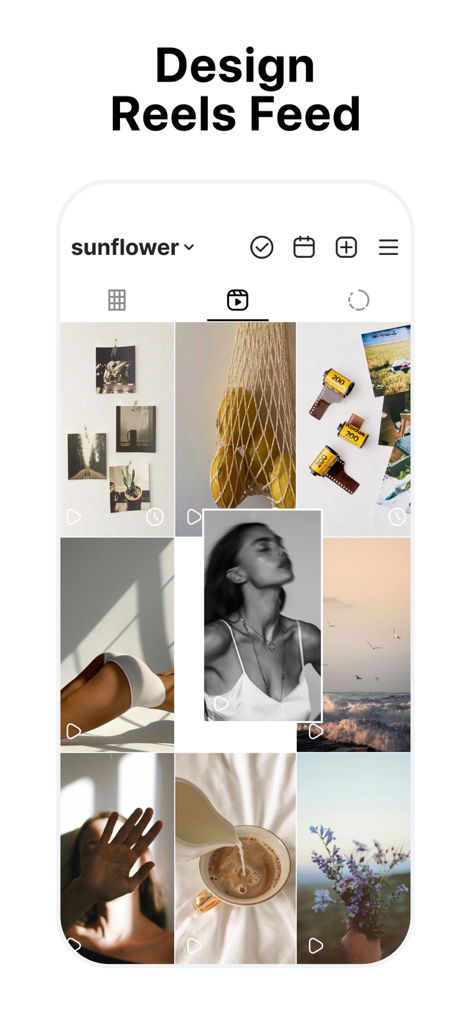
A mobile app interface showing a curated Instagram Reels feed planner with drag and drop functionality
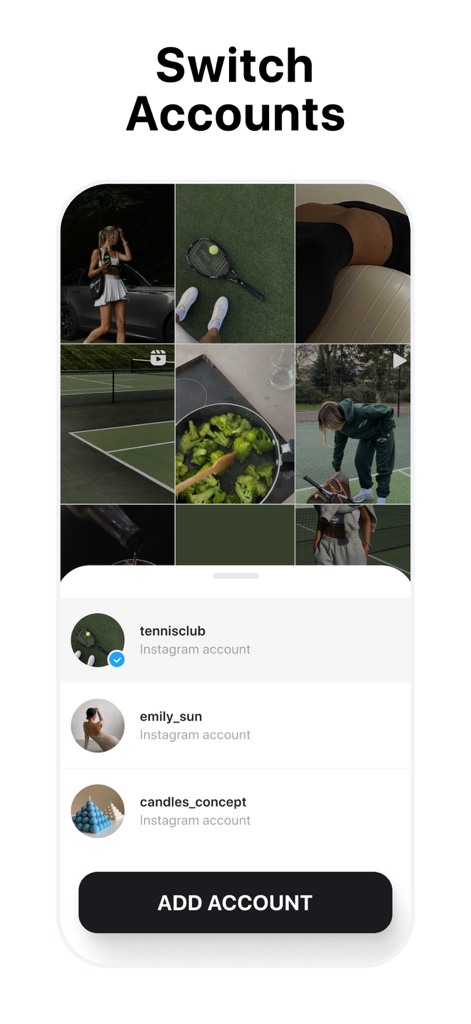
Interface of the app showing the multi-account management feature to switch between different Instagram profiles for grid planning
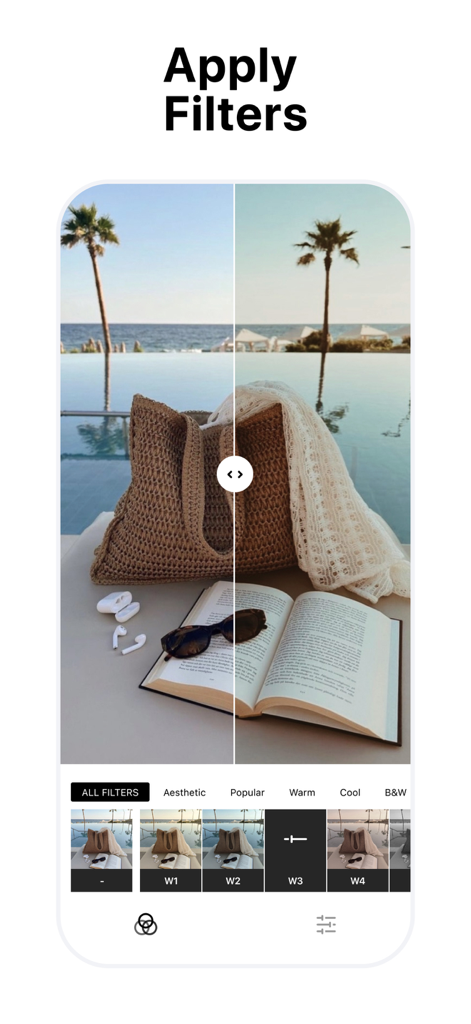
A split-screen view in the My Feed app showing a photo of a beach bag and book before and after applying an aesthetic filter.
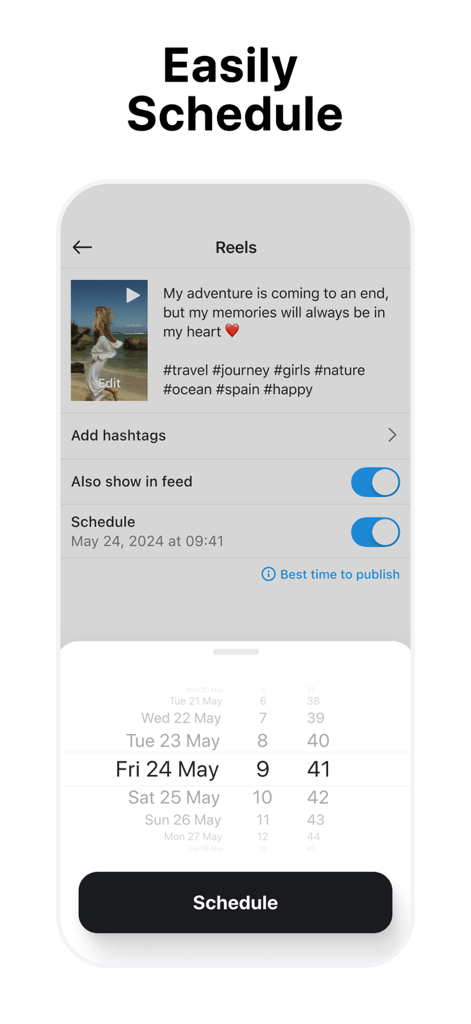
Interface for scheduling Instagram Reels and posts with a date picker
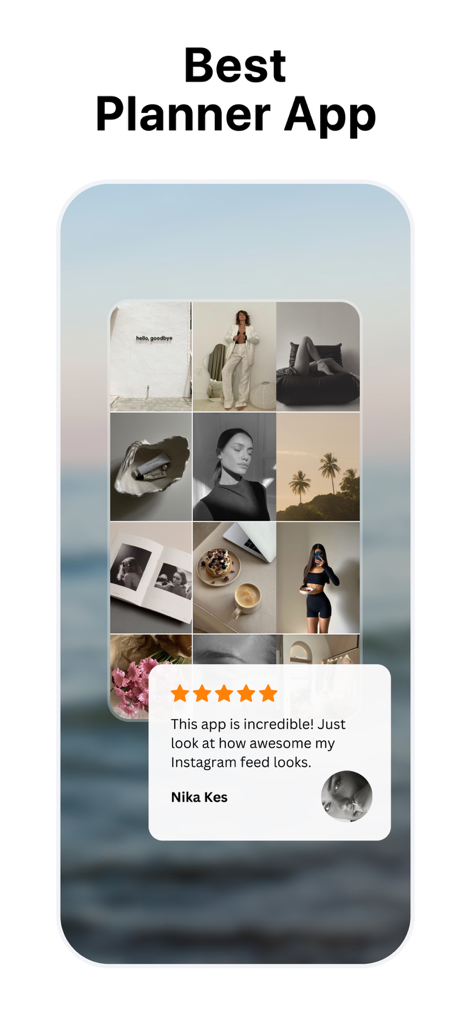
My Feed app interface showing an aesthetic Instagram grid preview with a five star user testimonial.
Description
Download
More Like This
Apps with similar features and user experience

Crsel: Carousel & Story Maker
Georgy Romelashvili

Layout for Instagram・Inpreview
Onelight Apps CY Ltd

Carousel Layout Maker・SwipeMix
Onelight Apps CY Ltd

PanoCut: Panorama Scroll Maker
Hashone Tech LLP

PhotoSplit for Instagram
Tech Positive Inc.

Setty: Photo Filters & Presets
A Color Story LLC

Preview Feed for Insta・Layout
Appslead Ltd

Feed Preview Planner IG・InPlan
Cubetix Ltd.

Feeds: Post & Template Maker
WNDR11 LTD
This page is not an official page of the app or its developer, but an independent editorial publication created for informational and commentary purposes. Unless expressly stated otherwise, neither the app nor its developer is affiliated with, endorsed by, sponsored by, authorized by, or otherwise officially connected with MWM, Apple, Google Play, the app publisher, or the app's developer, and nothing on this page implies that the app was developed using MWM's services. Any trademarks, logos, screenshots, and other content remain the property of their respective owners.