My GPS Area Calculator
Download on App Store

This page is not an official page of the app or its developer, but an independent editorial publication created for informational and commentary purposes. Unless expressly stated otherwise, neither the app nor its developer is affiliated with, endorsed by, sponsored by, authorized by, or otherwise officially connected with MWM, Apple, Google Play, the app publisher, or the app's developer, and nothing on this page implies that the app was developed using MWM's services. Any trademarks, logos, screenshots, and other content remain the property of their respective owners.

Logo of My GPS Area Calculator
Download on App Store

My GPS Area Calculator

Calculate acreage and perimeters with pinpoint accuracy using GPS or manual mapping. Designed for farmers, surveyors, and contractors, it’s the professional's choice for field data on iPhone and Apple Watch.

Key Figures

Downloads

55K+

User Rating

4.5/5

Total Ratings

0

Publisher

MYSTIC MOBILE APPS LLC

Category

Navigation

Locales

14

Latest Version

2.63

Size

65.9 MB

First Released

Jan 8, 2023
Features

Engineered for Professional Precision

Streamline your field work with high-accuracy GPS mapping, seamless hardware integration, and professional data formats tailored for American contractors, farmers, and surveyors.

Survey-Grade Accuracy

Achieve unmatched precision by pairing your device with external Garmin GPS receivers to minimize drift and capture data accurate to the centimeter.

Hands-Free Boundary Mapping

Leave your phone in the truck. Use your Apple Watch to track perimeters and measure acreage while keeping your hands free for tools and equipment.

The following screenshots and description are sourced directly from the app's official store listing and are the property of the app developer.

App Store

Screenshots
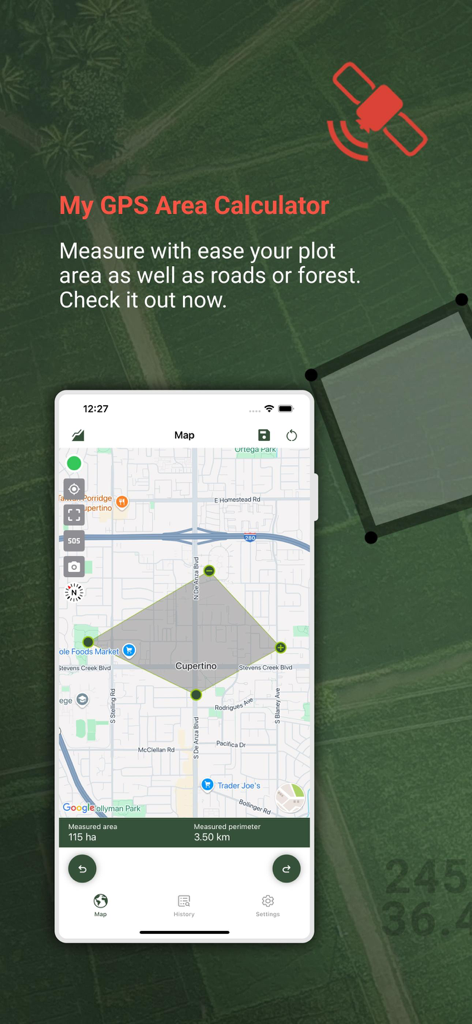
My GPS Area Calculator - My GPS Area Calculator app showing land measurement and perimeter on a map
My GPS Area Calculator app showing land measurement and perimeter on a map

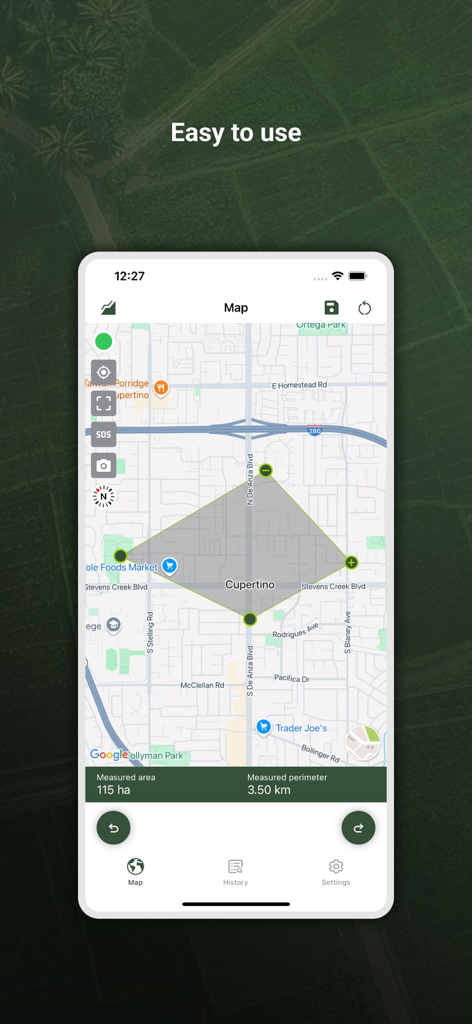
My GPS Area Calculator - Screenshot of My GPS Area Calculator app showing a 115 hectare area measurement on a map of Cupertino
Screenshot of My GPS Area Calculator app showing a 115 hectare area measurement on a map of Cupertino

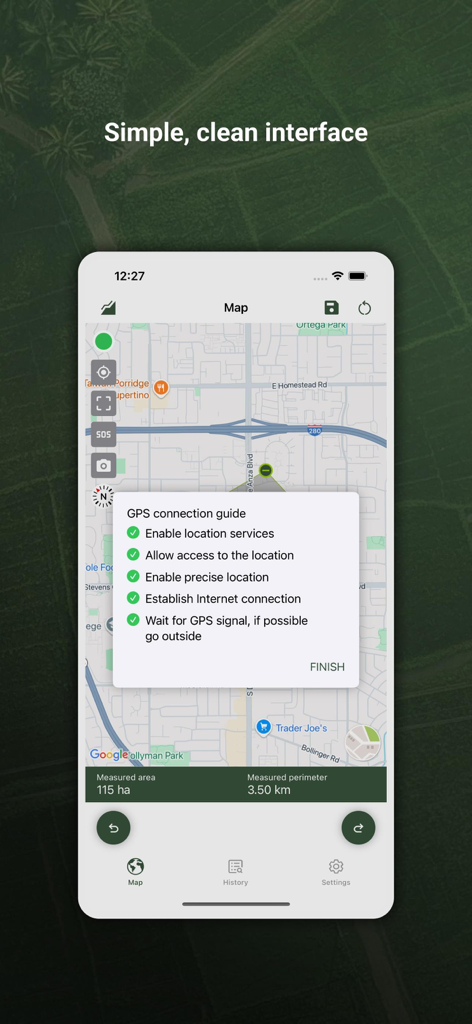
My GPS Area Calculator - My GPS Area Calculator app interface showing map measurements and GPS connection guide
My GPS Area Calculator app interface showing map measurements and GPS connection guide

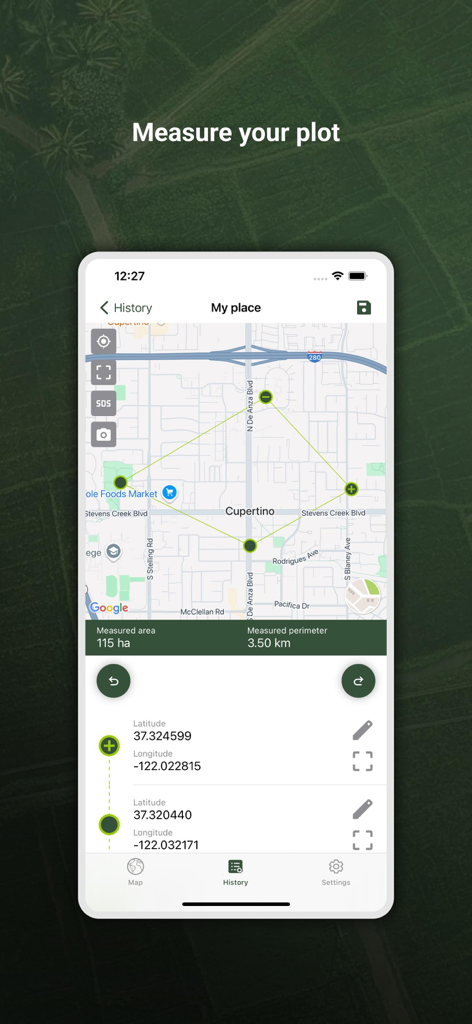
My GPS Area Calculator - GPS Area Calculator app interface displaying a measured land plot on a map with area and perimeter details
GPS Area Calculator app interface displaying a measured land plot on a map with area and perimeter details

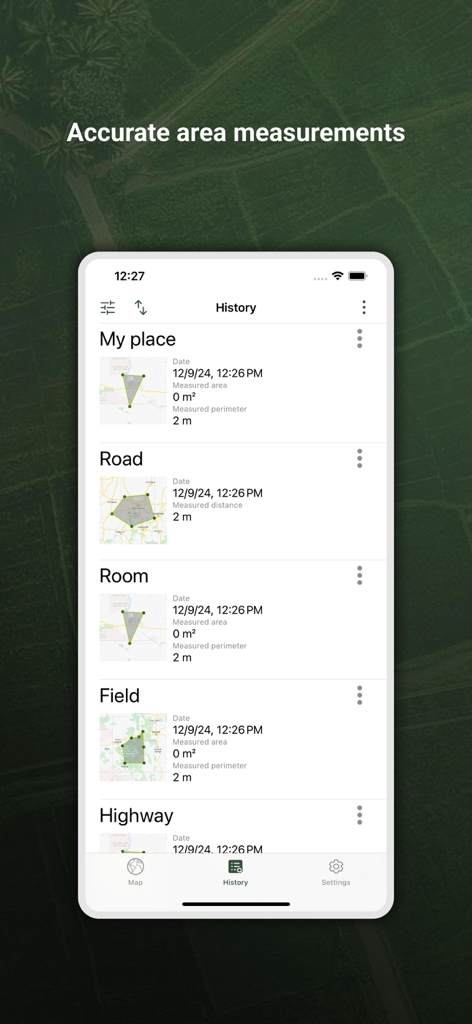
My GPS Area Calculator - A list of saved GPS area and distance measurements in the history section of the app
A list of saved GPS area and distance measurements in the history section of the app

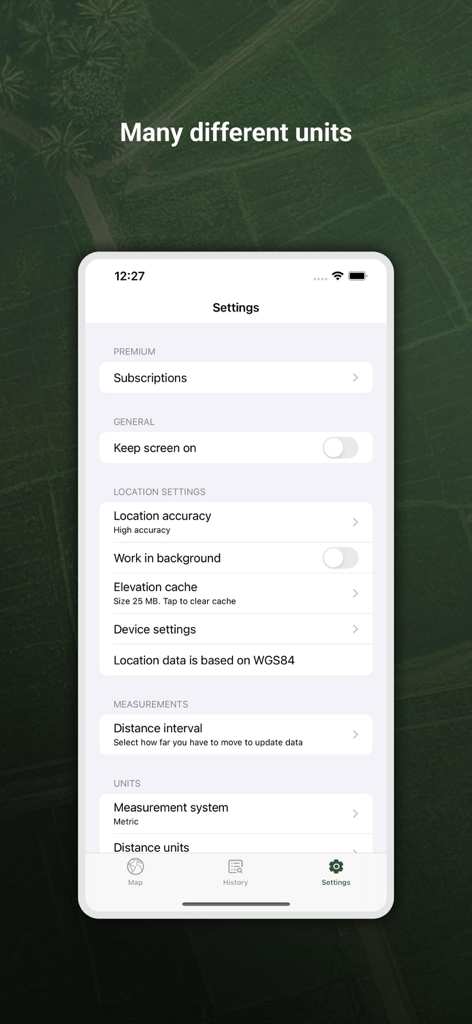
My GPS Area Calculator - Settings screen of the My GPS Area Calculator app showing measurement units and location accuracy options
Settings screen of the My GPS Area Calculator app showing measurement units and location accuracy options

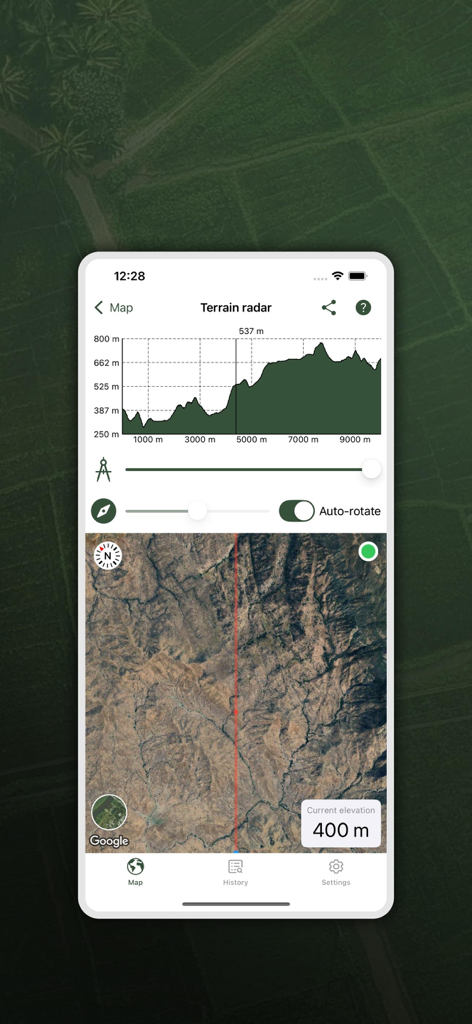
My GPS Area Calculator - My GPS Area Calculator app displaying a terrain radar with an elevation profile graph and a satellite map view for professional land measurement
My GPS Area Calculator app displaying a terrain radar with an elevation profile graph and a satellite map view for professional land measurement

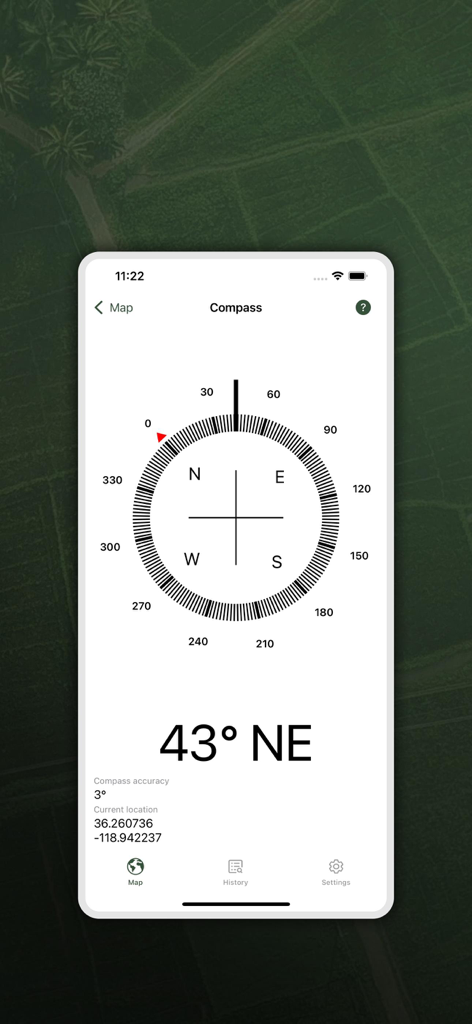
My GPS Area Calculator - Digital compass interface showing 43 degrees North East heading and current GPS coordinates

Digital compass interface showing 43 degrees North East heading and current GPS coordinates

Description

With our app, measuring the area of spaces is even easier. • Dual Mode Precision: Enjoy easy GPS-based or manual map-pointing measurements for accurate area calculations. • Unmatched Accuracy: Rely on our high-precision GPS for consistently accurate measurements. • Versatile Measurements: Switch effortlessly between area and distance measurements to suit diverse needs. • Measurement Storage: Save and revisit your measurements anytime for convenience. • Compass Navigation: Easily navigate to saved areas with our integrated compass feature. • Data Sync: Log in to synchronize your data across multiple devices seamlessly. • Data Export/Import: Share and receive measurements easily with GPX and KML format support. • Customizable Units: Choose between metric and imperial units for your comfort. • In-App Help Function: Easily learn about all app functions with our comprehensive in-app help feature. • SOS Feature: Send SOS messages with your location in emergencies. • Snapshot Feature: Quickly capture and save screenshots of your measurements. • Sorted Measurements: Organize saved measurements by name, date, distance, or size. • Location Accuracy: Select your preferred location accuracy for detailed or battery-saving measurements. • Background Measuring: Continue measuring in the background for uninterrupted multitasking. • Apple Watch Integration: Conveniently measure using your Apple Watch watch and sync with your phone. • Multiple Map Views: Choose from normal, terrain, hybrid, or satellite maps for a tailored view. One measuring option is just to start the app and walk around a space to measure the area on foot. This is the easiest method to use if you simply need square footage. The other measuring option involves a little more planning. Sit on your comfy sofa, start our app, and in the custom map view, manually select the points/area to measure. This can come in handy if you want to measure your plot of land, or a physical area for future investment. On the other hand, if you are a farmer and you want to know the area of your planting fields, it's a great option for you as well. After taking the measurements, you can share them with your coworkers or friends. The app is extremely useful for a large number of specialists in various fields: - Land surveyors - City planners - Farmers - Landscape designers - Construction surveys - Facilities mapping - Construction sites and building sites area - Farm fencing Some of the measurements include: - Field area measurement in meters², kilometers², feet², nmi², yards² and acres. - Distance measurement in meters, kilometers, nautical miles, feet & miles, yards Our app comes with a brand new application for Apple Watch. You can easily make all measurements without using your phone and synchronize data afterwards to enjoy viewing your saved measurements on a bigger screen! Recommendations External Bluetooth GPS receiver is recommended if your built-in receiver is not accurate enough. We specifically recommend GARMIN GLO and GARMIN GLO 2 which gives the accuracy up to 0.3 m. Our app can also come in handy when measuring distances, so if you are a runner, or you are planning a hiking trip, there’s nothing simpler than measuring the distances of your adventure with our app! Our measurement algorithms are very accurate. They use both GPS positioning and a network connection to make your measurements even more accurate. Important!: The accuracy of the application depends on the GPS sensor accuracy in a device - on most devices the accuracy is within +/- 5m. To improve accuracy, we encourage you to use more a precise GPS receiver, such as Garmin which provides accuracy to a few cm. Privacy policy: https://mysticmobileapps.com/legal/privacy/mygpsareacalculator Terms and conditions: https://mysticmobileapps.com/legal/terms/mygpsareacalculator

Download

Download on App Store

This page is not an official page of the app or its developer, but an independent editorial publication created for informational and commentary purposes. Unless expressly stated otherwise, neither the app nor its developer is affiliated with, endorsed by, sponsored by, authorized by, or otherwise officially connected with MWM, Apple, Google Play, the app publisher, or the app's developer, and nothing on this page implies that the app was developed using MWM's services. Any trademarks, logos, screenshots, and other content remain the property of their respective owners.








