
This page is not an official page of the app or its developer, but an independent editorial publication created for informational and commentary purposes. Unless expressly stated otherwise, neither the app nor its developer is affiliated with, endorsed by, sponsored by, authorized by, or otherwise officially connected with MWM, Apple, Google Play, the app publisher, or the app's developer, and nothing on this page implies that the app was developed using MWM's services. Any trademarks, logos, screenshots, and other content remain the property of their respective owners.


My GPS Coordinates °
No more guesswork; this app grants users an unshakeable sense of their precise global position, even offline.
Downloads
1M+User Rating
Total Ratings
9.6KPublisher
Category
NavigationLocales
14Latest Version
6.50Size
72.0 MBFirst Released
Feb 15, 2018An analytical overview for outdoor enthusiasts and professionals
Key Features of My GPS Coordinates °
Emergency SOS Function
This tool features a lifesaving SOS function that sends an emergency message with current coordinates to a preset contact.
Offline Operation Capability
The app functions without an internet connection, making it reliable for use in remote areas where connectivity is unavailable.
High Accuracy GPS Data
The app provides precise coordinates, altitude, GPS precision, and satellite count, essential for reliable navigation and data collection.
Advanced Data Export/Import
It supports versatile data export and import in formats like GPX, KML, and a custom MYGPS format, ensuring comprehensive data management and compatibility.
Multiple Coordinate Formats
It allows users to view and utilize coordinates in various professional and common formats like DD, DDM, DMS, UTM, and MGRS.
Adjustable Accuracy & Battery Mode
It allows users to adjust the balance between GPS precision and battery consumption, optimizing usage for longer trips.
Compass Navigation to Saved Spots
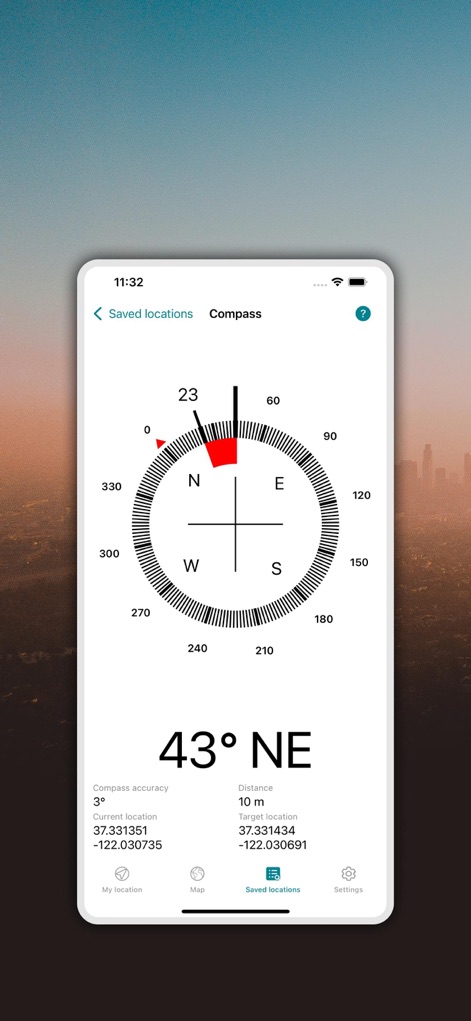
The app provides a built-in compass to guide users back to their previously saved locations, enhancing outdoor navigation.
Location Saving & Management
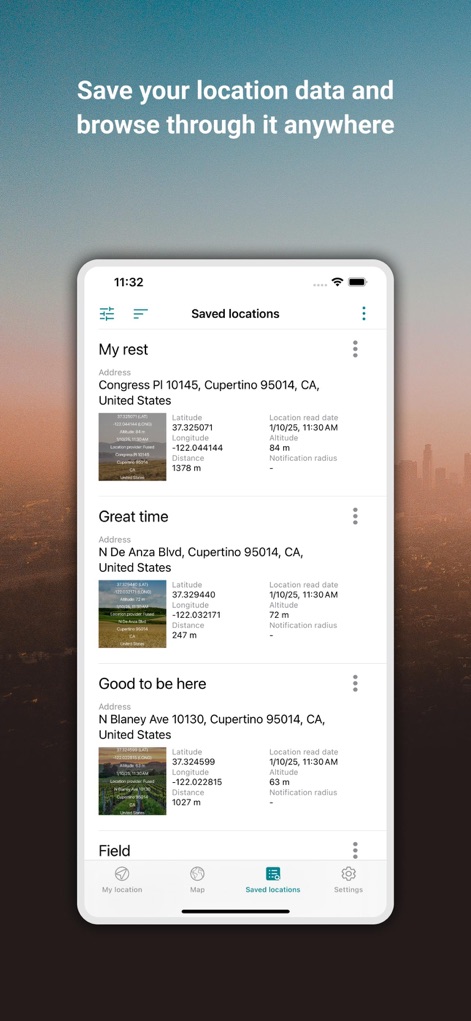
The app allows users to save any location, optionally with a photo, and efficiently manage them by filtering options for future reference.
Diverse Map View Options
The app provides various map types, including normal, terrain, hybrid, and satellite, for comprehensive viewing of locations.
Map Visualization of Saved Locations
It provides a map view to visualize all saved locations, aiding in planning and reviewing routes or points of interest.
Frequently Asked Questions
Everything you need to know about My GPS Coordinates °
How does My GPS Coordinates ° determine my location?
My GPS Coordinates ° determines your location using high-accuracy GPS, providing latitude, longitude, altitude, GPS precision, and satellite count. It relies on your device's GPS hardware and outdoor conditions for optimal performance.
Can I share my GPS location using My GPS Coordinates °?
Yes, My GPS Coordinates ° allows instant sharing of your current whereabouts. You can easily share your GPS location via email, text messaging, or social media platforms.
What coordinate formats does My GPS Coordinates ° support?
My GPS Coordinates ° supports multiple formats including DD decimal degrees, DDM degrees and decimal minutes, DMS degrees, minutes and seconds sexagesimal, UTM Universal Transverse Mercator, and MGRS Military Grid Reference System.
Can I save locations in My GPS Coordinates °?
Yes, My GPS Coordinates ° allows you to bookmark any location and attach a photo to it. Saved locations can be filtered by date, distance, or keywords for easy access.
Does My GPS Coordinates ° work offline without an internet connection?
Yes, My GPS Coordinates ° does not require an internet connection to function. However, an internet connection is helpful for achieving better location accuracy.
Can I take photos with location data in My GPS Coordinates °?
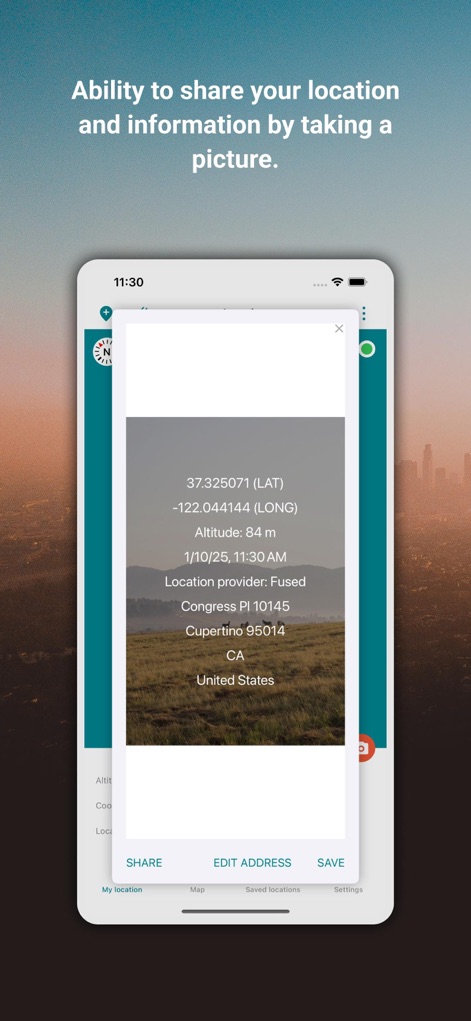
Yes, My GPS Coordinates ° allows you to capture photos with all GPS details artistically displayed. You can also customize the position, color, and size of this location data overlay on your photos.
How can I adjust the accuracy settings in My GPS Coordinates °?
My GPS Coordinates ° includes an adjustable Location Accuracy Mode. This feature allows you to choose your desired balance between precision and battery consumption, optimizing performance for your needs.
Does My GPS Coordinates ° integrate with Apple Watch?
Yes, My GPS Coordinates ° offers seamless Apple Watch integration. You can save locations directly from your Apple Watch and synchronize the data with your phone for viewing on a larger screen.
Can My GPS Coordinates ° help me navigate back to saved locations?
Yes, My GPS Coordinates ° features a built-in compass navigation function. This allows the app to guide you directly back to any of your previously saved locations.
What kind of map views are available in My GPS Coordinates °?
My GPS Coordinates ° provides diverse map choices. Users can switch between normal, terrain, hybrid, and satellite maps to suit their viewing preferences and needs.
Does My GPS Coordinates ° offer an SOS feature?
Yes, My GPS Coordinates ° includes a lifesaving SOS feature. This allows users to send an SOS message with their current coordinates during emergencies, with customizable preset numbers and messages.
The following screenshots and description are sourced directly from the app's official store listing and are the property of the app developer.
App Store
Screenshots
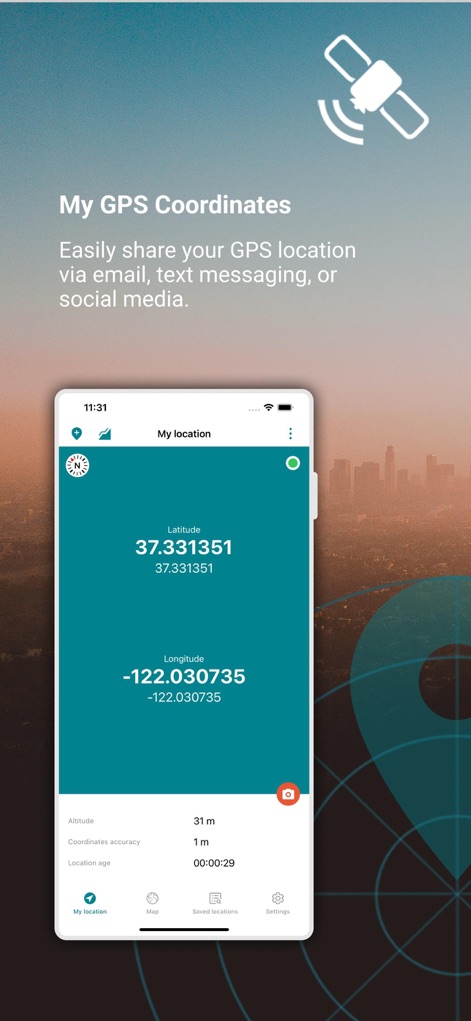
The app delivers precise current coordinates, displaying both latitude and longitude values along with immediate altitude and accuracy metrics.
Pinpoint Location Data

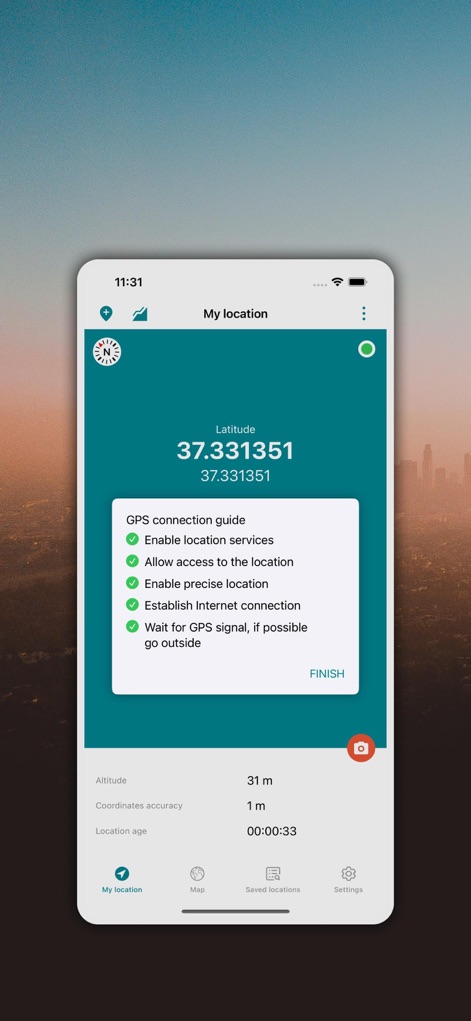
This view highlights the intuitive GPS connection guide, presenting actionable checklist steps and a clear 'Finish' button for efficient user onboarding.
Seamless GPS Setup
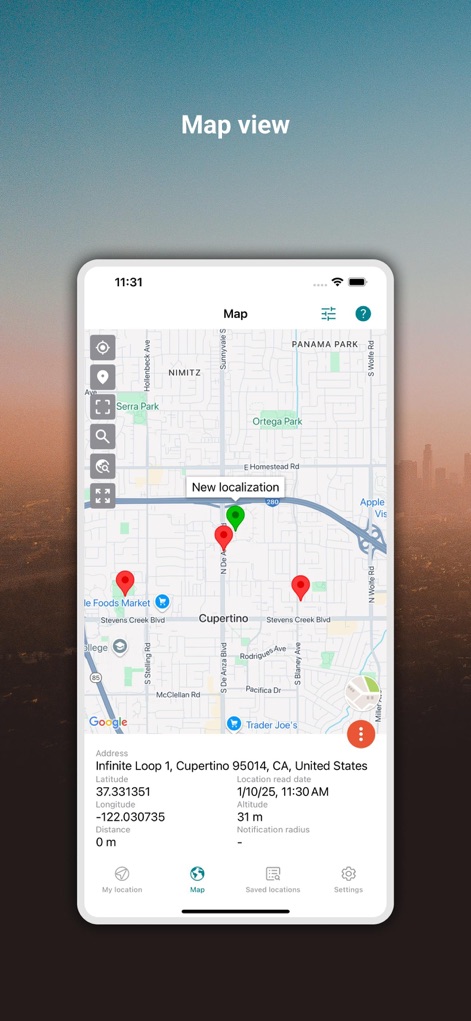
Users can visualize their current and saved locations on an interactive map interface, complete with detailed address information and location pins.
Interactive Map View
Explore the ability to capture and share geo-tagged photos, overlaying precise GPS coordinates onto a chosen image for contextual sharing.
Geo-Tagged Snapshots
The app provides a comprehensive list of saved locations, detailing addresses, coordinates, and optional images for easy management and recall.
Organized Location History
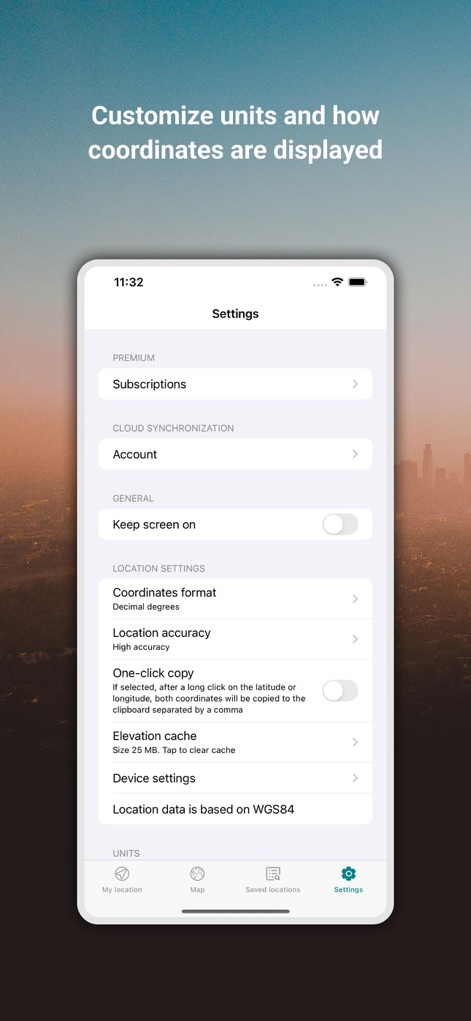
Users can personalize their experience through the settings menu, selecting preferred coordinate formats and adjusting location accuracy modes.
Customizable Preferences
This screen showcases the built-in compass feature, offering real-time directional guidance and displaying target location coordinates for navigation to saved spots.
Integrated Compass Guide
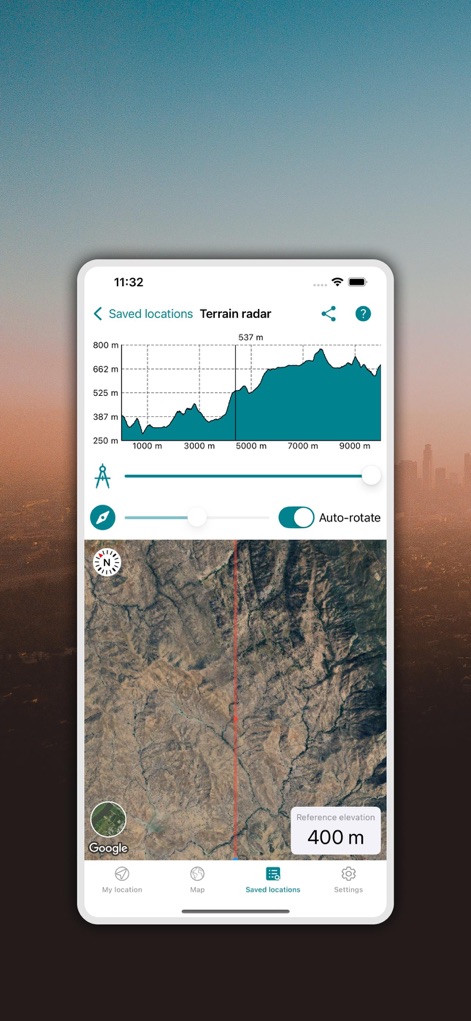
Observe the advanced terrain radar, presenting a detailed elevation profile graph and an accompanying satellite map for comprehensive topographical understanding.
Advanced Terrain Analysis
The app provides users with an instant overview of their precise latitude and longitude, alongside critical details like altitude and current GPS accuracy.
Exact GPS Readout
Description
Download
More Like This
Apps with similar features and user experience

what3words: Navigation & Maps
What3Words Limited
Location Changer: Loc Saver
Yassir Hrout
GPS Coordinates Locator Map
ANKAGIS YAZILIM ANONIM SIRKETI

Mapstr – Save & Follow Places
Hulab
Save Location GPS
RAYO INNOVATIONS PRIVATE LIMITED

Find My Car
Alexandre Morcos

Punkt AI
ROOOM APP

corner: curate & share places
Corner International, Inc.

Go Terrain
XPLORER
This page is not an official page of the app or its developer, but an independent editorial publication created for informational and commentary purposes. Unless expressly stated otherwise, neither the app nor its developer is affiliated with, endorsed by, sponsored by, authorized by, or otherwise officially connected with MWM, Apple, Google Play, the app publisher, or the app's developer, and nothing on this page implies that the app was developed using MWM's services. Any trademarks, logos, screenshots, and other content remain the property of their respective owners.