My Task Board - To Do Tracker
Download on App Store

This page is not an official page of the app or its developer, but an independent editorial publication created for informational and commentary purposes. Unless expressly stated otherwise, neither the app nor its developer is affiliated with, endorsed by, sponsored by, authorized by, or otherwise officially connected with MWM, Apple, Google Play, the app publisher, or the app's developer, and nothing on this page implies that the app was developed using MWM's services. Any trademarks, logos, screenshots, and other content remain the property of their respective owners.


Logo of My Task Board - To Do Tracker
Download on App Store

My Task Board - To Do Tracker

Master your workflow with a native, distraction-free board that syncs across iPhone, Mac, and Apple Watch. One-time purchase, total privacy, and keyboard-first speed—built for those who value efficiency over bloat.

Key Figures

Downloads

100

User Rating

1.0/5

Total Ratings

0

Publisher

Paul Adam

Category

Business

Locales

1

Latest Version

2.4

Size

3.5 MB

First Released

Dec 11, 2025
Features

Efficiency Without the Clutter

Experience a native Kanban board built specifically for the Apple ecosystem. No subscriptions, no tracking—just pure productivity across all your devices.

Unified Apple Experience

Stay productive on iPhone, iPad, Mac, and Apple Watch with lightning-fast iCloud sync and a native feel that respects your battery and hardware.

One-Time Purchase

Forget monthly fees and subscription fatigue. Pay once and own your productivity tool forever, with your data kept private in your own iCloud storage.

The following screenshots and description are sourced directly from the app's official store listing and are the property of the app developer.

App Store

Screenshots
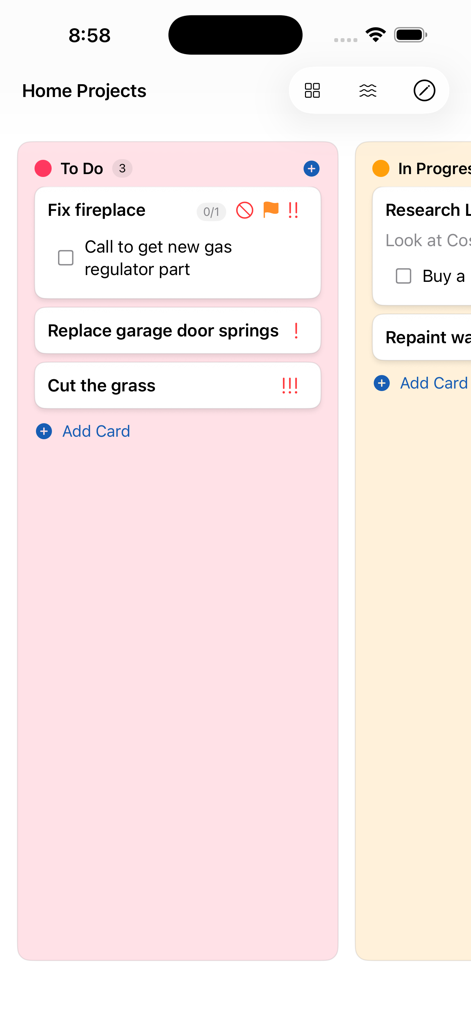
My Task Board - To Do Tracker - iPhone screenshot of a pink Kanban lane showing tasks for home projects with checklists and priority icons
iPhone screenshot of a pink Kanban lane showing tasks for home projects with checklists and priority icons

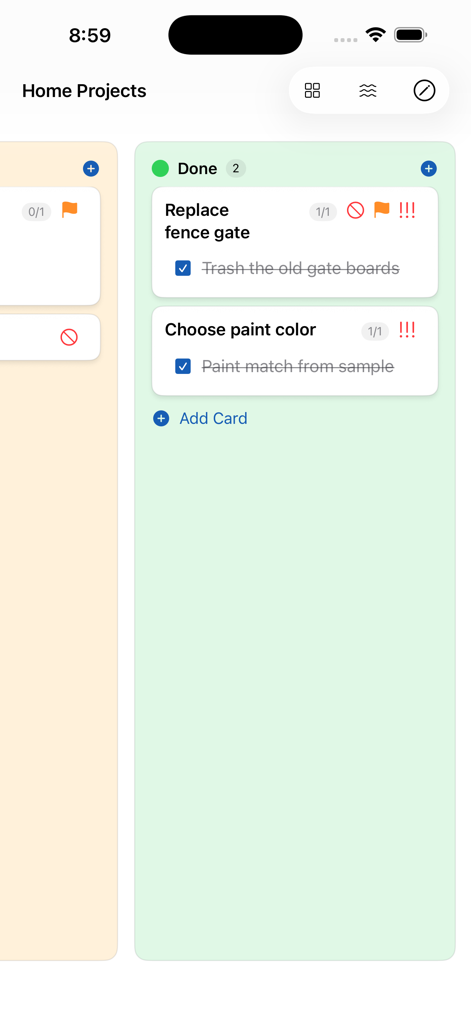
My Task Board - To Do Tracker - My Task Board app showing completed cards in the Done column
My Task Board app showing completed cards in the Done column

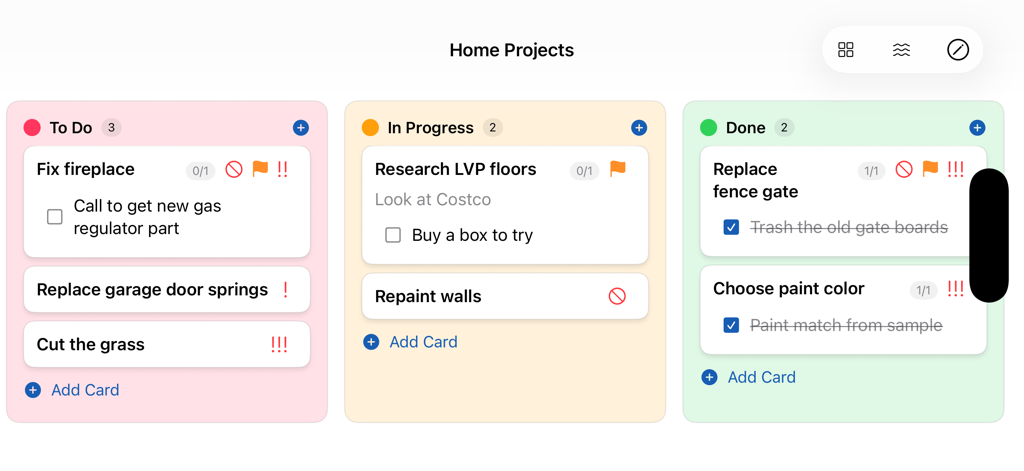
My Task Board - To Do Tracker - A visual Kanban board interface for home projects with tasks categorized into To Do, In Progress, and Done columns.
A visual Kanban board interface for home projects with tasks categorized into To Do, In Progress, and Done columns.

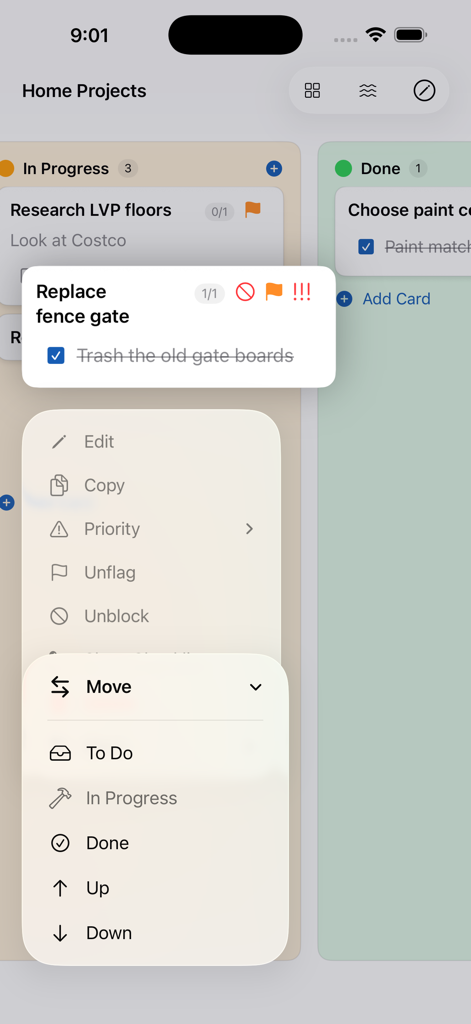
My Task Board - To Do Tracker - My Task Board app showing a menu to move cards between task columns on iPhone
My Task Board app showing a menu to move cards between task columns on iPhone

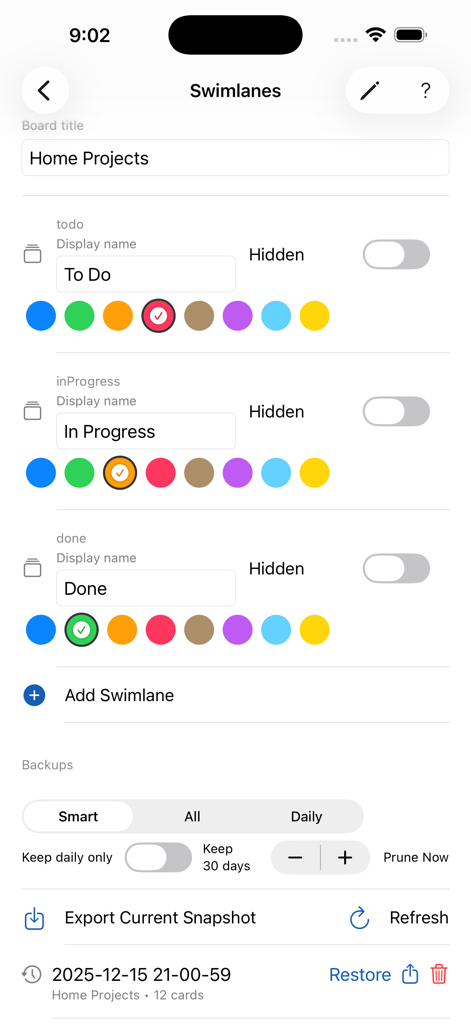
My Task Board - To Do Tracker - Swimlane customization and backup management interface in the My Task Board app
Swimlane customization and backup management interface in the My Task Board app

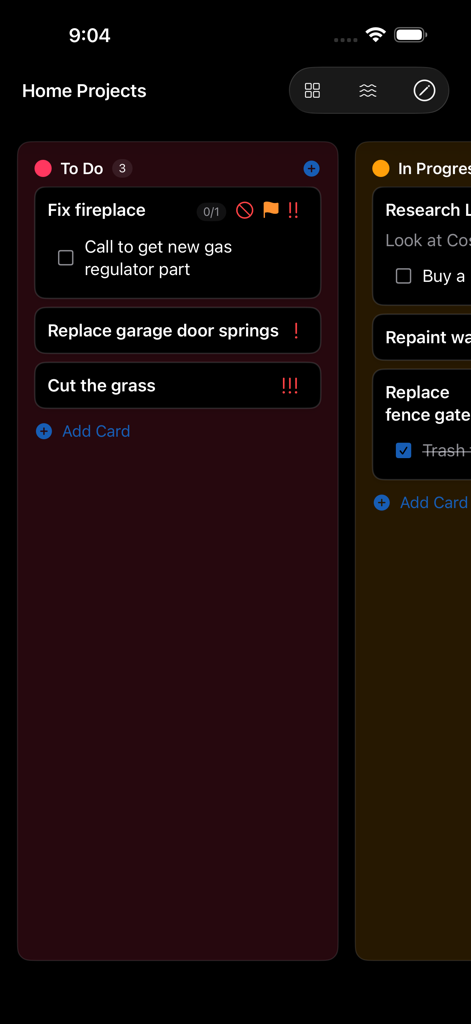
My Task Board - To Do Tracker - My Task Board app displaying a Kanban list of tasks with checklists and priority icons
My Task Board app displaying a Kanban list of tasks with checklists and priority icons

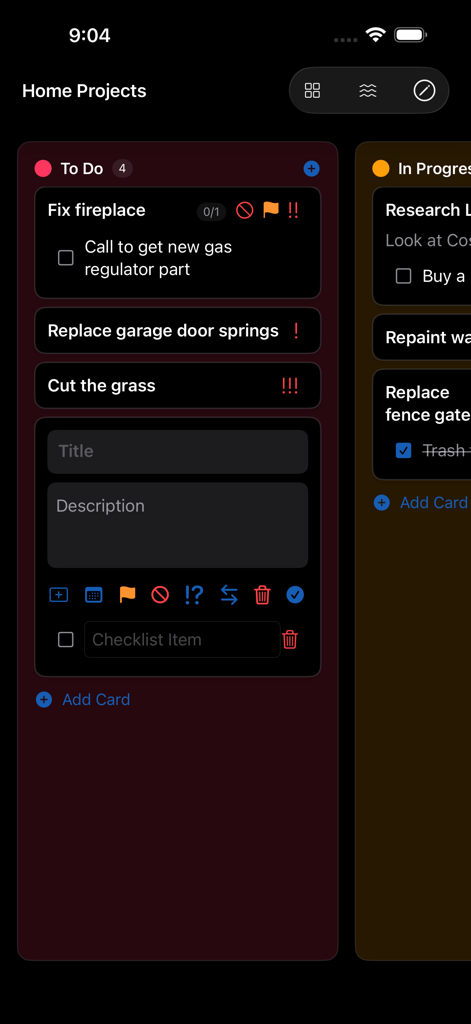
My Task Board - To Do Tracker - A dark mode Kanban board showing a To Do list with cards for home projects and a task editing interface
A dark mode Kanban board showing a To Do list with cards for home projects and a task editing interface

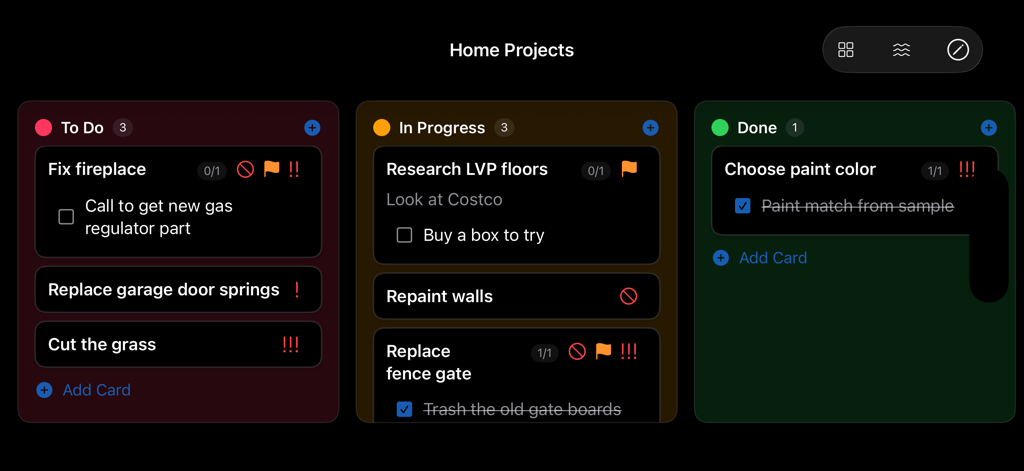
My Task Board - To Do Tracker - A Kanban task board interface with To Do In Progress and Done columns
A Kanban task board interface with To Do In Progress and Done columns

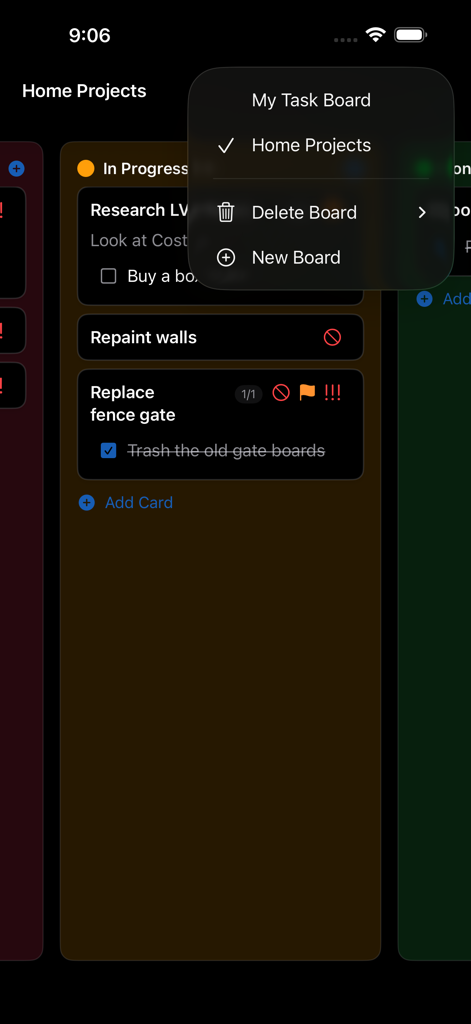
My Task Board - To Do Tracker - iPhone app interface of My Task Board showing a Kanban task lane and a board management menu.
iPhone app interface of My Task Board showing a Kanban task lane and a board management menu.

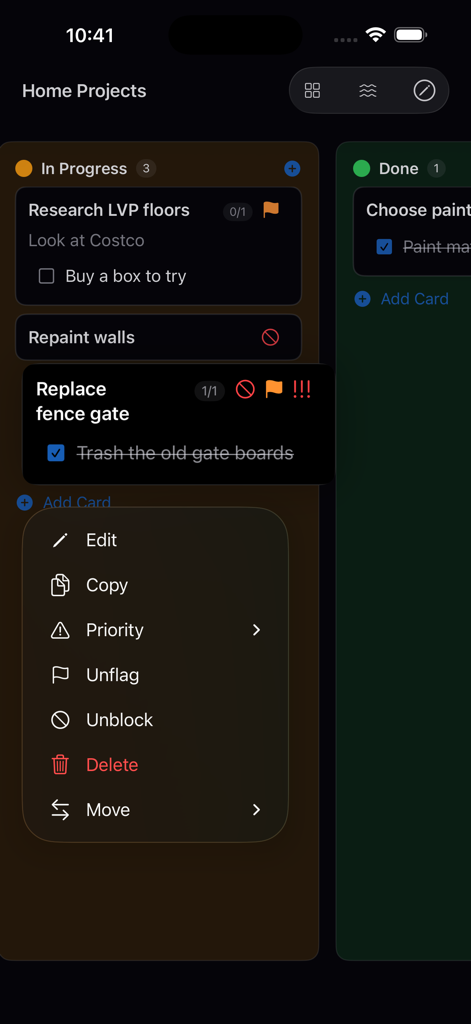
My Task Board - To Do Tracker - My Task Board app interface showing a Kanban board with a task management context menu open on iPhone

My Task Board app interface showing a Kanban board with a task management context menu open on iPhone

Description

My Task Board — Fast, Accessible Kanban for iPhone, iPad, Mac, and Apple Watch Stay organized with a clean, distraction‑free Kanban board that syncs across your Apple devices. Create multiple boards, customize swimlanes with distinctive colors, and manage cards with titles, details, priorities, flags, blockers, and optional checklists — all with thoughtful accessibility and powerful keyboard support. One‑Time Purchase. No subscriptions. Highlights • Multiple boards you can switch between instantly • Custom swimlanes with high‑contrast colors • Cards with titles, rich descriptions, checklists, priority, flag, and blocked status • Drag & drop to reorder and move cards between lanes • Keyboard‑friendly with convenient shortcuts • Designed for accessibility: VoiceOver labels, Dynamic Type scaling, and clear contrast • iCloud sync using iCloud Key‑Value Store • Automatic backups with export and restore tools • Apple Watch companion via Watch Connectivity Why you’ll love it My Task Board is built for speed and clarity. Add a card, move it forward, and keep momentum — on any device. Features • Create, rename, and delete boards • Add, rename, reorder, and recolor swimlanes • Add, edit, move, and delete cards inline • Set card priority (Low/Medium/High), flag, or mark as blocked • Add checklists to cards and toggle their visibility • Move cards within a lane (Up/Down) from the Move menu or with arrow keys • Automatic focus on the label when you add a checklist item • Edit mode adapts its size — no extra blank space when the checklist is hidden • Drag and drop between lanes on all platforms • Zoom controls for text size (including shortcuts) • Export current snapshot and restore from backups; automatic pruning options • Seamless iCloud KVS sync across devices • Works great on iPhone, iPad, Mac, and Apple Watch Support Find Help in the app’s toolbar, or contact support if something isn’t working as expected. Privacy Your data is stored privately in iCloud Key‑Value Store with your Apple ID. No analytics. No tracking. Power tips • Double‑tap (iOS) or double‑click (macOS) a card to edit • Tap/click away from a card to save changes and dismiss the keyboard • Command‑N to add a card in the focused lane • Command‑+/Command‑− to adjust text size; Command‑0 to reset • Escape to toggle editing on the selected card • Delete to remove a card when not editing What’s New • Automatic focus for newly added checklist items • Up/Down movement for cards within a lane • Smarter edit mode sizing (no extra space with hidden checklist) • Improved backups management and restore • Performance and polish across platforms • Hide swimlanes from view. • Send old cards to the Archive which is hidden from the board by default. • Start, End, and Due Dates.

Download

Download on App Store

This page is not an official page of the app or its developer, but an independent editorial publication created for informational and commentary purposes. Unless expressly stated otherwise, neither the app nor its developer is affiliated with, endorsed by, sponsored by, authorized by, or otherwise officially connected with MWM, Apple, Google Play, the app publisher, or the app's developer, and nothing on this page implies that the app was developed using MWM's services. Any trademarks, logos, screenshots, and other content remain the property of their respective owners.








