
This page is not an official page of the app or its developer, but an independent editorial publication created for informational and commentary purposes. Unless expressly stated otherwise, neither the app nor its developer is affiliated with, endorsed by, sponsored by, authorized by, or otherwise officially connected with MWM, Apple, Google Play, the app publisher, or the app's developer, and nothing on this page implies that the app was developed using MWM's services. Any trademarks, logos, screenshots, and other content remain the property of their respective owners.

My Time Off Tracker 2
Stop fighting with clunky HR portals. Track your leave balances, forecast future accruals, and plan your next vacation with beautiful custom widgets and total privacy.
Downloads
0User Rating
Total Ratings
0Publisher
Category
BusinessLocales
1Latest Version
2.0Size
10.2 MBFirst Released
Jan 3, 2024Take Control of Your Time Off
Stop wrestling with clunky HR portals. My Time Off Tracker 2 gives you a private, beautiful, and instant way to manage your leave and plan your next escape without the corporate friction.
Skip the Corporate Login
Access your balances instantly without VPNs or 2FA. Check your remaining leave at a glance with customizable Home and Lock Screen widgets that match your style.
Forecast Your Future Trips
Stop doing the math. Use the 'Look Ahead' tool to see exactly how much time off you will have accrued by any date in the future, making vacation planning effortless.
Frequently Asked Questions
Everything you need to know about My Time Off Tracker 2
What is My Time Off Tracker 2?
My Time Off Tracker 2 is an app designed to track personal time off balances. It allows users to view their available leave without needing to access work accounts or work portals, streamlining leave management.
Can I customize leave types in My Time Off Tracker 2?
Yes, My Time Off Tracker 2 allows users to customize each leave type with a unique title, icon, and color. These custom appearances are used consistently throughout the app and its widgets.
How does the Trip Planner work in My Time Off Tracker 2?
The Trip Planner in My Time Off Tracker 2 allows users to create trips by selecting a leave type and a start date. It calculates projected leave hours and features interactive maps or custom photos as backgrounds with a live countdown.
Does My Time Off Tracker 2 support automatic time off accrual?
Yes, My Time Off Tracker 2 automatically increases time off balances weekly, bi-weekly, monthly, or yearly. Users can set the next accrual date, apply maximum caps, and track "Use or Lose" hours.
Does My Time Off Tracker 2 have widgets for iOS?
Yes, My Time Off Tracker 2 provides custom widgets for both the Lock Screen and Home Screen. These widgets display remaining time off and live trip countdowns, matching the in-app color theme.
Does My Time Off Tracker 2 sync data across devices?
Yes, My Time Off Tracker 2 supports full iCloud synchronization. Time off data syncs seamlessly across iPhone, iPad, and M-Series Mac devices, ensuring data consistency.
Can My Time Off Tracker 2 generate reports?
Yes, My Time Off Tracker 2 can generate PDF reports of time off usage. Users specify a date range and select which leave types to include in the generated report for detailed analysis.
What is the purpose of the Tagging System in My Time Off Tracker 2?
The Tagging System in My Time Off Tracker 2 allows users to add tags to entries, indicating the reason for taking leave. These tags are visible in history and statistics for better analysis of leave patterns.
How can I plan future time off with My Time Off Tracker 2?
My Time Off Tracker 2 features a "Look Ahead" function. Users select a future date to see their projected time off balance on that specific day, which assists in planning future leave.
Can I transfer my data from My Time Off Tracker 1 to My Time Off Tracker 2?
Yes, My Time Off Tracker 2 allows users to transfer their data from the original My Time Off Tracker 1. This ensures a seamless transition and continuity of existing time off records.
The following screenshots and description are sourced directly from the app's official store listing and are the property of the app developer.
App Store
Screenshots
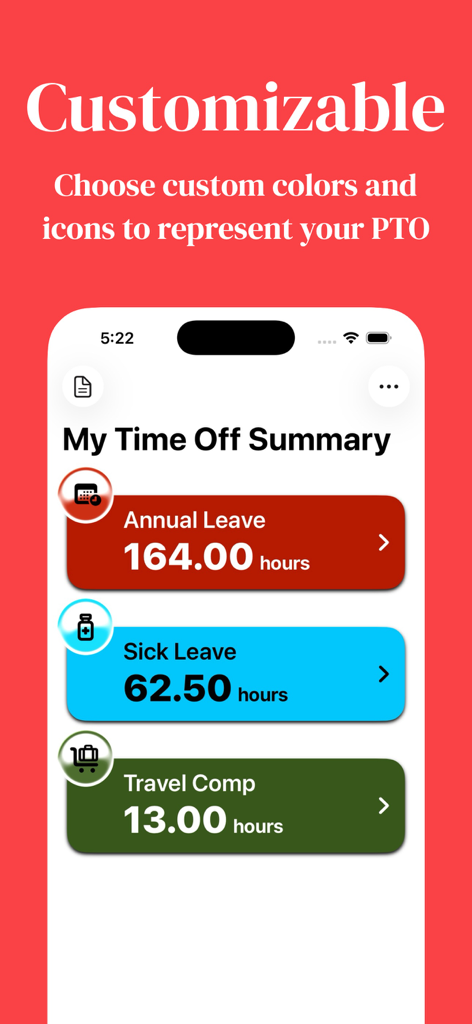
A screenshot showing the customizable PTO summary in My Time Off Tracker 2 with different colors and icons for annual sick and travel leave
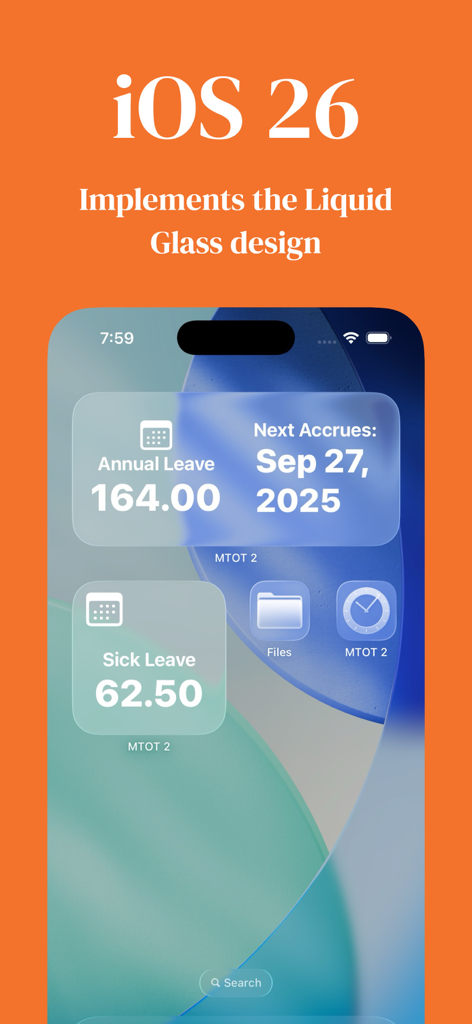
iPhone home screen displaying My Time Off Tracker 2 widgets with annual and sick leave balances using a liquid glass design
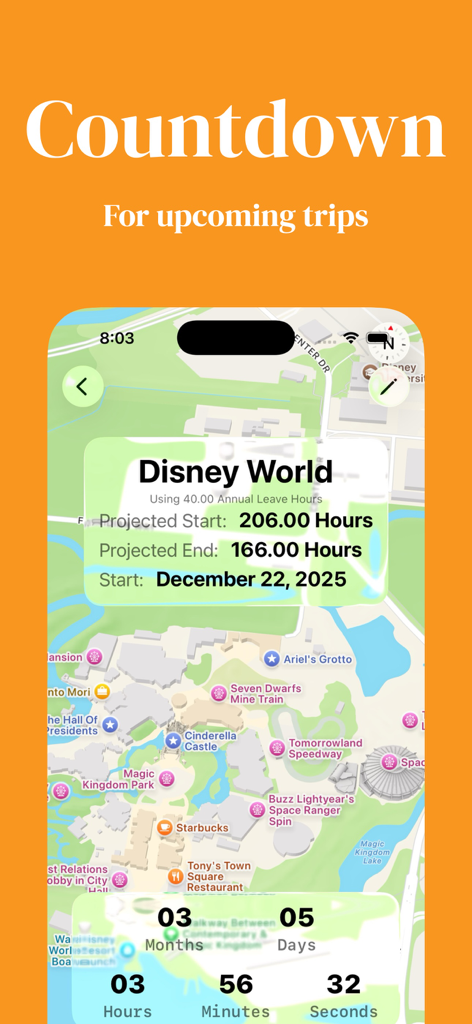
Countdown screen for a Disney World trip showing leave projections and a live vacation timer
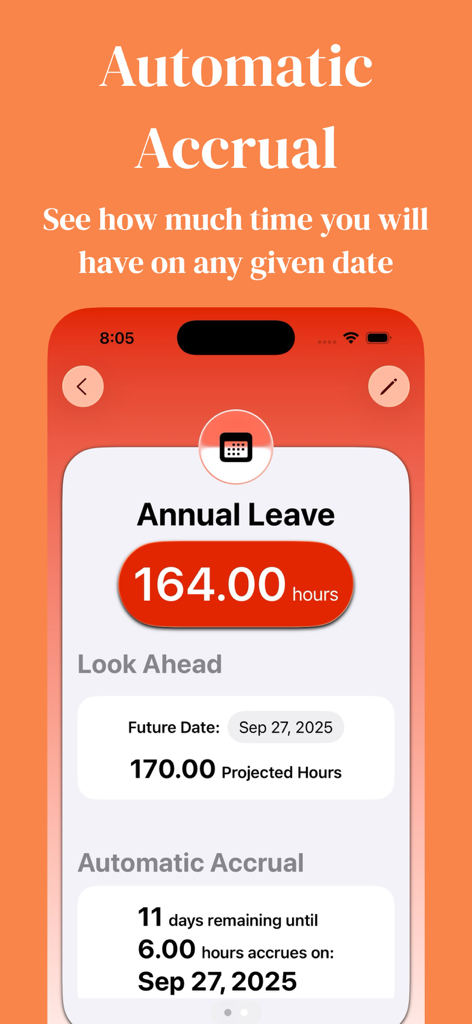
Screenshot of My Time Off Tracker 2 app showing automatic accrual and look ahead PTO forecasting features
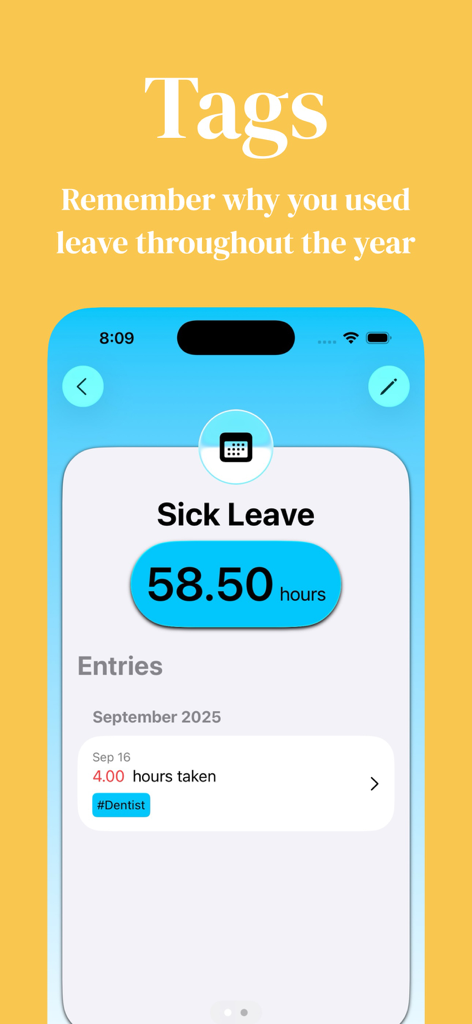
Interface of the My Time Off Tracker 2 app showing the tagging feature with a sick leave entry for a dentist appointment.
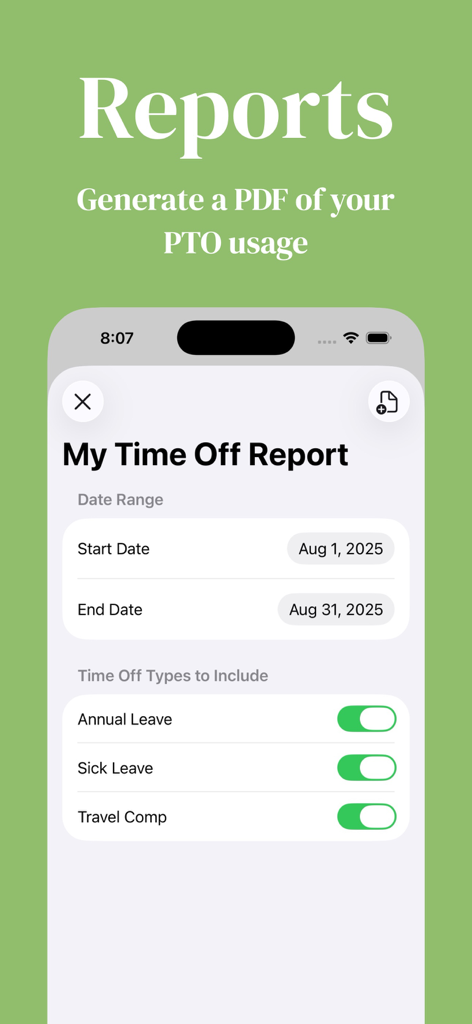
Mobile app interface for generating a PDF report of PTO usage including date range and leave type options
Description
Download
More Like This
Top-ranked apps in the same category

Microsoft Teams
Microsoft Corporation

Zoom Workplace
Zoom Communications, Inc.

WhatsApp Business
WhatsApp Inc.

Indeed Job Search
Indeed Inc.

LinkedIn: Network & Job Finder
LinkedIn Corporation

Adobe Acrobat Reader: Sign PDF
Adobe Inc.

WeCom-Work Communication&Tools
Tencent Technology (Shenzhen) Company Limited

BOSS直聘-招聘求职找工作神器
Beijing China Product Bo Farce Network Technology Co., Ltd.

DingDing - Redefine Work in AI
DingTalk Technology Co., Ltd.
This page is not an official page of the app or its developer, but an independent editorial publication created for informational and commentary purposes. Unless expressly stated otherwise, neither the app nor its developer is affiliated with, endorsed by, sponsored by, authorized by, or otherwise officially connected with MWM, Apple, Google Play, the app publisher, or the app's developer, and nothing on this page implies that the app was developed using MWM's services. Any trademarks, logos, screenshots, and other content remain the property of their respective owners.