
This page is not an official page of the app or its developer, but an independent editorial publication created for informational and commentary purposes. Unless expressly stated otherwise, neither the app nor its developer is affiliated with, endorsed by, sponsored by, authorized by, or otherwise officially connected with MWM, Apple, Google Play, the app publisher, or the app's developer, and nothing on this page implies that the app was developed using MWM's services. Any trademarks, logos, screenshots, and other content remain the property of their respective owners.


My Verizon For Business
Complexity, demystified. My Verizon For Business hands you the reins to your mobile operations.
Downloads
1M+User Rating
Total Ratings
132.8KPublisher
Category
BusinessLocales
1Latest Version
6.4.0Size
141.8 MBFirst Released
May 25, 2016Evaluating essential features for efficient telecommunications management for SMBs.
My Verizon For Business: Core Capabilities Analysis
Device & Equipment Management
The app provides comprehensive tools for provisioning, tracking, and maintaining all business-owned devices and equipment.
Centralized Billing & Payments
It allows users to conveniently review detailed invoices, analyze spending patterns, and securely process payments for all associated business accounts.
One Talk Feature Access
This tool features direct access and management capabilities for the advanced communication functionalities of Verizon's One Talk service, streamlining business communication setup.
Order Tracking & Notifications
The app provides the ability to monitor the real-time status of new device or service orders and receive critical delivery and activation updates.
Device & Accessory Upgrades
It allows users to easily browse and process upgrades for existing devices or procure new accessories to meet evolving business requirements.
Personalized Recommendations
This tool features tailored suggestions for optimizing service plans, discovering relevant devices, or exploring new features that could benefit the business.
Frequently Asked Questions
Everything you need to know about My Verizon For Business
Can I manage multiple devices using the My Verizon For Business app?
Yes, My Verizon For Business allows users to manage multiple devices. The app displays the total number of devices and indicates which ones are eligible for upgrade.
Does My Verizon For Business offer personalized recommendations?
Yes, My Verizon For Business provides personalized recommendations. These include upgrade suggestions for older devices and exclusive offers for business plans.
How can I pay my bill using the My Verizon For Business app?
My Verizon For Business allows users to review and pay bills directly within the app. It also shows the real-time account balance and the next payment due date.
Can I track my orders in the My Verizon For Business app?
Yes, the My Verizon For Business app enables users to track orders. It provides status updates for pending and shipped orders and allows management of all orders.
How does My Verizon For Business display data usage?
My Verizon For Business provides detailed overall data usage, including shared plan limits and days remaining in the billing cycle. Users can review usage by individual lines.
Can I purchase new devices through the My Verizon For Business app?
Yes, My Verizon For Business allows users to shop for new devices and accessories. The app features sections for reordering business devices and exploring business internet options.
Does My Verizon For Business support Face ID for security?
Yes, My Verizon For Business supports various security features. The app includes options for Face ID and general account security management.
What support options are available in the My Verizon For Business app?
My Verizon For Business users can contact support via chat, phone (24/7), or secure messaging. The app also helps locate stores and check network status for outages.
Can I manage my internet connection status in My Verizon For Business?
Yes, My Verizon For Business enables users to manage their internet connection. It provides options to configure and reboot routers, and to add or remove features for internet lines.
The following screenshots and description are sourced directly from the app's official store listing and are the property of the app developer.
App Store
Screenshots
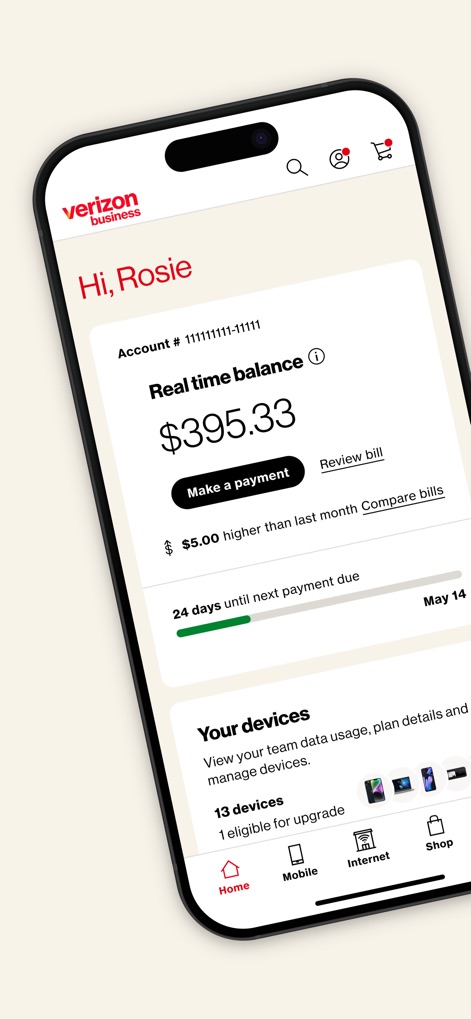
Users can instantly view their real-time account balance and easily manage their team's devices from the home screen.
Account Overview
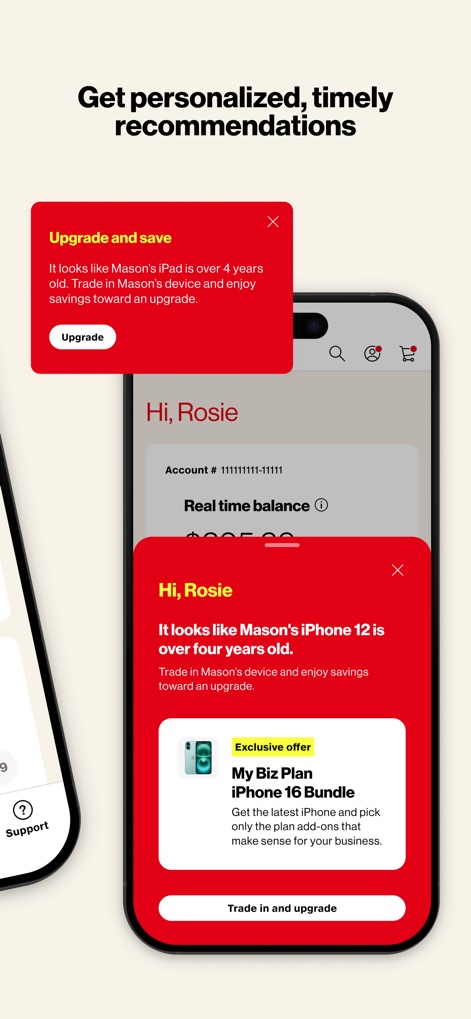
The app provides personalized recommendations, showcasing upgrade opportunities and exclusive business plan bundles for devices like the iPhone 16.
Smart Recommendations
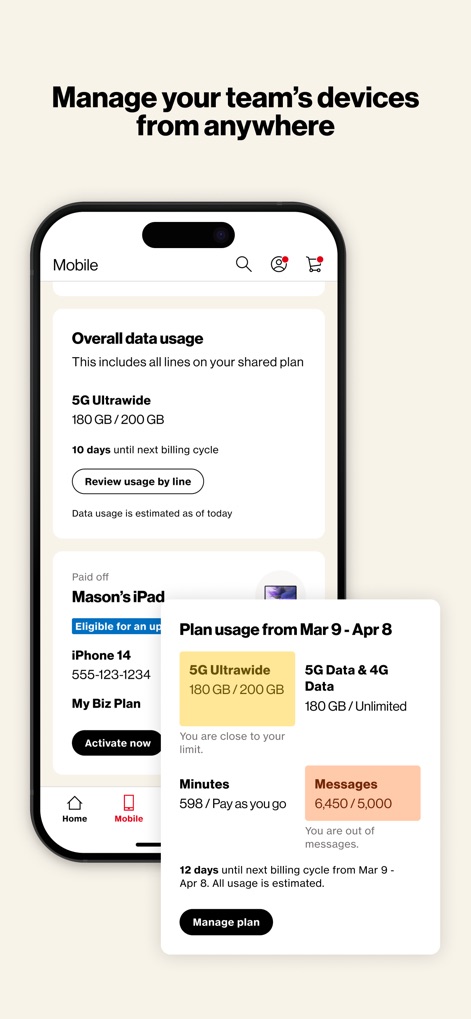
This tool allows businesses to monitor overall data usage for their shared plan and delve into individual device plan usage details.
Mobile Management
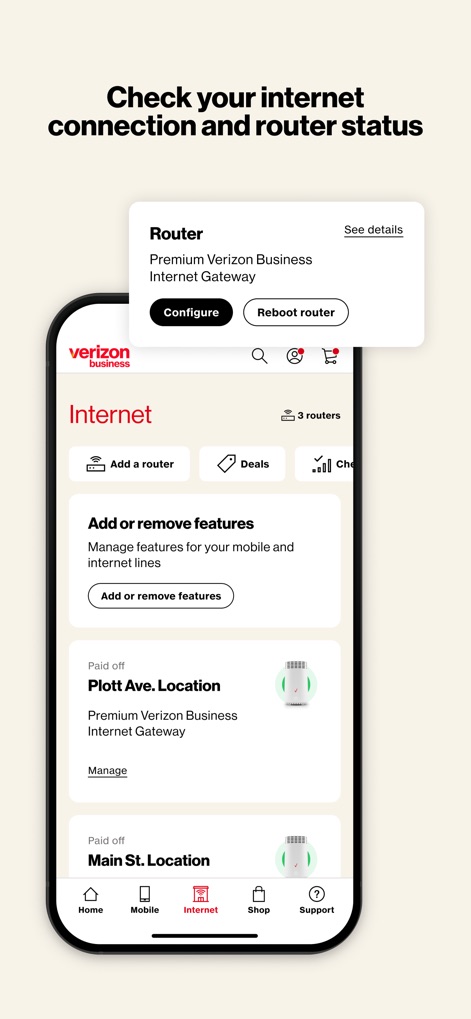
Users can efficiently check their router status, with options to configure or reboot, and manage internet line features for multiple business locations.
Internet Connectivity
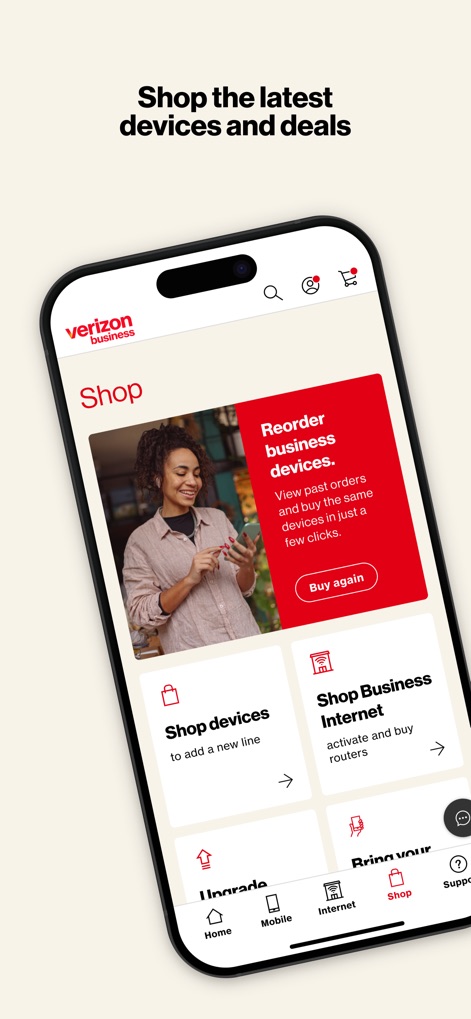
The app offers a dedicated shopping hub, enabling businesses to reorder devices and explore options to shop for new devices or activate new lines.
Business Shopping Hub
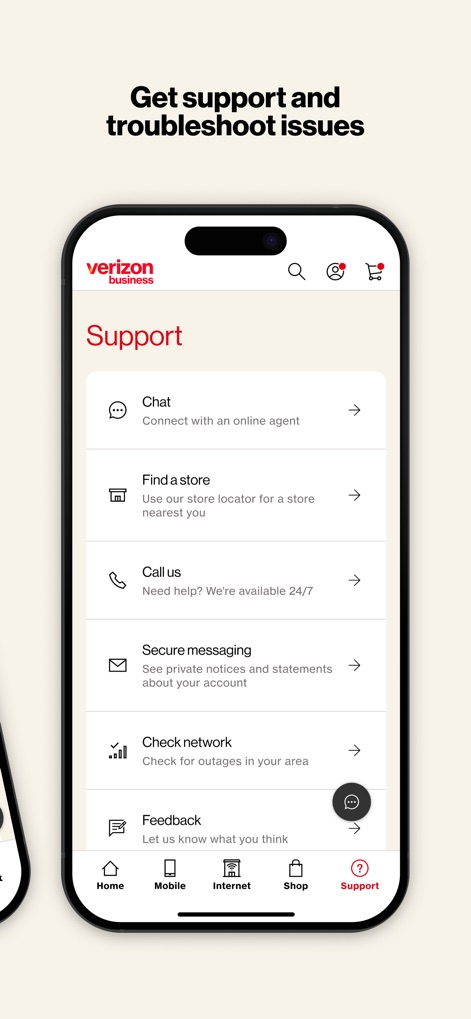
This tool provides comprehensive support options, including direct chat with an online agent and a network checker to review potential outages.
Comprehensive Support
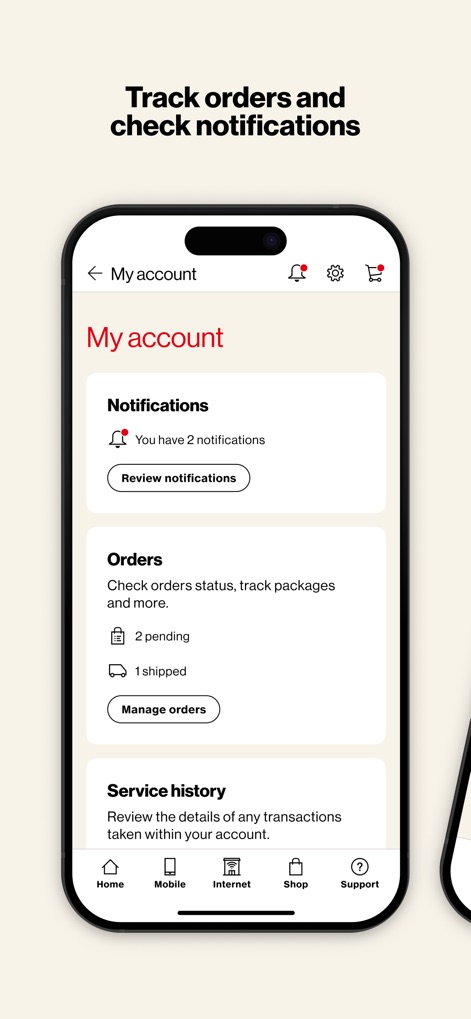
Users can track important account activity, including reviewing a summary of notifications and monitoring the status of pending and shipped orders.
Account Activity
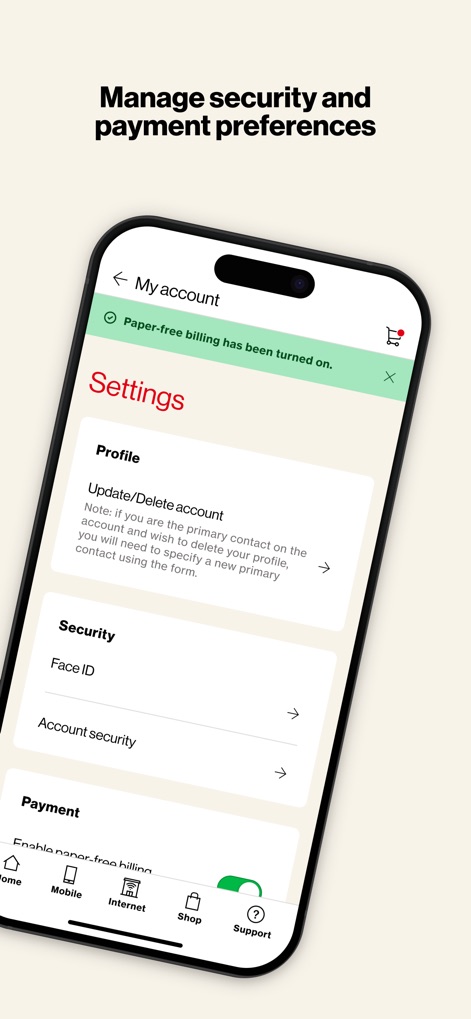
The app allows for detailed account management, providing options to update user profiles and configure security settings, including Face ID.
Account Settings
Description
Download
More Like This
Apps with similar features and user experience


This page is not an official page of the app or its developer, but an independent editorial publication created for informational and commentary purposes. Unless expressly stated otherwise, neither the app nor its developer is affiliated with, endorsed by, sponsored by, authorized by, or otherwise officially connected with MWM, Apple, Google Play, the app publisher, or the app's developer, and nothing on this page implies that the app was developed using MWM's services. Any trademarks, logos, screenshots, and other content remain the property of their respective owners.