
This page is not an official page of the app or its developer, but an independent editorial publication created for informational and commentary purposes. Unless expressly stated otherwise, neither the app nor its developer is affiliated with, endorsed by, sponsored by, authorized by, or otherwise officially connected with MWM, Apple, Google Play, the app publisher, or the app's developer, and nothing on this page implies that the app was developed using MWM's services. Any trademarks, logos, screenshots, and other content remain the property of their respective owners.


MyDigi Mobile App
No more bill shock. This app puts you in total command of your mobile life.
Downloads
2.5M+User Rating
Total Ratings
10.8KPublisher
Category
UtilitiesLocales
1Latest Version
14.0.20Size
37.4 MBFirst Released
Nov 2, 2012An in-depth analysis of its core functionalities and user value proposition.
Key Features of MyDigi Mobile App
Hassle-Free Bill Payment & Prepaid Reload
The app allows users to conveniently pay their postpaid mobile bills and top up prepaid credit, eliminating the need to visit physical stores and ensuring immediate financial control.
Comprehensive Data & Plan Management
This tool provides real-time internet usage tracking, enables users to switch between data packages, and purchase data add-ons to suit their evolving connectivity needs, offering unparalleled control and optimization.
Seamless International Roaming
It allows users to easily subscribe to international roaming passes directly from the app, ensuring seamless and uninterrupted connectivity while traveling abroad, which is crucial for global users.
In-App Customer Support
The app features a dedicated support section with comprehensive FAQs, the ability to raise support tickets, and track their status, streamlining problem resolution and enhancing overall user experience.
Home Fibre & Broadband Integration
This tool extends its utility to allow users to manage their Digi Fibre Home & Broadband services, including usage monitoring and bill payments, consolidating multiple services into a single, convenient platform.
Simplified SIM Card Activation
The app integrates an Electronic Know Your Customer (EKYC) feature, enabling potential and new users to self-register and activate prepaid or postpaid SIM cards quickly and efficiently without physical interaction.
Frequently Asked Questions
Everything you need to know about MyDigi Mobile App
How can I pay my phone bills using the MyDigi Mobile App?
Yes, the MyDigi Mobile App allows users to pay prepaid or postpaid mobile bills directly. Use the quick link buttons to manage and pay your phone bills.
Can I check my internet usage with the MyDigi Mobile App?
Yes, the MyDigi Mobile App allows users to check internet usage, access, and coverage under the “Internet” section on the homescreen. It displays data quota and usage.
How do I top up my prepaid credit using the MyDigi app?
Yes, you can reload or top up your prepaid phone credit directly through the MyDigi Mobile App. Depending on the online reload quantity, you receive more data, call time, and credits.
Does the MyDigi Mobile App allow purchasing internet add-ons?
Yes, the MyDigi Mobile App allows users to buy Internet add-ons. These range from basic access to entertainment packages and larger data options, available via the 'Buy Add-Ons' tab or 'Box of Surprise' page.
Can I activate a new SIM card using the MyDigi App?
Yes, the MyDigi Mobile App includes an Electronic Know Your Customer (EKYC) feature. This allows users to self-register and activate both prepaid and postpaid SIM cards by tapping ‘Activate SIM’.
How can I manage international roaming with MyDigi Mobile App?
Yes, you can subscribe to international roaming Internet packages directly within the MyDigi Mobile App. Select your travel country before making the purchase.
Is it possible to check the status of a support ticket in the MyDigi Mobile App?
Yes, the MyDigi Mobile App's 'Support' section allows users to check the status of any raised ticket under the “My Case Status” option.
Can I check my Digi Fibre Home & Broadband internet usage in the MyDigi App?
Yes, MyDigi App users can access and monitor their fiber internet and broadband connection data usage and consumption. The app also allows paying bills for these services.
Does the MyDigi Mobile App provide billing statements?
Yes, the MyDigi Mobile App allows users to download past and current billing statements for their phone plan. This helps monitor and keep track of mobile bills.
The following screenshots and description are sourced directly from the app's official store listing and are the property of the app developer.
App Store
Screenshots

Explore the app's clean interface, featuring the prominent "My Experience, MyDigi app" branding alongside various tech accessories that hint at a connected lifestyle.
Personalized Digital Journey
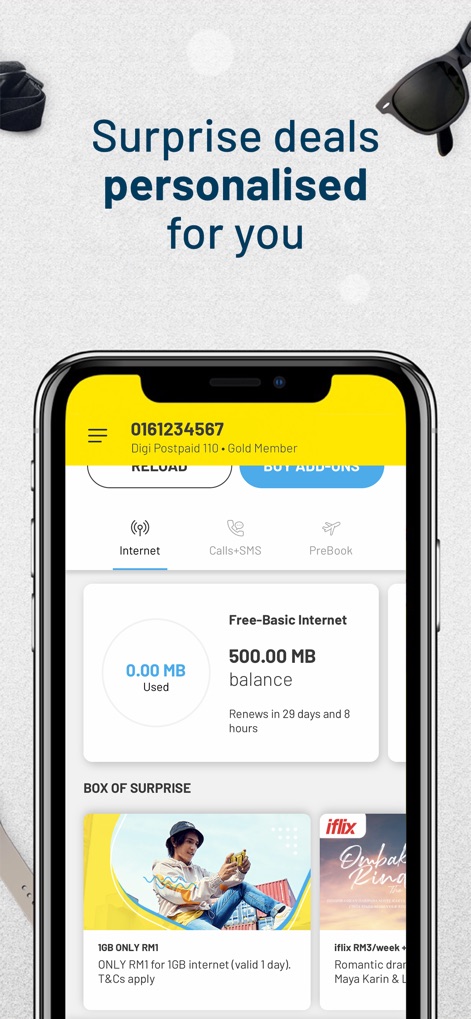
Discover how the app presents real-time internet usage and a "BOX OF SURPRISE" filled with personalized deals tailored to the user's preferences.
Personalized Offers Await
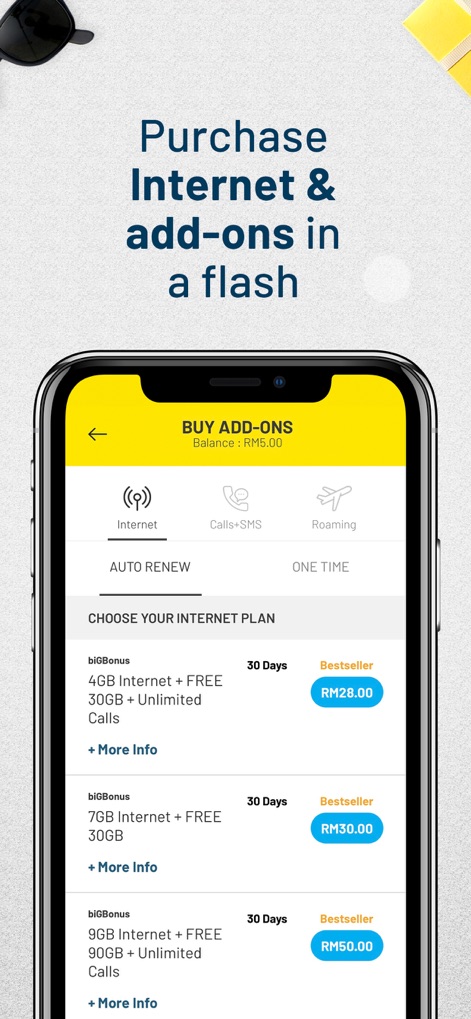
Users can effortlessly browse and select internet plans, with clearly displayed data allowances and pricing options visible under the "BUY ADD-ONS" section.
Seamless Add-on Purchases
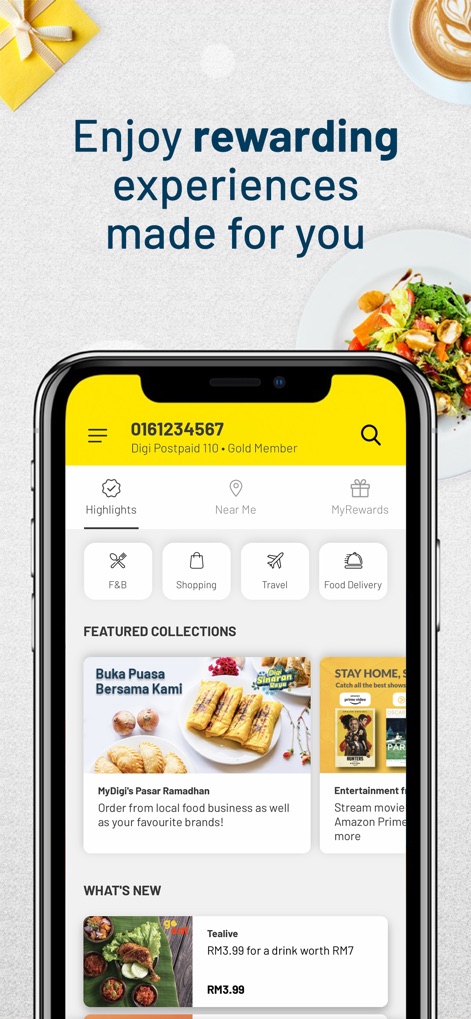
The app showcases a variety of rewards and featured collections, offering users engaging experiences and localized deals within the "MyRewards" and "Highlights" sections.
Rewarding Digital Perks
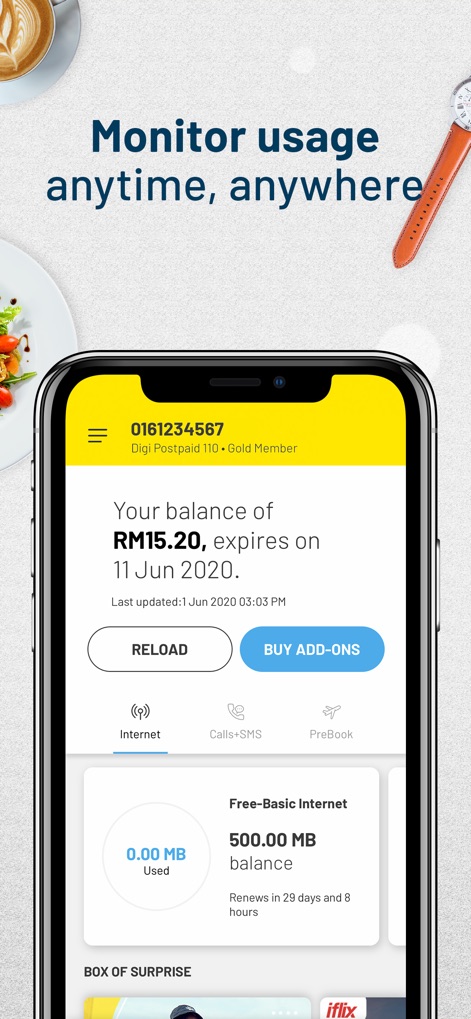
This screen highlights the ability to monitor the current balance and track internet usage, providing users with a clear overview of their mobile data consumption.
Real-time Usage Tracking
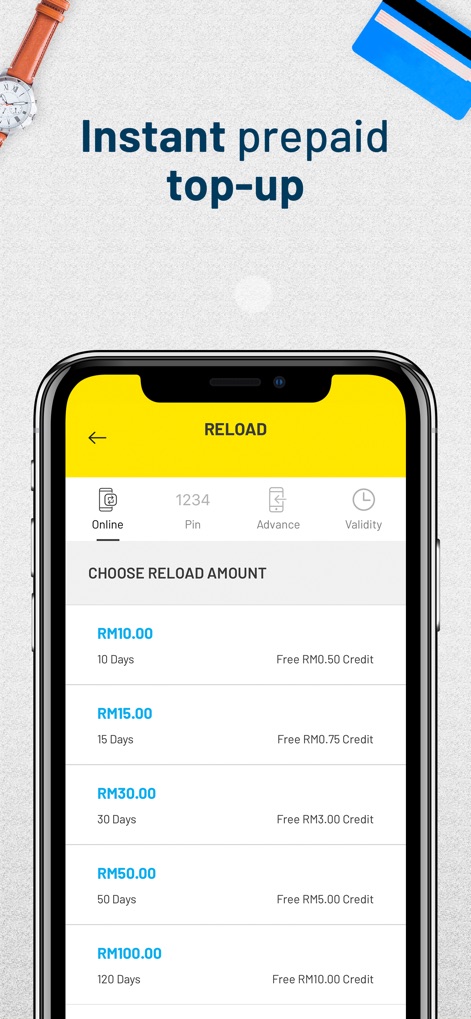
The app facilitates instant prepaid top-ups, allowing users to select from various reload amounts and view their respective validity periods.
Quick Prepaid Reload
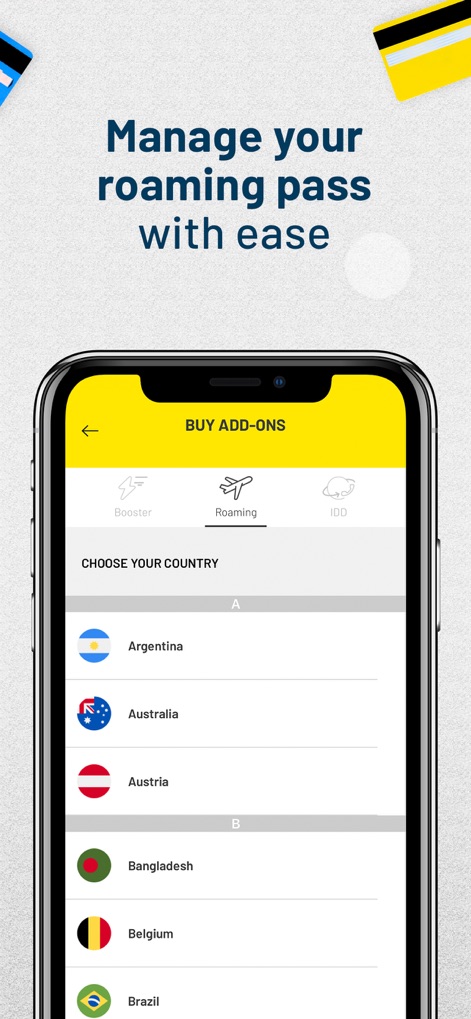
This interface allows users to easily manage their international roaming passes by selecting the desired "Roaming" tab and choosing from an extensive list of countries.
Effortless Roaming Management
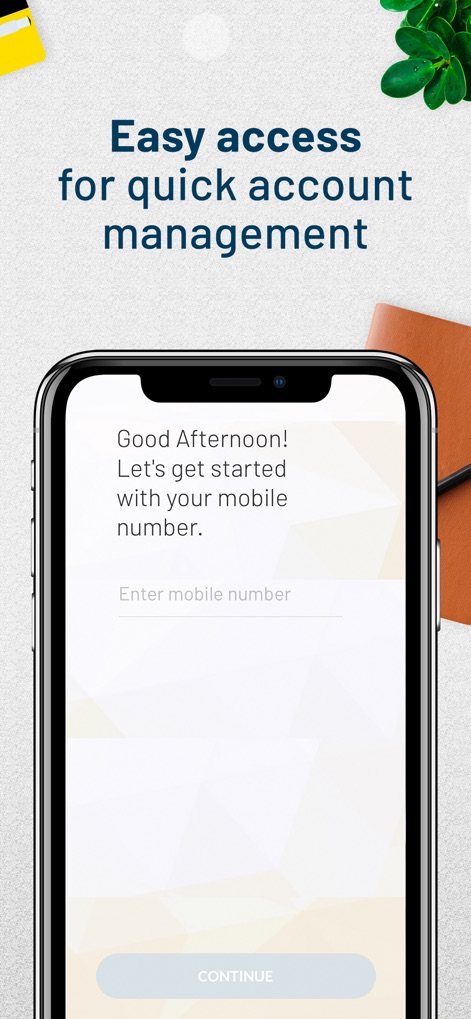
The app provides a straightforward entry point for users to begin managing their account by entering their mobile number and proceeding via the "CONTINUE" button.
Account Access Simplified
Description
Download
More Like This
Apps with similar features and user experience

T-Life
T-Mobile USA, Inc.
My Spectrum
Charter Communications Operating, LLC

True
TRUE CORPORATION PUBLIC COMPANY LIMITED

Mobily - موبايلي
Etihad Etisalat Company
Altel.kz
Mobile Telecom-Service TOO

中華電信
TELECOMMUNICATION LAB,CHUNGHWA TELECOM CO., LTD
Mi Lowi
Vodafone Enabler Espana, S.L.
My Liberty App
Liberty Cablevision of Puerto Rico Ltd

中国移动(手机营业厅)
China Mobile Online Services Co., Ltd.
This page is not an official page of the app or its developer, but an independent editorial publication created for informational and commentary purposes. Unless expressly stated otherwise, neither the app nor its developer is affiliated with, endorsed by, sponsored by, authorized by, or otherwise officially connected with MWM, Apple, Google Play, the app publisher, or the app's developer, and nothing on this page implies that the app was developed using MWM's services. Any trademarks, logos, screenshots, and other content remain the property of their respective owners.