
This page is not an official page of the app or its developer, but an independent editorial publication created for informational and commentary purposes. Unless expressly stated otherwise, neither the app nor its developer is affiliated with, endorsed by, sponsored by, authorized by, or otherwise officially connected with MWM, Apple, Google Play, the app publisher, or the app's developer, and nothing on this page implies that the app was developed using MWM's services. Any trademarks, logos, screenshots, and other content remain the property of their respective owners.


MyFreelap
Get instant, 0.02s-accurate data directly on your device. Eliminate human error with fully automated live tracking, team management, and professional analytics designed for elite athletes and coaches.
Downloads
5K+User Rating
Total Ratings
0Publisher
Category
SportsLocales
1Latest Version
1.5.2Size
56.3 MBFirst Released
Dec 3, 2024Precision That Drives Peak Performance
Unlock elite-level timing with automated accuracy designed for athletes and coaches who demand the truth in every millisecond.
Real-Time Feedback Loop
Get instant live timing on your device the moment you cross the line, allowing for immediate adjustments and maximum intensity during every training rep.
Elite Team Management
Simultaneously track up to four athletes or manage entire rosters with ease, making it the perfect tool for professional coaches and high-volume speed sessions.
The following screenshots and description are sourced directly from the app's official store listing and are the property of the app developer.
App Store
Screenshots
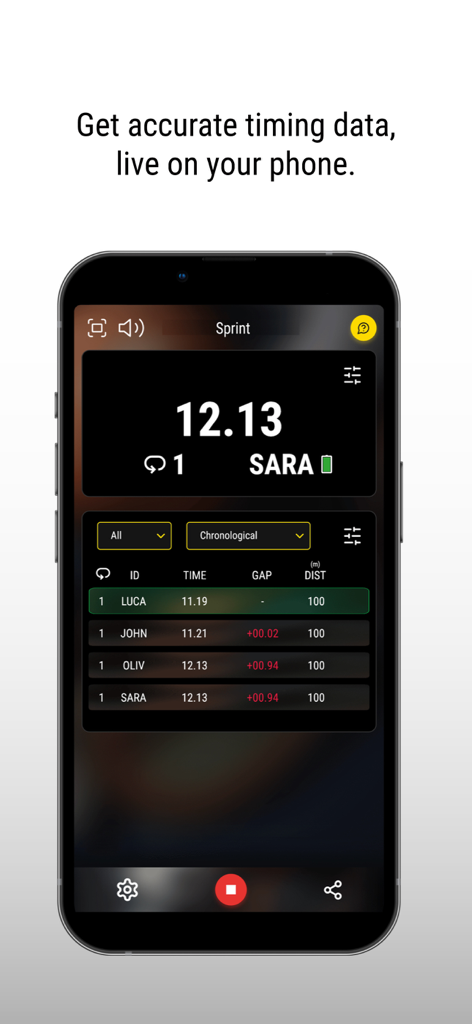
Smartphone displaying the MyFreelap app with real time sprint timing data and a table of athlete performance rankings
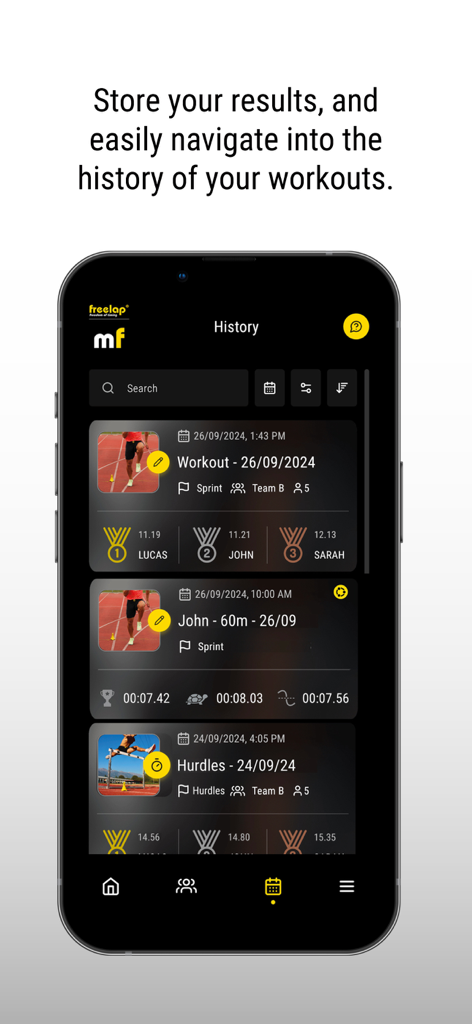
Workout history screen in the MyFreelap app showing performance results for track and field athletes
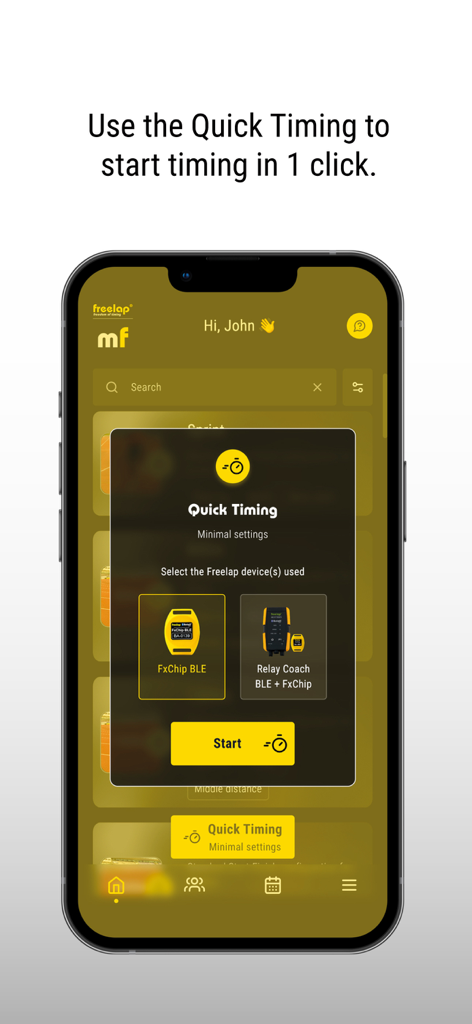
Smartphone screen showing the MyFreelap app quick timing setup for FxChip BLE devices
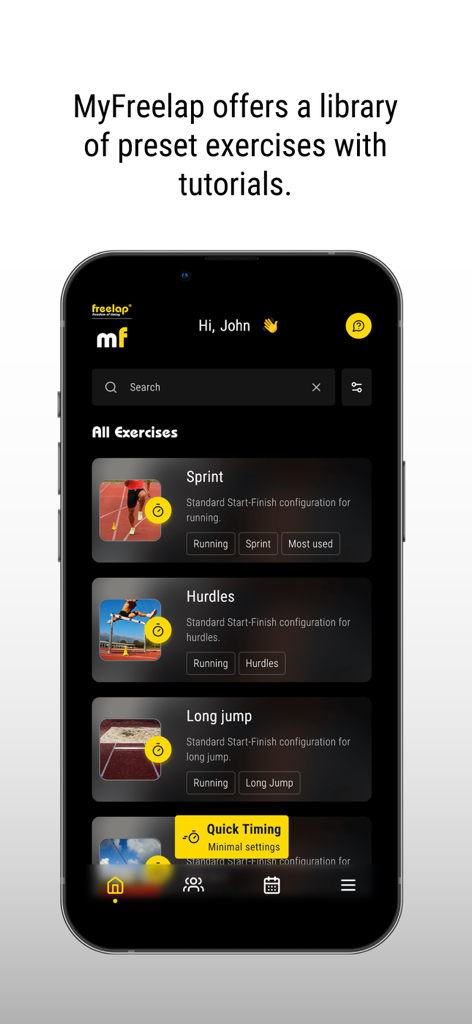
MyFreelap app interface displaying a library of preset athletic exercises including Sprint Hurdles and Long Jump
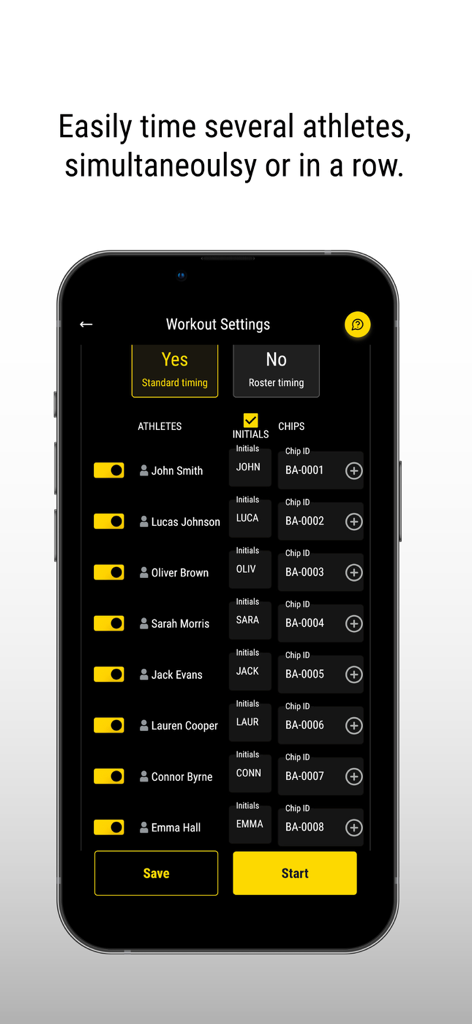
MyFreelap app screenshot showing the workout settings screen with a list of athletes and assigned timing chips
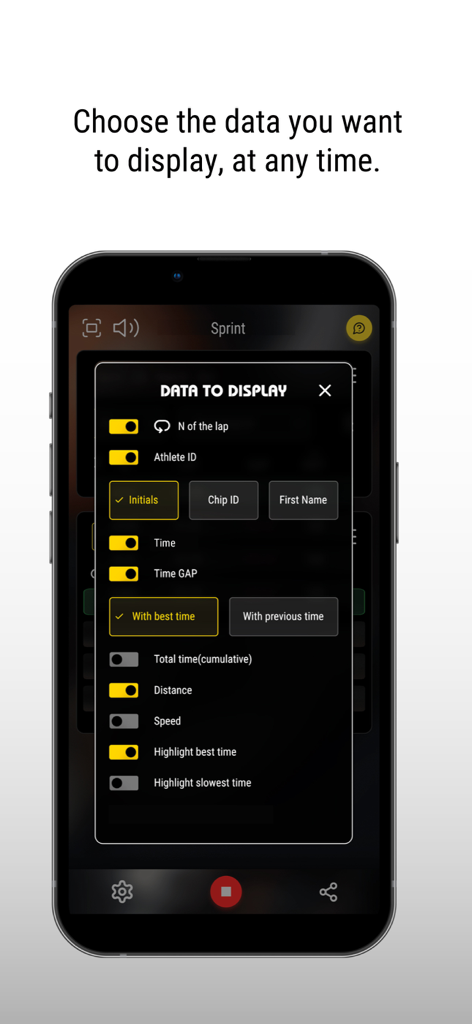
MyFreelap app screen showing the data to display menu for customizing training metrics like time distance and speed
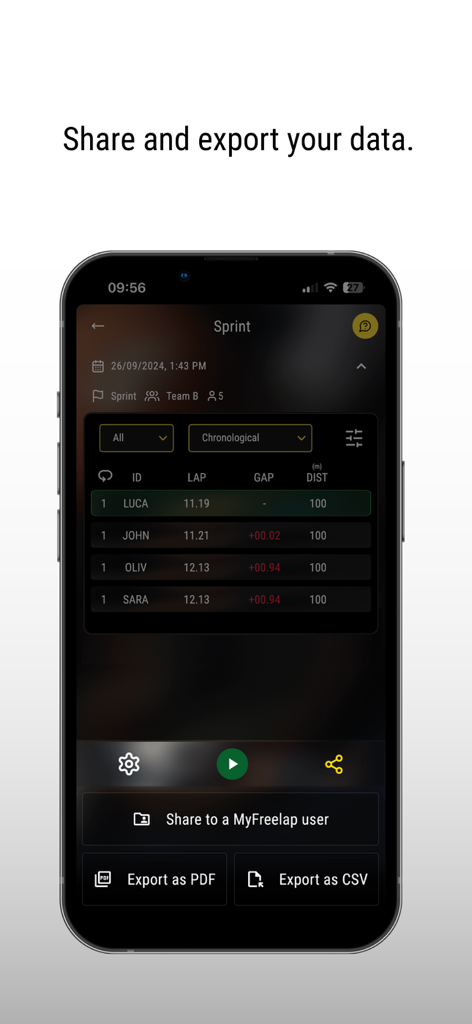
MyFreelap app screen displaying sprint performance data with options to share or export results as PDF and CSV files
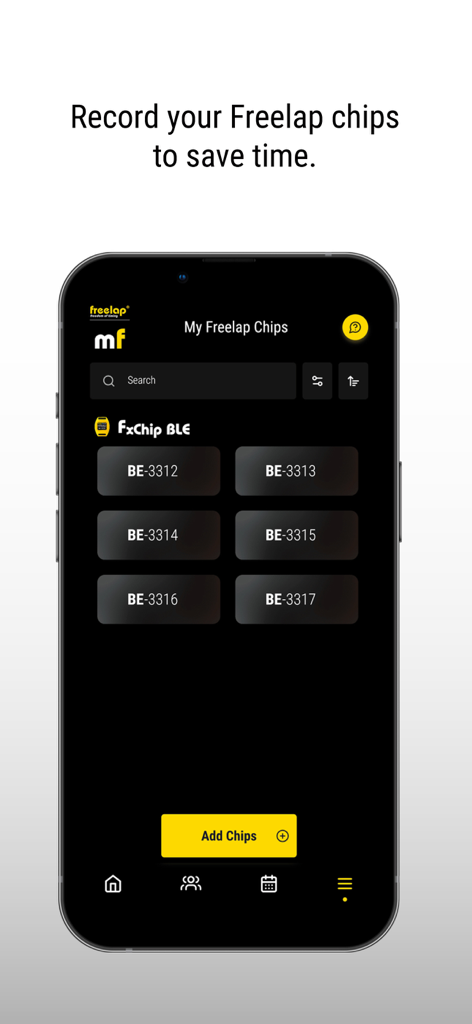
MyFreelap app interface displaying a list of connected FxChip BLE timing chips
Description
Download
More Like This
Top-ranked apps in the same category

得物 - 得到美好事物
Shanghai Dewu Information Group Co., Ltd.

懂球帝 - 足球篮球体坛数据
Hainan Football-Loving Girl Network Technology Co., Ltd.

Underdog Sports
Underdog Sports, Inc.

虎扑-评分篮球足球游戏影视
Shanghai Kuanghui Network Technology Co., LTD

ESPN: Live Sports & Scores
Disney Electronic Content, Inc.

Flashscore: Live Scores & News
Livesport s.r.o.

Polymarket
Blockratize Inc

DAZN: Stream Live Sports
DAZN Limited

DraftKings Sportsbook & Casino
DRAFTKINGS LLC.
This page is not an official page of the app or its developer, but an independent editorial publication created for informational and commentary purposes. Unless expressly stated otherwise, neither the app nor its developer is affiliated with, endorsed by, sponsored by, authorized by, or otherwise officially connected with MWM, Apple, Google Play, the app publisher, or the app's developer, and nothing on this page implies that the app was developed using MWM's services. Any trademarks, logos, screenshots, and other content remain the property of their respective owners.