
This page is not an official page of the app or its developer, but an independent editorial publication created for informational and commentary purposes. Unless expressly stated otherwise, neither the app nor its developer is affiliated with, endorsed by, sponsored by, authorized by, or otherwise officially connected with MWM, Apple, Google Play, the app publisher, or the app's developer, and nothing on this page implies that the app was developed using MWM's services. Any trademarks, logos, screenshots, and other content remain the property of their respective owners.


mySnapps
Access your professional theme park photos instantly. View, share, and order high-quality memories from your favorite attractions directly on your phone.
Downloads
479K+User Rating
Total Ratings
100Publisher
Category
EntertainmentLocales
1Latest Version
5.0.0Size
48.8 MBFirst Released
May 30, 2015Preserve Your Vacation Memories
Access your professional theme park photos instantly. From high-speed coasters to magical character meets, keep every moment forever.
Real-Time Photo Sync
View your digital photos on your device just moments after they're taken, skipping the long lines at the photo booth.
Pro-Quality Action Shots
Capture every thrill with high-definition photography that your smartphone simply can’t match.
Frequently Asked Questions
Everything you need to know about mySnapps
What is the mySnapps application?
The mySnapps application provides digital photography services by Digiphoto Entertainment Imaging (DEI). It enables users to view, share, download, and place orders for digital images taken at parks.
What services does the mySnapps app offer for digital images?
The mySnapps app offers digital photography services including viewing, sharing, downloading, and placing orders for digital images. These images are captured at parks and provided by Digiphoto Entertainment Imaging (DEI).
How do I access my digital images using the mySnapps app?
mySnapps allows users to access their digital images by entering a claim code or scanning a QR code on the "Claim Photos" screen. This process adds photos to their album.
Does the mySnapps application allow users to share their digital images?
Yes, the mySnapps application provides the ability to share digital images. This feature is a core part of the digital photography services offered by Digiphoto Entertainment Imaging (DEI).
Is it possible to download photos from the mySnapps app?
Yes, mySnapps provides the ability to download digital images. This service is an integral component of the digital photography offerings from Digiphoto Entertainment Imaging (DEI).
How can I place orders for digital images using the mySnapps app?
The mySnapps application allows users to place orders for their digital images. This functionality is part of the digital photography services provided by Digiphoto Entertainment Imaging (DEI).
Which company powers the mySnapps application?
Digiphoto Entertainment Imaging (DEI) powers the mySnapps application. DEI provides digital photography services, enabling users to manage and order their images taken at parks.
What are the available sign-in and registration options in mySnapps?
mySnapps offers "Sign In" with existing credentials, "Register" for new users, "Log in with Facebook", and "Sign In With Apple". Users can also select their preferred language.
How do I register for a new account in the mySnapps app?
To register with mySnapps, users must enter their first name, last name, email, and password. They also accept the Terms & Conditions and privacy policy before submitting.
What kind of photos does the mySnapps app provide?
The mySnapps app provides digital images taken at parks. Users can access, view, share, download, and order these specific event-based photographs through the application.
The following screenshots and description are sourced directly from the app's official store listing and are the property of the app developer.
App Store
Screenshots

Splash screen of the mySnapps mobile app featuring the company logo and DEI branding
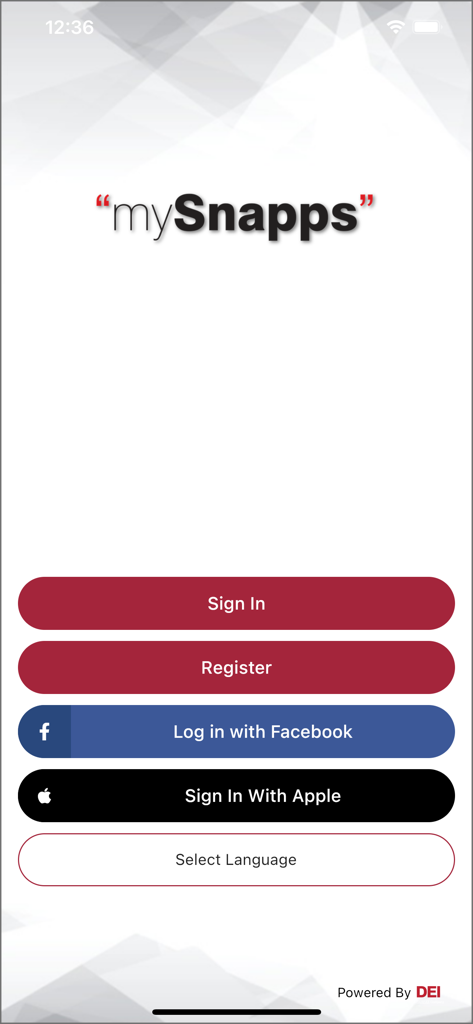
mysnapps login screen with social sign in options
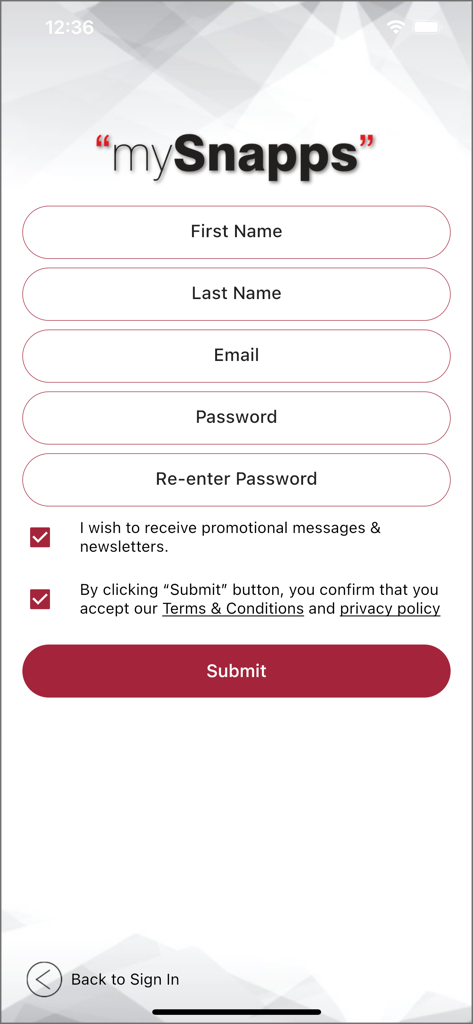
Registration screen of the mySnapps app with input fields for name email and password
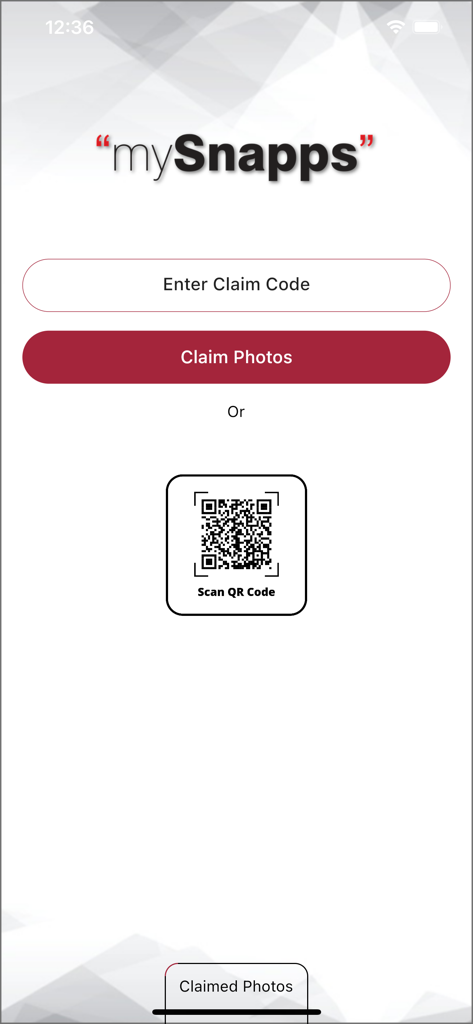
mySnapps app screen with options to claim photos via code or QR code scan
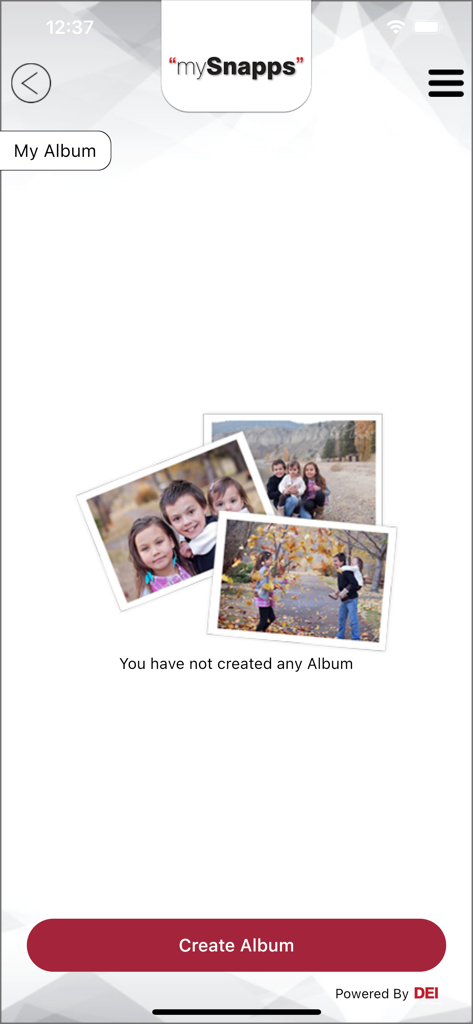
mySnapps app interface showing an empty photo album with a create album button
Description
Download
More Like This
Apps with similar features and user experience

Photier
Paksam Fotograf ve Bilisim Teknolojileri Ticaret Anonim Sirketi

Kwikpic - Smart Photo Sharing
Kwikpic Ai Solutions Private Limited

一拍即传-照片直播图片直播平台
Chengdu Yipai Jichuan Technology Co., Ltd.

ポケットアリス(PocketAlice)
StudioAlice CO., LTD.

Disney PhotoPass
DIGI STUDIO

Fotop
Webventure Fotografia e Conteudo Ltda ME

Hong Kong Disney PhotoPass
Pictureworks Pte Ltd

ポケットアリス Family
StudioAlice CO., LTD.

UEPViewer
UEP, Inc
This page is not an official page of the app or its developer, but an independent editorial publication created for informational and commentary purposes. Unless expressly stated otherwise, neither the app nor its developer is affiliated with, endorsed by, sponsored by, authorized by, or otherwise officially connected with MWM, Apple, Google Play, the app publisher, or the app's developer, and nothing on this page implies that the app was developed using MWM's services. Any trademarks, logos, screenshots, and other content remain the property of their respective owners.