
This page is not an official page of the app or its developer, but an independent editorial publication created for informational and commentary purposes. Unless expressly stated otherwise, neither the app nor its developer is affiliated with, endorsed by, sponsored by, authorized by, or otherwise officially connected with MWM, Apple, Google Play, the app publisher, or the app's developer, and nothing on this page implies that the app was developed using MWM's services. Any trademarks, logos, screenshots, and other content remain the property of their respective owners.


MySSS
No more lines. MySSS hands users direct control over their SSS records and transactions, eliminating bureaucratic friction.
Downloads
1M+User Rating
Total Ratings
1.3KPublisher
Category
FinanceLocales
1Latest Version
1.3.22Size
59.7 MBFirst Released
Sep 15, 2024Analysis of core functionalities and their relevance to SSS members.
MySSS App: Key Features Evaluation
View SSS Records
The app provides immediate access to contribution history, membership details, and loan records, enabling users to verify their data without visiting a physical branch.
Online Payments & Transactions
It allows users to conveniently pay SSS contributions and loan amortizations directly through the app, reducing the need for physical bank visits or payment centers.
Loan & Benefit Services
This tool features the ability to inquire about loan eligibility, view loan status, and access information regarding various SSS benefits, streamlining the application process.
Member Information Update
The app provides a secure platform for members to update their contact details and other personal information, ensuring accurate SSS records.
Frequently Asked Questions
Everything you need to know about MySSS
What is the MySSS mobile app?
The MySSS mobile app is the official application of the Philippine Social Security System. It provides a convenient way to access SSS records, manage accounts, conduct transactions, and obtain information about SSS programs and services directly from a mobile device.
Who developed the MySSS mobile application?
The MySSS mobile application is the official app of the Philippine Social Security System. It is designed to provide members with direct access to their SSS accounts and services.
How do I log in to the MySSS mobile app?
To log in to the MySSS app, users enter their User ID and Password on the member login screen. The app also supports logging in using biometrics for enhanced convenience and security.
Can I create a new MySSS account through the mobile app?
Yes, users can create a new MySSS account directly through the mobile app. The login screen provides a "Create a MySSS account" option to guide new users through the registration process.
What SSS information is accessible through the MySSS app?
The MySSS app allows access to personal SSS records, including SS Number, total contributions, last posted contribution, and activity history. Users can also view member details and UMID/SSS ID details.
How do I check my SSS contributions using the MySSS app?
Users can check their SSS contributions by navigating to the dashboard, which displays the "Total Contribution" and "Last Posted Contribution". Tapping on this section provides a detailed view of total number and amount of contributions by month and year.
Does the MySSS app provide access to SSS services like loans and benefits?
Yes, the MySSS app offers access to various SSS services. The dashboard features dedicated icons for "Benefits", "Loan", and "Services", allowing members to explore and manage these offerings directly within the application.
Does the MySSS app support biometric login?
Yes, the MySSS app supports biometric login. On the member login screen, users have the option to "Log in using biometrics" in addition to traditional User ID and Password entry, enhancing security and convenience.
Where can I find support or contact information for the MySSS app?
Support and contact information for MySSS are available in the app's side menu under "Help" and "Feedback". Additionally, the store description provides contact details like www.sss.gov.ph, 1455, or usssaptayo@sss.gov.ph.
The following screenshots and description are sourced directly from the app's official store listing and are the property of the app developer.
App Store
Screenshots
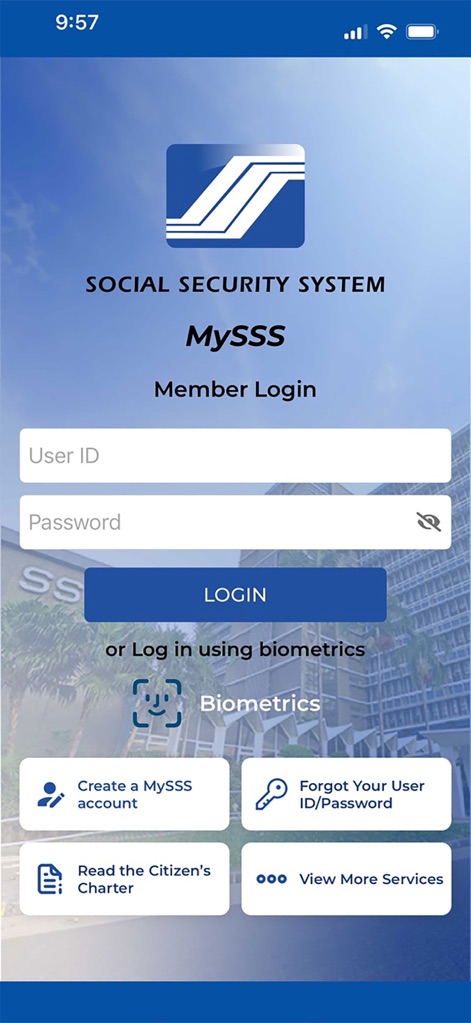
This screenshot highlights the intuitive login interface, featuring both traditional User ID/Password input and convenient Biometrics authentication for enhanced security.
Secure Login Access
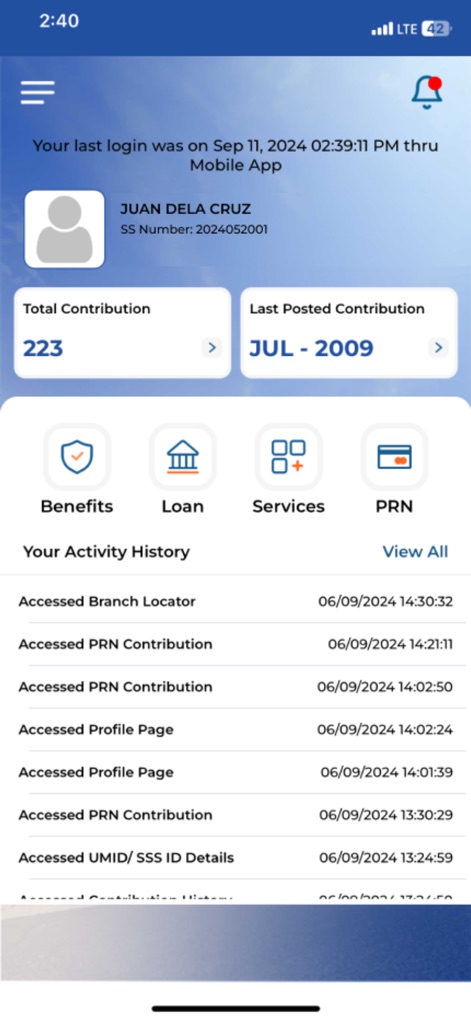
The app's dashboard provides users with an immediate summary of their SSS journey, displaying essential metrics like Total Contribution and the Last Posted Contribution at a glance.
At-a-Glance Overview

Users can delve into their financial records, with this screen showcasing the Total Amount of Contributions and a clear monthly breakdown for transparency and tracking.
Detailed Contribution History
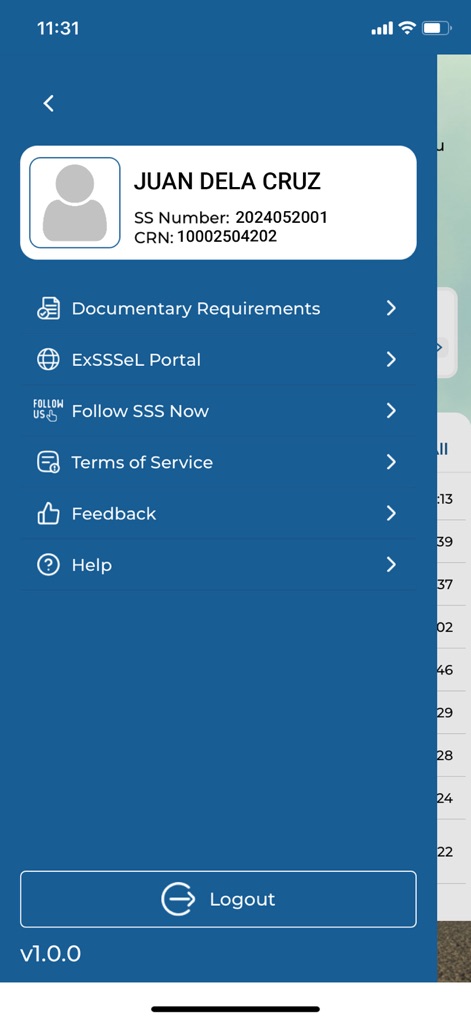
This navigation menu offers quick access to personal details, including the user's name and SSS/CRN numbers, alongside essential resources like Documentary Requirements.
Comprehensive Account Management

The Member Details screen presents a consolidated view of personal data, from the user's SSS Number and CRN to their Date of Birth and contact information.
Personal Information Hub

This dedicated section provides crucial information regarding identity cards, detailing the Capture Site and the current Transaction Status of the UMID/SSS ID.
ID Card Tracking

The menu offers valuable support resources, including guidance on How to register in My.SSS and practical tools like the Branch Locator for finding physical offices.
Support & Resources

This initial screen proudly displays the official Social Security System logo and the "Bagong Pilipinas" emblem, affirming the app's legitimate government affiliation.
Official App Identity
Description
Download
More Like This
Apps with similar features and user experience

GOSI
general organization for social insurance
Toeslagen
Belastingdienst

신용회복위원회
Credit counseling & Recovery service

e-Sosial
Ministry of Labour and Social Protection of the Population of the Azerbaijan Republic
ma MSA & moi
MUTUALITE SOCIALE AGRICOLE

myErgani
Ministry of Labour and Social Affairs Hellenic Republic
NSSF Member
National Social Security Fund, Cambodia

مؤسسة الضمان الإجتماعي
Jordan eGovernment

老来健康
Beijing Laolai Network Technology Development Co., Ltd.
This page is not an official page of the app or its developer, but an independent editorial publication created for informational and commentary purposes. Unless expressly stated otherwise, neither the app nor its developer is affiliated with, endorsed by, sponsored by, authorized by, or otherwise officially connected with MWM, Apple, Google Play, the app publisher, or the app's developer, and nothing on this page implies that the app was developed using MWM's services. Any trademarks, logos, screenshots, and other content remain the property of their respective owners.