
This page is not an official page of the app or its developer, but an independent editorial publication created for informational and commentary purposes. Unless expressly stated otherwise, neither the app nor its developer is affiliated with, endorsed by, sponsored by, authorized by, or otherwise officially connected with MWM, Apple, Google Play, the app publisher, or the app's developer, and nothing on this page implies that the app was developed using MWM's services. Any trademarks, logos, screenshots, and other content remain the property of their respective owners.


mySWICA
Effortlessly bridge the gap between the US and Switzerland. Securely scan invoices, access your virtual card, and manage your policy 24/7—all with biometric security.
Downloads
270K+User Rating
Total Ratings
31K+Publisher
Category
Health & FitnessLocales
4Latest Version
4.26.2Size
93.8 MBFirst Released
Apr 19, 2019Swiss Insurance Management, Reimagined for the Global Citizen
Manage your SWICA policy from anywhere in the world with a seamless, paperless experience designed for your high-mobility lifestyle.
Instant Digital Submission
Forget international mail. Scan medical invoices with your phone camera and upload them directly for rapid processing and reimbursement.
Your Policy in Your Pocket
Access your virtual insurance card and a clear overview of your benefits instantly, regardless of your time zone or location.
Frequently Asked Questions
Everything you need to know about mySWICA
What is the mySWICA app?
The mySWICA app allows users to access and manage their insurance documents and contact SWICA anytime, anywhere. It offers a well-organised dashboard, virtual insurance card, and an overview of insurance products and benefits.
Does mySWICA support biometric login methods?
Yes, mySWICA provides easy login options using Touch ID or Face ID, enhancing security and convenience for users accessing their insurance information.
Can I scan and upload invoices using the mySWICA app?
Yes, mySWICA allows for simple invoice scanning and uploading directly from the photo gallery. This function enables easy submission of documents.
Does mySWICA offer a virtual insurance card?
Yes, the mySWICA app includes a virtual insurance card. This feature provides convenient access to your insurance details digitally.
What kind of insurance information does mySWICA display?
The mySWICA app provides an overview of your insurance products and benefits. It ensures users can easily view their coverage details.
How can I contact SWICA through the mySWICA app?
Yes, mySWICA facilitates quick contact with SWICA through its notification function. This allows for direct and efficient communication with the provider.
Can I access my personal documents in the mySWICA app?
Yes, mySWICA offers easy access to personal data and documents. Users can manage their information directly within the application.
The following screenshots and description are sourced directly from the app's official store listing and are the property of the app developer.
App Store
Screenshots
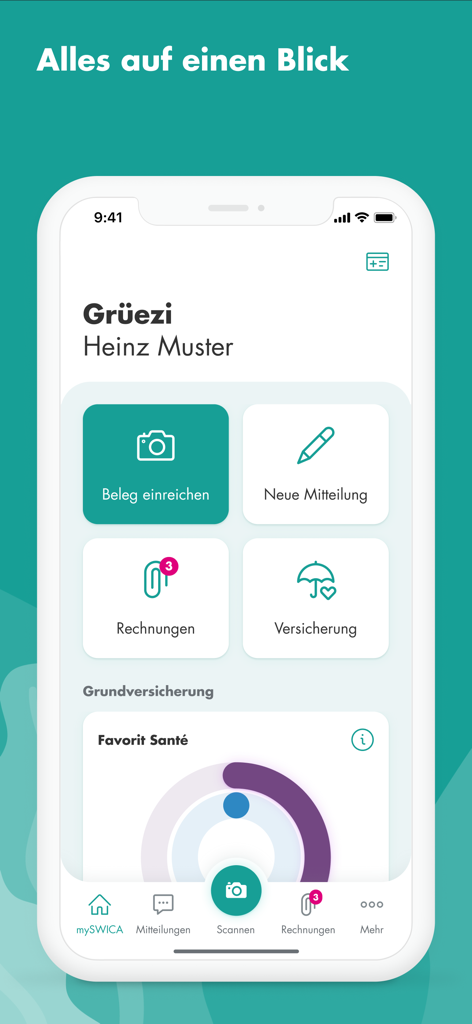
User dashboard of the mySWICA insurance app featuring options to submit receipts and view coverage details
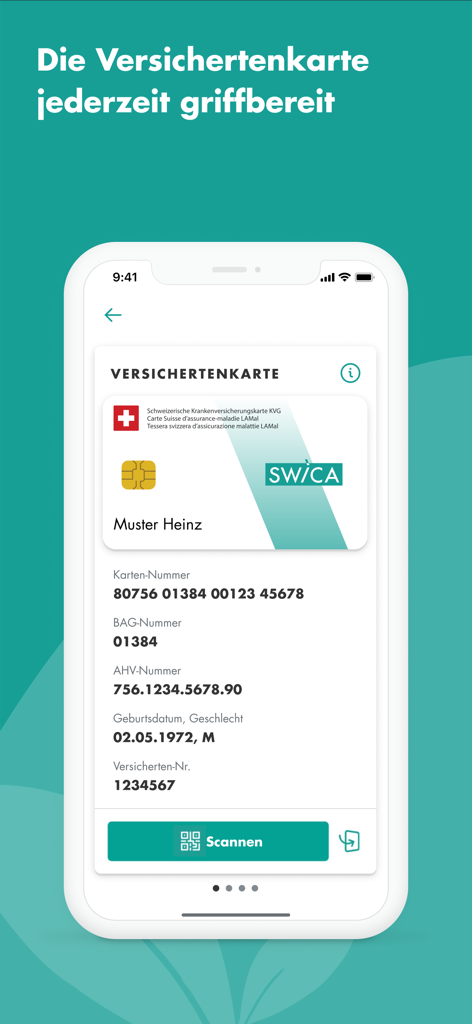
Digital health insurance card displayed on the mySWICA mobile application interface
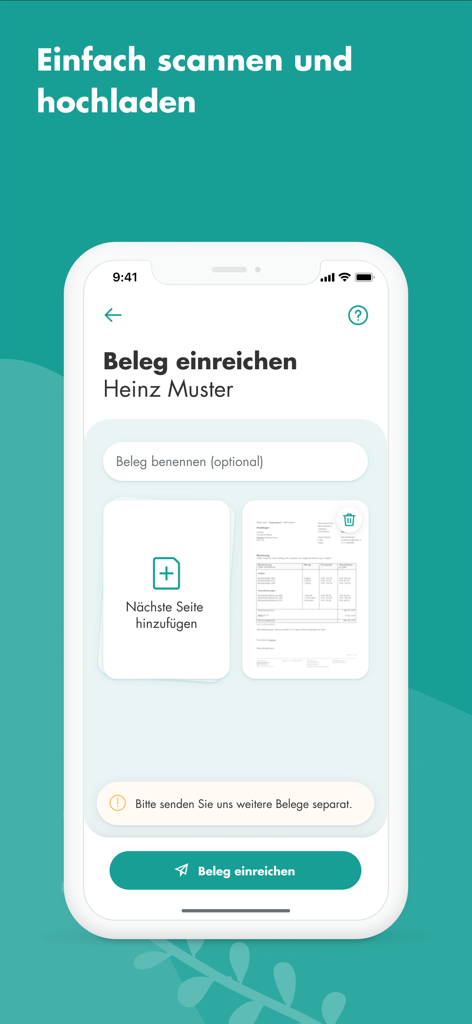
mySWICA app interface for scanning and uploading medical invoices
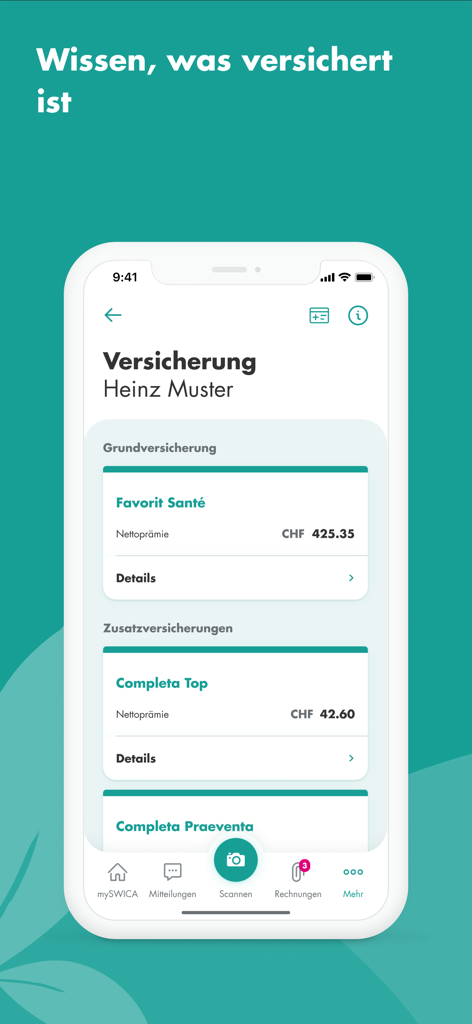
Screenshot of the mySWICA app showing a summary of health insurance plans and premium costs.
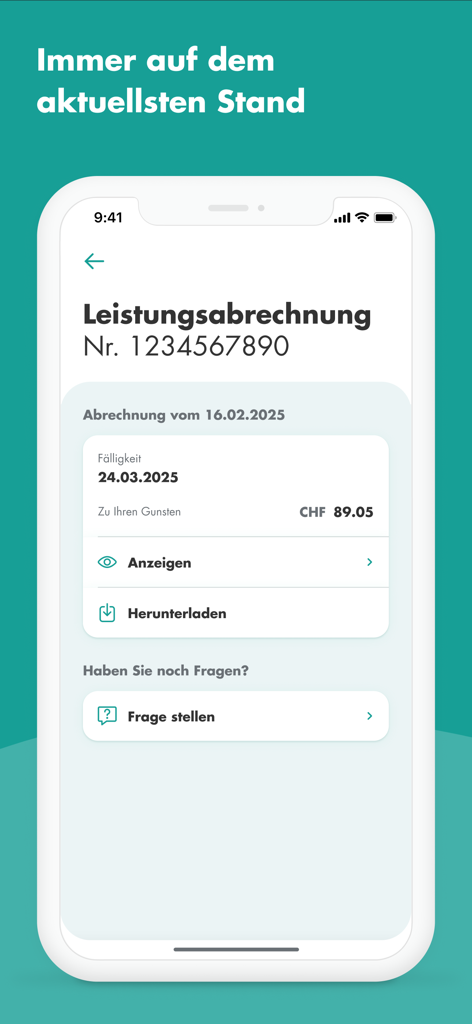
mySWICA mobile app screen showing insurance benefit statement details and reimbursement information
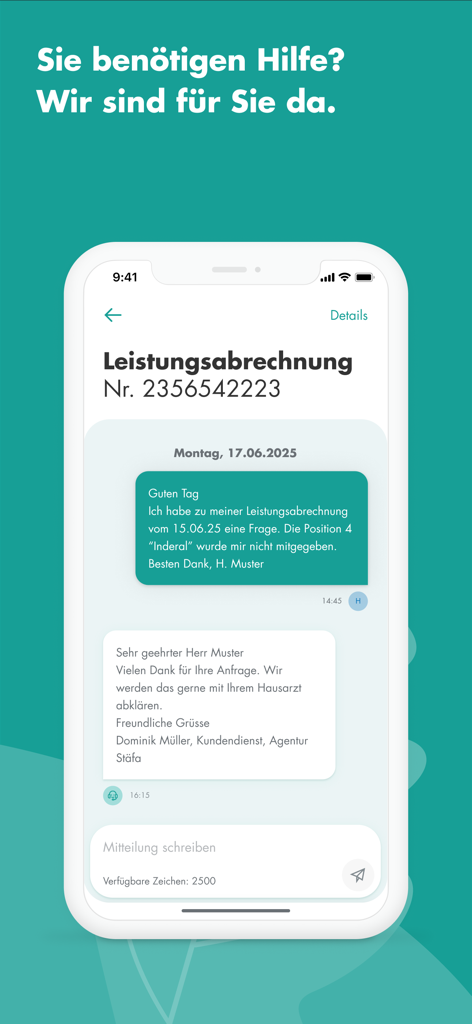
Secure in-app customer service messaging interface for mySWICA health insurance inquiries.
Description
Download
More Like This
Apps with similar features and user experience

Sydney Health
Elevance Health, Inc

Mobile JKN
BPJS Kesehatan

mojeIKP - log in to health
Centrum e-Zdrowia

TK-App
Techniker Krankenkasse

Ambetter Health
Centene Corporation

Oscar Health
Oscar Management Corporation

MyChoice Benefits
Businessolver.com, Inc.

EyeMed
EYEMED VISION CARE LLC

Blue Shield of California
Blue Shield California
This page is not an official page of the app or its developer, but an independent editorial publication created for informational and commentary purposes. Unless expressly stated otherwise, neither the app nor its developer is affiliated with, endorsed by, sponsored by, authorized by, or otherwise officially connected with MWM, Apple, Google Play, the app publisher, or the app's developer, and nothing on this page implies that the app was developed using MWM's services. Any trademarks, logos, screenshots, and other content remain the property of their respective owners.