
This page is not an official page of the app or its developer, but an independent editorial publication created for informational and commentary purposes. Unless expressly stated otherwise, neither the app nor its developer is affiliated with, endorsed by, sponsored by, authorized by, or otherwise officially connected with MWM, Apple, Google Play, the app publisher, or the app's developer, and nothing on this page implies that the app was developed using MWM's services. Any trademarks, logos, screenshots, and other content remain the property of their respective owners.

انا محترف الخط
Create stunning, professional-grade script and personalized designs with the world’s most advanced digital calligraphy tool.
Downloads
1M+User Rating
Total Ratings
800Publisher
Category
ProductivityLocales
1Latest Version
2.2.1Size
63.5 MBFirst Released
Apr 23, 2016Transform Your Designs with Authentic Arabic Art
Craft professional-grade Arabic calligraphy with ease. From custom social media posts to personalized invitations, bring the timeless elegance of traditional scripts to your digital world.
Master Authentic Scripts
Access 21 premium fonts including Diwan, Thuluth, and Kufi. Achieve professional-grade ligatures and flowing curves that standard design apps simply cannot replicate.
Complete Creative Freedom
Customize every word segment, add decorative glyphs, and adjust colors with precision. Perfect for creating unique, minimalist aesthetic content for Instagram and TikTok.
Frequently Asked Questions
Everything you need to know about انا محترف الخط
What is Ana Muhtarif Al Khat?
Ana Muhtarif Al Khat is an app that allows users to create stunning Arabic-style calligraphy art. It offers customization for styles, colors, and curves, enabling both beginners and experienced designers to express themselves with elegant scripts.
Does Ana Muhtarif Al Khat offer different font styles?
Yes, Ana Muhtarif Al Khat offers a collection of 21 Arabic fonts. These include advanced Diwan fonts like Naskh Mishafi, Thuluth, Farsi, Waseem (Ruqa’a-like), and Kufi, allowing diverse calligraphic expressions.
Can users customize the user interface language in Ana Muhtarif Al Khat?
Yes, users can customize the user interface and menus in Ana Muhtarif Al Khat. The app supports Arabic, English, and Indonesian languages, allowing users to choose their preferred UI.
Can I add shapes and decorative elements to my calligraphy designs in Ana Muhtarif Al Khat?
Yes, Ana Muhtarif Al Khat allows users to add vector shapes and decorative glyphs to their designs. Users can choose from a variety of pre-defined shapes and freely position glyphs to enhance the overall aesthetic.
What export options are available for designs created with Ana Muhtarif Al Khat?
Ana Muhtarif Al Khat allows users to save designs as high-resolution images for use with other applications or as high-resolution PDF files. Users can also export and import designs.
Does Ana Muhtarif Al Khat support multi-line text input?
Yes, Ana Muhtarif Al Khat supports inserting multi-line text. Users can also select the font size, alignment, and line spacing before inserting the text to ensure proper formatting.
Can I change individual word segments in Ana Muhtarif Al Khat?
Yes, Ana Muhtarif Al Khat offers styling options for each word segment. These include alternative shapes, wide forms, and the ability to remove dots. Users can freely position segments to create complex compositions.
The following screenshots and description are sourced directly from the app's official store listing and are the property of the app developer.
App Store
Screenshots
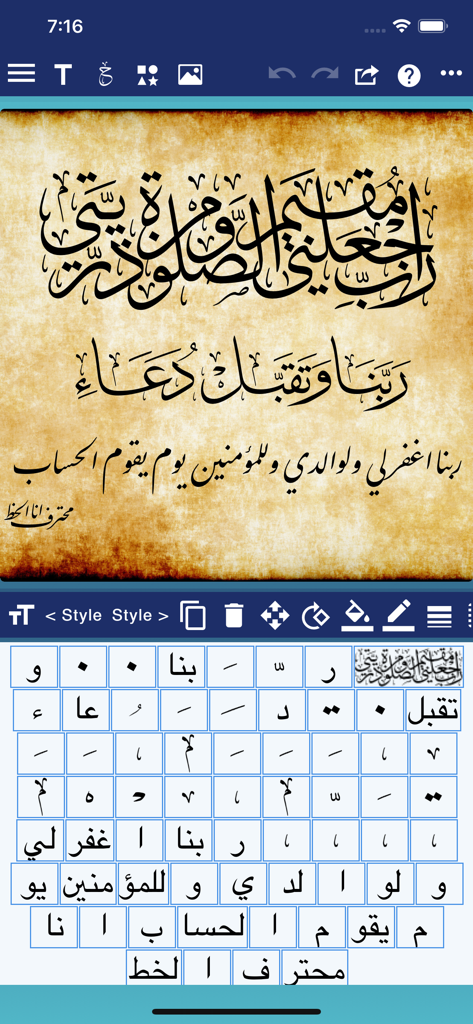
Interface of the Ana Muhtarif Al Khat app showing Arabic calligraphy design on parchment with editing tools and character selection grid.
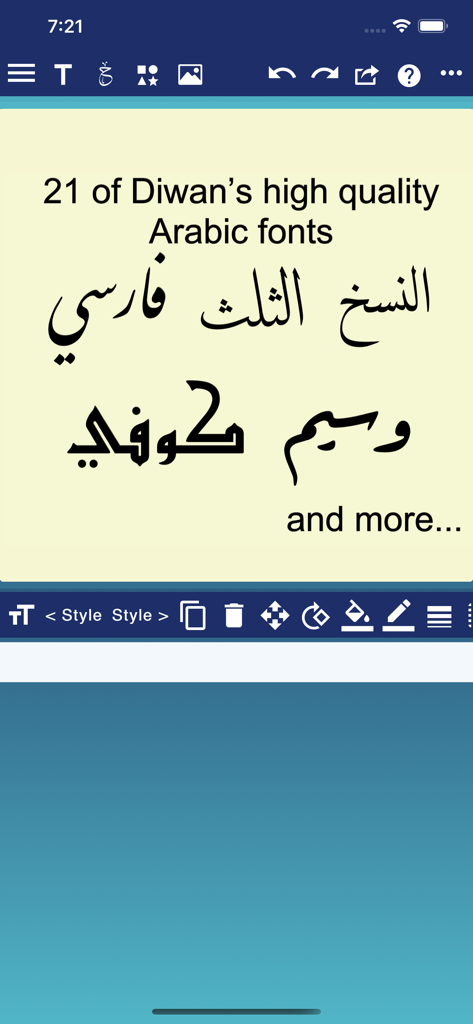
Display of various professional Arabic calligraphy fonts including Naskh and Thuluth styles
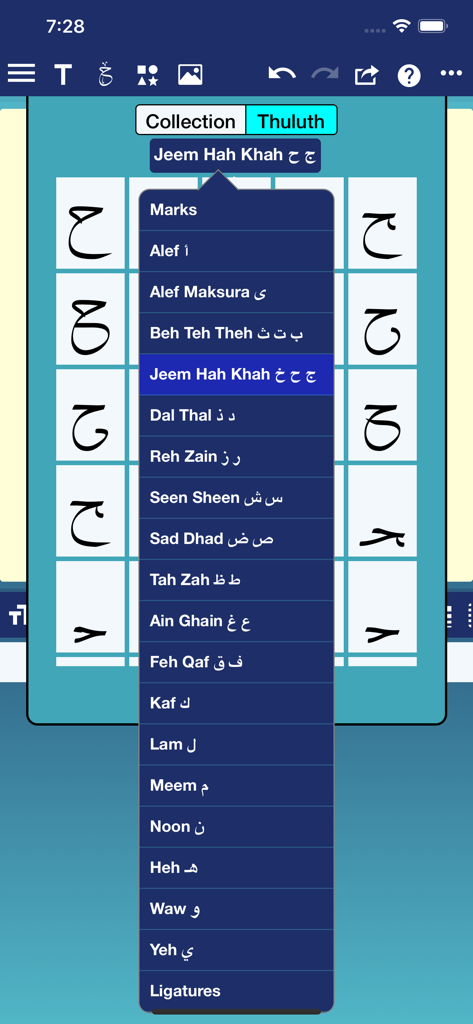
A menu in the Ana Muhtarif Al Khat app showing a list of Arabic letters and font selection for Thuluth calligraphy style
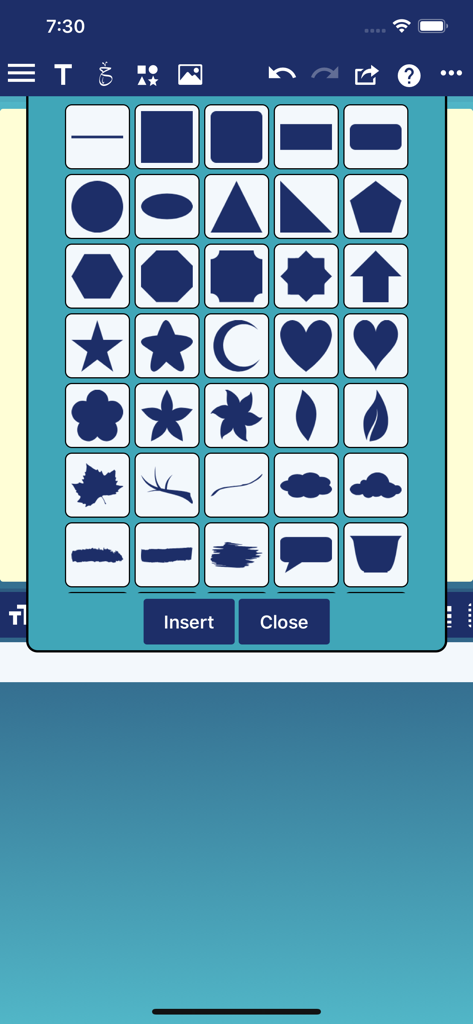
A grid of decorative and geometric vector shapes for calligraphy designs
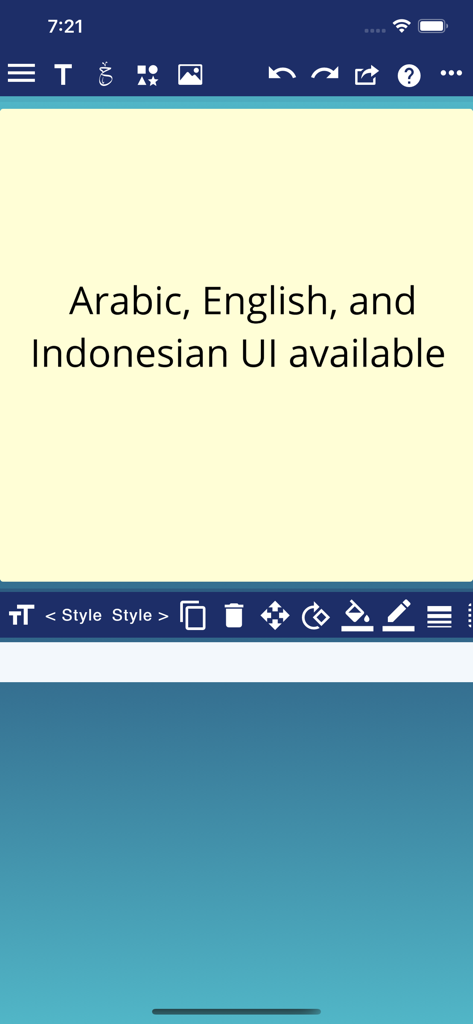
Screenshot of Ana Muhtarif Al Khat app showing design tools and text stating Arabic English and Indonesian UI availability
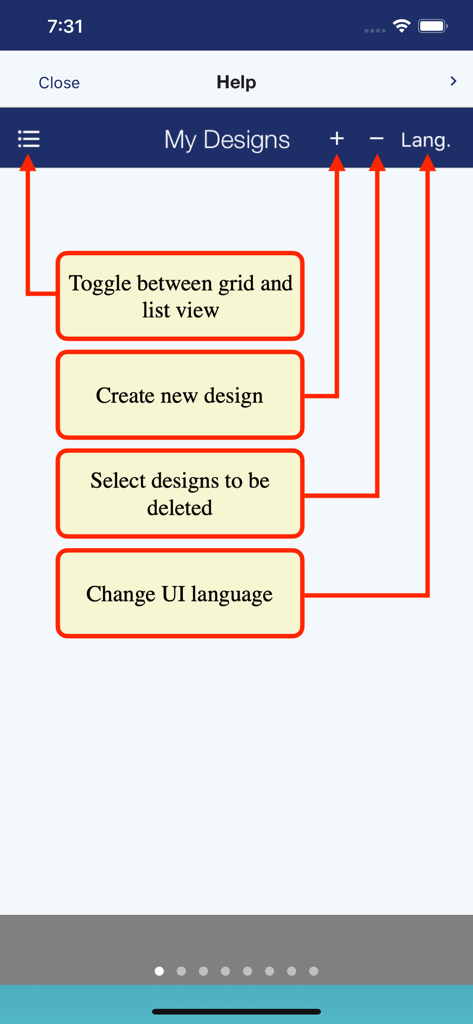
A help screen in the Ana Muhtarif Al Khat app explaining how to create new designs, delete files, and change the UI language.
Description
Download
More Like This
Apps with similar features and user experience
This page is not an official page of the app or its developer, but an independent editorial publication created for informational and commentary purposes. Unless expressly stated otherwise, neither the app nor its developer is affiliated with, endorsed by, sponsored by, authorized by, or otherwise officially connected with MWM, Apple, Google Play, the app publisher, or the app's developer, and nothing on this page implies that the app was developed using MWM's services. Any trademarks, logos, screenshots, and other content remain the property of their respective owners.