
This page is not an official page of the app or its developer, but an independent editorial publication created for informational and commentary purposes. Unless expressly stated otherwise, neither the app nor its developer is affiliated with, endorsed by, sponsored by, authorized by, or otherwise officially connected with MWM, Apple, Google Play, the app publisher, or the app's developer, and nothing on this page implies that the app was developed using MWM's services. Any trademarks, logos, screenshots, and other content remain the property of their respective owners.


Nagoya Navi
Unlock theme-based walking routes and offline maps to explore Aichi like a local. Track your steps with Apple Health and discover Nagoya’s rich heritage with curated tours designed for the independent traveler.
Downloads
11K+User Rating
Total Ratings
0Publisher
Category
TravelLocales
5Latest Version
2.18.0Size
95.1 MBFirst Released
Dec 15, 2016Master Nagoya’s Hidden Gems
The ultimate companion for independent travelers seeking authentic Japanese culture, efficient navigation, and effortless exploration.
Expert-Curated Walking Tours
Maximize your travel time with theme-based routes that guide you through Nagoya’s legendary samurai heritage and modern landmarks.
Reliable Offline Navigation
Travel with total confidence. Access detailed maps and GPS guidance without worrying about international roaming or Wi-Fi availability.
Frequently Asked Questions
Everything you need to know about Nagoya Navi
What is the primary purpose of the Nagoya Navi app?
The Nagoya Navi app teaches users about Nagoya city's cultural heritage and provides information on its tourist destinations. It helps users explore the city and discover new attractions.
Does Nagoya Navi offer guided tour routes?
Yes, the Nagoya Navi app features a "Course" function. This feature suggests theme-based tour routes to help users explore Nagoya city.
Can Nagoya Navi guide users to specific locations?
Yes, the Nagoya Navi app includes a "Navi" feature. This function guides users directly to their chosen target destinations within Nagoya.
Does the Nagoya Navi app work without an internet connection?
Yes, the Nagoya Navi app provides an offline map. Users can view this map and navigate through Nagoya city even without internet access.
Is a pedometer function available in the Nagoya Navi app?
Yes, the Nagoya Navi app includes a pedometer feature. It uses Apple HealthKit to display the daily number of steps on the top screen, though it is not supported on iPad and iPad mini.
Can Nagoya Navi integrate with in-vehicle navigation systems?
Yes, the Nagoya Navi app allows users to send destination information from their mobile device to an in-vehicle navigation system. This is done using NaviBridge.
Does using the Nagoya Navi app drain battery quickly?
Yes, while using the course navigator, the Nagoya Navi app uses GPS to find the user's location. This GPS function can cause the battery to drain faster than usual.
What iOS version does the Nagoya Navi app recommend?
The Nagoya Navi app recommends iOS 13 or later for optimal performance. It also requires devices with built-in GPS models.
Does the Nagoya Navi app have an Augmented Reality (AR) feature?
Yes, the Nagoya Navi app features an AR function. This allows users to view 3D models, such as festival floats (Yama), by touching the screen to interact with them.
The following screenshots and description are sourced directly from the app's official store listing and are the property of the app developer.
App Store
Screenshots
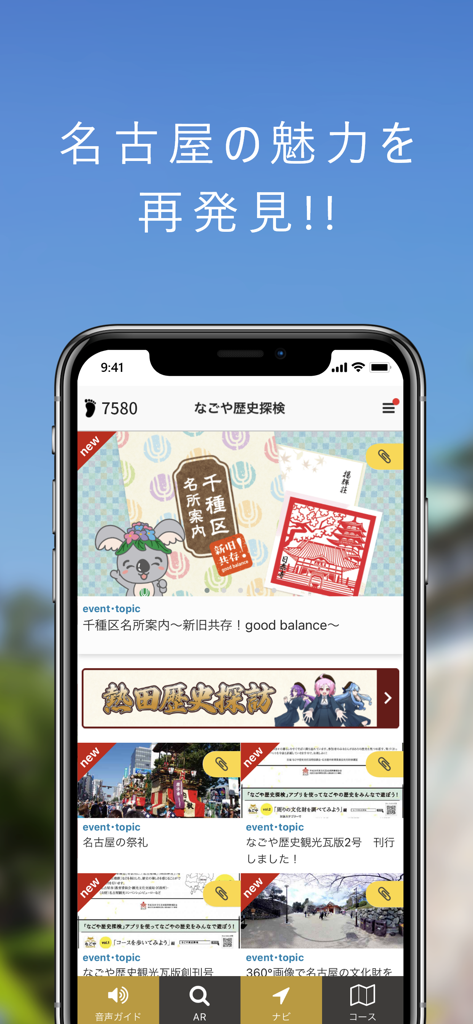
Nagoya Navi mobile app home screen showing cultural tourism topics and a pedometer tracking daily steps
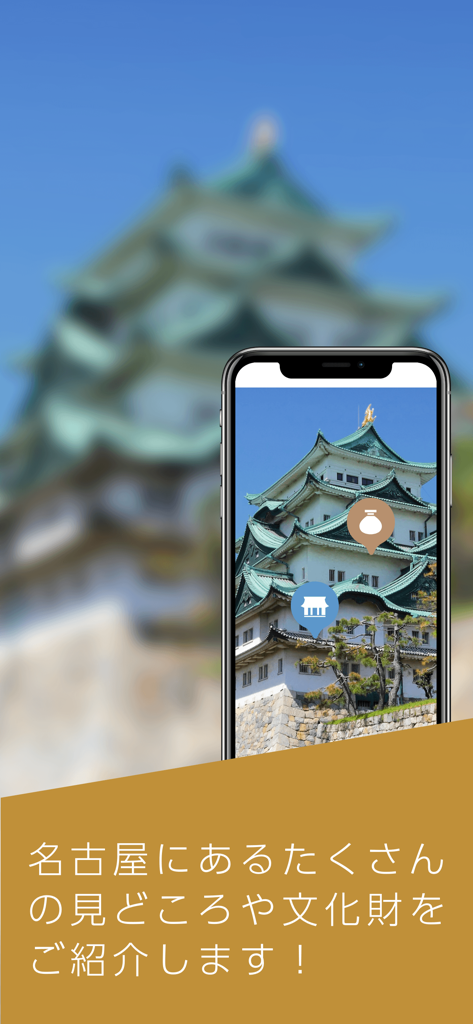
Smartphone screen displaying Nagoya Castle with interactive tourist icons from the Nagoya Navi travel app
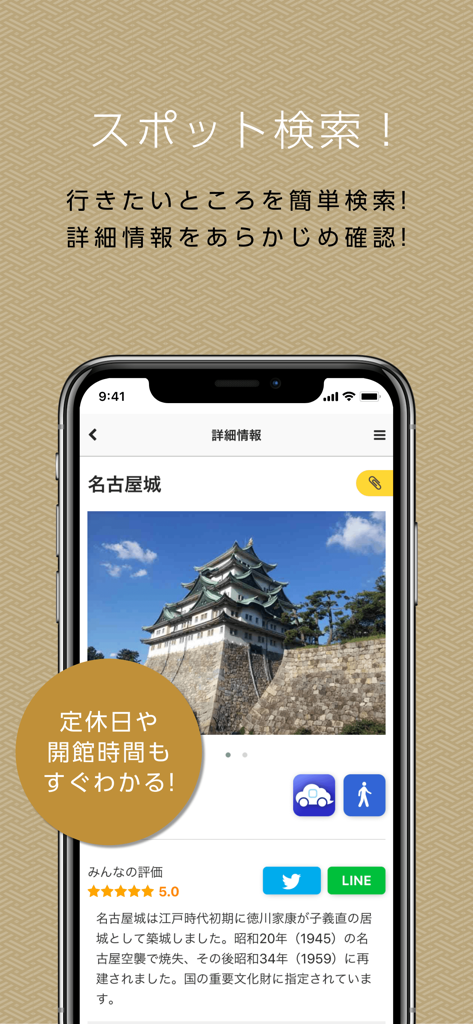
Detailed view of Nagoya Castle with historical information and visitor ratings on the Nagoya Navi travel app
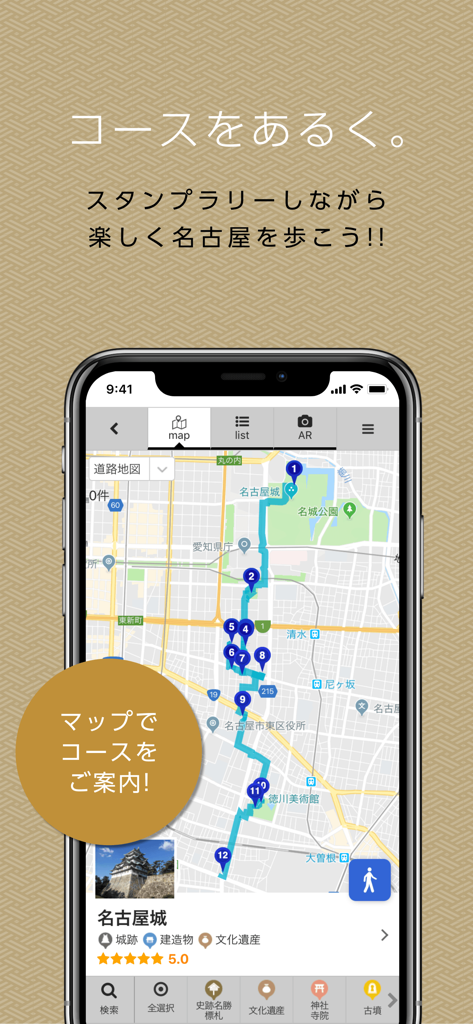
Nagoya Navi app interface showing a guided walking route map with numbered points of interest in Nagoya
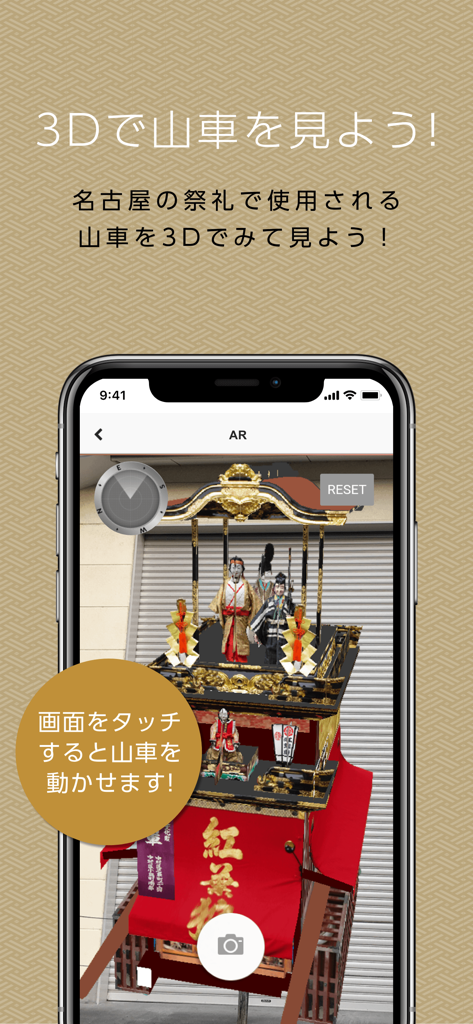
Augmented reality view of a traditional Japanese festival float in the Nagoya Navi app
Description
Download
More Like This
Top-ranked apps in the same category

Uber - Request a ride
Uber Technologies, Inc.

Airbnb
Airbnb, Inc.

铁路12306
ACADEMY OF RAILWAY SCIENCES CO., ltd.

Booking.com: Hotels & Travel
Booking.com B.V.

Grab: Taxi Ride, Food Delivery
GRABTAXI HOLDINGS PTE. LTD.

DiDi China: Ride Hailing
Didi Chuxing (Beijing) Network Platform Technology Co., Ltd

Bolt: Request a Ride
BOLT TECHNOLOGY OU

Trip.com: Book Flights, Hotels
Trip.com Travel Singapore Pte. Ltd.

去哪儿旅行-订酒店机票火车票
Beijing Qunar Information Technology Company Limit
This page is not an official page of the app or its developer, but an independent editorial publication created for informational and commentary purposes. Unless expressly stated otherwise, neither the app nor its developer is affiliated with, endorsed by, sponsored by, authorized by, or otherwise officially connected with MWM, Apple, Google Play, the app publisher, or the app's developer, and nothing on this page implies that the app was developed using MWM's services. Any trademarks, logos, screenshots, and other content remain the property of their respective owners.