
This page is not an official page of the app or its developer, but an independent editorial publication created for informational and commentary purposes. Unless expressly stated otherwise, neither the app nor its developer is affiliated with, endorsed by, sponsored by, authorized by, or otherwise officially connected with MWM, Apple, Google Play, the app publisher, or the app's developer, and nothing on this page implies that the app was developed using MWM's services. Any trademarks, logos, screenshots, and other content remain the property of their respective owners.


NAMANE: Pay & Transit card
Turn your favorite K-pop idols or travel memories into a personalized payment and transit card. Navigate Korea’s subways, cafes, and shops with one aesthetic card managed entirely from your phone.
Downloads
539K+User Rating
Total Ratings
6K+Publisher
Category
FinanceLocales
4Latest Version
4.3.0Size
84.9 MBFirst Released
Nov 6, 2020Travel Korea Like a Local
Master your K-adventure with the all-in-one card for seamless transit, personalized style, and easy mobile payments.
Create an Iconic Souvenir
Personalize your physical card with photos of your favorite idols or aesthetic travel memories for a unique keepsake.
Pay and Ride with Ease
Tap for subways and buses, or pay at trendy cafes and shops anywhere in Korea without the hassle of cash.
Frequently Asked Questions
Everything you need to know about NAMANE: Pay & Transit card
How can I create a NAMANE Card?
Yes, you create a NAMANE Card by designing it within the NAMANE app. You personalize the card with your chosen photo and text.
What is the NAMANE Card used for in Korea?
The NAMANE Card is for payments and public transportation throughout Korea. It functions at convenience stores, cafes, and restaurants, and serves as a transportation card.
What methods are available to top up a NAMANE Card?
You can top up your NAMANE Card balance via the app. Accepted methods include international debit/credit cards (VISA, MASTER, JCB), digital payments (Alipay, Alipay+), convenience store cash, and coupons.
Can I use NAMANE Card for public transportation in Korea?
Yes, the NAMANE Card operates as a transportation card throughout Korea. You can also recharge its transit balance directly within the NAMANE app for convenience.
How do I locate a NAMANE Card kiosk?
The NAMANE app includes a map feature to locate kiosks. You use this map to find nearby kiosks where you can purchase or top up your NAMANE Card.
Does the NAMANE app offer a card locking feature?
Yes, the NAMANE app provides a "Lock Card" feature. In case of loss, you can pause your NAMANE Card to protect your balance from unauthorized use.
Can I view my NAMANE Card transaction history?
Yes, the NAMANE app allows you to check your pay card balance and review your complete transaction history. This feature helps you monitor your spending on your NAMANE Card.
Does NAMANE Card provide cashback or discounts?
Yes, the NAMANE Card offers cashback benefits and discounts. Users can receive up to 7% off at various partner stores, including restaurants, shopping centers, and bakeries.
Can I transfer money from my NAMANE Card to another account?
Yes, you can transfer your NAMANE pay balance. This includes sending funds to another Korean bank account, using a NAMANE QR code, or moving the balance to another NAMANE Card within your account.
The following screenshots and description are sourced directly from the app's official store listing and are the property of the app developer.
App Store
Screenshots
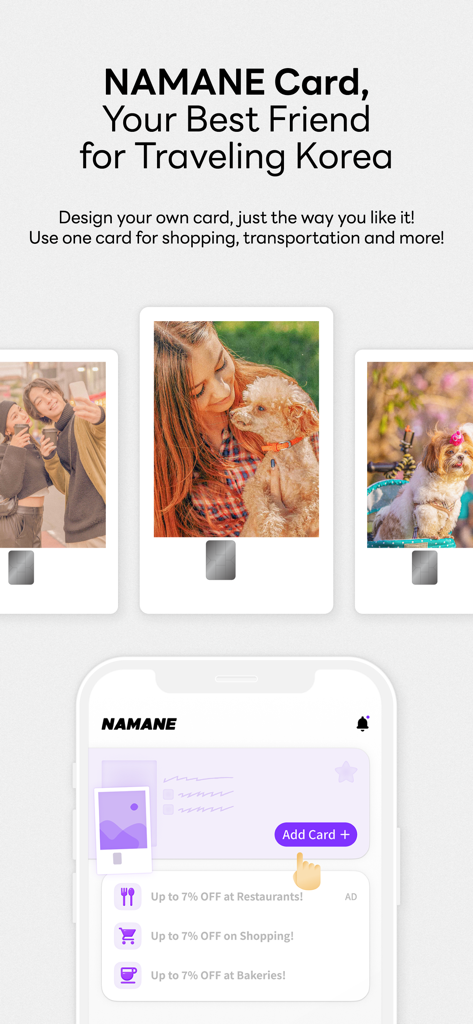
NAMANE app interface showing custom travel card designs with personal photos for travel in South Korea
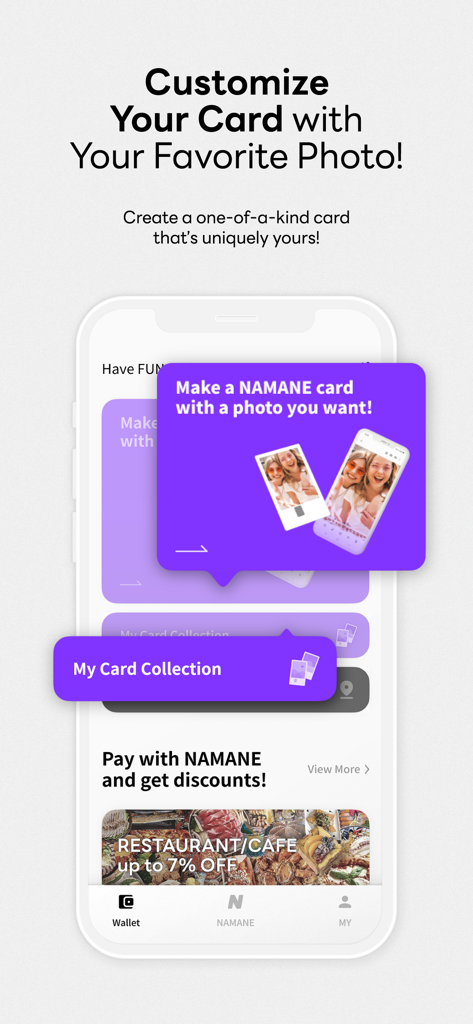
Interface showing how to customize a NAMANE transit card with a personal photo.
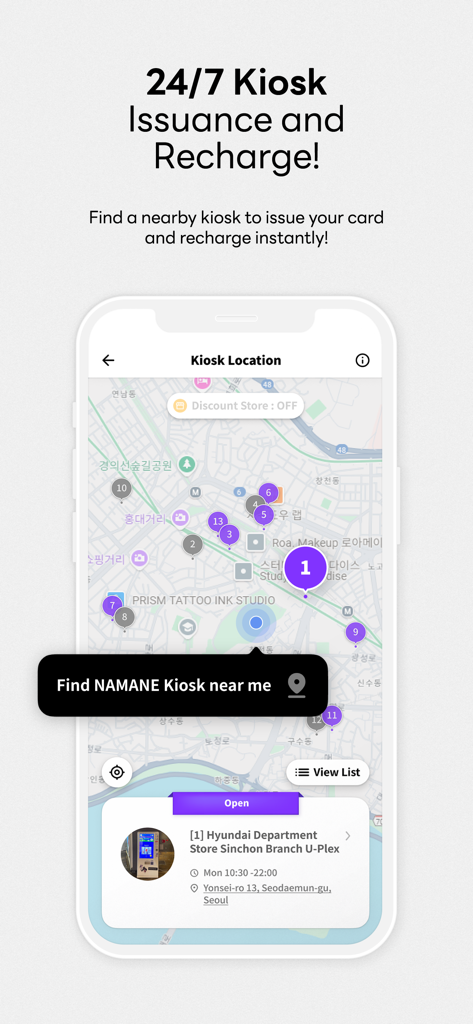
A mobile app screen showing a map with numbered pins representing NAMANE card kiosk locations in Seoul
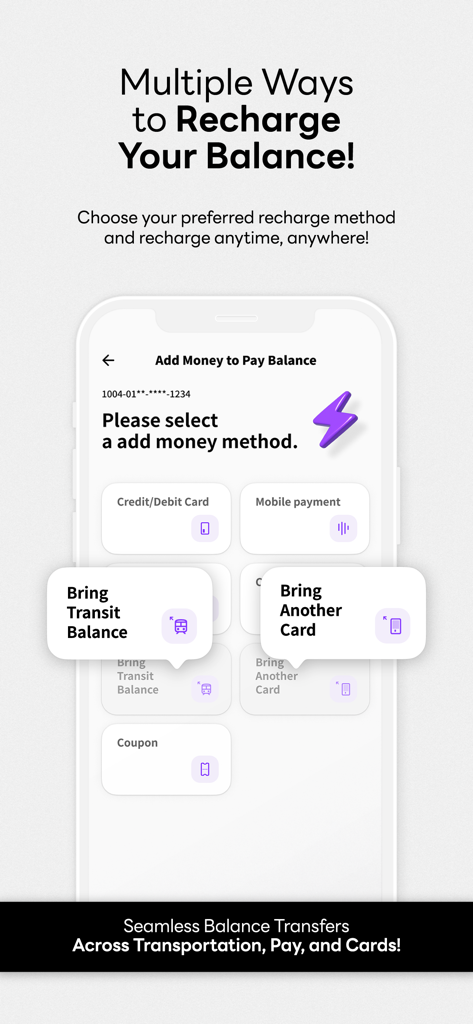
A mobile app screen displaying multiple ways to recharge the NAMANE card balance including credit card and transit transfers
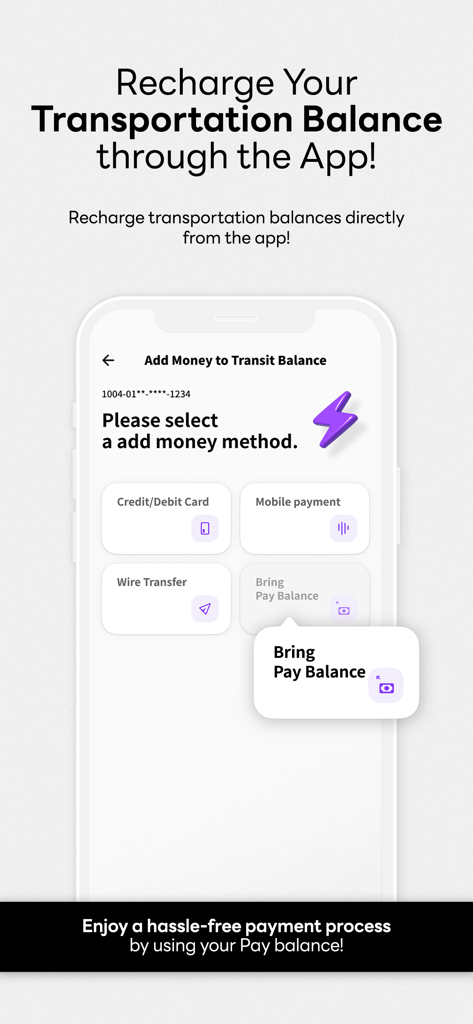
NAMANE app interface showing options to recharge transportation balance
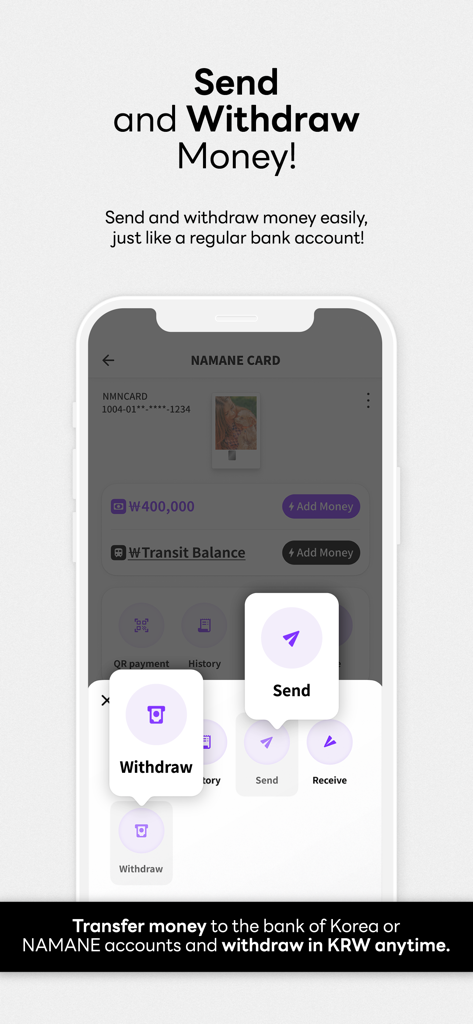
NAMANE app screen showing options to send and withdraw money in South Korea
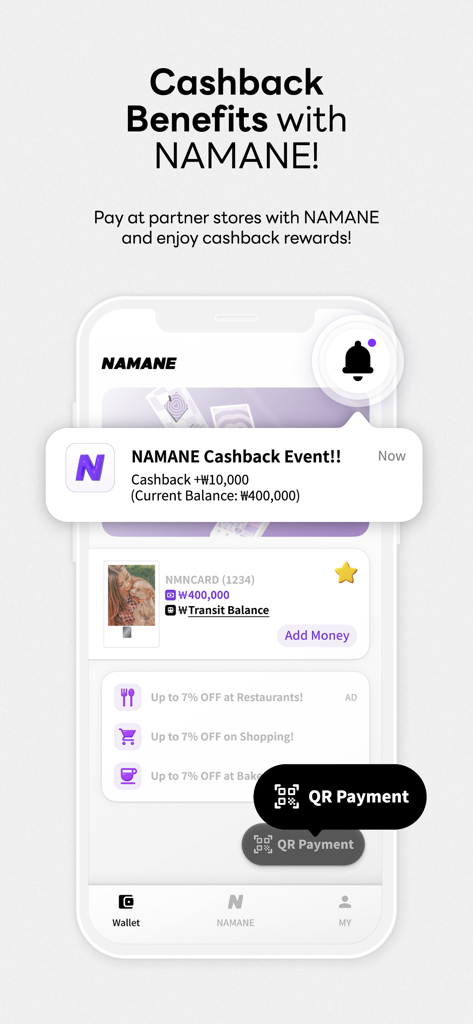
Mobile app interface of NAMANE showing a cashback notification and discount offers for restaurants and shopping in South Korea.
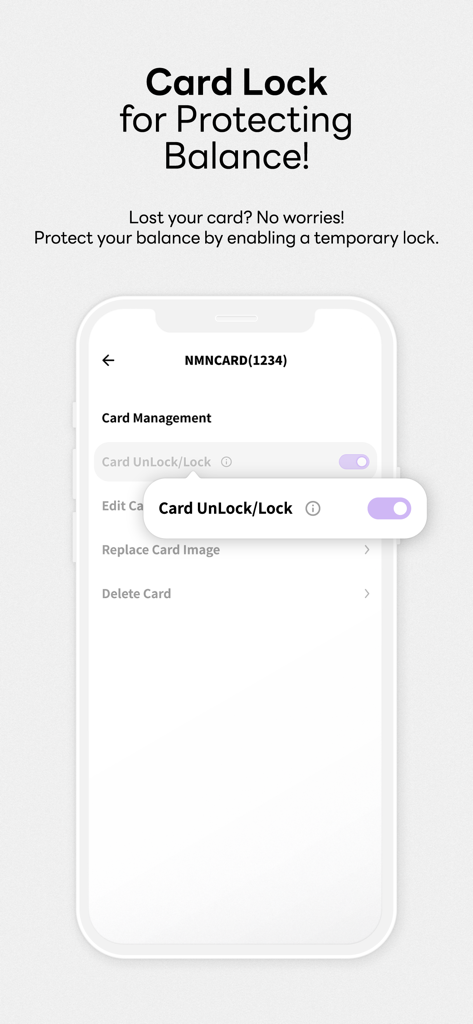
NAMANE app screen showing the card lock feature for balance protection
Description
Download
More Like This
Apps with similar features and user experience






This page is not an official page of the app or its developer, but an independent editorial publication created for informational and commentary purposes. Unless expressly stated otherwise, neither the app nor its developer is affiliated with, endorsed by, sponsored by, authorized by, or otherwise officially connected with MWM, Apple, Google Play, the app publisher, or the app's developer, and nothing on this page implies that the app was developed using MWM's services. Any trademarks, logos, screenshots, and other content remain the property of their respective owners.