
This page is not an official page of the app or its developer, but an independent editorial publication created for informational and commentary purposes. Unless expressly stated otherwise, neither the app nor its developer is affiliated with, endorsed by, sponsored by, authorized by, or otherwise officially connected with MWM, Apple, Google Play, the app publisher, or the app's developer, and nothing on this page implies that the app was developed using MWM's services. Any trademarks, logos, screenshots, and other content remain the property of their respective owners.


Natbank Mobile Banking
This app liberates Natbank users from archaic banking, placing control directly into their hands.
Downloads
50k+User Rating
Total Ratings
189Publisher
Category
FinanceLocales
1Latest Version
25.2.100Size
53.8 MBFirst Released
Apr 5, 2016An evaluation of core functionalities addressing user convenience, security, and financial management needs for existing account holders.
Natbank Mobile Banking: Key Features Analysis
Enhanced Security Protocols
The app incorporates robust security measures, including device information collection, to protect users from unauthorized transactions.
Real-time Account Monitoring
The app provides instant access to account balances and transaction history, enabling users to track their finances effortlessly.
Mobile Check Deposit
The app enables users to deposit checks remotely by simply taking a picture with their device, saving time and effort.
Seamless Fund Transfers
It allows users to quickly move funds between their Natbank accounts, simplifying financial organization.
Convenient Bill Payments
This tool features an easy-to-use bill payment system, allowing users to settle expenses without visiting a branch.
Secure Account Recovery
The app allows users to reset their password directly, ensuring continuous access to their banking services securely.
The following screenshots and description are sourced directly from the app's official store listing and are the property of the app developer.
App Store
Screenshots

The app immediately establishes its identity with a prominent Natbank logo on a clean, minimalist launch screen, setting a professional tone.
Brand Introduction
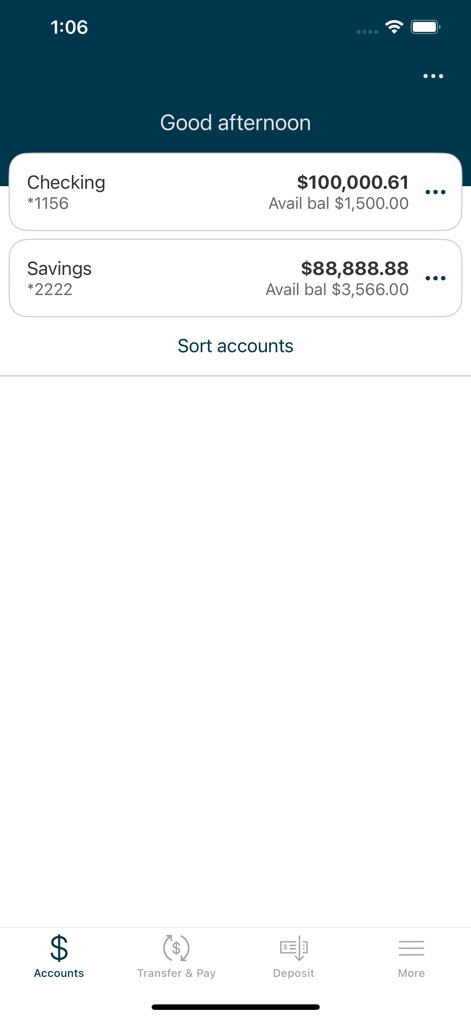
Users can quickly view their Checking and Savings account balances, benefiting from a clear numerical display and a consistent bottom navigation bar for easy access to core banking functions.
Financial Snapshot
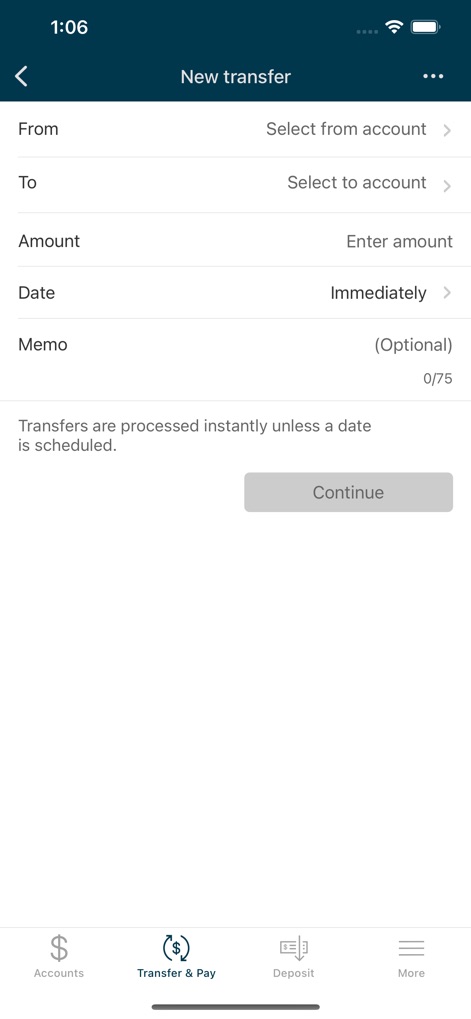
The interface facilitates fund transfers through intuitive "From" and "To" account selection fields, ensuring users can accurately specify the "Amount" and schedule the transaction.
Effortless Transfers

This menu provides robust options including "Instant Balance" and "Face ID" for enhanced security and convenience, alongside practical tools like the "PRESTO Locator" for finding nearby services.
Comprehensive Settings
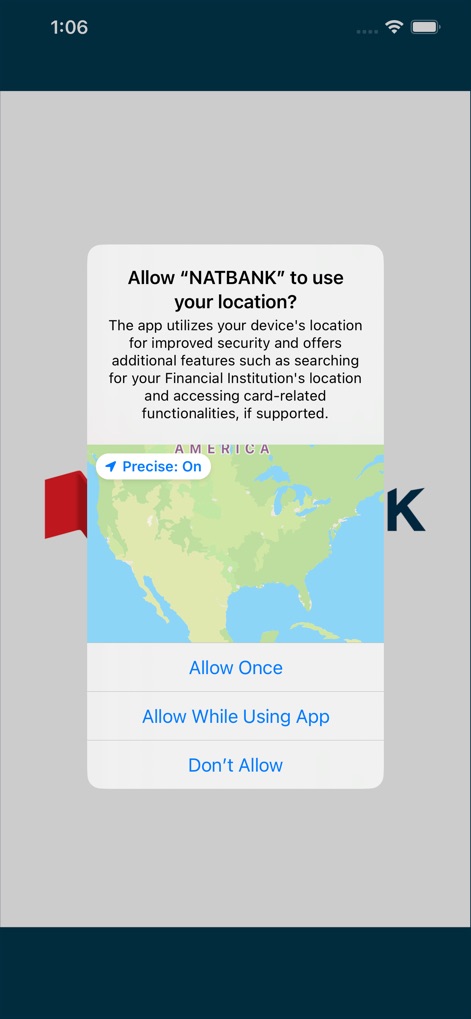
The app proactively manages user privacy by requesting location permissions with a clear visual map, providing explicit options to "Allow Once" or "Allow While Using App".
Privacy & Location
Description
Download
More Like This
Top-ranked apps in the same category

电子税务局
State Administration of Taxation

UnionPay APP
China Unionpay Co.,Ltd.

养基宝 - 年轻人的养基神器
Shenzhen Xiaoduotou Information Technology Co.,Ltd.

PayPal - Pay, Send, Save
PayPal, Inc.

中国农业银行
AGRICULTURAL BANK OF CHINA LIMITED

Mercado Pago: cuenta digital
MercadoLibre S.A.

Kalshi: Trade on the Big Game
KALSHI INC.

中国工商银行
Industrial and Commercial Bank of China

个人所得税
State Administration of Taxation
This page is not an official page of the app or its developer, but an independent editorial publication created for informational and commentary purposes. Unless expressly stated otherwise, neither the app nor its developer is affiliated with, endorsed by, sponsored by, authorized by, or otherwise officially connected with MWM, Apple, Google Play, the app publisher, or the app's developer, and nothing on this page implies that the app was developed using MWM's services. Any trademarks, logos, screenshots, and other content remain the property of their respective owners.