
This page is not an official page of the app or its developer, but an independent editorial publication created for informational and commentary purposes. Unless expressly stated otherwise, neither the app nor its developer is affiliated with, endorsed by, sponsored by, authorized by, or otherwise officially connected with MWM, Apple, Google Play, the app publisher, or the app's developer, and nothing on this page implies that the app was developed using MWM's services. Any trademarks, logos, screenshots, and other content remain the property of their respective owners.

NBE-PhoneCash
Securely transfer money, pay utilities, and manage your Egyptian accounts instantly from the USA. Experience the convenience of a digital wallet designed to keep you connected to your home and family, one click at a time.
Downloads
645K+User Rating
Total Ratings
2K+Publisher
Category
FinanceLocales
2Latest Version
2.14.41Size
133.6 MBFirst Released
May 15, 2014Your Digital Financial Link to Egypt
Bridge the distance and manage your Egyptian financial obligations with the speed and security of the National Bank of Egypt.
Instant Family Remittances
Skip the high fees and long waits of wire transfers. Send money to any mobile wallet in Egypt instantly to support your loved ones.
Remote Bill Management
Manage your properties in Egypt from the USA. Pay for electricity, water, and telecom bills directly through the app without a middleman.
Frequently Asked Questions
Everything you need to know about NBE-PhoneCash
What is NBE PhoneCash?
NBE PhoneCash is an electronic mobile wallet that facilitates money transfers, payments, and purchases. It offers a smooth experience for managing your financial transactions anywhere, anytime.
Is the NBE PhoneCash application free to download?
Yes, the NBE PhoneCash application is free of charge to download. Users can register and download the mobile wallet to begin enjoying its payment features.
How can I load money into my NBE PhoneCash wallet?
You can load your NBE PhoneCash wallet using any NBE Debit, Credit, prepaid, Payroll, or Meeza card. Alternatively, cash in is available via ATMs with the "Meeza" logo, NBE branches, and Fawry outlets.
Can I send money to other wallets using NBE PhoneCash?
Yes, NBE PhoneCash allows you to send money instantly to any other wallet in the market. The app features a dedicated "Send Money" option for this function.
How do I make purchases with NBE PhoneCash?
You can purchase from various registered merchants by using the "Scan and Pay" feature, which involves scanning a QR code. The app also supports issuing virtual cards for online purchases.
What is the maximum monthly limit for online purchase transactions using an NBE PhoneCash virtual card?
The maximum monthly limit for online purchase transactions when using a virtual card issued through NBE PhoneCash is 3000 EGP. This value is deducted from your mobile wallet.
Does NBE PhoneCash support virtual cards for online shopping?
Yes, NBE PhoneCash enables users to issue virtual cards specifically for online purchases. This feature enhances security and convenience for digital transactions.
Can I pay utility bills using NBE PhoneCash?
Yes, NBE PhoneCash provides various services including a list of payments such as telecom and utilities. This allows users to manage their recurring bills directly from the app.
How do I activate my NBE PhoneCash wallet after linking my card?
After linking your card to your NBE PhoneCash wallet, you can immediately generate your activation code. This allows for quick setup and access to the app's features.
What are the fees associated with issuing an online card via NBE PhoneCash?
Issuing an online card through NBE PhoneCash incurs a fee of 10.00 EGP. The card amount is 50.00 EGP, making the total requested amount 10.00 EGP, which is paid from the wallet.
The following screenshots and description are sourced directly from the app's official store listing and are the property of the app developer.
App Store
Screenshots
Splash screen of the NBE-PhoneCash app showing National Bank of Egypt and Meeza logos
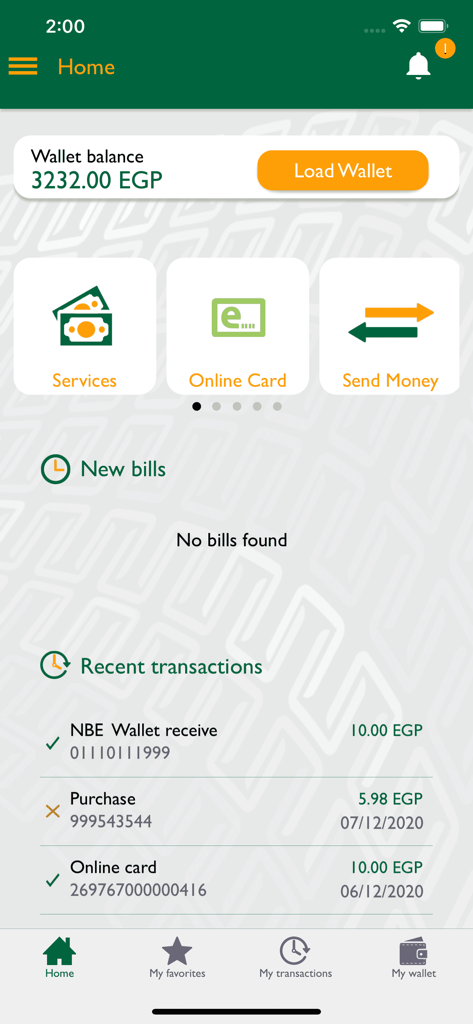
Home screen of the NBE PhoneCash app displaying the wallet balance in Egyptian pounds and recent transaction history
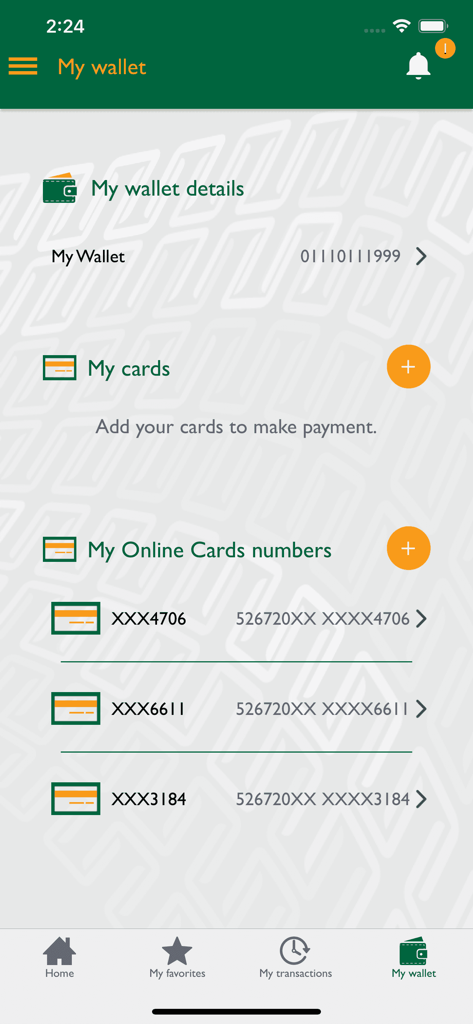
NBE-PhoneCash mobile app interface showing wallet details and a list of virtual online card numbers.
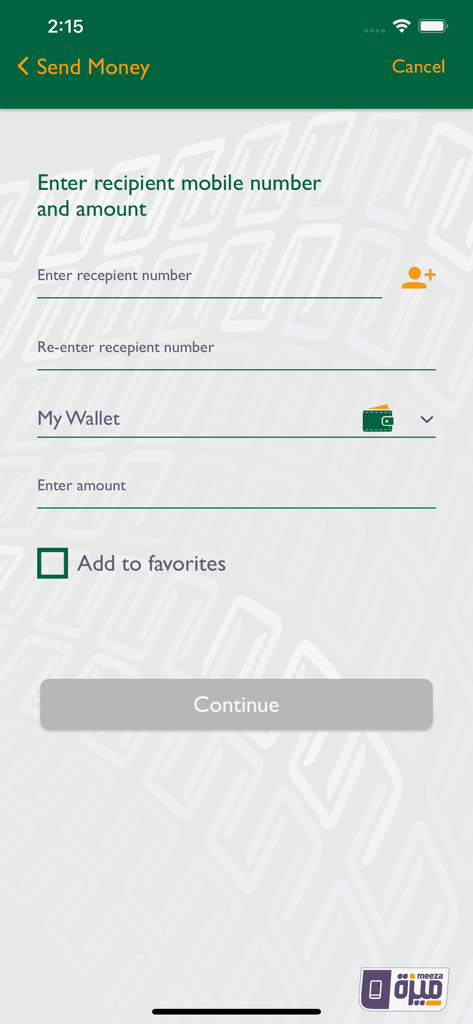
NBE-PhoneCash mobile app screen showing the form to enter a recipient phone number and amount for money transfer
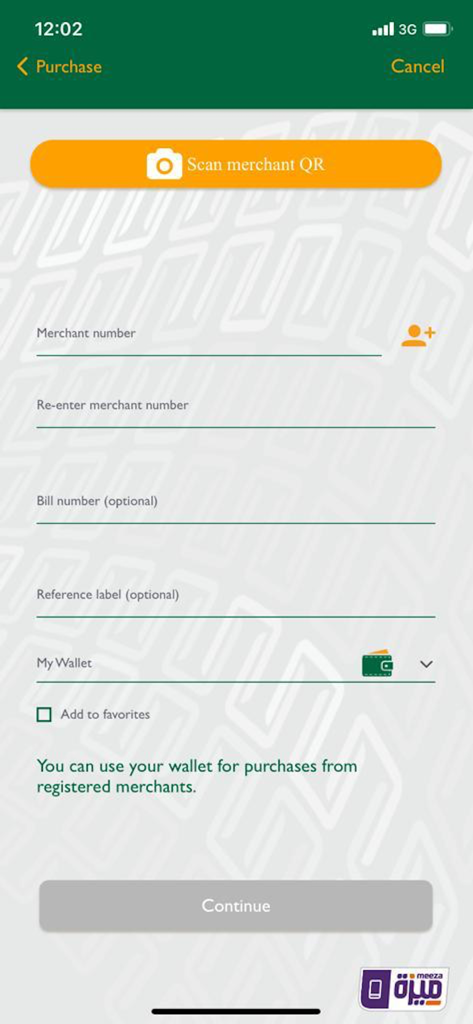
NBE PhoneCash app screen for merchant purchases via QR code or merchant number
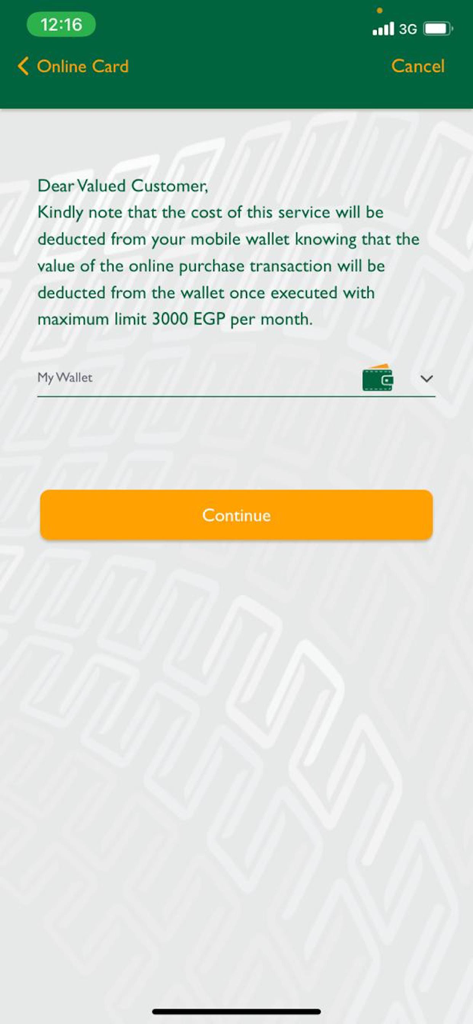
NBE-PhoneCash app online card service screen showing 3000 EGP monthly limit
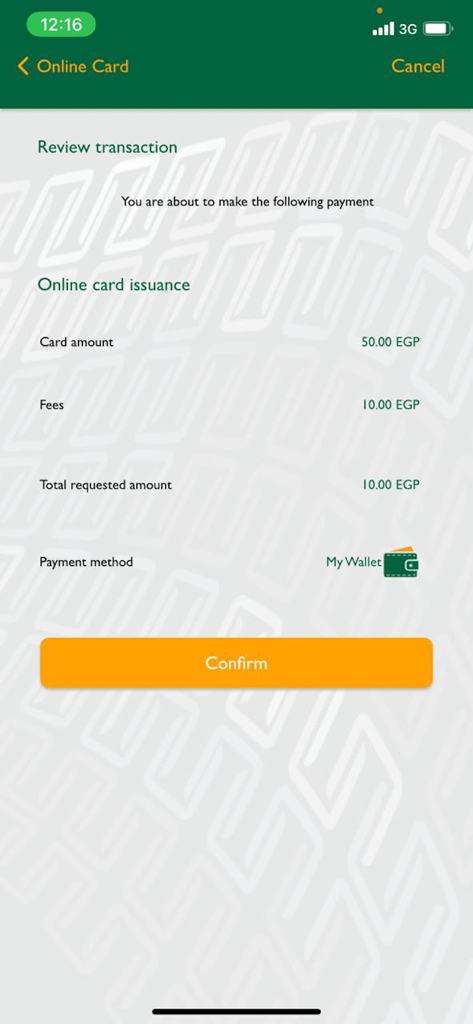
NBE PhoneCash transaction review screen for virtual card issuance
Description
Download
More Like This
Apps with similar features and user experience

DaviPlata
BANCO DAVIVIENDA SA
payme - переводы и платежи
INSPIRED LLC

DM App: Conta, Crédito e Pix
Dmcard Cartoes de Credito

Deuna!
Banco Pichincha C.A.
M-Pesa Tanzania
VODACOM TANZANIA PLC

Flip: Transfer Without Admin
FLIPTECH LENTERA INSPIRASI PERTIWI, PT

HelloMoney by AUB
ASIA UNITED BANK CORPORATION

Flash: Mobile Payments & Bills
Flash For Technological Solutions

urpay
GLOBAL FINANCIAL DIGITAL SOLUTIONS COMPANY
This page is not an official page of the app or its developer, but an independent editorial publication created for informational and commentary purposes. Unless expressly stated otherwise, neither the app nor its developer is affiliated with, endorsed by, sponsored by, authorized by, or otherwise officially connected with MWM, Apple, Google Play, the app publisher, or the app's developer, and nothing on this page implies that the app was developed using MWM's services. Any trademarks, logos, screenshots, and other content remain the property of their respective owners.