nCard
nCard
Download on App Store

This page is not an official page of the app or its developer, but an independent editorial publication created for informational and commentary purposes. Unless expressly stated otherwise, neither the app nor its developer is affiliated with, endorsed by, sponsored by, authorized by, or otherwise officially connected with MWM, Apple, Google Play, the app publisher, or the app's developer, and nothing on this page implies that the app was developed using MWM's services. Any trademarks, logos, screenshots, and other content remain the property of their respective owners.

Logo of nCard
Download on App Store

nCard

Elevate your professional identity with NFC contactless sharing, real-time engagement analytics, and integrated appointment scheduling. Make every handshake count and go paperless with the smart networking tool designed for the modern workforce.

Key Figures

Downloads

1K+

User Rating

1.0/5

Total Ratings

0

Publisher

Mohammed Imran

Category

Business

Locales

9

Latest Version

1.0

Size

43.3 MB

First Released

Sep 3, 2024
Features

Network Smarter, Close Faster

Transform your smartphone into a high-performance networking tool. nCard streamlines how you share your brand, manage leads, and track your professional impact in one eco-friendly app.

Contactless NFC Sharing

Make a lasting first impression. Share your professional profile instantly via NFC or QR code—no more running out of paper cards or manual data entry for your contacts.

Seamless Lead Capture

Turn handshakes into meetings. Integrated appointment scheduling and inquiry management allow prospects to book time with you the moment you meet.

The following screenshots and description are sourced directly from the app's official store listing and are the property of the app developer.

App Store

Screenshots

nCard - nCard digital business card app splash screen showing the company logo
nCard digital business card app splash screen showing the company logo

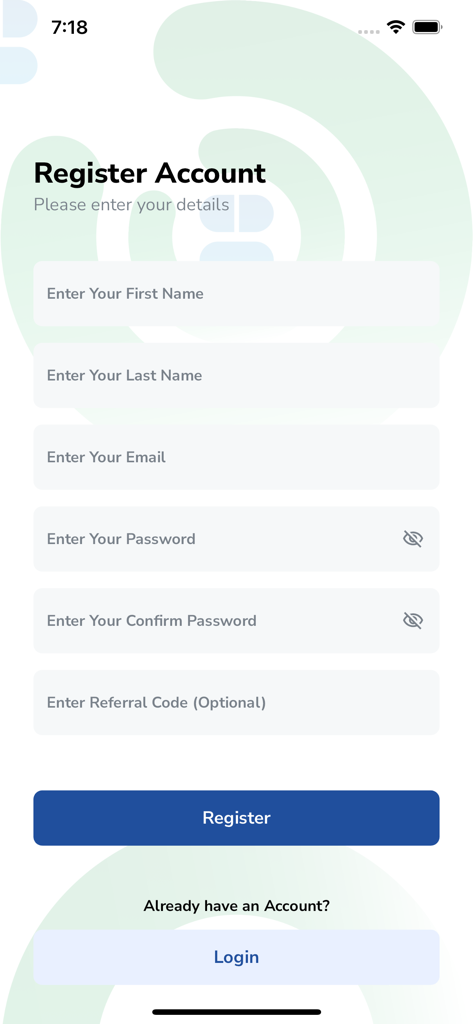
nCard - Registration screen of the nCard app with fields for first name, last name, email, and password.
Registration screen of the nCard app with fields for first name, last name, email, and password.

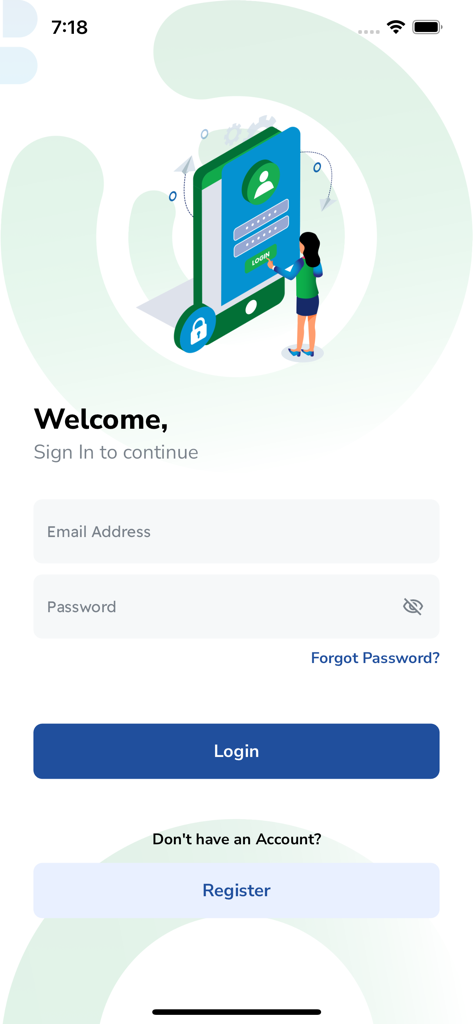
nCard - Login page for the nCard digital business card mobile app
Login page for the nCard digital business card mobile app

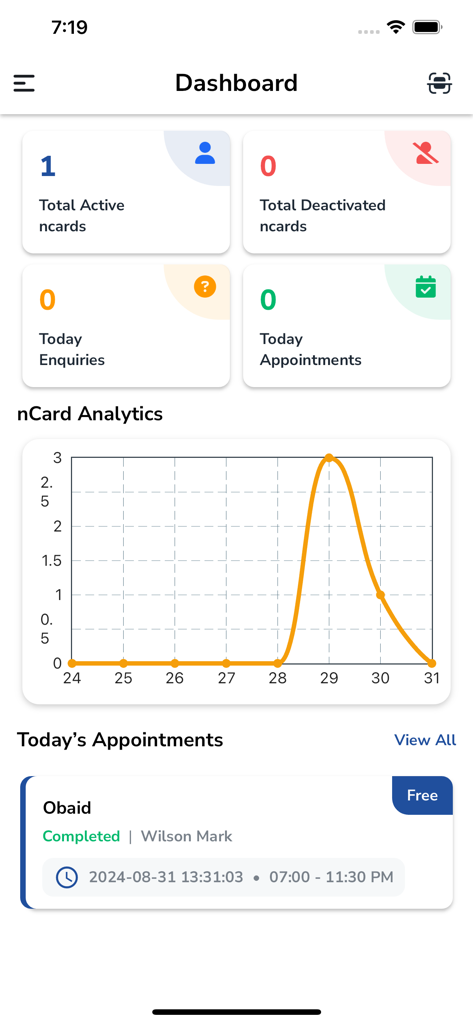
nCard - nCard dashboard interface showing active digital business cards analytics chart and scheduled appointments
nCard dashboard interface showing active digital business cards analytics chart and scheduled appointments

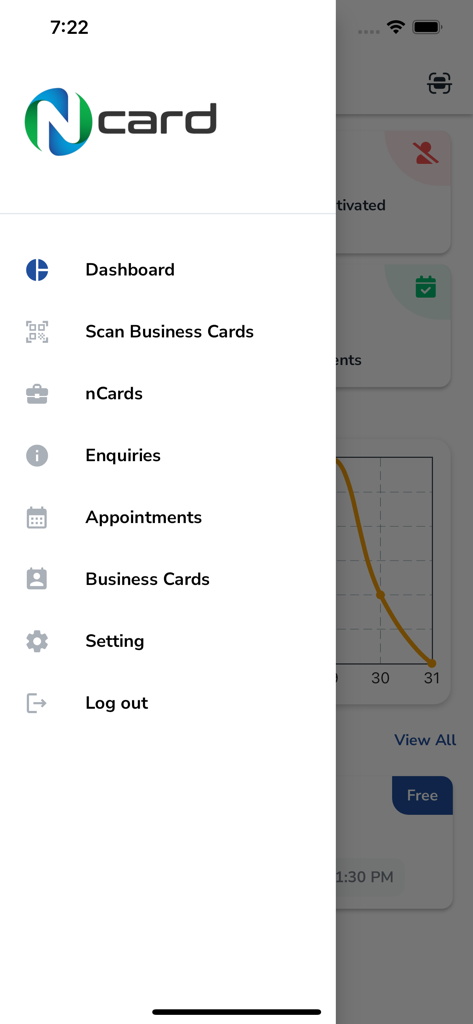
nCard - nCard app side navigation menu showing professional networking features like business card scanning and appointment management
nCard app side navigation menu showing professional networking features like business card scanning and appointment management

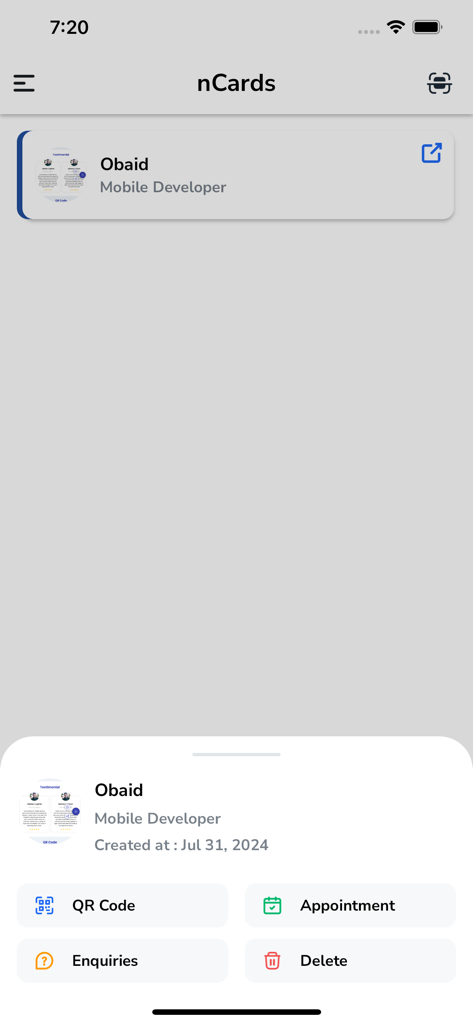
nCard - nCard app interface showing a digital business card profile with options for QR code and appointments
nCard app interface showing a digital business card profile with options for QR code and appointments

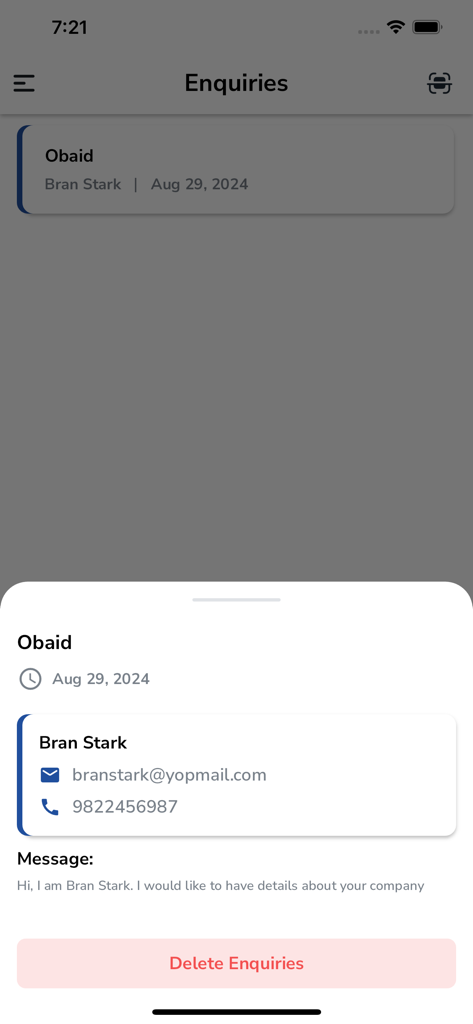
nCard - A detailed view of a business enquiry within the nCard app showing contact information and a message from a lead
A detailed view of a business enquiry within the nCard app showing contact information and a message from a lead

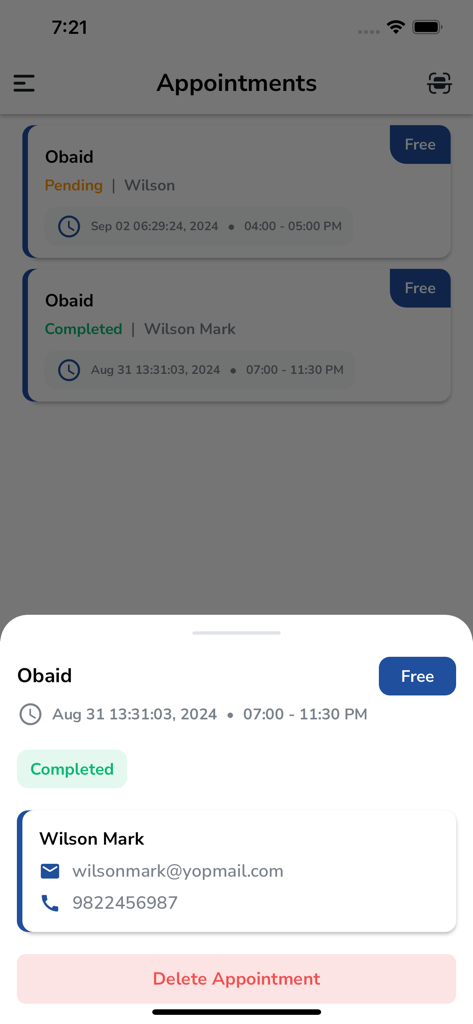
nCard - nCard app interface showing a list of scheduled and completed appointments with contact details
nCard app interface showing a list of scheduled and completed appointments with contact details

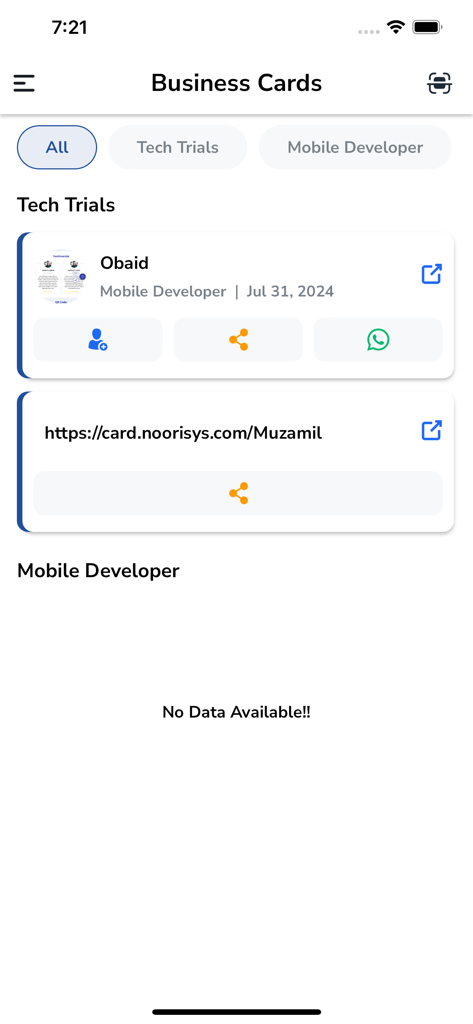
nCard - Interface of nCard app displaying a list of digital business cards with contact and share options

Interface of nCard app displaying a list of digital business cards with contact and share options

Description

In today’s fast-paced world, making a lasting impression is crucial. N-Card is the perfect tool to elevate your networking. This innovative Digital Business Card app enables you to create, customize, and share your professional identity with just a few taps on your smartphone. Why N-Card? N-Card offers a modern, eco-friendly alternative to traditional paper business cards. With advanced features that streamline networking, N-Card ensures you connect efficiently and effectively, whether at a conference, meeting a client, or growing your network. Key Features: Dashboard: Your Command Center The user-friendly Dashboard serves as your central hub. Monitor profile performance, track interactions, and access key features. The Dashboard offers a comprehensive overview of your networking metrics. VCard Analytics: Insightful Data VCard Analytics gives real-time insights into your digital business card’s performance. Track views, shares, and engagement. Understand who interacts with your card and use this data to refine your networking strategy. VCard Management: Seamless Control Manage multiple digital business cards easily. Create, edit, and switch between cards for different roles, events, or companies. Customize each card to suit specific networking situations, ensuring you always make the right impression. NFC Functionality: Contactless Sharing Instantly share your digital business card using NFC. Tap your phone to another NFC-enabled device, and your card details are transferred without the need for apps or QR codes. This modern, contactless feature simplifies networking. Appointment Management: Simplify Scheduling Appointment Management makes scheduling effortless. Clients and colleagues can book appointments directly through your digital card. View, confirm, or reschedule appointments in one place, with automated reminders to keep you organized. Enquiry Management: Efficient Handling Manage business inquiries efficiently with Enquiry Management. Receive and respond to inquiries directly through the app. Keep track of potential leads and client questions, staying connected and responsive. Business Card Management: Digital Rolodex Store and organize the digital business cards you receive. Categorize them for easy access and add notes to each contact. Maintain a searchable, up-to-date digital Rolodex that's always accessible. Manage Profile: Keep Your Image Current Update your professional image with the Manage Profile feature. Edit your personal information, job title, profile picture, and contact details as needed. Ensure your digital business card always reflects the most accurate information. Change Password: Enhanced Security Security is a top priority with N-Card. Regularly update your credentials with the Change Password feature to protect your account. Enhance your security quickly and easily, providing peace of mind. Settings: Personalize Your Experience The comprehensive Settings menu lets you customize your app experience. Adjust notifications, set up privacy controls, choose your preferred language, and configure other options. Tailor the app to suit your needs, ensuring a smooth, personalized experience. How It Works: Create Your Card: Select a template that suits your style. Customize it with your name, title, company, contact details, and social media links. Add a logo or photo for a personal touch. 1. Share Instantly: Once your card is ready, share it via email, SMS, QR code, or NFC. Recipients can easily save your details to their contacts, making it simple for them to reach out when needed. 2. Manage Effortlessly: Use the app to manage all your cards, schedule appointments, and track interactions. Real-time updates ensure your contacts always have your latest information. 3. Stay Connected: Handle business interactions within the app using the Enquiry and Appointment Management features. Respond to inquiries, confirm meetings, and keep track of all engagements in one place.

Download

Download on App Store

This page is not an official page of the app or its developer, but an independent editorial publication created for informational and commentary purposes. Unless expressly stated otherwise, neither the app nor its developer is affiliated with, endorsed by, sponsored by, authorized by, or otherwise officially connected with MWM, Apple, Google Play, the app publisher, or the app's developer, and nothing on this page implies that the app was developed using MWM's services. Any trademarks, logos, screenshots, and other content remain the property of their respective owners.








