
Nest Pensions


Securely manage your UK savings from the US. Track contributions, update your international address, and monitor your fund's growth with biometric login—anytime, anywhere.
Publisher
Category
FinanceDownloads
228K+User Rating
Total Ratings
200Locales
1Discover the interface used by 228K+ users.
The tools that make this app stand out, trusted by 228K+ users.
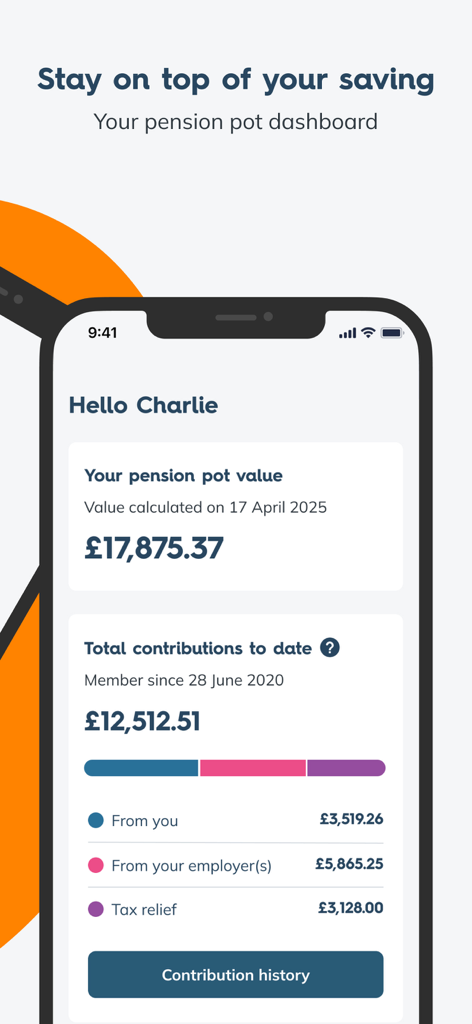
Get an instant snapshot of your pension balance and investment performance without worrying about UK time zones or business hours.
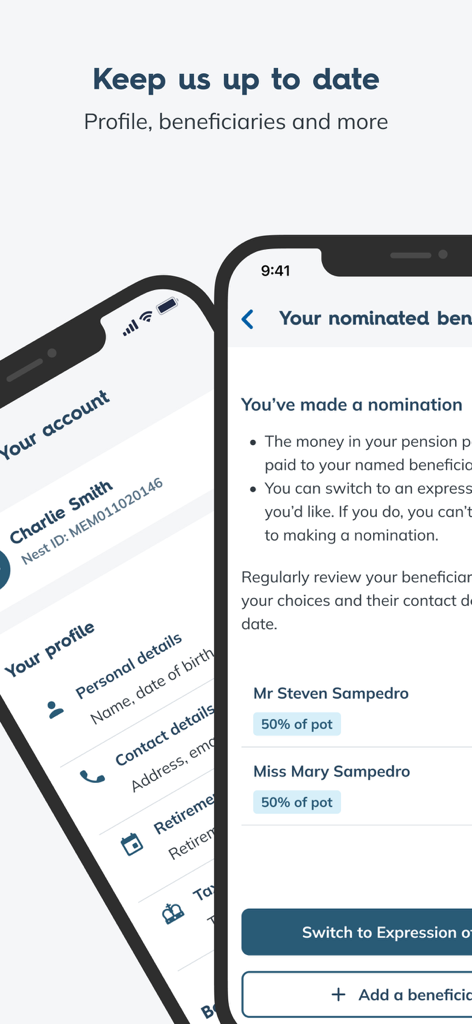
Easily update your US address and contact details to ensure your account remains compliant and your tax relief is correctly applied.
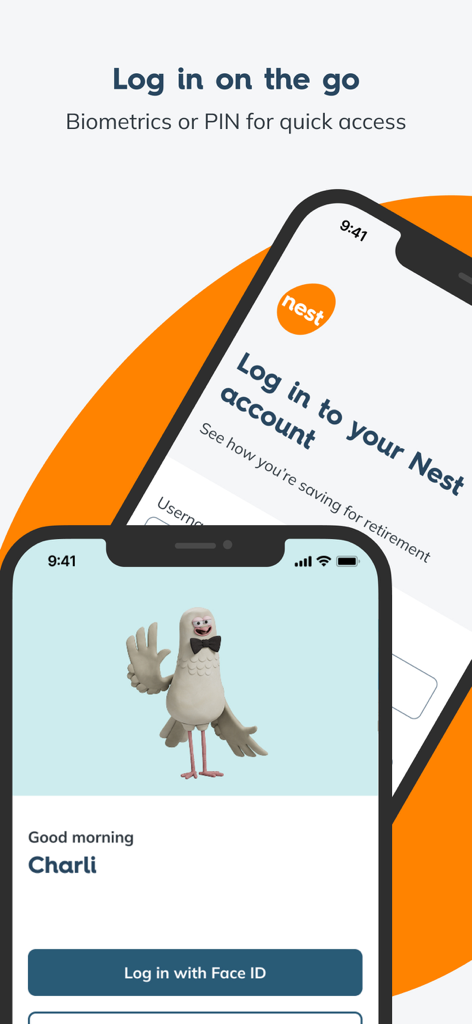
Access your international assets securely using Face ID or Fingerprint, providing peace of mind for your long-term savings.
Everything you need to know about Nest Pensions.
Description
Latest Version
1.5.4
Size
22.7 MB
First Released
Jun 23, 2024
Stay connected to your retirement savings from across the pond. Download the Nest app to securely monitor your pot and update your details 24/7, without the international phone calls.
Everything you need to know about Nest Pensions
To log into the Nest Pensions app, use your nestpensions.org.uk username and password. Upon first login, set a 6-digit PIN and optionally enable biometric login, such as fingerprint or Face ID, for future quick access.
Yes, the Nest Pensions app supports biometric login, including fingerprint or Face ID, for secure and quick access. This option becomes available after setting up a 6-digit PIN during your initial login to the app.
The Nest Pensions app displays your pension pot dashboard, showing total value and detailed contributions from you, your employer, and tax relief. You can also view the specific fund your pension pot is invested in.
Yes, the Nest Pensions app allows you to update your account details directly. You can manage and keep your address, phone number, and email up-to-date within the app's profile management section.
Yes, the Nest Pensions app enables users to add and manage beneficiaries for their pension pot. This feature ensures your nominated individuals are correctly recorded and updated.
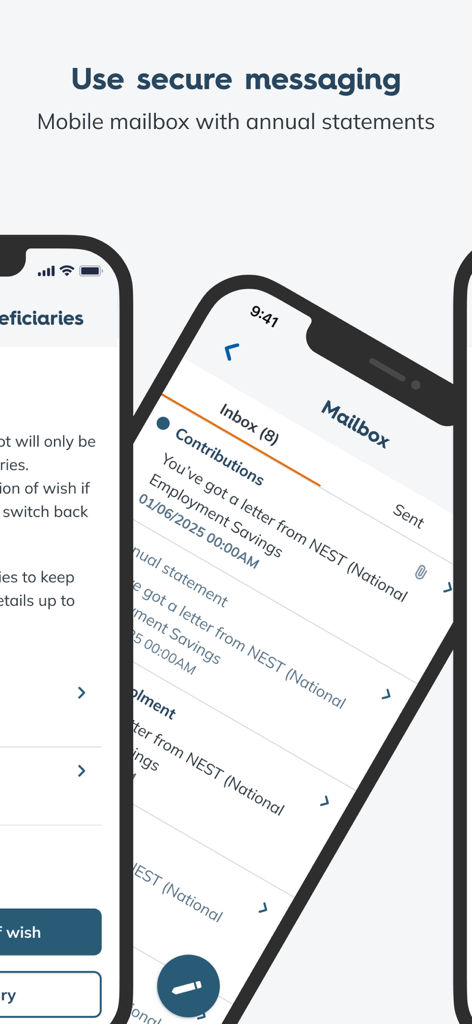
Yes, the Nest Pensions app provides a secure messaging feature. You can view and send confidential messages about your Nest account or pension pot directly within the app's mailbox.
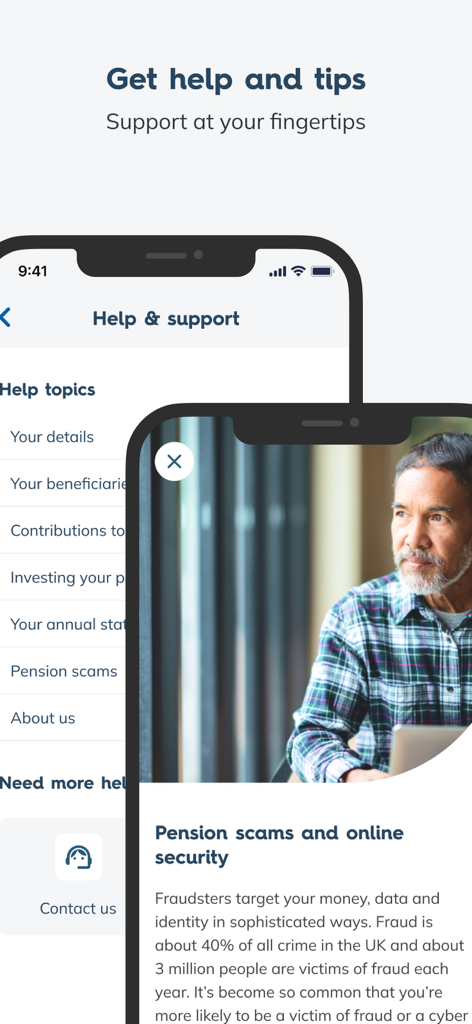
Help and support for the Nest Pensions app are available directly within the in-app Help section. Further assistance for the app is also provided on the Member Help Centre section of the nestpensions.org.uk website.
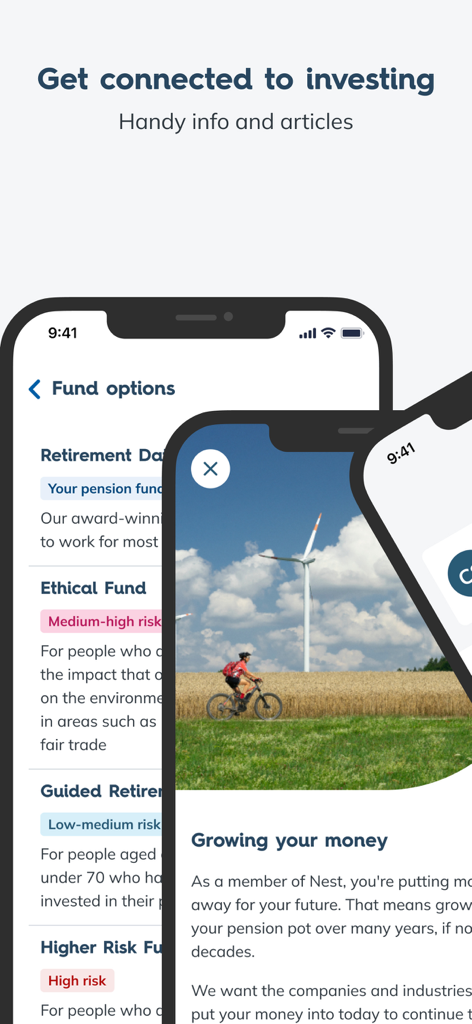
The Nest Pensions app shows the specific fund your pot is invested in. It also provides information on various "Fund options" such as Retirement Date, Ethical, Guided Retirement, and Higher Risk Funds, along with relevant articles.
Yes, you must be an existing Nest member to utilize the Nest Pensions app. If you are not yet a member, you must first register and set up your account on nestpensions.org.uk.
Apps with similar features and user experience

Caixa Economica Federal

Natixis Interepargne

Empower Annuity Insurance Company of America

The Charles Schwab Corporation

Host-Plus Pty Limited

Societe Generale

Federal Retirement Thrift Investment Board

Profuturo G.N.P., S.A. de C.V., Afore

John Hancock Life Insurance Company (U.S.A)
App information, icons, screenshots, and descriptions displayed on this page are sourced from the Apple App Store and are the property of their respective developers. Download estimates and rankings are based on MWM's proprietary models and may not reflect actual figures. This page is provided for informational and analytical purposes only.
Believe this page infringes your intellectual property? File a dispute