
This page is not an official page of the app or its developer, but an independent editorial publication created for informational and commentary purposes. Unless expressly stated otherwise, neither the app nor its developer is affiliated with, endorsed by, sponsored by, authorized by, or otherwise officially connected with MWM, Apple, Google Play, the app publisher, or the app's developer, and nothing on this page implies that the app was developed using MWM's services. Any trademarks, logos, screenshots, and other content remain the property of their respective owners.


My Savings
Securely manage your employee savings plans, track real-time performance, and make smarter investment choices with our intuitive mobile experience.
Downloads
935K+User Rating
Total Ratings
42K+Publisher
Category
FinanceLocales
2Latest Version
3.138.6Size
50.3 MBFirst Released
Jun 10, 2011Maximize Your Employee Benefits
From tracking profit-sharing to managing retirement portfolios, our app provides the tools you need to optimize your corporate savings with confidence and ease.
Comprehensive Wealth Tracking
View your savings by product and vehicle with clear performance metrics, gain/loss estimates, and specific availability deadlines.
Instant Investment Control
Respond to profit-sharing options and transfer assets between funds instantly from your mobile device—no paperwork or HR calls required.
Frequently Asked Questions
Everything you need to know about My Savings
What is the "My Savings" app used for?
The "My Savings" application enables users to access and manage all their employee savings products, including Company Savings Plans (PEE), Mandatory Profit-Sharing Premiums, and Collective Retirement Savings Plans (PERCO).
How do users securely access the "My Savings" app?
Users log into the "My Savings" app securely with their usual username and password. For added convenience, Touch ID can be activated to access the application using a fingerprint.
Can I check my employee savings details using the "My Savings" app?
Yes, the "My Savings" app allows users to check their assets, view savings by product and investment vehicles, forecast availability deadlines, and estimate investment gains or losses.
How does the "My Savings" app help track investment performance?
The "My Savings" app tracks the progress of open transactions and provides details of completed ones. It also allows users to view investment vehicles and measure their performance over time.
Can I manage my profit-sharing premium with the "My Savings" application?
Yes, the "My Savings" app allows users to respond to their mandatory or optional profit-sharing premium by sending investment and payment choices. Users can also transfer assets between funds.
Does the "My Savings" app offer investment advice or tools?
Yes, the "My Savings" app provides publications, financial market analysis, news, and videos. It also offers recommendations from a virtual advisor and simulation tools for informed decisions.
How can I contact an advisor through the "My Savings" app?
Users can contact telephone advisors directly from within the "My Savings" application via a dedicated feature.
Does "My Savings" allow defining an investor profile?
Yes, the "My Savings" app enables users to define their investor profile, update personal information for tailored advice, and evaluate their financial knowledge and risk appetite.
How can I visualize my savings in detail with "My Savings"?
The "My Savings" app allows users to visualize detailed savings information, including total amount, estimated capital gain, net savings, and an overview of different savings plans and their evolution.
Can "My Savings" provide my tax information?
Yes, the "My Savings" app displays tax information for recent years, including data transmitted to the tax administration, deductible payments, and reimbursement details related to PERCOL.
What payment options are available for deposits in "My Savings"?
The "My Savings" app supports one-time payments via bank card, bank transfer, or direct debit. Scheduled payments can be made through direct debit from a bank account or monthly from salary.
Does "My Savings" help track retirement action plans?
Yes, the "My Savings" app allows users to create and track their retirement action plan. It shows progress toward objectives, total invested, and the remaining amount required to reach the goal.
The following screenshots and description are sourced directly from the app's official store listing and are the property of the app developer.
App Store
Screenshots
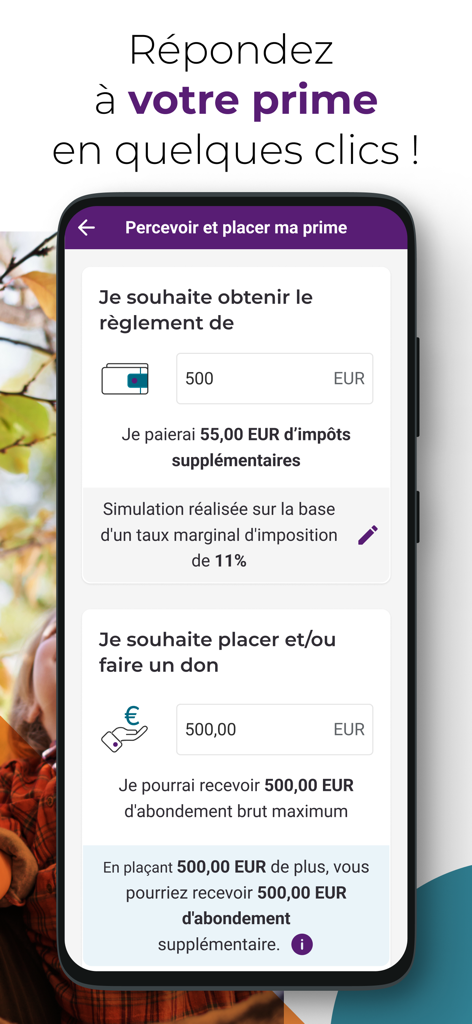
Interface for managing and investing corporate bonuses in the My Savings app
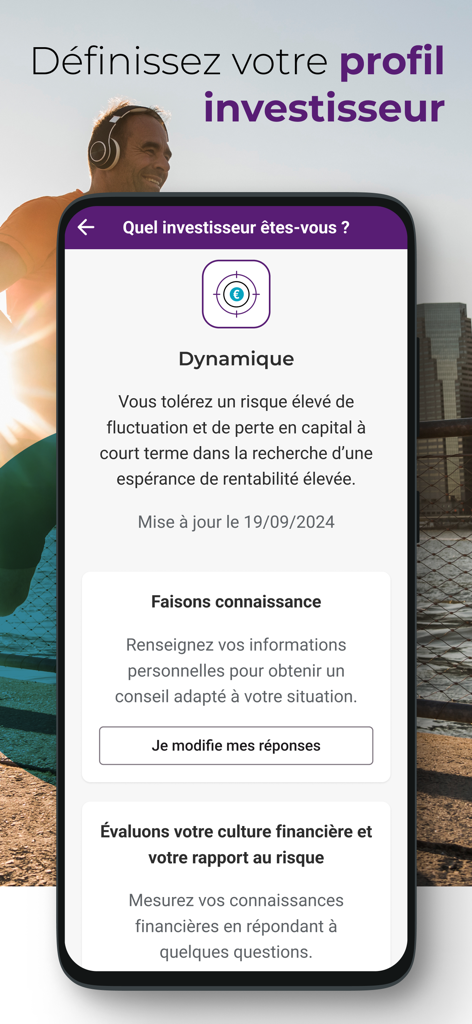
A mobile app screen for defining an investor profile with a focus on dynamic risk tolerance
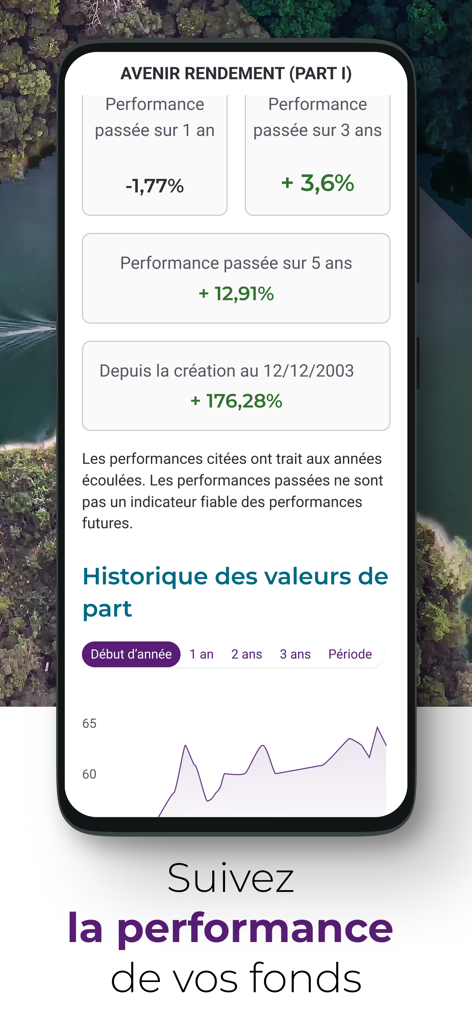
Performance metrics and history chart of investment funds in the My Savings app
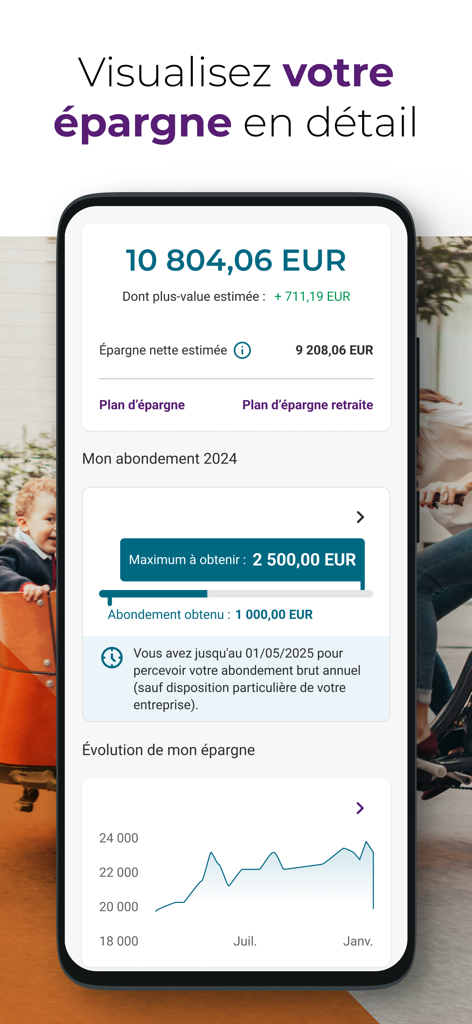
Dashboard of the My Savings app displaying account balance and savings evolution chart
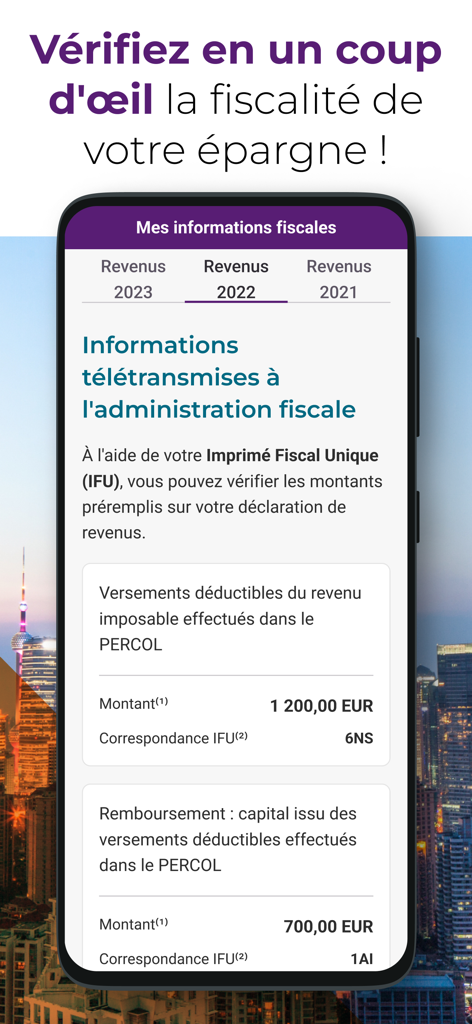
A screenshot of the My Savings app displaying personal tax information and deductible contributions for employee savings plans
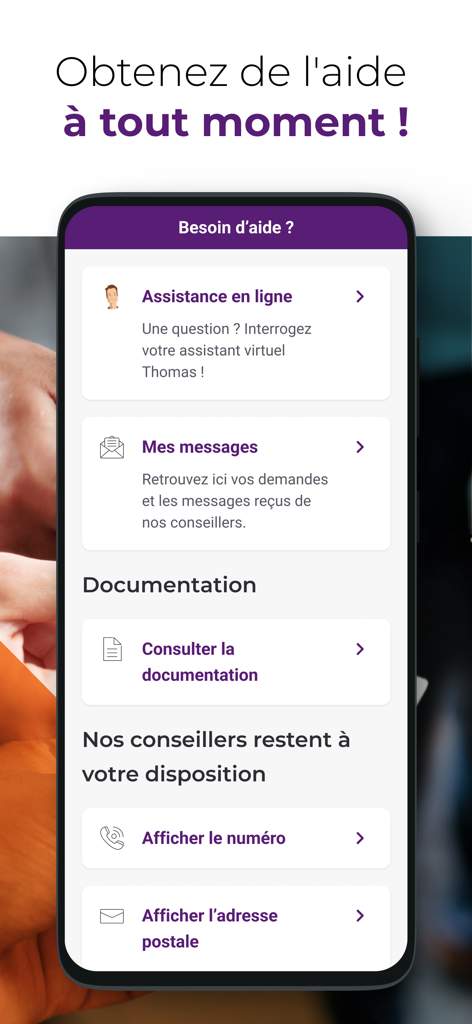
Help and support screen of the My Savings app by Natixis Interepargne showing online assistance and contact options.
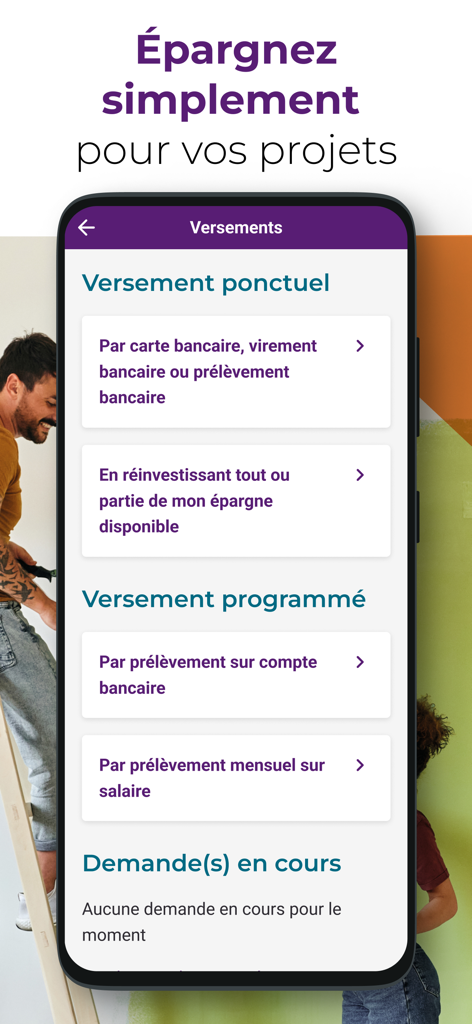
Interface of the My Savings mobile app showing one-time and recurring payment options for employee savings
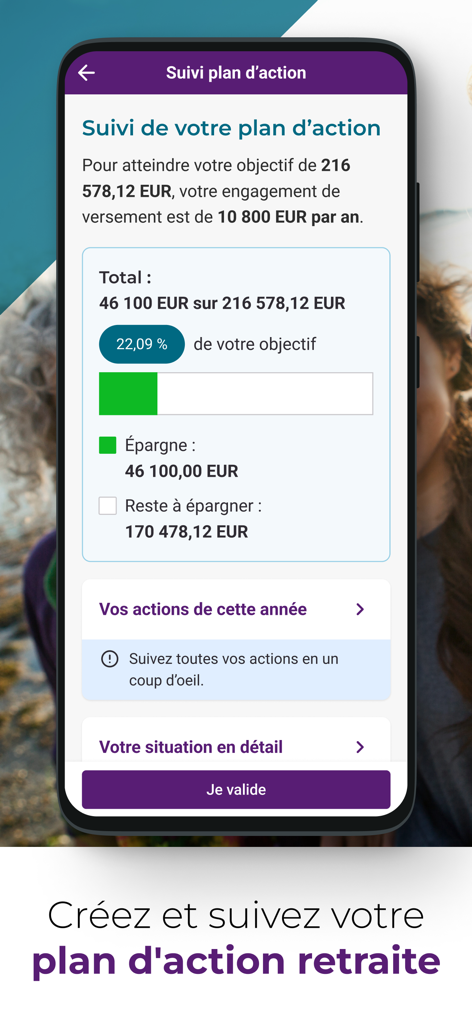
Retirement savings goal tracking screen in the My Savings app showing progress percentage and target amount
Description
Download
More Like This
Apps with similar features and user experience

FGTS
Caixa Economica Federal

Capital Group PlanPremier401k
Empower Annuity Insurance Company of America
Schwab Workplace Retirement
The Charles Schwab Corporation

Hostplus
Host-Plus Pty Limited
L'Appli ESALIA
Societe Generale

Thrift Savings Plan
Federal Retirement Thrift Investment Board

Profuturo Móvil
Profuturo G.N.P., S.A. de C.V., Afore

John Hancock Retirement
John Hancock Life Insurance Company (U.S.A)

T. Rowe Price Personal®
T. Rowe Price
This page is not an official page of the app or its developer, but an independent editorial publication created for informational and commentary purposes. Unless expressly stated otherwise, neither the app nor its developer is affiliated with, endorsed by, sponsored by, authorized by, or otherwise officially connected with MWM, Apple, Google Play, the app publisher, or the app's developer, and nothing on this page implies that the app was developed using MWM's services. Any trademarks, logos, screenshots, and other content remain the property of their respective owners.