
This page is not an official page of the app or its developer, but an independent editorial publication created for informational and commentary purposes. Unless expressly stated otherwise, neither the app nor its developer is affiliated with, endorsed by, sponsored by, authorized by, or otherwise officially connected with MWM, Apple, Google Play, the app publisher, or the app's developer, and nothing on this page implies that the app was developed using MWM's services. Any trademarks, logos, screenshots, and other content remain the property of their respective owners.


Capital Group PlanPremier401k
Track your balance, manage contributions, and visualize your future monthly income with the trusted companion for your employer-sponsored plan.
Downloads
398K+User Rating
Total Ratings
10K+Publisher
Category
FinanceLocales
2Latest Version
2026.01.14(2601.14)Size
324.6 MBFirst Released
Apr 29, 2019Take Command of Your Retirement Journey
Securely manage your Capital Group PlanPremier account with powerful tools designed to help you track progress and reach your long-term goals.
Monthly Income Estimates
Turn your balance into a clear picture of your future with personalized monthly retirement income projections.
Instant Account Updates
Adjust your contribution amounts, rebalance your funds, and update beneficiaries in just a few taps.
Frequently Asked Questions
Everything you need to know about Capital Group PlanPremier401k
Who can use the Capital Group PlanPremier401k app?
The Capital Group PlanPremier401k app is exclusively for participants in Capital Group PlanPremier employer-sponsored retirement plans. It does not support other retirement, college, or individual investor accounts.
What account details can I view in the Capital Group PlanPremier401k app?
Users can view their estimated monthly retirement income, personal rate of return, investment balances, transaction history, future contribution allocations, and beneficiaries. The app also allows access to plan forms and viewing the investment lineup.
Can I update my 401k contribution amount using the Capital Group PlanPremier401k app?
Yes, the Capital Group PlanPremier401k app allows users to update their contribution amount and adjust future contribution allocations. These changes are subject to the specific rules of their retirement plan.
Does the Capital Group PlanPremier401k app offer biometric login?
Yes, the Capital Group PlanPremier401k app supports biometric login, including Face ID. This feature is visible on the initial login screen, offering one-touch access to the retirement account.
How can I manage investment choices within the Capital Group PlanPremier401k app?
The Capital Group PlanPremier401k app enables users to exchange between funds, rebalance their account, and change investment selections. Users can access these options via the "My investments" section.
Does the Capital Group PlanPremier401k app show my total balance and estimated retirement income?
Yes, the Capital Group PlanPremier401k app clearly displays your total account balance and a personalized estimate of your monthly retirement income. It helps track progress toward your financial goals.
How do I enroll in my plan using the Capital Group PlanPremier401k app?
Yes, users can enroll in their plan directly through the Capital Group PlanPremier401k app. Additionally, first-time users can register for the app from the login screen if needed.
Can I monitor my investment rate of return with the Capital Group PlanPremier401k app?
Yes, the Capital Group PlanPremier401k app allows users to monitor their personal rate of return. It presents both annualized and cumulative performance figures for various timeframes.
The following screenshots and description are sourced directly from the app's official store listing and are the property of the app developer.
App Store
Screenshots
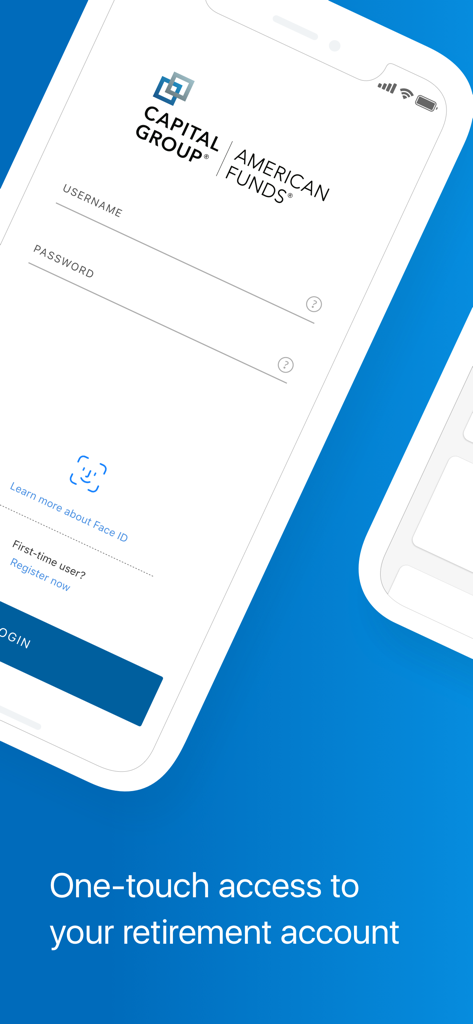
Secure login screen for the Capital Group PlanPremier401k retirement app
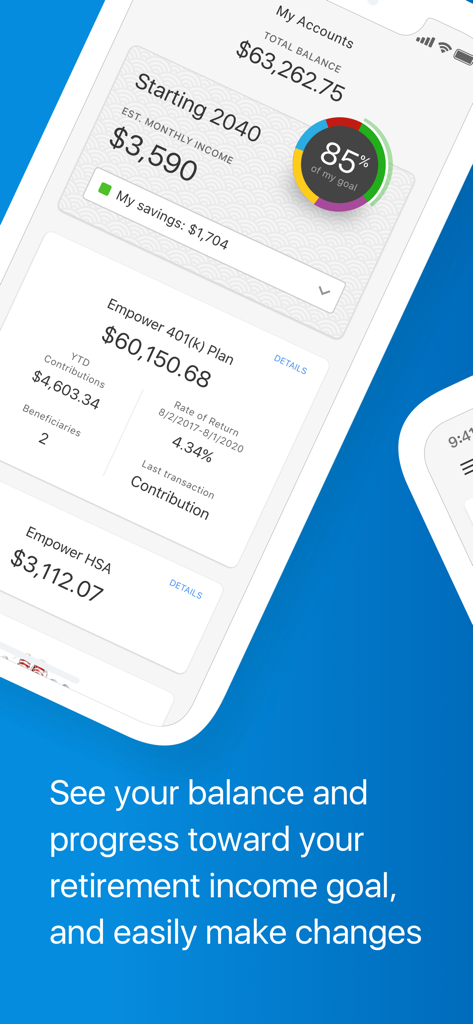
Capital Group PlanPremier401k app dashboard showing retirement balance and income projections
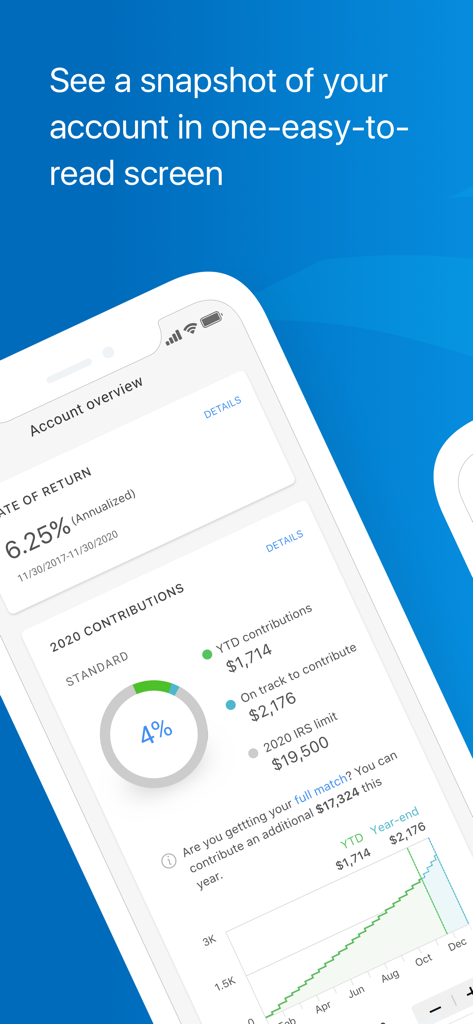
Capital Group PlanPremier401k app dashboard showing a snapshot of retirement account details including rate of return and contribution progress
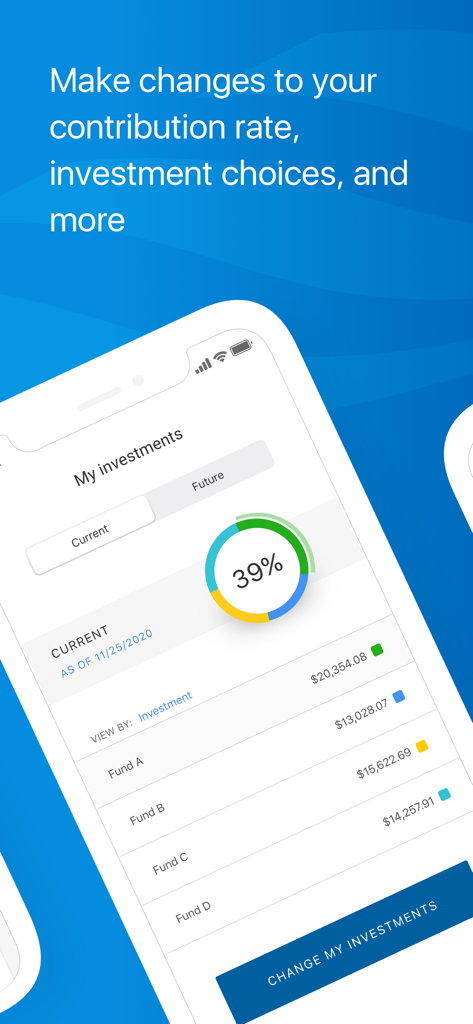
Capital Group PlanPremier401k app interface showing investment allocations and fund balances
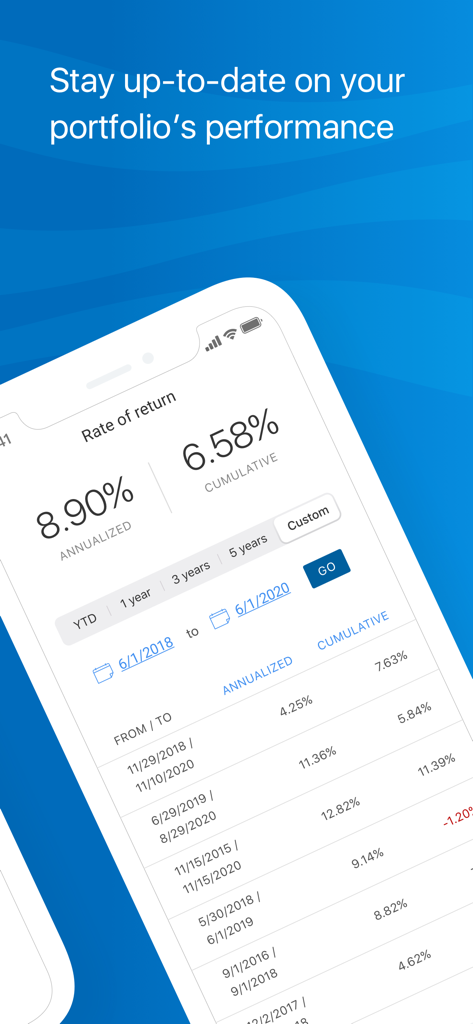
Capital Group PlanPremier401k app screen showing portfolio rate of return and historical performance data
Description
Download
More Like This
Apps with similar features and user experience

FGTS
Caixa Economica Federal

My Savings
Natixis Interepargne
Schwab Workplace Retirement
The Charles Schwab Corporation

Hostplus
Host-Plus Pty Limited

L'Appli ESALIA
Societe Generale

Thrift Savings Plan
Federal Retirement Thrift Investment Board

Profuturo Móvil
Profuturo G.N.P., S.A. de C.V., Afore

AgeSA Mobil
AgeSA Hayat ve Emeklilik A.S.

T. Rowe Price Personal®
T. Rowe Price
This page is not an official page of the app or its developer, but an independent editorial publication created for informational and commentary purposes. Unless expressly stated otherwise, neither the app nor its developer is affiliated with, endorsed by, sponsored by, authorized by, or otherwise officially connected with MWM, Apple, Google Play, the app publisher, or the app's developer, and nothing on this page implies that the app was developed using MWM's services. Any trademarks, logos, screenshots, and other content remain the property of their respective owners.