
This page is not an official page of the app or its developer, but an independent editorial publication created for informational and commentary purposes. Unless expressly stated otherwise, neither the app nor its developer is affiliated with, endorsed by, sponsored by, authorized by, or otherwise officially connected with MWM, Apple, Google Play, the app publisher, or the app's developer, and nothing on this page implies that the app was developed using MWM's services. Any trademarks, logos, screenshots, and other content remain the property of their respective owners.


Network Scanner: Device Finder
Travel with peace of mind. Easily scan for hidden devices, monitor nearby connections, and use specialized filters to uncover what's invisible in your hotel or rental.
Downloads
983K+User Rating
Total Ratings
9K+Publisher
Category
UtilitiesLocales
1Latest Version
2.2Size
45.0 MBFirst Released
Mar 8, 2024Your Personal Privacy Toolkit
Stay one step ahead with professional-grade sensors designed to keep your private moments private, no matter where you travel.
Network Transparency
Quickly scan Wi-Fi and Bluetooth signals to identify every device in your vicinity and eliminate digital blind spots.
Infrared Camera Shield
Uncover hidden lenses using advanced visual filters that reveal electronic hardware invisible to the human eye.
Frequently Asked Questions
Everything you need to know about Network Scanner: Device Finder
What is Network Scanner: Device Finder?
Network Scanner: Device Finder is a utility app that explores surroundings using Wi-Fi, Bluetooth, magnetic field, and camera filter tools. It helps users understand their environment and identify nearby connections.
What features does Network Scanner: Device Finder offer?
Network Scanner: Device Finder offers Wi-Fi & Bluetooth device finding, a magnetometer sensor, and infrared camera filters (green, red, blue, monochrome) to explore visual layers. It provides simple and accessible tools.
Does Network Scanner: Device Finder include a Wi-Fi scanner?
Yes, Network Scanner: Device Finder includes a Wi-Fi Device Finder feature. It allows users to scan nearby Wi-Fi connections to identify devices in their vicinity.
Can Network Scanner: Device Finder detect Bluetooth devices?
Yes, Network Scanner: Device Finder detects Bluetooth devices. The app features a Bluetooth Device Finder to scan for nearby connections and identify active Bluetooth devices.
How does Network Scanner: Device Finder use magnetic fields?
Network Scanner: Device Finder uses a Magnetometer Sensor to detect changes in magnetic fields. This feature utilizes the phone's built-in sensor to explore the surrounding environment.
What kind of camera filters does Network Scanner: Device Finder have?
Network Scanner: Device Finder offers Infrared Camera Filters. Users can apply unique filters including green, red, blue, and monochrome to discover different visual layers through their camera.
Is there a premium version of Network Scanner: Device Finder?
Yes, Network Scanner: Device Finder offers a Premium upgrade. This upgrade provides an ad-free experience, unlimited scanning, and advanced device identification features.
How much does Network Scanner: Device Finder Premium cost?
Network Scanner: Device Finder Premium costs $3.99 for a weekly subscription or $59.99 for a Lifetime purchase. Payments are charged to your iTunes Account.
How do I cancel my Network Scanner: Device Finder subscription?
You can cancel your Network Scanner: Device Finder subscription in iTunes settings at least 24 hours before the end of the free trial or current period. Auto-renewal can also be managed there.
Does Network Scanner: Device Finder have a privacy policy?
Yes, Network Scanner: Device Finder has a privacy policy. It is available at https://aiapps.com.co/privacy-policy/ and outlines how user data is handled.
Can I see scan results from Network Scanner: Device Finder?
Yes, Network Scanner: Device Finder displays scan results. Users can access a "Results" tab to view historical data from their Wi-Fi and Bluetooth scans.
The following screenshots and description are sourced directly from the app's official store listing and are the property of the app developer.
App Store
Screenshots
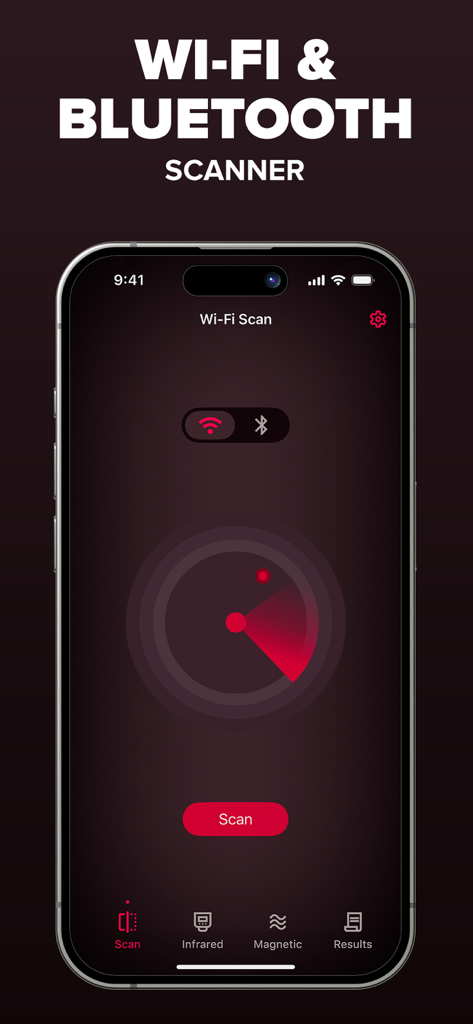
Interface of the Network Scanner app showing a red radar scanning for nearby Wi-Fi and Bluetooth devices
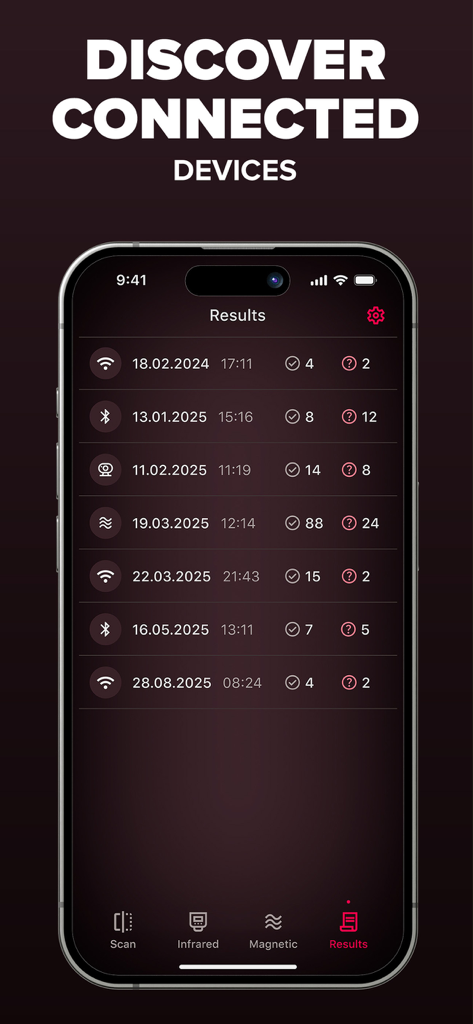
Network Scanner app results screen showing a list of discovered Bluetooth and Wi-Fi devices with scan history dates
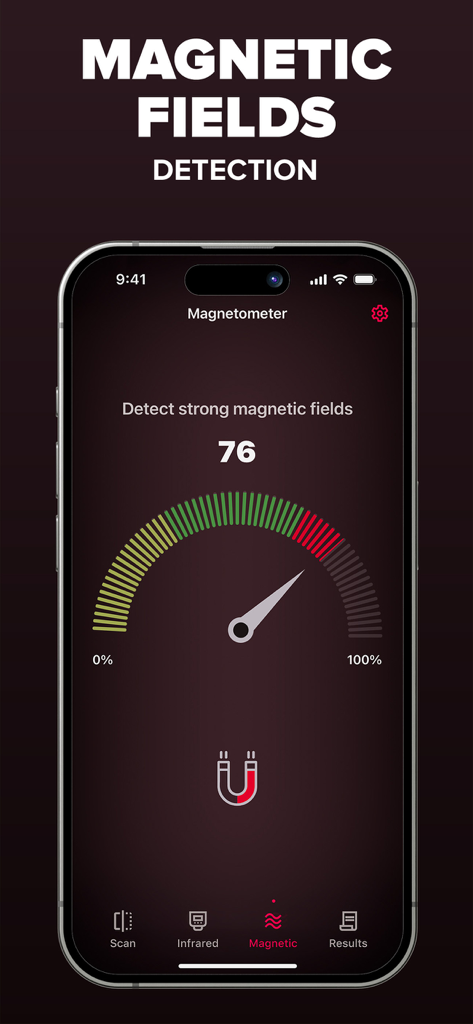
Smartphone app interface showing a magnetometer gauge for magnetic field detection
Description
Download
More Like This
Apps with similar features and user experience

Hidden Camera Detector &Finder
Foshan Fullstack Technology LLC

Hidden Camera Finder: SpySense
AYDIN KIRMIZIOGLU

Cam Detector App:Home Security
AppNexus Limited

Hidden: Camera Detector
Caprinix LLC

Spy Camera Scanner - SpyGuard
MSM COMPANY Sp. z o.o

Camera Detector Device Tracker
MEN4CHOICE EDUCATION

Hidden Camera Detector Pro+
Chengdu Siwen Culture Media Co., Ltd.

Hidden Camera Spy Detector App
Jubal Machuv

Suspicious Device Cam Detector
Jagger Discreet
This page is not an official page of the app or its developer, but an independent editorial publication created for informational and commentary purposes. Unless expressly stated otherwise, neither the app nor its developer is affiliated with, endorsed by, sponsored by, authorized by, or otherwise officially connected with MWM, Apple, Google Play, the app publisher, or the app's developer, and nothing on this page implies that the app was developed using MWM's services. Any trademarks, logos, screenshots, and other content remain the property of their respective owners.