
This page is not an official page of the app or its developer, but an independent editorial publication created for informational and commentary purposes. Unless expressly stated otherwise, neither the app nor its developer is affiliated with, endorsed by, sponsored by, authorized by, or otherwise officially connected with MWM, Apple, Google Play, the app publisher, or the app's developer, and nothing on this page implies that the app was developed using MWM's services. Any trademarks, logos, screenshots, and other content remain the property of their respective owners.


Nexus-Privacy First
Experience total online freedom with incognito-by-default browsing. No history, no records, and an automatic home-screen reset for total peace of mind.
Downloads
401K+User Rating
Total Ratings
300Publisher
Category
UtilitiesLocales
1Latest Version
1.3.9Size
109.5 MBFirst Released
Jul 3, 2025Browse with Absolute Confidence
Designed for those who value discretion, Nexus automates your digital privacy so you can explore the web without leaving a trace or worrying about who might see your screen.
Permanent Incognito Mode
No history, no cookies, and no tracking. Every session starts fresh and stays private by default, so you never have to remember to clear your cache.
Instant Reset Protection
Total peace of mind for shared moments. The app automatically redirects to the home screen upon reopening, ensuring your last visited site stays hidden.
Frequently Asked Questions
Everything you need to know about Nexus-Privacy First
What is Nexus Browser?
Nexus Browser is an intelligent online companion providing users with a secure, convenient, and personalized browsing experience. It protects privacy, enhances browsing, and records highlights for an organized online life.
Does Nexus Browser protect user privacy?
Yes, Nexus Browser prioritizes privacy, especially through its Incognito Mode. This mode ensures no operation records, browsing history, or downloaded files are saved, fully protecting user privacy during sensitive online activities.
How do I save highlights in Nexus Browser?
Nexus Browser includes a bookmark feature, allowing users to effortlessly save important news, study materials, or favorite pages with one click. This makes online content more organized and easily revisitable.
What is Incognito Mode in Nexus Browser?
Incognito Mode in Nexus Browser ensures that every browsing session leaves no traces. It saves no operation records, browsing history, or downloaded files, offering complete privacy protection for worry-free browsing.
How does the redirect function work in Nexus Browser?
The redirect function in Nexus Browser automatically returns the user to the home page when the app is reopened after exiting Incognito Mode. This eliminates manual operations and provides a seamless return to browsing.
What are the subscription options for Nexus Browser Premium?
Nexus Browser Premium offers a Weekly Subscription for $2.99, an Annual Subscription for $19.99, and a Lifetime Subscription for a one-time payment of $29.99, providing flexible options for users.
How do I eliminate ads in Nexus Browser?
Users eliminate all ad interruptions and enjoy an uninterrupted, pure browsing environment by upgrading to Nexus Browser Premium. This unlocks an unrestricted digital journey for an enhanced experience.
Can I cancel automatic renewal for Nexus Browser Premium?
Yes, users can terminate automatic renewal for Nexus Browser Premium. This requires manually disabling it in their account settings at least 24 hours before the current subscription expires or automatic deduction.
Does Nexus Browser offer a lifetime premium subscription?
Yes, Nexus Browser offers a Lifetime Subscription for a one-time payment of $29.99. This provides all Premium benefits permanently, ensuring no subsequent renewals are needed for long-term value.
How do I access settings in Nexus Browser?
The settings in Nexus Browser are accessible from the main interface. The settings menu includes options for Incognito, Redirect, Bookmarks, User Agreement, Privacy Policy, Version, and Clear History and Cache.
The following screenshots and description are sourced directly from the app's official store listing and are the property of the app developer.
App Store
Screenshots
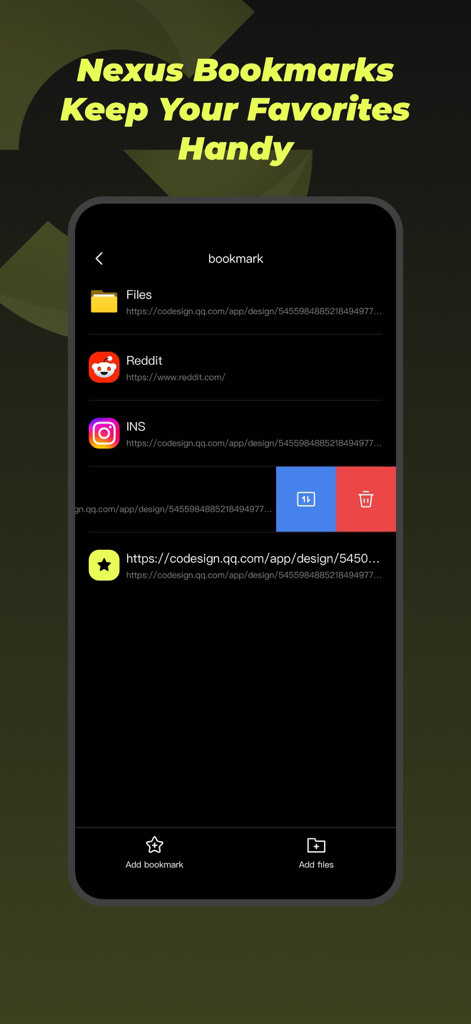
Nexus Privacy First app bookmark management screen showing saved links to Reddit and Instagram
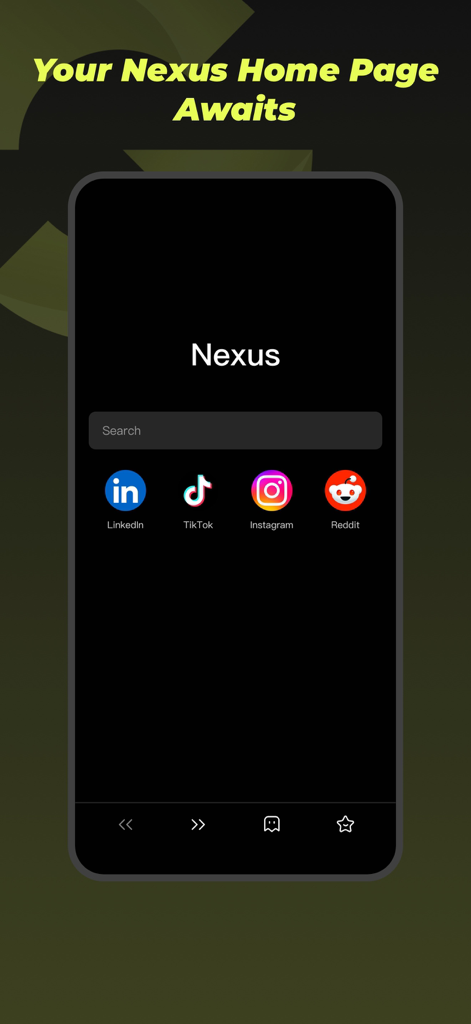
Nexus private browser home screen interface showing a search bar and quick access icons for social media.
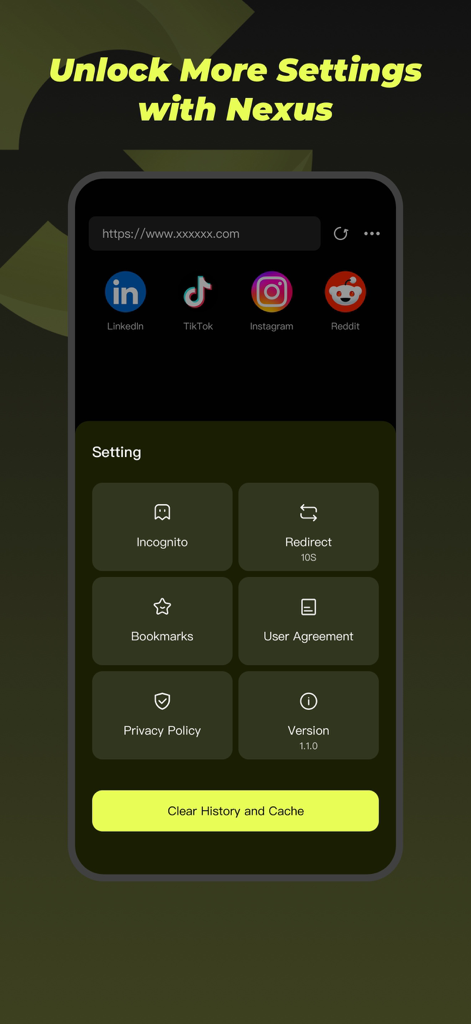
Nexus app settings screen showing incognito mode options and a clear history button.
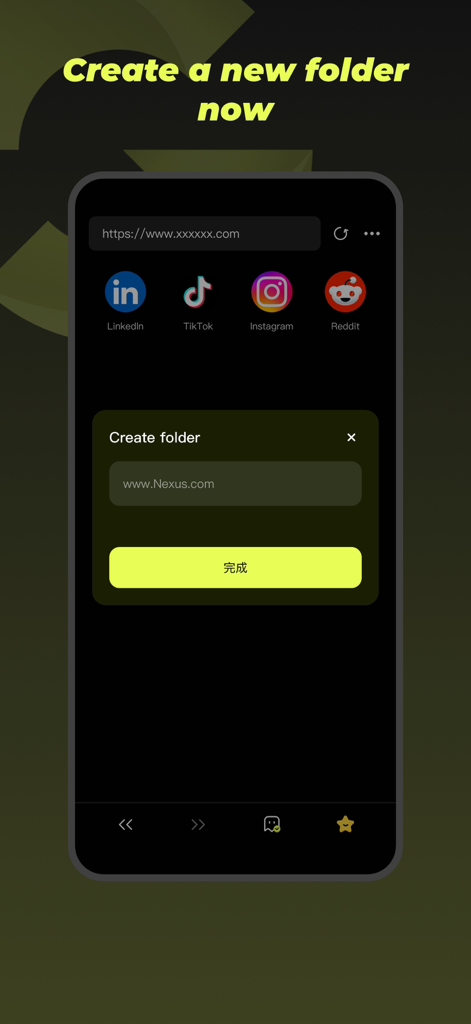
Nexus-Privacy First browser interface showing a create folder popup for organizing bookmarks
Description
Download
More Like This
Apps with similar features and user experience

Brave Browser & Search Engine
Brave Software, Inc.

DuckDuckGo, Duck.ai (optional)
Duck Duck Go, Inc.

Red Onion - Darknet Browser
Omar Mody

AI Security: Breach Defender
DBR SERVICE SRL SEMPLIFICATA
AdBlock Pro for Safari
Crypto Inc.

TOR Browser: OrNET Onion + VPN
Stronger Apps

VPN - Fast VPN Proxy
Mobile Jump Pte Ltd

Aloha Browser - Private VPN
Aloha Mobile Ltd.

VPN US using Free VPN .org™
VPN LLC US
This page is not an official page of the app or its developer, but an independent editorial publication created for informational and commentary purposes. Unless expressly stated otherwise, neither the app nor its developer is affiliated with, endorsed by, sponsored by, authorized by, or otherwise officially connected with MWM, Apple, Google Play, the app publisher, or the app's developer, and nothing on this page implies that the app was developed using MWM's services. Any trademarks, logos, screenshots, and other content remain the property of their respective owners.