
This page is not an official page of the app or its developer, but an independent editorial publication created for informational and commentary purposes. Unless expressly stated otherwise, neither the app nor its developer is affiliated with, endorsed by, sponsored by, authorized by, or otherwise officially connected with MWM, Apple, Google Play, the app publisher, or the app's developer, and nothing on this page implies that the app was developed using MWM's services. Any trademarks, logos, screenshots, and other content remain the property of their respective owners.


NFC.cool Tools Tag Reader
Complexity, demystified. This app grants users instant control over digital and physical data streams.
Downloads
5M+User Rating
Total Ratings
44.6KPublisher
Category
UtilitiesLocales
35Latest Version
6.9.1Size
99.5 MBFirst Released
Sep 24, 2017An Analytical Overview of Key Capabilities for Advanced Users
NFC.cool Tools Tag Reader: A Multi-functional Digital Interaction Hub
Advanced NFC Tag Manipulation
It features advanced functionalities like encrypted data storage, low-level tag manipulation, bulk writing, and raw command execution for power users.
Powerful Automation and System Integration
The app facilitates seamless integration into workflows through webhooks, iOS Shortcuts, quick-launch widgets, and automated actions upon scanning.
Extensive NFC Reading and Writing
The app provides extensive capabilities for reading various data from NFC tags and writing custom messages (web links, Wi-Fi, business cards, social media, payments, iOS Shortcuts) to them.
Advanced 3D Object and Room Modeling
It enables users to scan physical objects into 3D models and generate LiDAR-based room layouts with measurements, exportable for CAD/3D printing.
Versatile QR and Barcode Management
This tool allows scanning of various QR and barcode types (including batch mode) and creation of custom QR codes with branding for diverse applications.
Smart Document Digitization with OCR
The app provides document capture with automatic edge detection and on-device OCR, saving searchable PDFs for easy organization and retrieval.
3D Printing Filament Management
It allows storing 3D printing filament data directly on spools for automatic material detection.
User Interface Customization
It offers personalization through multiple app themes, icons, and customizable text-to-speech voices in over 40 languages.
Frequently Asked Questions
Everything you need to know about NFC.cool Tools Tag Reader
What devices does NFC.cool Tools Tag Reader support for NFC functions?
NFC.cool Tools Tag Reader supports NFC functionality on iPhone 7 and newer models. iPhones can read NFC tags, but the app does not support all RFID frequencies.
Can NFC.cool Tools Tag Reader write data to NFC tags?
Yes, NFC.cool Tools Tag Reader can write data to NFC tags. Users can write various types of information, including web links, Wi-Fi details, contact information, and custom messages.
What types of NFC tag management features does NFC.cool Tools Tag Reader offer?
NFC.cool Tools Tag Reader offers comprehensive NFC tag management, including reading, writing, formatting, locking, password protection, and modifying tags. It also provides NFC memory analysis in Expert Mode.
Does NFC.cool Tools Tag Reader support QR code scanning and creation?
Yes, NFC.cool Tools Tag Reader supports both scanning and creating QR codes. Users can decode various QR types and design custom QR codes with logos, emojis, and backgrounds using the QR Code Studio.
Can NFC.cool Tools Tag Reader scan documents and convert them to PDF?
Yes, NFC.cool Tools Tag Reader features a document scanner. It captures and enhances documents using on-device OCR, allowing users to save or share them as searchable PDF files.
Is LiDAR required to use the 3D scanning features in NFC.cool Tools Tag Reader?
Yes, LiDAR is required to utilize the 3D & Room Scanner features in NFC.cool Tools Tag Reader. This hardware enables the app to scan objects and rooms for 3D model generation.
How can NFC.cool Tools Tag Reader send scanned data to a server?
NFC.cool Tools Tag Reader sends scanned NFC and QR data to a user's server via Webhook functionality. This feature offers security and flexibility for various applications like inventory and home automation.
What customization options are available for QR codes in NFC.cool Tools Tag Reader?
NFC.cool Tools Tag Reader allows users to customize QR codes vibrantly in its QR Code Studio. Customization options include adding logos, emojis, and backgrounds for distinctiveness.
Can NFC.cool Tools Tag Reader export 3D models for printing?
Yes, NFC.cool Tools Tag Reader can export 3D models. The app supports exporting models for 3D printing and other applications, particularly those generated from scanning objects or rooms.
Does NFC.cool Tools Tag Reader offer widgets for quick access?
Yes, NFC.cool Tools Tag Reader offers widgets. These widgets provide quick access to scanning tools and allow users to share QR codes directly from their home screen.
The following screenshots and description are sourced directly from the app's official store listing and are the property of the app developer.
App Store
Screenshots
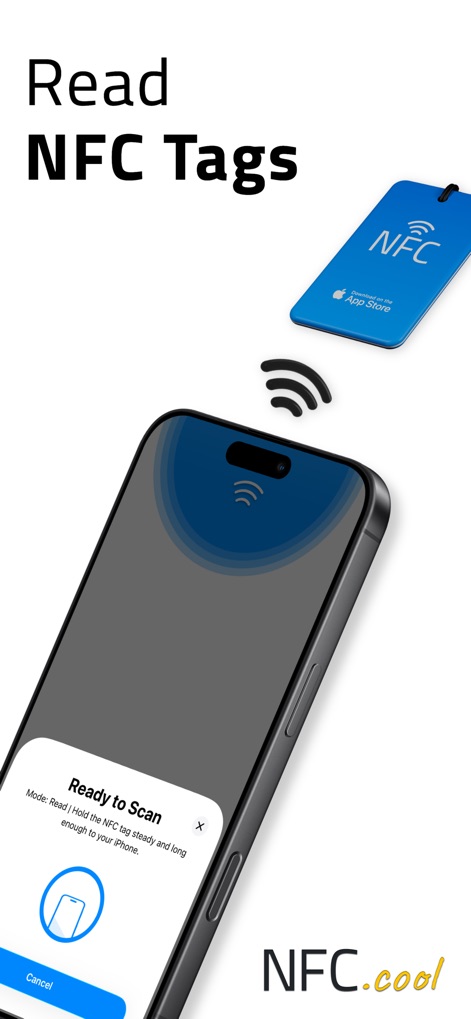
The app streamlines NFC interaction, presenting a clear "Ready to Scan" interface for swift tag detection and displaying the sleek NFC tag design.
NFC Tag Reading
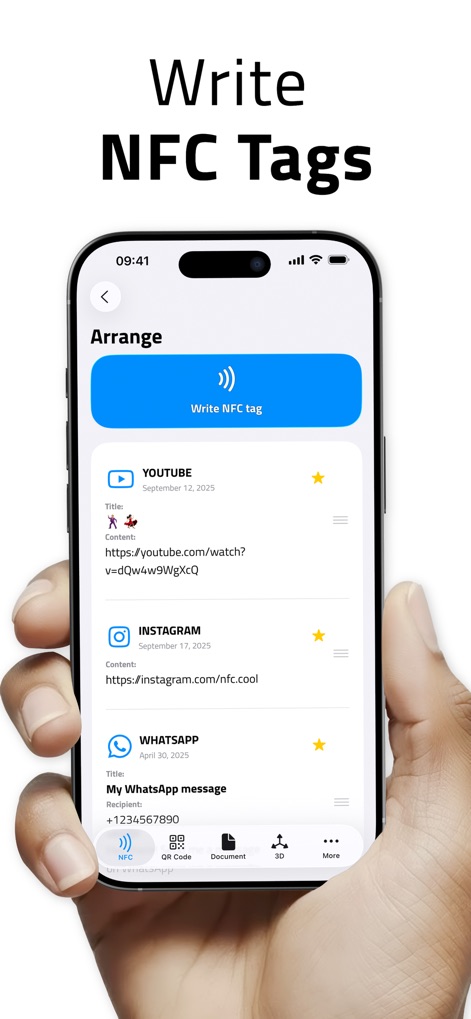
This tool empowers users to customize NFC tags, showcasing the "Arrange" screen for content organization and offering multiple social media and communication message types for varied applications.
NFC Tag Creation
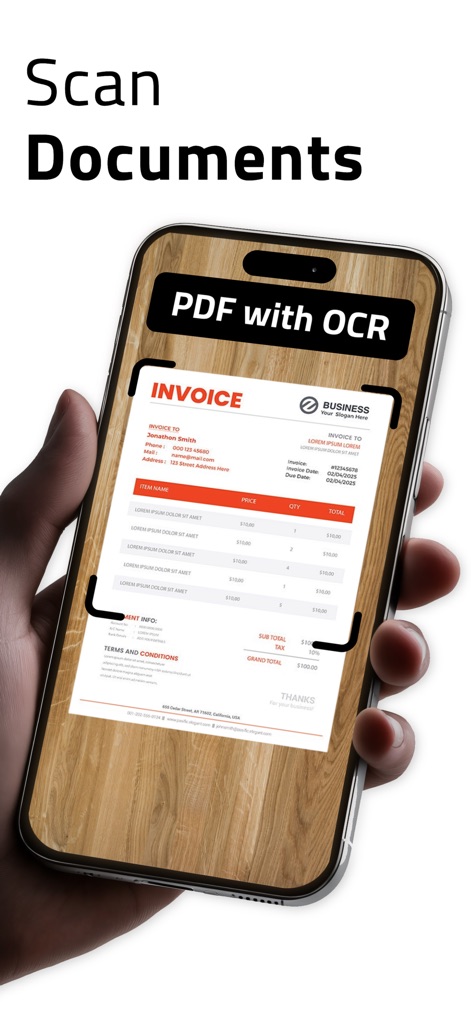
Users can effortlessly digitize documents with the app, highlighting its automatic edge detection and the powerful "PDF with OCR" feature for searchable results.
Document Digitization
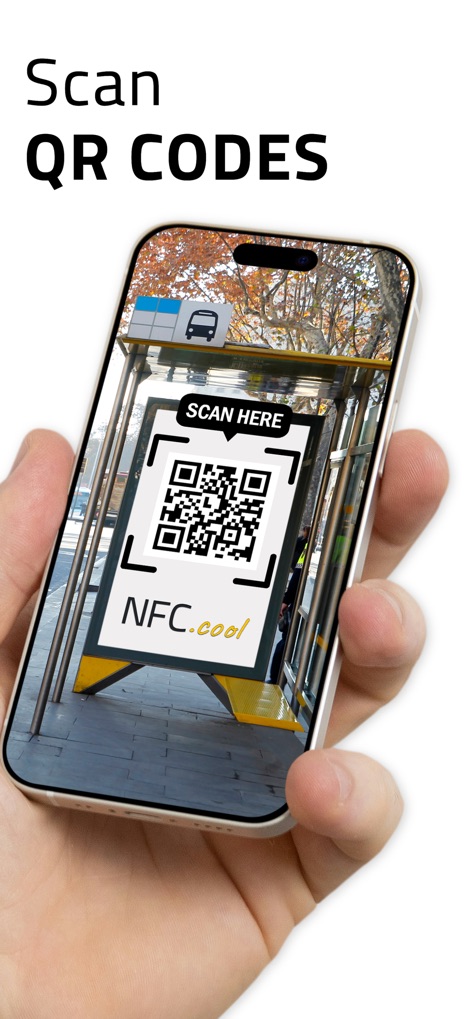
The app provides robust live QR code scanning capabilities, demonstrating its practical use in real-world scenarios such as interacting with a bus stop advertisement.
QR Code Scanner

This tool enables advanced 3D object capture, featuring an intuitive "Scan Object" button and comprehensive options for viewing and exporting "Saved 3D Models," including AR integration.
3D Object Capture

The app presents a versatile toolset for various tasks, showcasing the "QR CODE Studio" for custom designs and implementing "Batch Mode" for significantly speeding up scan tasks.
Versatile Toolset

This tool offers expert-level tag management, featuring "NFC Tag Locking and Password Protection" for security and "STL Export for 3D Printing" for 3D models.
Advanced Tag Management

The app excels in automation and integration, highlighting the ability to "Scan and Send Data to your Server with Webhooks" and the powerful "Scan Rooms" feature using LiDAR.
Automation & Integration

The app offers seamless server data integration, featuring access through the "NFC Expert" mode menu and comprehensive "Webhook" configuration fields for custom workflows.
Server Data Integration
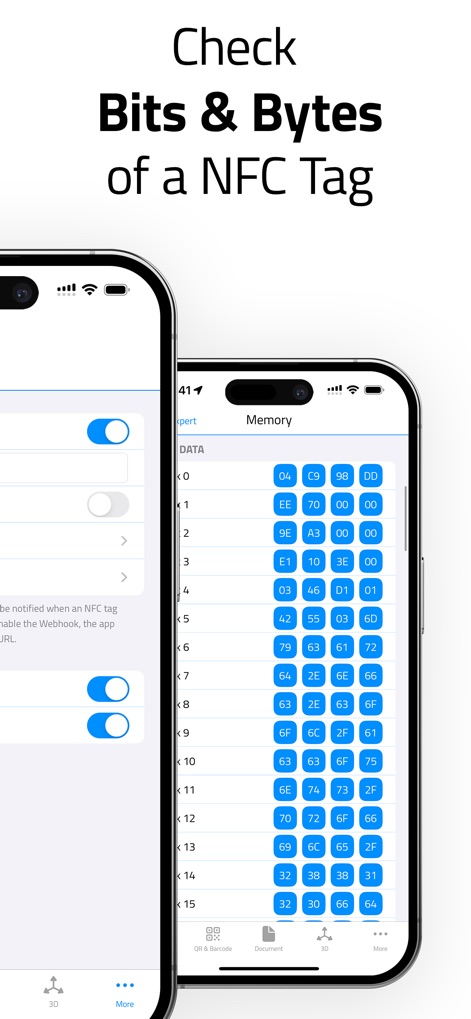
This tool provides deep tag analysis, presenting a detailed "Memory" view displaying raw hexadecimal data for advanced users and illustrating side-by-side comparison with other app settings.
Deep Tag Analysis
Description
Download
More Like This
Apps with similar features and user experience

手机扫描王-扫描计数、智能测距、文字OCR识别、文档增强
小英 吕

扫描测量全能王-手机扫描文字识别、计数、测距、翻译软件
Wenzhou XunChi Digital Technology Co., Ltd.
QR Reader for iPhone
TapMedia Ltd

Simple Scanner-Measuredistance
Guangzhou Xiangfeng Network Technology Co.,Ltd.
手机扫描王-实景测量物体距离&一键统计建材数据
毅 谢

万能扫描王-测距计数
亚丽 高

万能扫描王- PDF扫描、拍照计数、智能测距、OCR文字识别
霞 韩

Phone counting Measurement
Guangzhou Xishang Network Technology Co., Ltd.

SmartScanner-AI Measure&Count
GUANGZHOU TOPJOY TECHNOLOGY CO., LIMITED
This page is not an official page of the app or its developer, but an independent editorial publication created for informational and commentary purposes. Unless expressly stated otherwise, neither the app nor its developer is affiliated with, endorsed by, sponsored by, authorized by, or otherwise officially connected with MWM, Apple, Google Play, the app publisher, or the app's developer, and nothing on this page implies that the app was developed using MWM's services. Any trademarks, logos, screenshots, and other content remain the property of their respective owners.