
This page is not an official page of the app or its developer, but an independent editorial publication created for informational and commentary purposes. Unless expressly stated otherwise, neither the app nor its developer is affiliated with, endorsed by, sponsored by, authorized by, or otherwise officially connected with MWM, Apple, Google Play, the app publisher, or the app's developer, and nothing on this page implies that the app was developed using MWM's services. Any trademarks, logos, screenshots, and other content remain the property of their respective owners.

NightOwl Companion
Skip the overnight hospital stay. Use our discrete finger sensor and easy video guides to complete your professional sleep study in your own bed.
Downloads
511K+User Rating
Total Ratings
54K+Publisher
Category
MedicalLocales
1Latest Version
6.0.9Size
36.6 MBFirst Released
Jul 30, 2018Professional Sleep Insights from the Comfort of Your Home
Skip the hospital stay. Use the NightOwl sensor and our companion app to accurately screen for sleep-related breathing disorders in your own bed.
Simple Video-Guided Setup
Get started in just a few minutes with easy-to-follow instructional videos that ensure your sensor is perfectly placed for accurate data collection.
Test in Your Own Bed
Avoid the stress and wires of a sleep lab. Our discreet finger sensor monitors your breathing naturally while you sleep comfortably at home.
Frequently Asked Questions
Everything you need to know about NightOwl Companion
What is the NightOwl Companion app for?
The NightOwl Companion app connects with the NightOwl sensor to detect sleep-related breathing disorders. It guides users through setting up and completing a home sleep test.
How does the NightOwl sensor work with the app?
The NightOwl sensor uses a small light sensor on your index finger to measure signals. The NightOwl Companion app interprets these signals to identify potential sleep-related breathing disorders.
How do I set up the NightOwl home sleep test using the app?
Users set up the NightOwl home sleep test by following in-app instructional videos. The NightOwl Companion app provides these guides after clicking "Go to setup instructions" on the home screen.
How many nights must I wear the NightOwl sensor for a complete test?
You must wear the NightOwl sensor for the prescribed number of nights to complete the test. The NightOwl Companion app actively tracks this progress.
Does the NightOwl Companion app provide medical diagnoses?
No, the NightOwl Companion app delivers information from external medical devices. Users must consult a healthcare provider for medical decisions based on this data.
How do I activate a test in the NightOwl Companion app?
To activate a test, enter the activation code from your email or sensor packaging into the NightOwl Companion app. A QR code scan option is also available.
Can I track my NightOwl test progress in the app?
Yes, the NightOwl Companion app features a dashboard to track test progress. It displays the number of completed nights against the total required.
What breathing disorders does the NightOwl sensor check for?
The NightOwl sensor, integrated with the NightOwl Companion app, checks for sleep-related breathing disorders. It achieves this by measuring signals from the index finger.
The following screenshots and description are sourced directly from the app's official store listing and are the property of the app developer.
App Store
Screenshots
Splash screen of the NightOwl Companion app displaying the medical finger sensor and brand logo
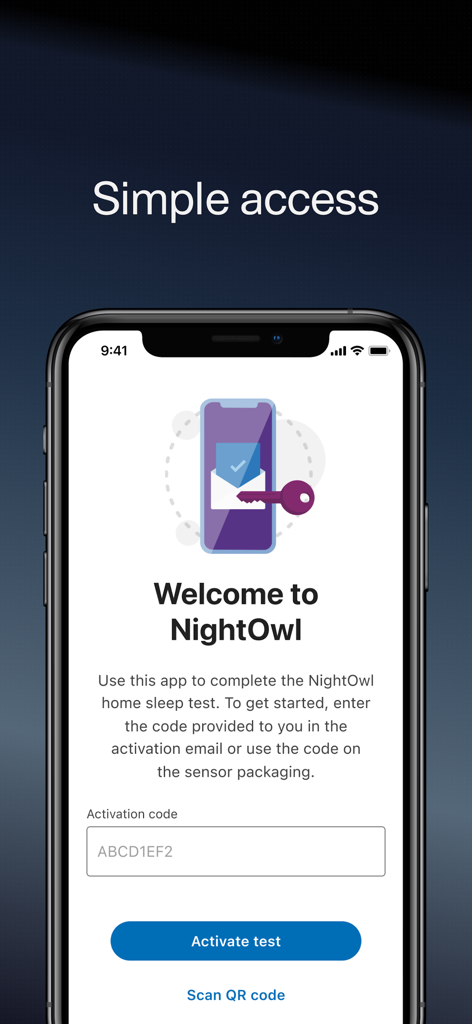
NightOwl Companion app welcome screen showing the activation code input field and activate test button.
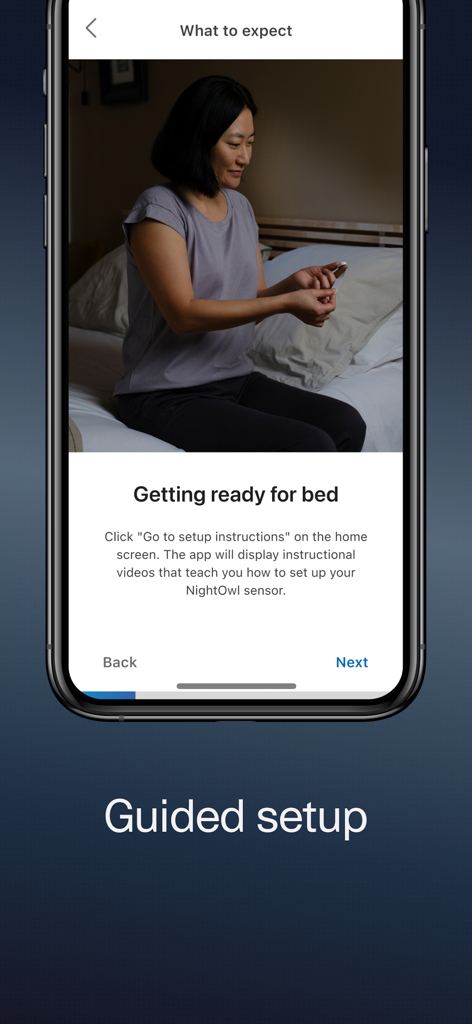
Guided setup screen in the NightOwl Companion app showing a woman preparing a sensor for a sleep test.
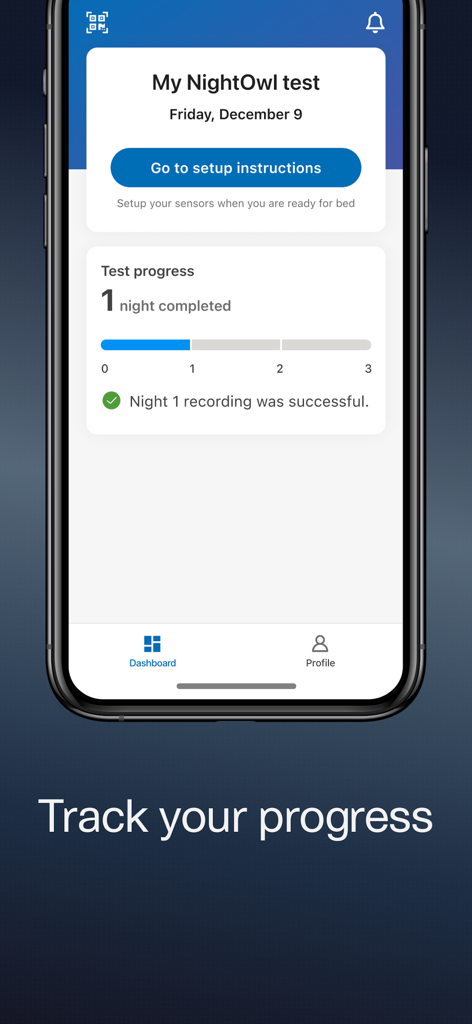
NightOwl Companion app dashboard showing sleep test progress tracking with one night completed.
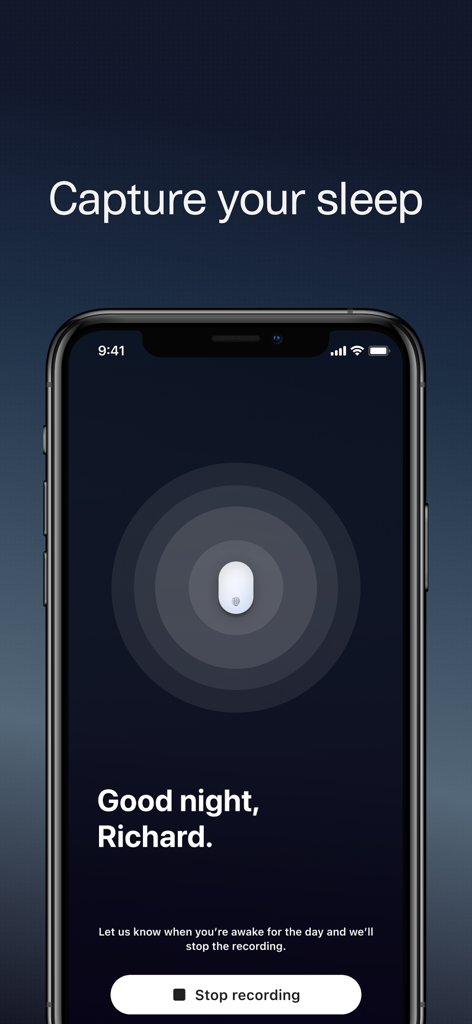
NightOwl Companion app interface showing the sleep capture mode with a stop recording button and a sensor status icon.
Description
Download
More Like This
Apps with similar features and user experience

Mimi Hearing Test
Mimi Hearing Technologies GmbH
Ada – check your health
Ada Health GmbH

Sound Scouts Hearing Test
SOUND SCOUTS HQ PTY LTD

StoreMed - Здоровье онлайн
NOVYE MEDITSINSKIE KOMPETENTSII, TOO

脉安 - 你的健康生活助手
晓静 何

Depression Test⁺
Inquiry Health LLC

Feel the Pulse-Pulse Diagnosis
Jinan Feiniao culture media Co., Ltd

視力検査 しりょく測定アプリ
MONOPOLEAPPS K.K.

Drink Tracker - BAC Buddy
AFK Studio (Apps)
This page is not an official page of the app or its developer, but an independent editorial publication created for informational and commentary purposes. Unless expressly stated otherwise, neither the app nor its developer is affiliated with, endorsed by, sponsored by, authorized by, or otherwise officially connected with MWM, Apple, Google Play, the app publisher, or the app's developer, and nothing on this page implies that the app was developed using MWM's services. Any trademarks, logos, screenshots, and other content remain the property of their respective owners.