
This page is not an official page of the app or its developer, but an independent editorial publication created for informational and commentary purposes. Unless expressly stated otherwise, neither the app nor its developer is affiliated with, endorsed by, sponsored by, authorized by, or otherwise officially connected with MWM, Apple, Google Play, the app publisher, or the app's developer, and nothing on this page implies that the app was developed using MWM's services. Any trademarks, logos, screenshots, and other content remain the property of their respective owners.

Nintendo Switch App
Stay connected with friends, track real-time battle stats, and share your most epic game captures. Elevate your experience on Nintendo Switch™ systems with exclusive second-screen features and seamless social integration.
Downloads
21M+User Rating
Total Ratings
32K+Publisher
Category
EntertainmentLocales
12Latest Version
3.1.0Size
42.4 MBFirst Released
Jul 19, 2017Enhance Every Adventure
The ultimate companion for your Nintendo Switch 2 and Nintendo Switch systems, designed to keep you connected to your games and friends even when you're away from the console.
Connect with Your Squad
See who's online in real-time and get instant mobile notifications the moment your friends start playing, so you never miss a session.
Seamless Media Sharing
Access your console's screenshots and videos directly on your phone to instantly share your epic wins and creative builds with your social circle.
Frequently Asked Questions
Everything you need to know about Nintendo Switch App
What is the Nintendo Switch App?
The Nintendo Switch App enhances online gameplay on Nintendo Switch 2 and Nintendo Switch systems. It offers friend features, game-specific services, and allows viewing and sharing of screenshots and videos.
Which Nintendo Switch systems are compatible with the Nintendo Switch App?
The Nintendo Switch App is compatible with both the Nintendo Switch 2 and the original Nintendo Switch systems. It requires a compatible smartphone to function.
Can I check my friends' online status using the Nintendo Switch App?
Yes, you can check your friends' online status and see which games they are playing. The app also notifies you when a friend comes online.
How can I add friends using the Nintendo Switch App?
You can add friends through the Nintendo Switch App by using their friend code or scanning a QR code, even when you are not actively using your console.
Does the Nintendo Switch App support viewing and sharing screenshots?
Yes, the Nintendo Switch App allows you to upload screenshots and videos saved on your system's Album to the app. You can then view, save, and share them.
What game-specific services does the Nintendo Switch App offer for The Legend of Zelda?
For The Legend of Zelda: Breath of the Wild and Tears of the Kingdom (Switch 2 Edition), the app provides voice guidance and enables sharing schematics and items via QR codes.
Can I manage my Splatoon 3 stats with the Nintendo Switch App?
Yes, for Splatoon 3, the Nintendo Switch App allows you to view your battle and Salmon Run stats. You can also see friends' online status and upcoming stage schedules.
What features does the Nintendo Switch App provide for Animal Crossing: New Horizons?
For Animal Crossing: New Horizons, the app lets you send custom designs from 3DS games, use your smartphone to send in-game messages, and check Best Friends' online status.
Do I need a Nintendo Switch Online membership to use the Nintendo Switch App?
Yes, an active Nintendo Switch Online membership, sold separately, is required to use certain features within the Nintendo Switch App.
Are there any age restrictions for using the Nintendo Switch App?
Yes, a Nintendo Account holder must be age 13 or older to access some online features, specifically including voice chat, within the Nintendo Switch App.
What devices are required to use the Nintendo Switch App?
You need a Nintendo Switch 2 or Nintendo Switch system, compatible software, and a compatible smartphone to use the features of the Nintendo Switch App.
Does the Nintendo Switch App require an internet connection?
Yes, a persistent internet connection is required for the Nintendo Switch App to function. Data charges may apply depending on your service provider.
The following screenshots and description are sourced directly from the app's official store listing and are the property of the app developer.
App Store
Screenshots
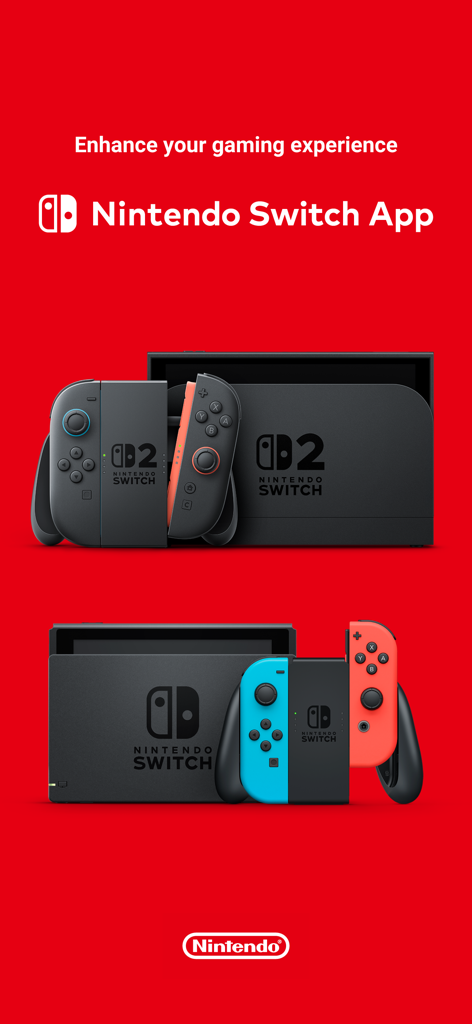
A Nintendo Switch App promotional banner featuring the Nintendo Switch 2 and original Nintendo Switch consoles on a red background.
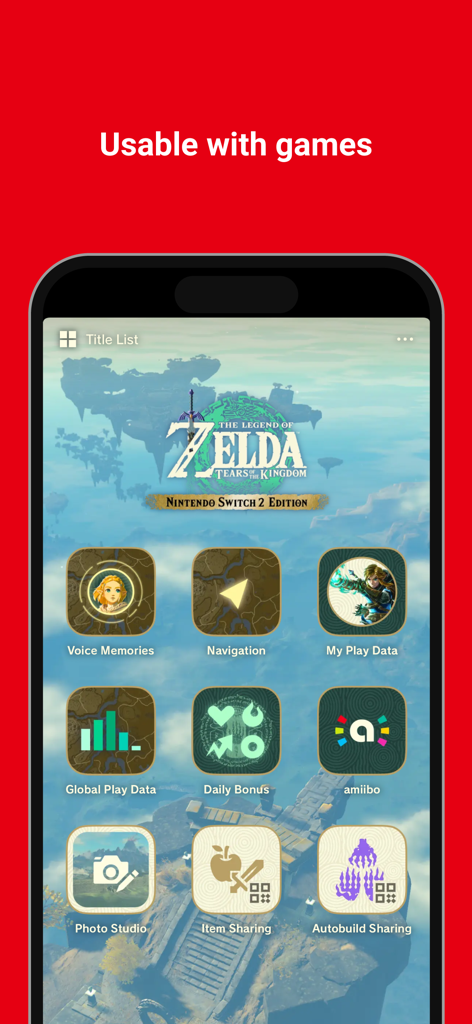
Nintendo Switch App interface displaying game specific services for Zelda Tears of the Kingdom
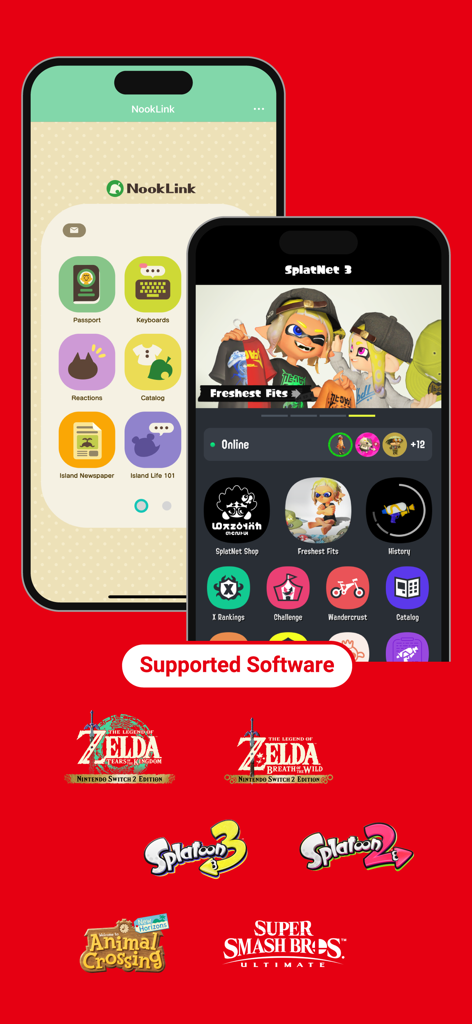
Interface of the Nintendo Switch App showing NookLink and SplatNet 3 with logos for Zelda, Splatoon, and Animal Crossing.
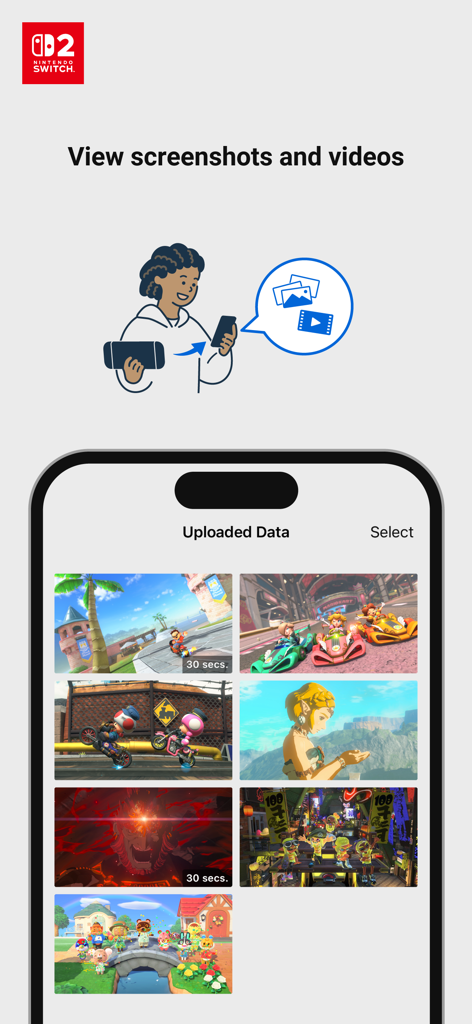
Smartphone screen displaying a gallery of uploaded Nintendo Switch game screenshots and videos
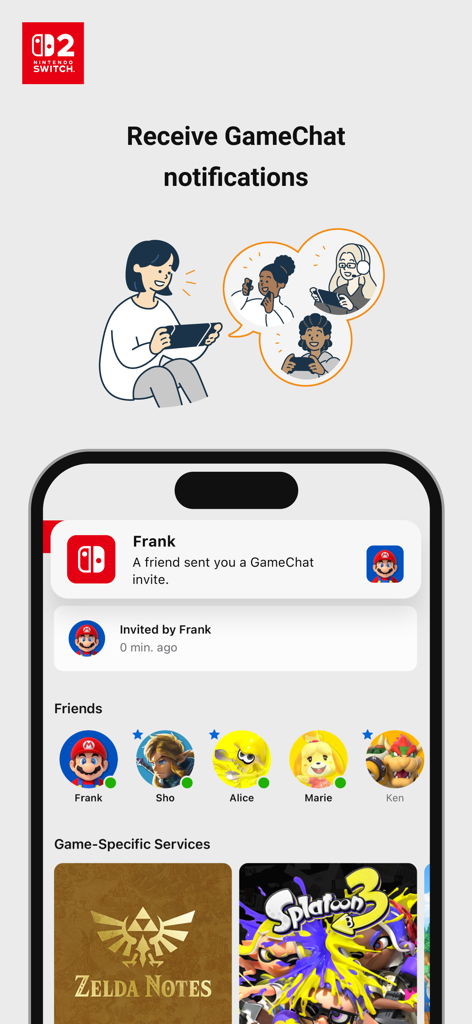
Nintendo Switch App interface showing a GameChat invite notification and a list of online friends
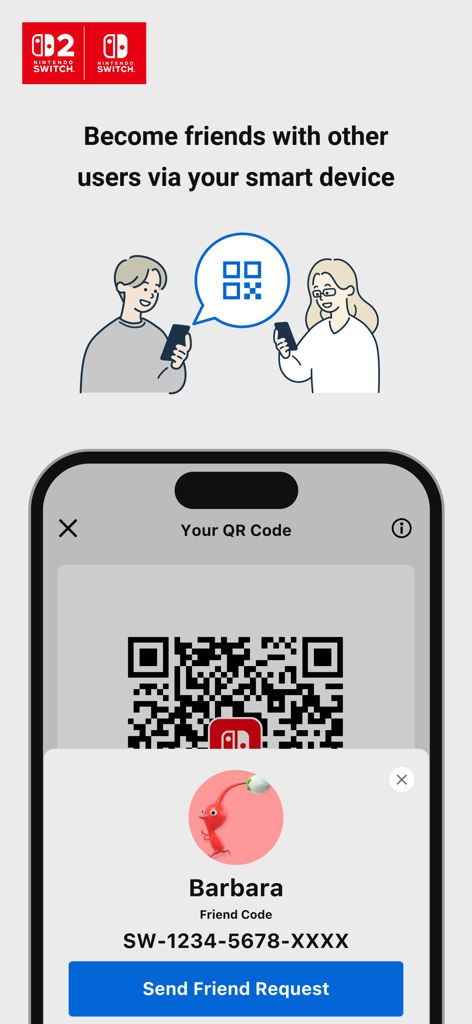
Nintendo Switch App interface showing a QR code and a button to send a friend request
Description
Download
More Like This
Apps with similar features and user experience
SwitchBuddy: Switch App
Filip Nemecek
Xbox
Microsoft Corporation

Battle.net
Blizzard Entertainment, Inc.

VK Play App
V Kontakte OOO
Xbox Game Pass
Microsoft Corporation

叨鱼
Shulong Information Technology (Zhejiang) Co., Ltd.

PlayStation App
PlayStation Mobile Inc.

Nintendo Store
Nintendo Co., Ltd.

EA Connect
EA Swiss Sarl
This page is not an official page of the app or its developer, but an independent editorial publication created for informational and commentary purposes. Unless expressly stated otherwise, neither the app nor its developer is affiliated with, endorsed by, sponsored by, authorized by, or otherwise officially connected with MWM, Apple, Google Play, the app publisher, or the app's developer, and nothing on this page implies that the app was developed using MWM's services. Any trademarks, logos, screenshots, and other content remain the property of their respective owners.