
This page is not an official page of the app or its developer, but an independent editorial publication created for informational and commentary purposes. Unless expressly stated otherwise, neither the app nor its developer is affiliated with, endorsed by, sponsored by, authorized by, or otherwise officially connected with MWM, Apple, Google Play, the app publisher, or the app's developer, and nothing on this page implies that the app was developed using MWM's services. Any trademarks, logos, screenshots, and other content remain the property of their respective owners.

Noir - Dark Mode for Safari
Experience a beautifully tailored dark mode for every site you visit. Built for the Apple ecosystem, Noir respects your privacy and integrates natively with your workflow—all with a single, one-time purchase.
Downloads
407K+User Rating
Total Ratings
3K+Publisher
Category
UtilitiesLocales
2Latest Version
2025.2.8Size
17.2 MBFirst Released
Sep 20, 2021Elevate Your Browsing Experience
Noir intelligently transforms every website into a stunning, native-feeling dark mode that respects your eyes and your privacy.
Tailored Dark Mode
Not a simple filter. Noir analyzes each site’s colors to generate a custom theme that preserves contrast and looks beautiful.
Built for the Apple Ecosystem
Sync settings via iCloud. Control everything with Shortcuts, Focus Filters, and Widgets for a truly native feel.
Frequently Asked Questions
Everything you need to know about Noir - Dark Mode for Safari
What is Noir for Safari?
Noir is a Safari extension that automatically applies a custom dark mode to every website. It generates a tailored dark style based on each page's colors for improved browsing.
Does Noir automatically apply dark mode to websites?
Yes, Noir works automatically with any website in Safari. It links to your device’s Dark Mode by default, applying a custom dark style when enabled.
Can I create custom themes in Noir?
Yes, Noir provides over 20 built-in themes and allows users to create their own. You can customize colors, brightness, and grayscale for images within your themes.
Can I disable Noir for specific websites?
Yes, Noir offers per-website customization. Users can easily enable or disable Noir on specific websites or choose to apply it only to a few selected sites.
Does Noir collect my browsing data?
No, Noir explicitly states it does not collect any browsing data. It only stores your settings, which remain on your device or iCloud account, ensuring privacy.
Is Noir a one-time purchase or subscription?
Noir is a one-time purchase. It does not include any subscriptions or advertisements, allowing users to buy the app once and use it permanently.
What system features does Noir integrate with?
Noir integrates tightly with iOS and iPadOS system features. These include Shortcuts, Control Center, Focus Filters, and Widgets to streamline its dark mode functionality.
The following screenshots and description are sourced directly from the app's official store listing and are the property of the app developer.
App Store
Screenshots
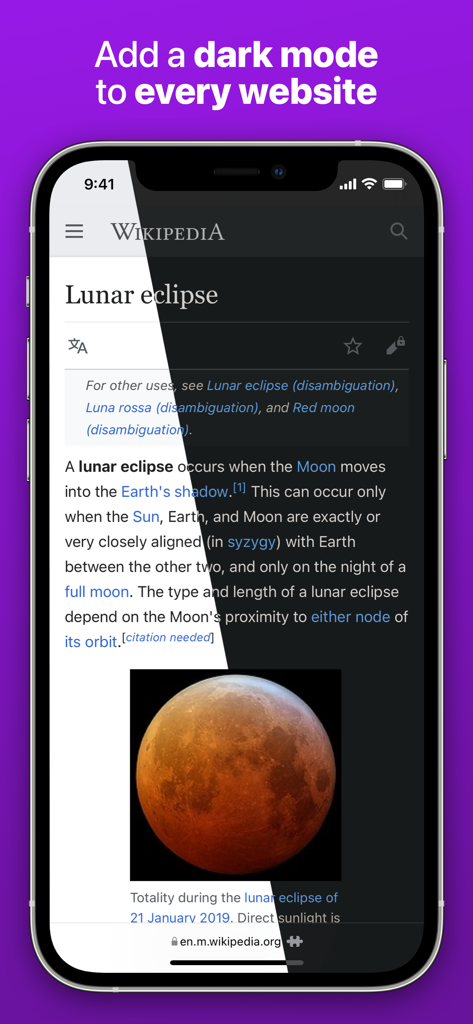
A split screen comparison of a Wikipedia page in Safari showing light mode versus Noir dark mode
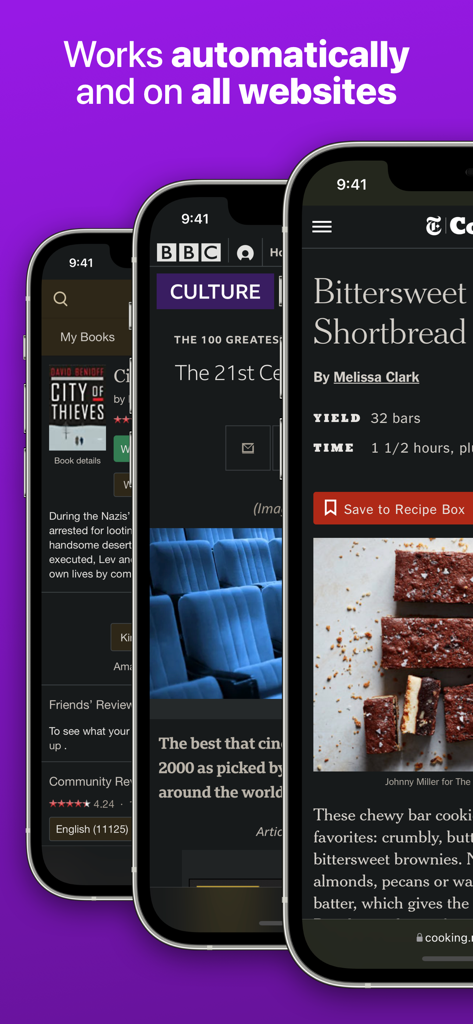
Three iPhones showing Safari websites automatically converted to dark mode by the Noir extension
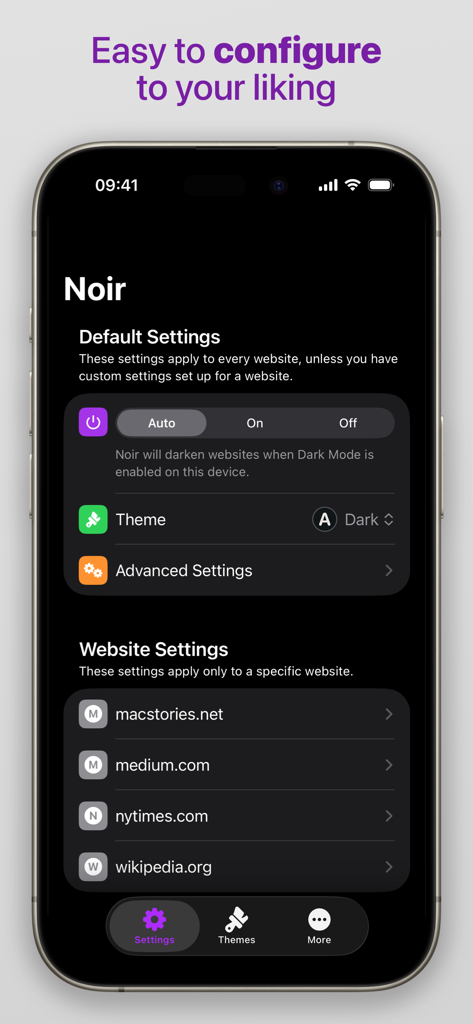
Noir app interface showing default settings and website specific dark mode configurations
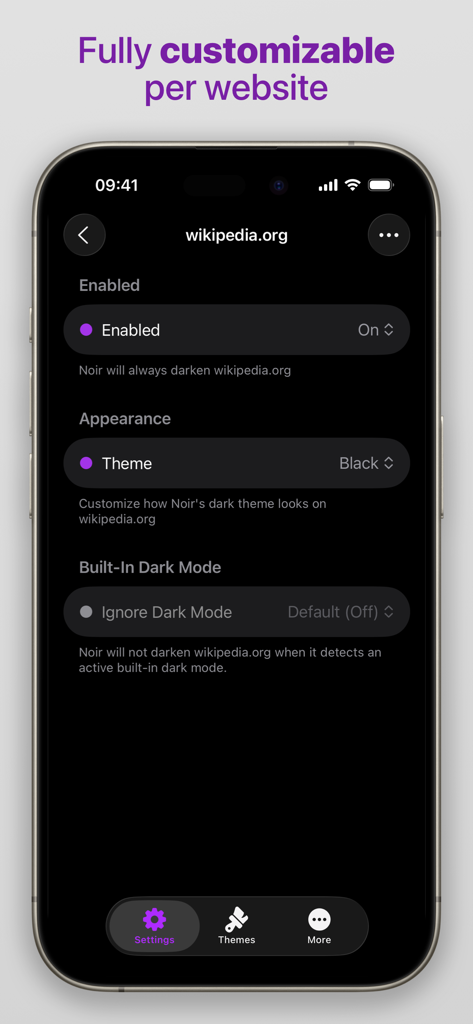
Noir app interface showing per website customization settings for Wikipedia with options for theme and dark mode behavior
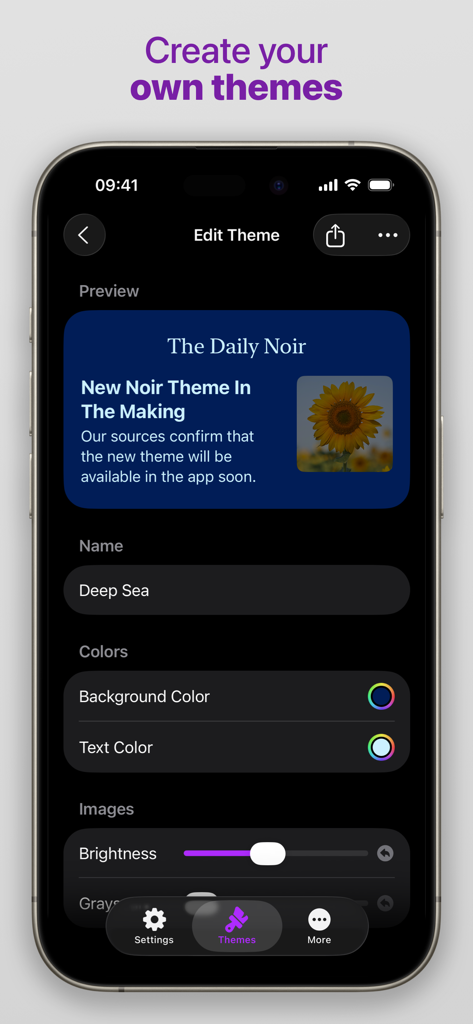
Edit theme screen in Noir app showing options for background and text colors
Description
Download
More Like This
Apps with similar features and user experience

This page is not an official page of the app or its developer, but an independent editorial publication created for informational and commentary purposes. Unless expressly stated otherwise, neither the app nor its developer is affiliated with, endorsed by, sponsored by, authorized by, or otherwise officially connected with MWM, Apple, Google Play, the app publisher, or the app's developer, and nothing on this page implies that the app was developed using MWM's services. Any trademarks, logos, screenshots, and other content remain the property of their respective owners.