
This page is not an official page of the app or its developer, but an independent editorial publication created for informational and commentary purposes. Unless expressly stated otherwise, neither the app nor its developer is affiliated with, endorsed by, sponsored by, authorized by, or otherwise officially connected with MWM, Apple, Google Play, the app publisher, or the app's developer, and nothing on this page implies that the app was developed using MWM's services. Any trademarks, logos, screenshots, and other content remain the property of their respective owners.

NOMO CAM - Point and Shoot
The endless tweaking of digital images is over. This app bestows the true 'point and shoot' freedom, delivering authentic, spontaneous film aesthetics on demand.
Downloads
25M+User Rating
Total Ratings
1.6MPublisher
Category
Photo & VideoLocales
6Latest Version
1.7.8Size
62.8 MBFirst Released
Apr 22, 2018NOMO CAM - Point and Shoot: Key Feature Analysis
An evaluation of core functionalities designed for vintage photography enthusiasts.
Simplified Photography Workflow
The app provides a streamlined photography workflow, allowing users to focus on capturing moments rather than extensive post-production, embodying a true 'point-and-shoot' experience.
Instant Analog Presets
The app automatically applies random analog presets, including curves, grains, dust, light leaks, and vignettes, to instantly recreate the authentic aesthetic of a real 35mm film camera.
Creative Double Exposure
It allows users to create fantastic "double exposure" effects by combining two photos, offering a unique avenue for artistic expression and exploration.
Existing Photo Import
This tool features the ability for NOMO PRO members to import existing photos, enabling them to apply the app's distinctive vintage effects to their entire photo library.
Expanding Camera Collection
The app continuously releases new virtual cameras, providing NOMO PRO members with an expanding array of unique photographic styles and tools to explore.
Exclusive PRO Cameras
It provides NOMO PRO members with access to exclusive, membership-only cameras, offering distinctive and premium aesthetics not available to other users.
Frequently Asked Questions
Everything you need to know about NOMO CAM - Point and Shoot
What is NOMO CAM?
NOMO CAM is an app designed for casual photographers to take pictures with various authentic cameras, focusing on instant results without post-production retouches. It was formerly known as NOMO.
How do I access new cameras in NOMO CAM?
To access new cameras in NOMO CAM, tap the yellow "Camera" button and then the "Shop" button. You can then purchase, download, and use various authentic cameras.
Does NOMO CAM add effects to photos automatically?
Yes, after taking a picture with NOMO CAM, random analog presets, such as curves, grains, dust, light leak, vignette, sharpening, and frames, are automatically added to the image.
Can NOMO CAM create double exposure photos?
Yes, NOMO CAM features a double exposure effect. Press the double exposure button and take two photos to combine them into a single image with this artistic effect.
What is NOMO PRO membership?
NOMO PRO is a membership that grants unlimited use of all existing cameras, access to continuously released new cameras, and exclusive membership-only cameras within the NOMO CAM app.
What exclusive tools does NOMO PRO provide?
NOMO PRO membership activates exclusive pro tools such as importing photos, turning off the film development time for INS cameras, and other upcoming features in NOMO CAM.
How much does a NOMO PRO 1-year membership cost?
A NOMO PRO 1-year membership costs USD 24.99. This amount is charged to your iTunes Account upon purchase confirmation.
Does the NOMO PRO subscription automatically renew?
Yes, the NOMO PRO subscription automatically renews unless auto-renew is turned off at least 24 hours before the end of the current period. Your account is charged for renewal within 24 hours prior.
How can I manage my NOMO PRO subscription and turn off auto-renewal?
You can manage your NOMO PRO subscription and switch off auto-renewal by accessing your Account Settings after purchase through your iTunes Account.
Where can I find the privacy policy for NOMO CAM?
The privacy policy for NOMO CAM is available on their terms and conditions page. Specific details are found at https://terms.alicdn.com/legal-agreement/terms/privacy/20220704103203877/20220704103203877.html.
The following screenshots and description are sourced directly from the app's official store listing and are the property of the app developer.
App Store
Screenshots
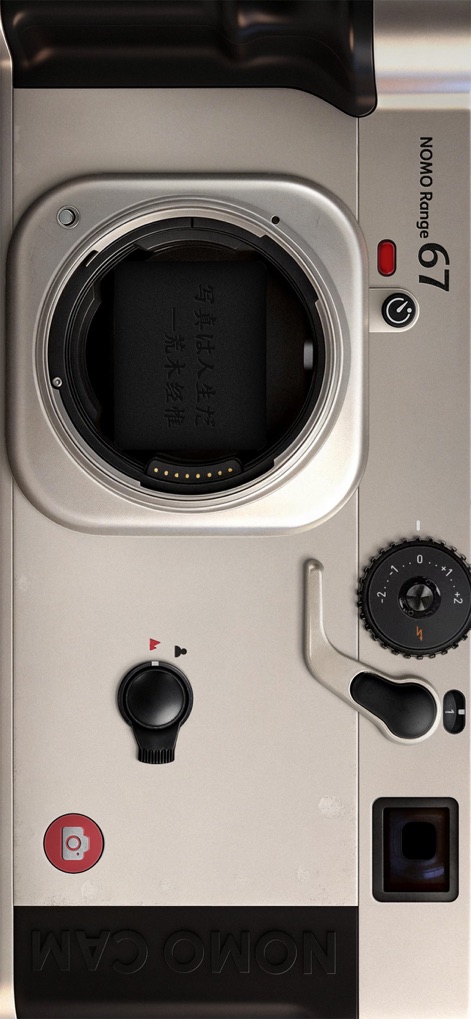
Vintage Rangefinder Style
The app showcases a sleek silver body and an adjustable exposure compensation dial, reflecting the authentic feel of classic film photography.
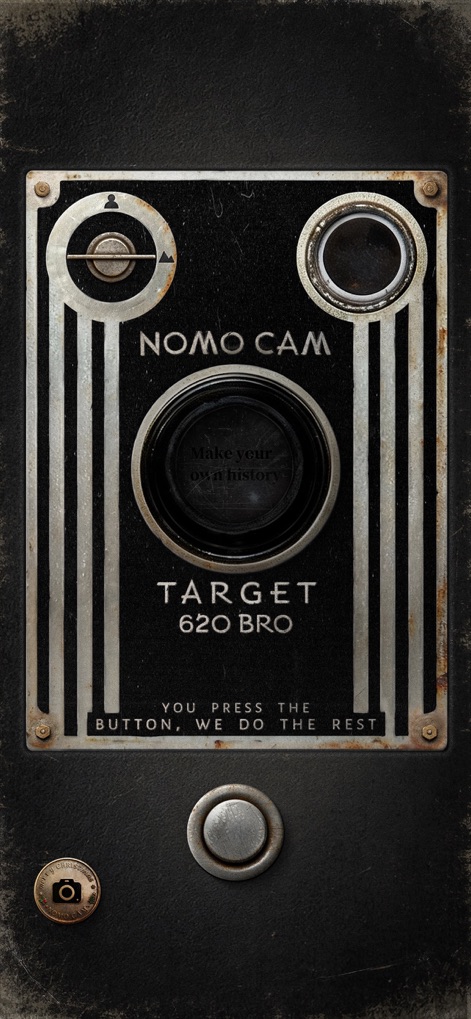
Gritty Retro Charm
This camera skin features a distressed, worn texture and the iconic "TARGET 620 BRO" branding, evoking a nostalgic box camera experience.
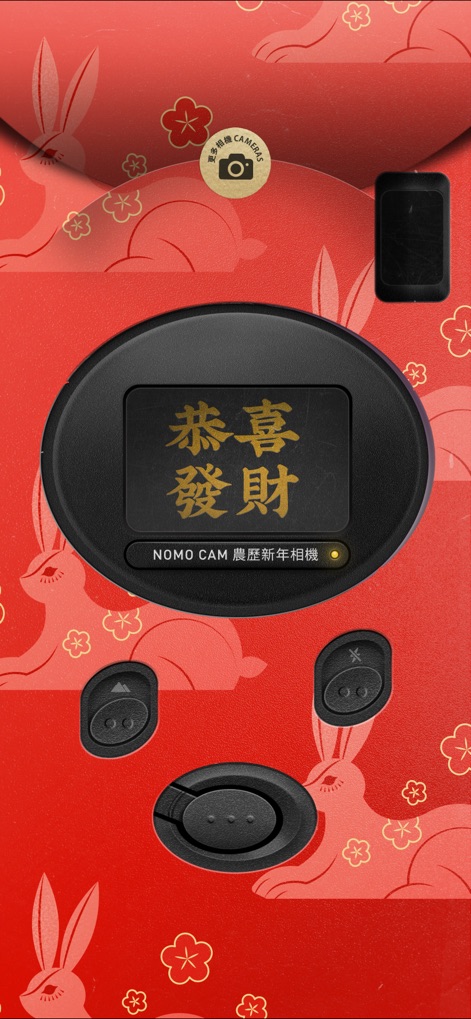
Themed Seasonal Capture
Users can explore a vibrant red design adorned with intricate rabbit patterns and a lens featuring celebratory gold Chinese characters.

Fun Branded Experience
Discover a playful interface with a distinctive McDonald's 'M' logo centered on the lens and a striking red and yellow color palette.

Classic 35mm Essence
This design captures the feel of a vintage film camera with its textured white grip and a dedicated "DOUBLE" button for creative double exposures.
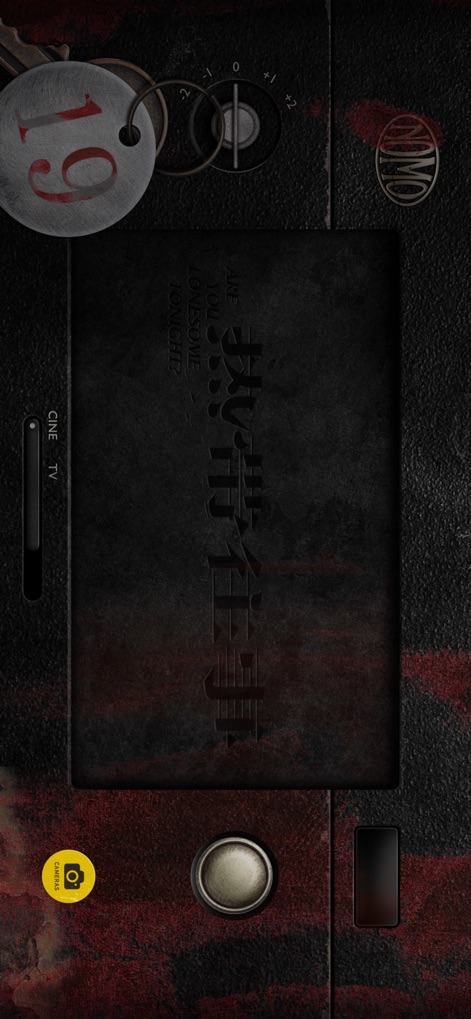
Cinematic Darkroom Aesthetic
The app presents a rugged, industrial camera look, complete with a "CINE TV" slider and an intriguing "19" key tag detail.
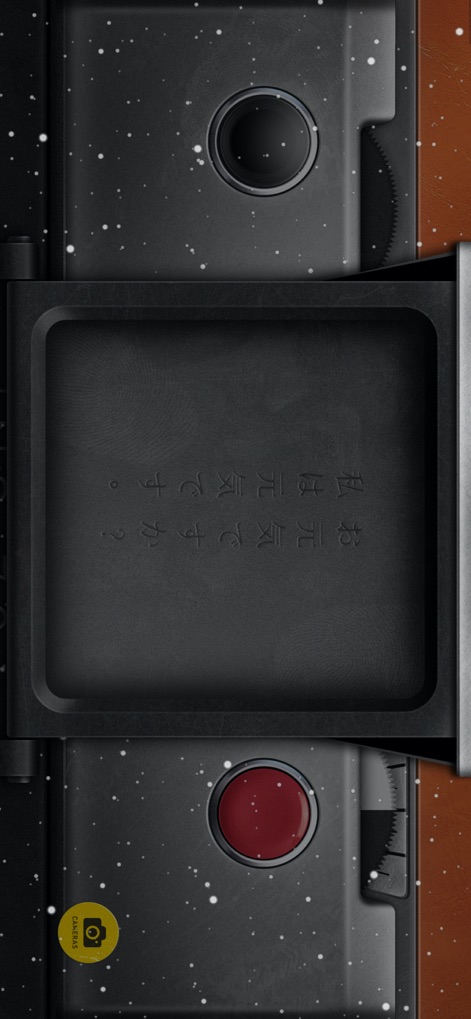
Minimalist Composition View
Focus on framing with a clean, unadorned central composition area and a prominent red shutter button for straightforward photography.

Intuitive Exposure Control
Photographers will find a precise exposure compensation dial and a helpful light meter indicator for optimal scene analysis and capture.

Advanced Lens Mastery
This camera model boasts a detailed aperture ring displaying f-stops like 1.5 and 2.8, alongside an "EV" dial for fine-tuning exposure values.

Sleek Modern Point-and-Shoot
The app offers a contemporary design featuring a dedicated "SELFIE" button for quick self-portraits and an accessible ON/OFF switch for streamlined operation.
Description
Download
More Like This
Apps with similar features and user experience
Dazz Cam - Vintage Camera
DAZZ PTE. LTD.

Kapi - Vintage Film Camera
Shanghai Yuhuan Technology Co., Ltd.
ProCCD - Digital Film Camera
秉妍 蔡

Fomz - Vintage Analog Camera
Guangzhou Mengdong Information Technology Co., Ltd.

Liit - Photo & Video Editor
DAZZ PTE. LTD.
1998 Cam - Vintage Camera
Huu Nguyen Chi

y2k: 2000s photo editor
Abel Thomas Noble

Uplens: Photo & Video Editor
MPGAMES LTD

Buttercam
Beijing Muke Technology Co., Ltd.
This page is not an official page of the app or its developer, but an independent editorial publication created for informational and commentary purposes. Unless expressly stated otherwise, neither the app nor its developer is affiliated with, endorsed by, sponsored by, authorized by, or otherwise officially connected with MWM, Apple, Google Play, the app publisher, or the app's developer, and nothing on this page implies that the app was developed using MWM's services. Any trademarks, logos, screenshots, and other content remain the property of their respective owners.