
This page is not an official page of the app or its developer, but an independent editorial publication created for informational and commentary purposes. Unless expressly stated otherwise, neither the app nor its developer is affiliated with, endorsed by, sponsored by, authorized by, or otherwise officially connected with MWM, Apple, Google Play, the app publisher, or the app's developer, and nothing on this page implies that the app was developed using MWM's services. Any trademarks, logos, screenshots, and other content remain the property of their respective owners.

Nomo Widgets
Transform your home screen into a daily source of inspiration. Track your progress with beautiful, customizable sobriety clocks that keep you motivated and accountable—one glance at a time.
Downloads
2K+User Rating
Total Ratings
100Publisher
Category
Health & FitnessLocales
1Latest Version
1.1.5Size
1.3 MBFirst Released
Oct 8, 2025Celebrate Every Win, Every Day
Nomo Widgets brings your sobriety journey to your home screen, providing the passive reinforcement you need to stay motivated and accountable without lifting a finger.
Automatic Integration
Syncs instantly with your Nomo - Sobriety Clocks app. Your milestones are ready and waiting the moment you add a new widget.
Personalized Progress
Choose colors that reflect your journey. Design a look that inspires you or keeps your progress private and subtle with custom styles.
Frequently Asked Questions
Everything you need to know about Nomo Widgets
What is Nomo Widgets?
Nomo Widgets is a companion app for Nomo - Sobriety Clocks, designed to display sobriety progress directly on your home screen. It visually tracks your "days clean."
How does Nomo Widgets integrate with the Nomo - Sobriety Clocks app?
Nomo Widgets automatically lists clocks from your Nomo - Sobriety Clocks app, provided you have the latest version installed. This enables seamless widget creation.
Can I create new sobriety clocks using Nomo Widgets?
Yes, Nomo Widgets allows you to create new clocks. You can set a start date, a specific time, and select a color for your new sobriety clock.
What type of information do Nomo Widgets display?
Nomo Widgets display the total number of days passed since a user's specified sobriety date. Each widget shows the numerical count and the word "days."
How do I choose which sobriety clock appears on my home screen with Nomo Widgets?
When adding a Nomo Widget, a "Select your clock" interface appears, allowing you to choose from existing Nomo clocks or any new ones you've created.
The following screenshots and description are sourced directly from the app's official store listing and are the property of the app developer.
App Store
Screenshots
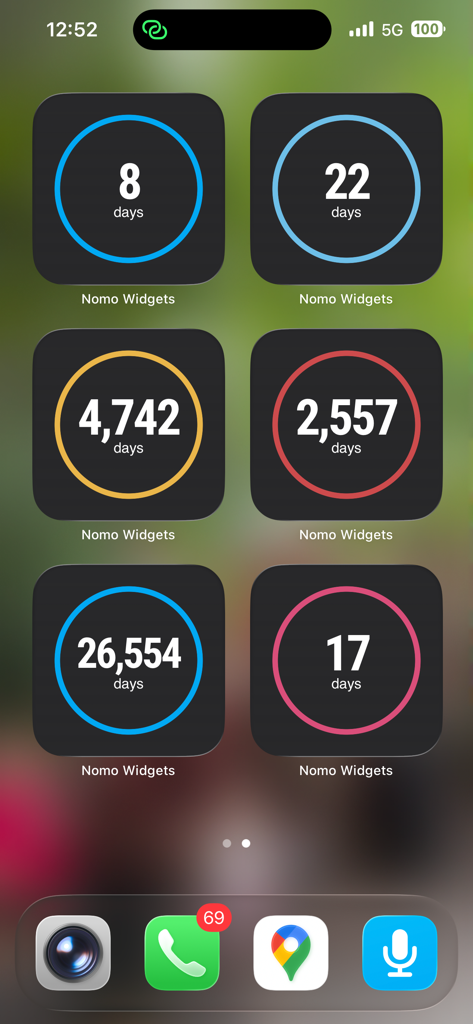
iPhone home screen displaying several Nomo sobriety widgets with colored daily progress counters.
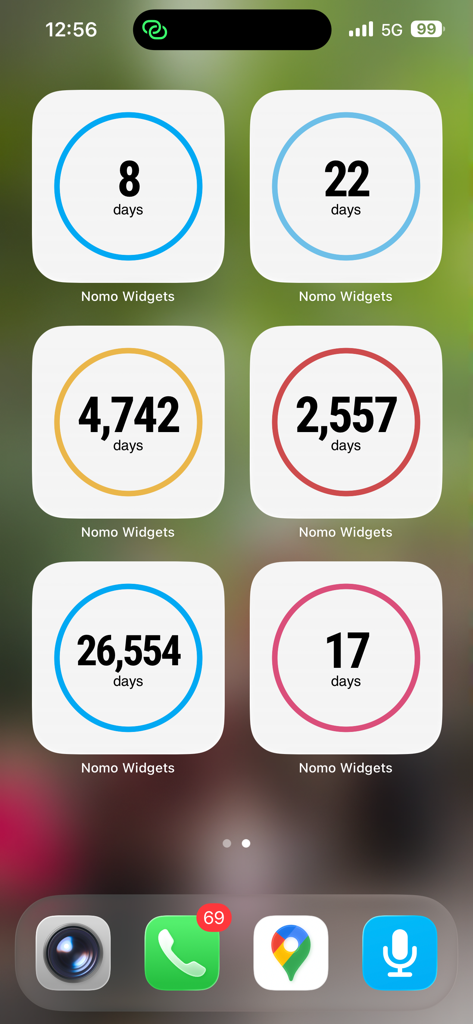
An iPhone home screen featuring six colorful Nomo sobriety clock widgets displaying different day counts.
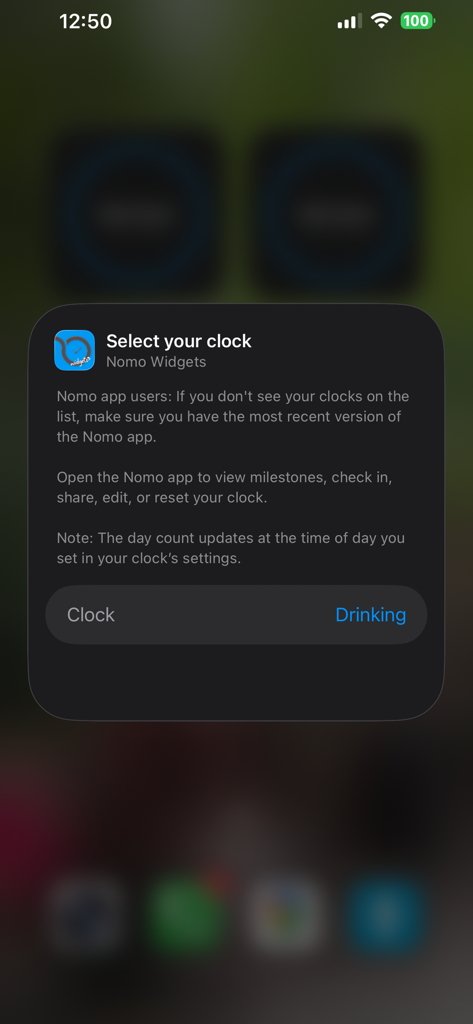
A mobile screen showing the Nomo Widgets setup menu to select a sobriety clock to display on the home screen.
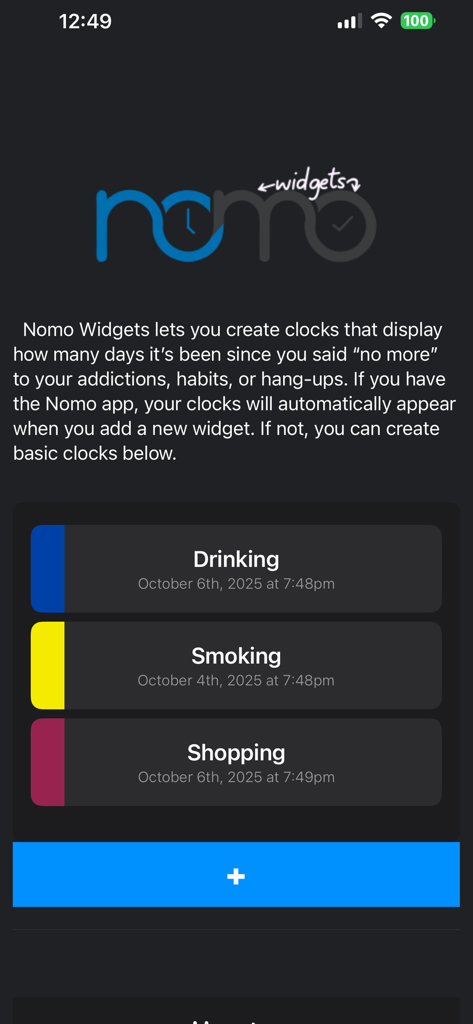
Dashboard of the Nomo Widgets app showing sobriety clocks for tracking habits like drinking and smoking
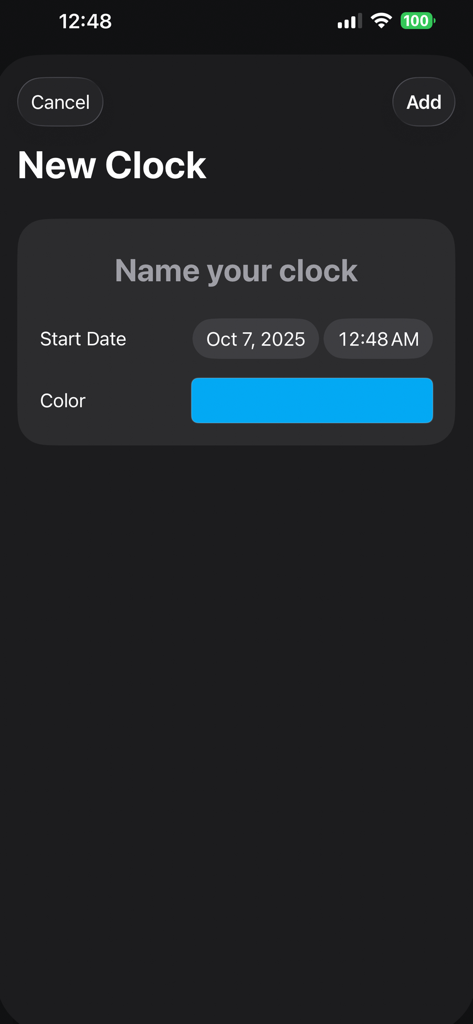
Screen for creating a new sobriety clock with name date and color options
Description
Download
More Like This
Top-ranked apps in the same category

Strava: Run, Bike, Walk
Strava Inc.

Flo Cycle & Period Tracker
FLO HEALTH UK LIMITED

AI Calorie Tracker by Yazio
YAZIO GmbH

MyFitnessPal: Calorie Counter
MyFitnessPal, Inc.

Mi Fitness (Xiaomi Wear Lite)
Beijing Xiaomi Co., Ltd

美柚 - 经期·备孕·怀孕·育儿&亲友版
Xiamen Meet You Co., Ltd.

Cal AI - Calorie Tracker
Viral Development LLC

Yuka - Food & Cosmetic Scanner
Yuca

BitePal: Food Tracker Pet
REFACE LITHUANIA UAB
This page is not an official page of the app or its developer, but an independent editorial publication created for informational and commentary purposes. Unless expressly stated otherwise, neither the app nor its developer is affiliated with, endorsed by, sponsored by, authorized by, or otherwise officially connected with MWM, Apple, Google Play, the app publisher, or the app's developer, and nothing on this page implies that the app was developed using MWM's services. Any trademarks, logos, screenshots, and other content remain the property of their respective owners.