
This page is not an official page of the app or its developer, but an independent editorial publication created for informational and commentary purposes. Unless expressly stated otherwise, neither the app nor its developer is affiliated with, endorsed by, sponsored by, authorized by, or otherwise officially connected with MWM, Apple, Google Play, the app publisher, or the app's developer, and nothing on this page implies that the app was developed using MWM's services. Any trademarks, logos, screenshots, and other content remain the property of their respective owners.


Noonlight: Feel Protected 24/7
Uncertainty ends now. This app hands users direct, instant control over their safety, 24/7.
Downloads
2.5M+User Rating
Total Ratings
18.9KPublisher
Category
LifestyleLocales
1Latest Version
2.19.3Size
110.8 MBFirst Released
Oct 5, 2013An evaluation of core functionalities designed for discreet, real-time emergency support and enhanced peace of mind.
Noonlight: Comprehensive Personal Safety Analysis
Discreet Emergency Activation
The app provides a unique press-and-hold button mechanism, allowing users to silently signal for help by releasing it without entering a PIN, or cancel an alert by entering their PIN upon reaching safety.
24/7 Live Dispatch Support
This tool features an on-call team of certified dispatchers available around the clock, ensuring that emergency assistance can be coordinated swiftly at any time.
Automatic Crash Detection
It allows users to benefit from advanced technology that detects car accidents using phone sensors (accelerometer, GPS, gyroscope) and automatically dispatches first responders.
Silent & Text Emergency Communication
The app enables users to communicate with dispatchers via text during an emergency, or automatically sends help even if they are unable to speak or text, providing discreet assistance.
Dynamic Location Updates
It continuously updates the user's location, even when they are on the move in a vehicle or on foot, ensuring first responders are directed to their precise current position.
Wearable Device Integration
This tool features seamless integration with Apple Watch and Wear OS, allowing users to trigger an alarm or set a timer directly from their wrist for immediate assistance.
Ride-Share Safety Integration
The app provides connectivity with Lyft and Uber accounts, enabling it to share trip and driver information directly with first responders when an alarm is triggered.
Contextual Safety Timeline
It allows users to add details about meetings or suspicious observations to a personal timeline, which can be shared with first responders in the event of an emergency for crucial context.
Lock Screen Quick Trigger
This tool features a convenient lock screen widget, enabling users to rapidly send an emergency alert without unlocking their device, significantly reducing response time.
Dating App Safety Integration
The app partners with Tinder, allowing users to share meeting details to their timeline or display a 'Protected by Noonlight' badge for enhanced safety during dates.
The following screenshots and description are sourced directly from the app's official store listing and are the property of the app developer.
App Store
Screenshots
This screenshot highlights the app's commitment to personal safety through its empathetic 'Caring humans looking out for you' messaging and sleek visual design.
Human-Centric Protection
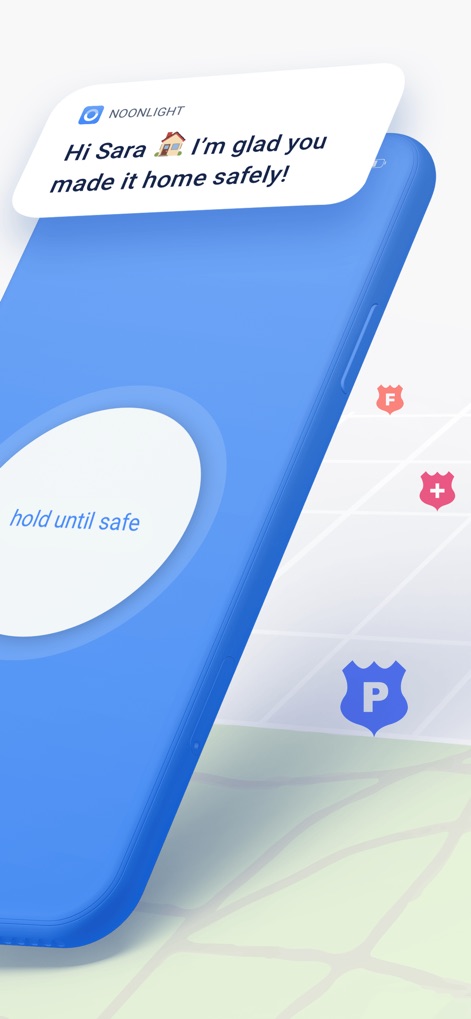
The app provides peace of mind with a personalized safety confirmation message, like 'Hi Sara, I'm glad you made it home safely!', and an intuitive 'hold until safe' emergency button.
Safety Confirmation

This visual emphasizes the app's industry recognition and strategic partnerships, showcasing the slogan 'Ushering in a new era of safety' and integration with Tinder.
Trusted Security
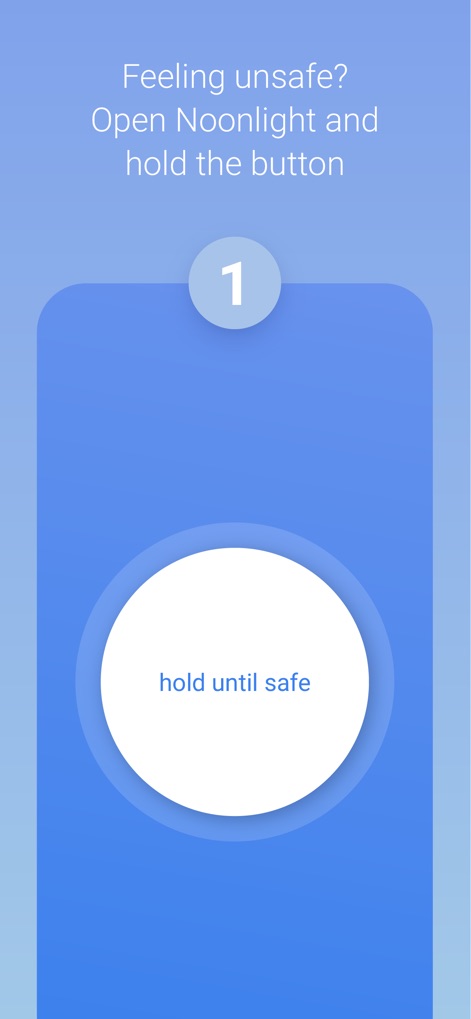
The app simplifies emergency activation with clear instructions such as 'Feeling unsafe? Open Noonlight and hold the button' and a prominent 'hold until safe' trigger.
Instant Protection
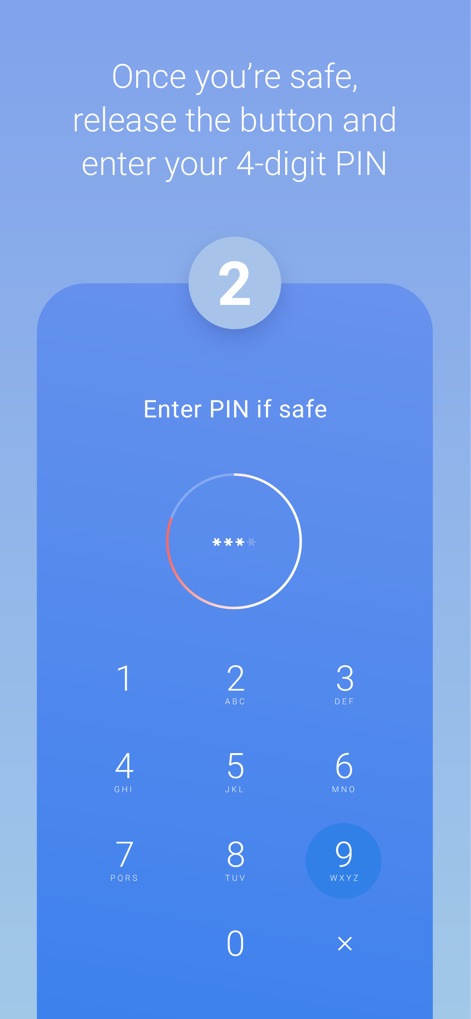
Users can safely disengage an alert by following the instruction to 'release the button and enter your 4-digit PIN' on the intuitive keypad interface.
Safe Disengagement
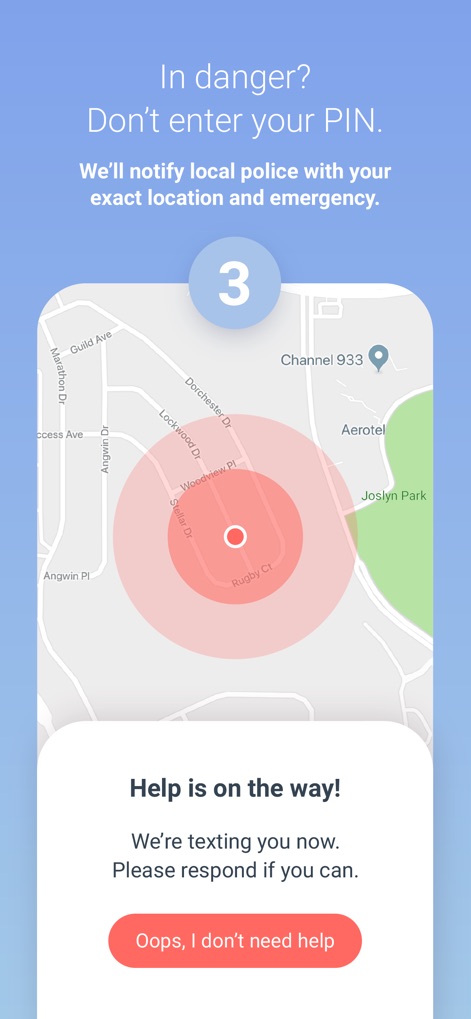
The app offers discreet emergency response, instantly notifying local police with the user's 'exact location and emergency' clearly marked on a map with a red alert zone.
Discreet Emergency
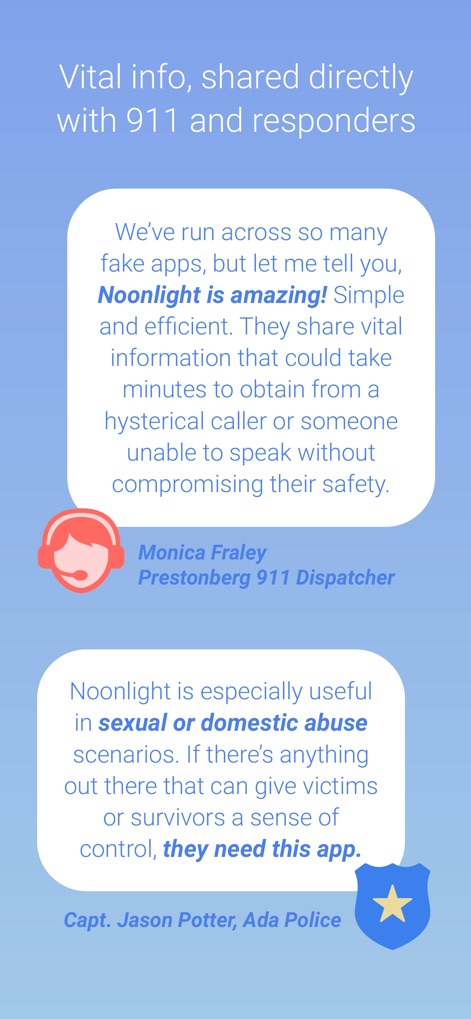
This visual showcases glowing testimonials from emergency service professionals, featuring quotes from a 911 Dispatcher and a Police Captain.
Expert Endorsements
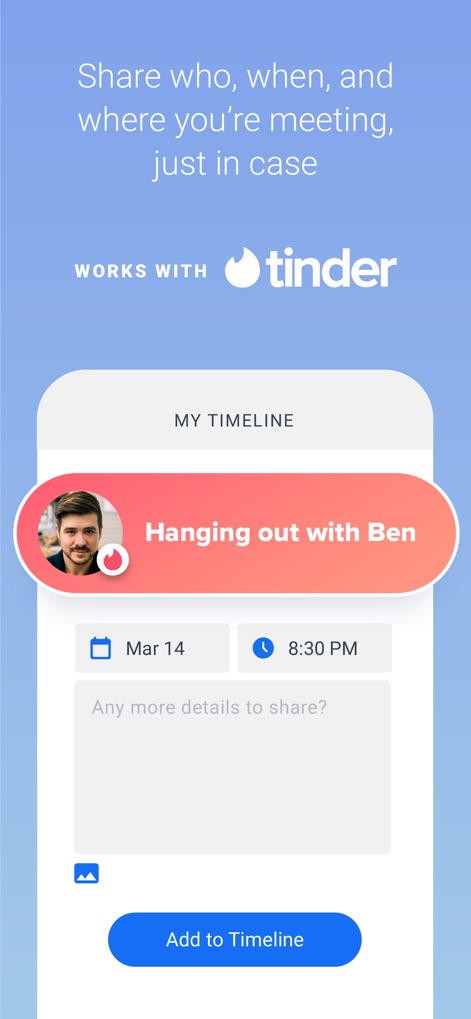
The app enhances meeting safety by allowing users to 'Share who, when, and where you're meeting' using the 'My Timeline' feature, seamlessly integrated with Tinder.
Meeting Safety
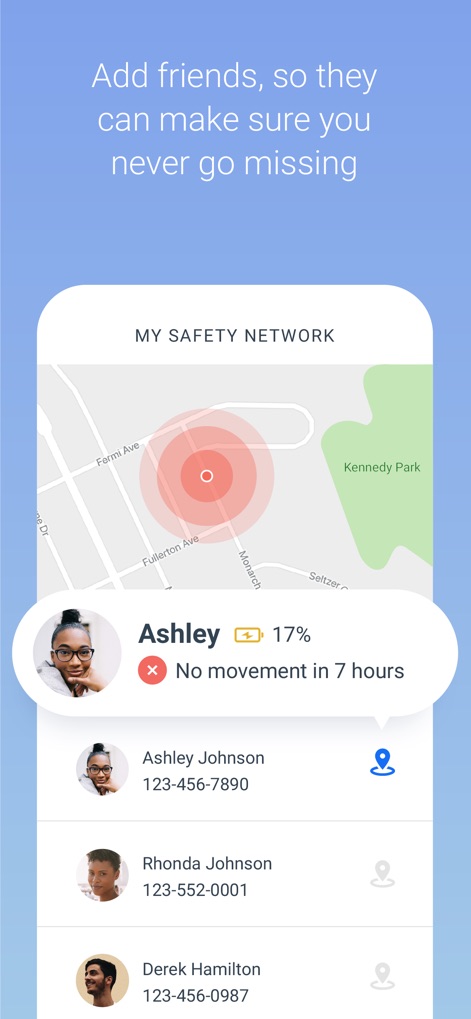
Users can expand their safety net by choosing to 'Add friends' to 'My Safety Network,' which displays their location and status, like 'No movement in 7 hours,' on a map.
Community Safety
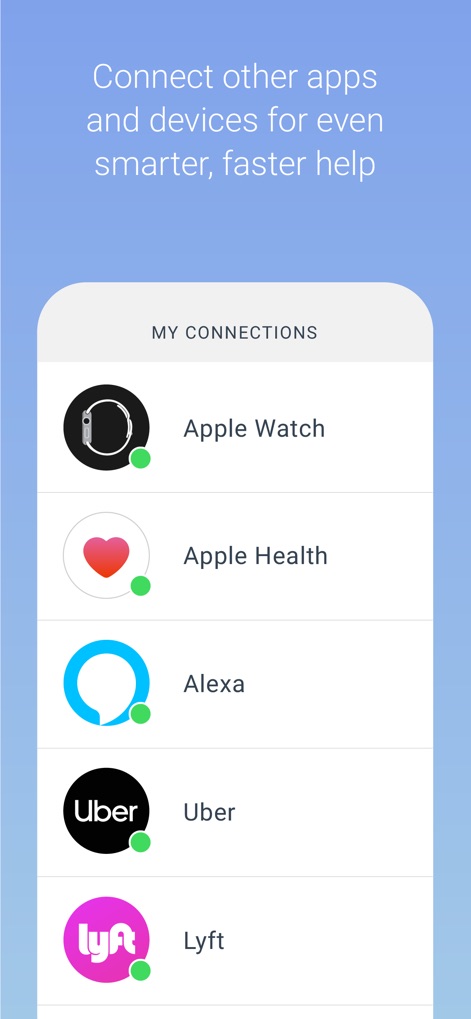
The app extends its protective capabilities through smart integrations with various devices and services, such as Apple Watch and Uber, for enhanced safety features.
Smart Integrations
Description
Download
More Like This
Apps with similar features and user experience

SafeNow™
SafeNow GmbH

Záchranka
Medical Information Technologies, s.r.o.

Kaaval Uthavi
Tamil Nadu Police

112NL
Politie Nederland
Hjelp 113
Stiftelsen Norsk Luftambulanse

EchoSOS
MobileMed Sarl

Pol-App(Kerala Police)
Kerala Police
Emergency Plus
National Triple Zero Awareness Work Group

PSCA - Public Safety
Punjab Safe Cities Authority
This page is not an official page of the app or its developer, but an independent editorial publication created for informational and commentary purposes. Unless expressly stated otherwise, neither the app nor its developer is affiliated with, endorsed by, sponsored by, authorized by, or otherwise officially connected with MWM, Apple, Google Play, the app publisher, or the app's developer, and nothing on this page implies that the app was developed using MWM's services. Any trademarks, logos, screenshots, and other content remain the property of their respective owners.