
This page is not an official page of the app or its developer, but an independent editorial publication created for informational and commentary purposes. Unless expressly stated otherwise, neither the app nor its developer is affiliated with, endorsed by, sponsored by, authorized by, or otherwise officially connected with MWM, Apple, Google Play, the app publisher, or the app's developer, and nothing on this page implies that the app was developed using MWM's services. Any trademarks, logos, screenshots, and other content remain the property of their respective owners.


Nutrition Tracker: Foodnoms
Fast, beautiful, and strictly private. Master your macros, track fasting, and sync seamlessly with Apple Health through a clean, ad-free interface designed for the quantified self.
Downloads
60K+User Rating
Total Ratings
6K+Publisher
Category
Health & FitnessLocales
1Latest Version
2026.2Size
200.0 MBFirst Released
Nov 12, 2019Precision Nutrition for the Modern Optimizer
Track macros, micronutrients, and habits with a privacy-focused app that integrates deeply into your Apple ecosystem.
Lightning-Fast Logging
Scan labels, use AI meal recognition, or ask Siri. Log your intake in seconds without breaking your flow.
Deep Apple Integration
Sync seamlessly with Apple Health and Watch. Use Home Screen widgets and Siri Shortcuts for a truly native experience.
The following screenshots and description are sourced directly from the app's official store listing and are the property of the app developer.
App Store
Screenshots
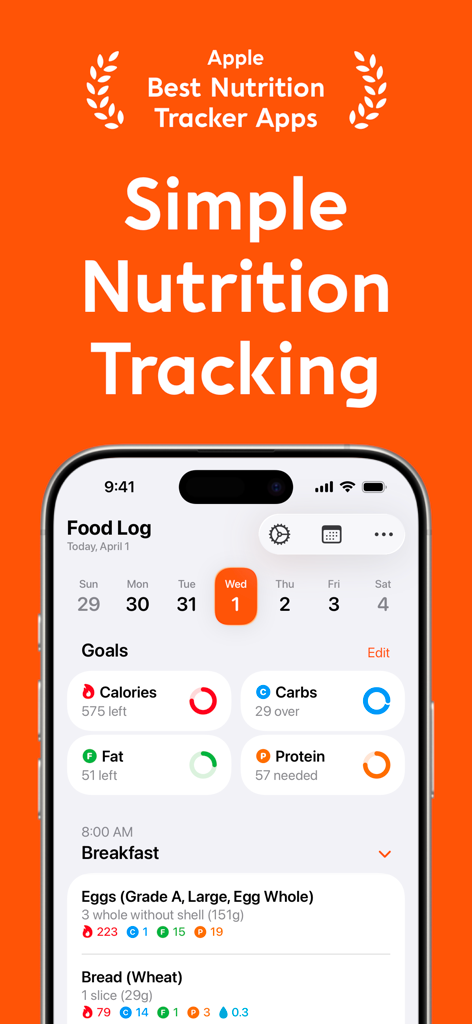
Foodnoms app dashboard showing daily food log and nutrition goals for calories and macros
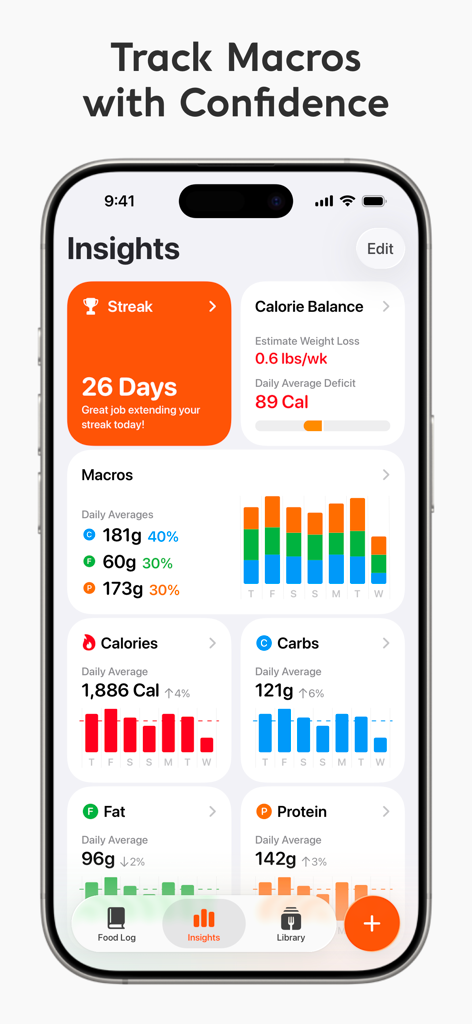
Foodnoms app insights screen showing calorie balance macro averages and a 26 day streak
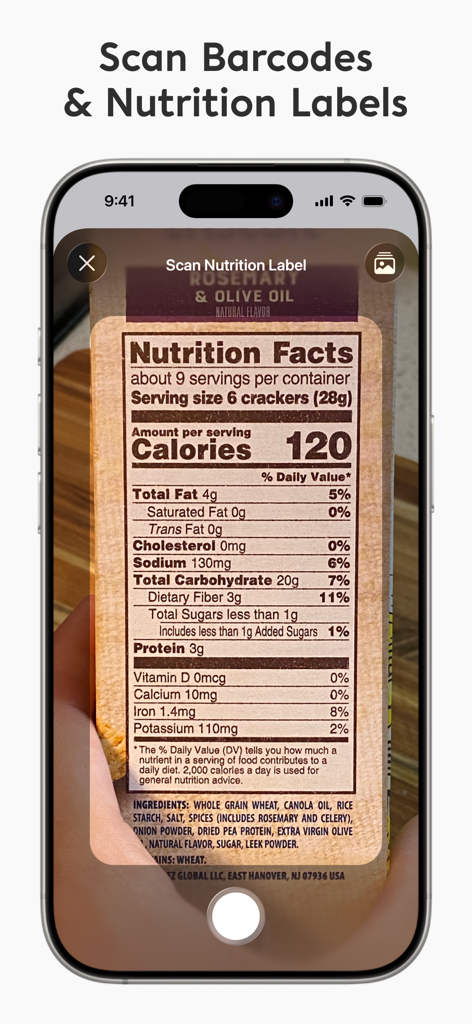
An iPhone scanning a nutrition facts label using the Foodnoms app.
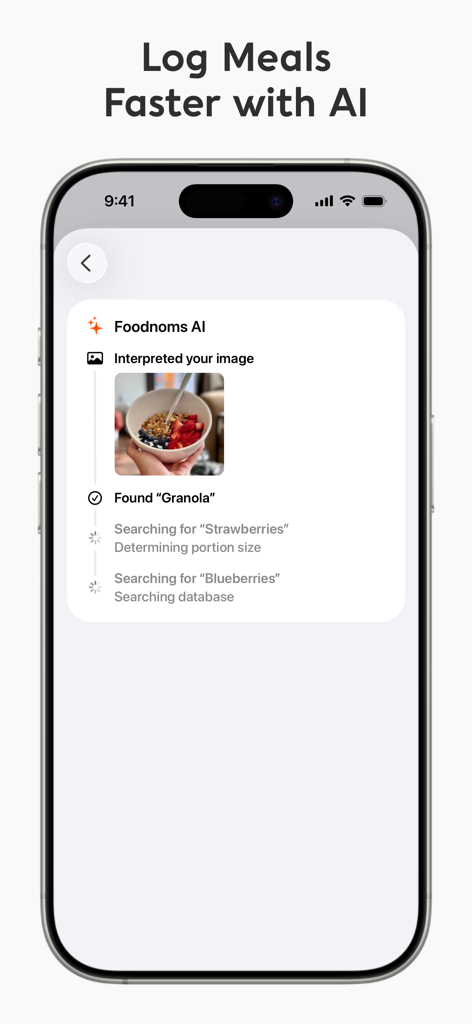
A mobile interface showing the Foodnoms AI feature identifying granola, strawberries, and blueberries from a photo of a meal
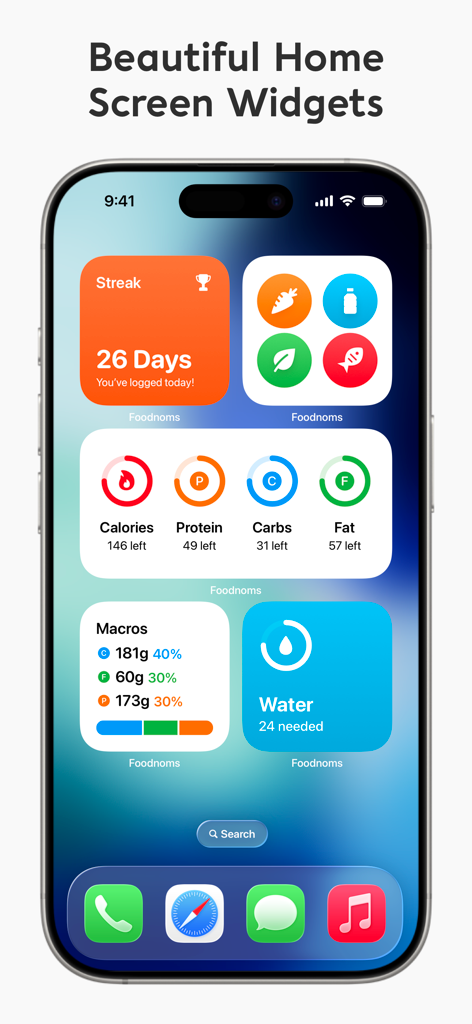
An iPhone home screen showing various Foodnoms widgets for tracking nutrition streaks, calories, macros, and water intake.
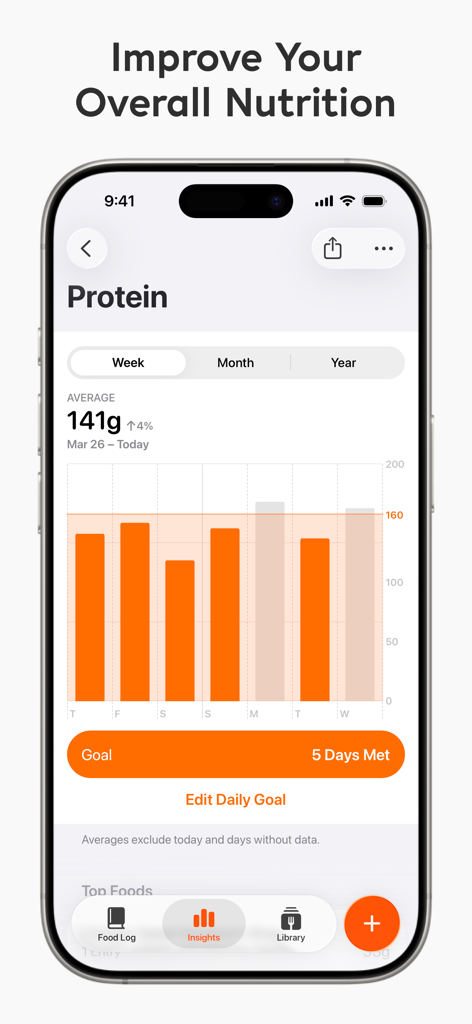
Weekly protein intake bar chart and nutritional goal progress in the Foodnoms app interface.
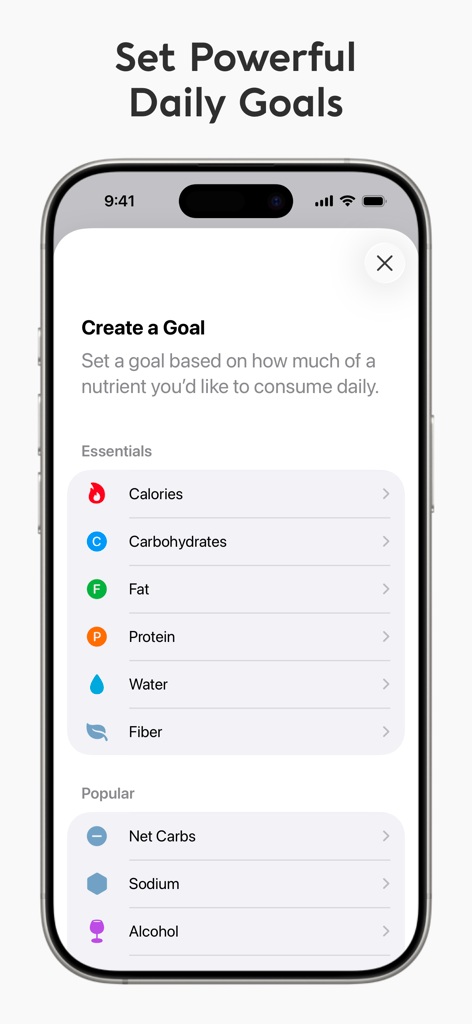
A smartphone screen showing the Foodnoms app interface for setting daily nutrition goals like calories, macros, and net carbs.
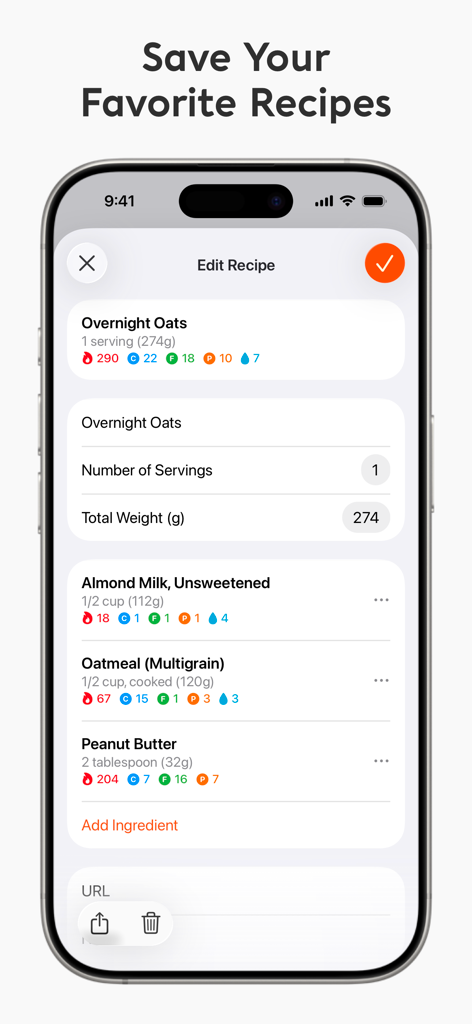
A screen from the Foodnoms app showing the interface for editing and saving a custom recipe with detailed calorie and macro information.
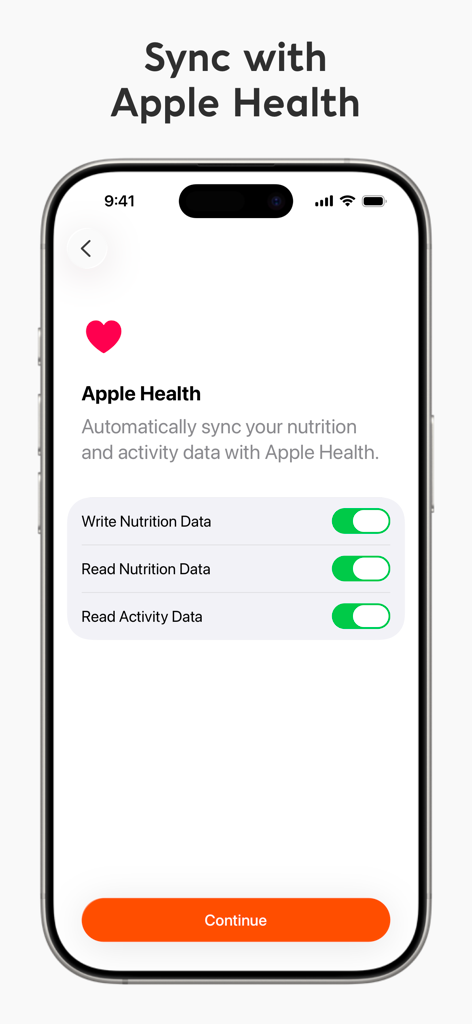
Apple Health synchronization settings screen in the Foodnoms app showing toggles for nutrition and activity data
Description
Download
More Like This
Apps with similar features and user experience

Welmi - Calorie Counter & Diet
T-SHAPED APPS LTD

AI Calorie Counter - Appediet
Appediet Information PTE. LTD

Fitia: Calorie Counter & Diet
Nutrition Technologies SAC
Intermittent Fasting Tracker ⋆
Leap Health Fitness Limited

Bevel: All-In-One Health App
Starlight Tech LLC

Food Analysis Pal - CalDiet
HAPPY AI INC.

Fastic Weight Loss & Fasting
Fastic GmbH

CalApp: AI Calorie Tracker
StepsApp GmbH

Fitatu AI Calorie Counter
Fitatu sp. z o.o.
This page is not an official page of the app or its developer, but an independent editorial publication created for informational and commentary purposes. Unless expressly stated otherwise, neither the app nor its developer is affiliated with, endorsed by, sponsored by, authorized by, or otherwise officially connected with MWM, Apple, Google Play, the app publisher, or the app's developer, and nothing on this page implies that the app was developed using MWM's services. Any trademarks, logos, screenshots, and other content remain the property of their respective owners.