
This page is not an official page of the app or its developer, but an independent editorial publication created for informational and commentary purposes. Unless expressly stated otherwise, neither the app nor its developer is affiliated with, endorsed by, sponsored by, authorized by, or otherwise officially connected with MWM, Apple, Google Play, the app publisher, or the app's developer, and nothing on this page implies that the app was developed using MWM's services. Any trademarks, logos, screenshots, and other content remain the property of their respective owners.

NYC Pay or Dispute
Take the stress out of NYC tickets. Pay securely with no fees via eCheck or instantly dispute unfair violations using your camera—all in one powerful app designed for busy New Yorkers.
Downloads
2M+User Rating
Total Ratings
440K+Publisher
Category
FinanceLocales
2Latest Version
5.8Size
9.9 MBFirst Released
Mar 7, 2017Take Control of Your NYC Parking Tickets
The official, secure, and fastest way to manage NYC violations. No stamps, no lines, and no more missed deadlines for the busy New Yorker.
Dispute with Confidence
Turn frustration into action. Use your camera to upload evidence instantly and challenge unfair tickets the moment you see them on your windshield.
Skip the Processing Fees
New Yorkers hate extra costs. Pay securely via eCheck to avoid credit card convenience fees and keep your money where it belongs.
Frequently Asked Questions
Everything you need to know about NYC Pay or Dispute
How do I pay tickets using the NYC Pay or Dispute app?
Users pay tickets using the NYC Pay or Dispute app via credit/debit cards or eCheck. The app supports searching for tickets by violation or license plate numbers.
Does the NYC Pay or Dispute app charge a fee for payments?
No, the NYC Pay or Dispute app does not charge a fee when payments are made using eCheck. Fees may apply for credit or debit card transactions.
Can I dispute a ticket using the NYC Pay or Dispute app?
Yes, users can dispute a ticket immediately through the NYC Pay or Dispute app. The app allows uploading evidence directly using the device's camera.
What types of evidence can I submit for a ticket dispute in the NYC Pay or Dispute app?
The NYC Pay or Dispute app allows submitting evidence such as photographs, repair bills, police reports, and DMV or insurance company reports. The total upload size limit is 10MB.
How can I search for tickets in the NYC Pay or Dispute app?
The NYC Pay or Dispute app allows searching for tickets using either the violation number or the license plate number. Users can also save searched tickets for future reference.
Does the NYC Pay or Dispute app save user information?
Yes, the NYC Pay or Dispute app saves license plates and billing information on the user's device. It also saves previously searched tickets.
Can I view my payment and dispute history in the NYC Pay or Dispute app?
Yes, the NYC Pay or Dispute app allows users to view their payment and dispute history. This information is accessible by ticket or license plate numbers.
How do I receive receipts after paying in the NYC Pay or Dispute app?
The NYC Pay or Dispute app provides receipts by email and/or text message. Users receive a receipt number upon payment confirmation.
The following screenshots and description are sourced directly from the app's official store listing and are the property of the app developer.
App Store
Screenshots
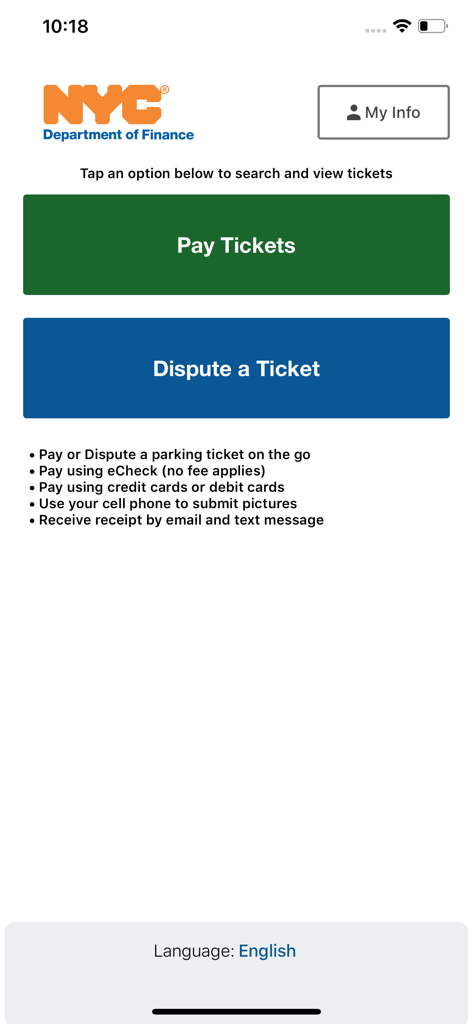
Home screen of the NYC Pay or Dispute app featuring buttons to Pay Tickets and Dispute a Ticket
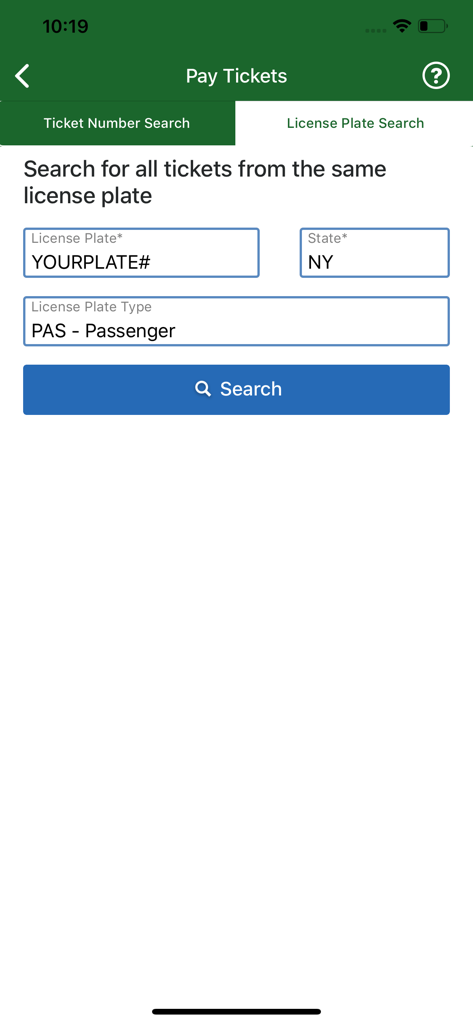
License plate search screen in the NYC Pay or Dispute mobile application
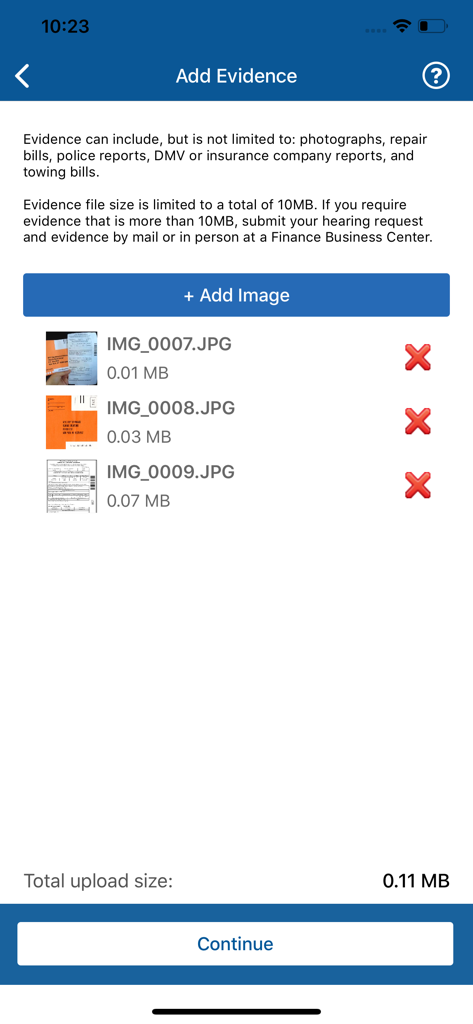
Evidence upload screen in the NYC Pay or Dispute app for parking ticket disputes
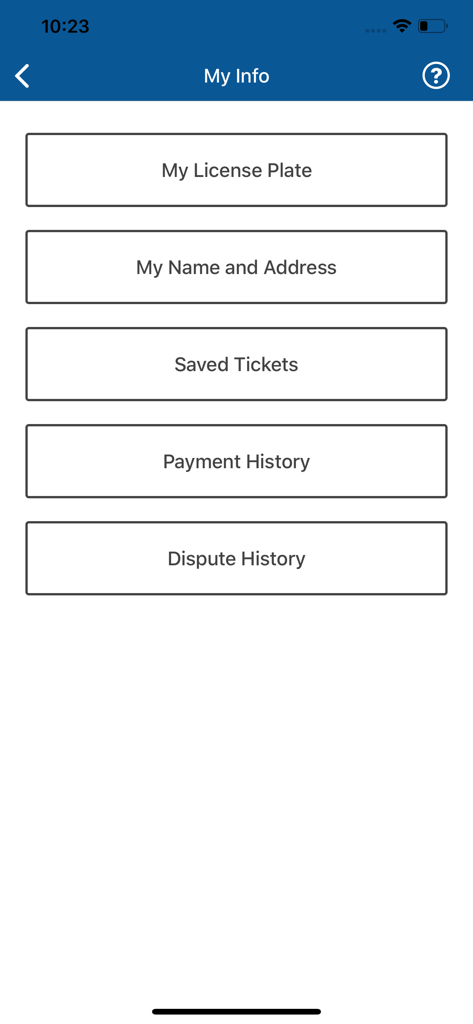
My Info screen of the NYC Pay or Dispute app showing buttons for license plate, name and address, saved tickets, payment history, and dispute history
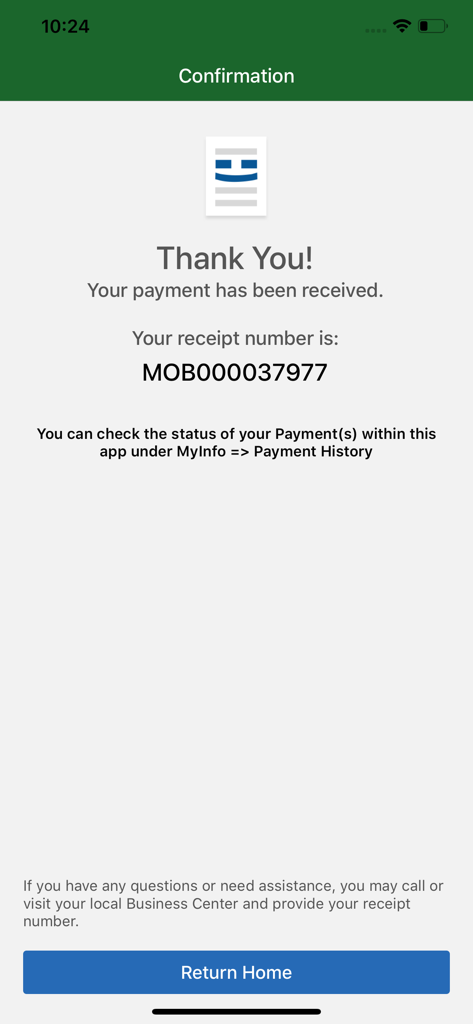
NYC Pay or Dispute app payment confirmation screen showing a successful payment message and receipt number
Description
Download
More Like This
Apps with similar features and user experience

Texas by Texas (TxT)
Texas Department of Information Resources

Simplimmat
Agence nationale des titres securises

Road24 jarimalar tekshirish
Nowmedia Technologies LLC

R5: SOAT, Multas, Tecno y más
GRUPO R5 LTDA

E-polis
The Ministry of Internal Affairs of the Republic of Azerbaijan

Detran GO ON
Estado de Goias
Vehicle Info - Vahan Master
Manisha Lathiya

Ejerskifte
Skatteforvaltningen

ROP - Royal Oman Police
Royal Oman Police
This page is not an official page of the app or its developer, but an independent editorial publication created for informational and commentary purposes. Unless expressly stated otherwise, neither the app nor its developer is affiliated with, endorsed by, sponsored by, authorized by, or otherwise officially connected with MWM, Apple, Google Play, the app publisher, or the app's developer, and nothing on this page implies that the app was developed using MWM's services. Any trademarks, logos, screenshots, and other content remain the property of their respective owners.