
This page is not an official page of the app or its developer, but an independent editorial publication created for informational and commentary purposes. Unless expressly stated otherwise, neither the app nor its developer is affiliated with, endorsed by, sponsored by, authorized by, or otherwise officially connected with MWM, Apple, Google Play, the app publisher, or the app's developer, and nothing on this page implies that the app was developed using MWM's services. Any trademarks, logos, screenshots, and other content remain the property of their respective owners.


OCBC mobile Indonesia
The all-in-one digital banking solution for the global Indonesian. Manage 12 currencies, invest in high-yield SBN, and achieve your FinanciallyFIT goals from anywhere in the world.
Downloads
576K+User Rating
Total Ratings
2K+Publisher
Category
FinanceLocales
3Latest Version
4.52.0Size
119.5 MBFirst Released
Dec 8, 2017Manage Your Indonesian Wealth from Anywhere
Experience seamless global banking with a multi-currency account, high-yield investments, and instant cross-border transactions tailored for your life in the USA.
12 Currencies, One Account
Hold and exchange USD, IDR, and more with real-time competitive rates and zero admin fees, perfect for the global nomad.
Invest in Indonesia from the USA
Secure your future by accessing Indonesian Government Securities (SBN) and mutual funds with low-risk entry points starting at Rp 10,000.
Frequently Asked Questions
Everything you need to know about OCBC mobile Indonesia
What is OCBC mobile Indonesia?
OCBC mobile Indonesia is a "one-stop solution" application by PT. Bank OCBC NISP Tbk. It provides a simple banking solution for managing finances and growing money in one app.
Does OCBC mobile charge administration fees for its ON IT digital service?
No, OCBC mobile's ON IT digital service has no administration fees. It also offers no fees for online transfers and cash withdrawals at any bank’s ATM.
How many currencies does the OCBC mobile ON IT digital service support?
The OCBC mobile ON IT digital service supports 12 currencies in one account. Users can also buy and sell across 11 foreign currencies with competitive, real-time exchange rates.
Can I invest in Mutual Funds through OCBC mobile Indonesia?
Yes, OCBC mobile allows users to invest in Regular Mutual Funds starting from Rp10,000. It also supports Government Securities (SBN), Bonds, and insurance products.
Does OCBC mobile Indonesia support QR payments?
Yes, OCBC mobile Indonesia supports fast transfers with QR and QR Pay at QRIS merchants. This feature enables easy and quick daily transactions for users.
Can users open an account and activate a debit card directly from the OCBC mobile app?
Yes, users can sign up and open an ON IT digital service account. They can also register and activate their debit card directly from their smartphone via OCBC mobile.
How can users contact customer support for OCBC mobile Indonesia?
Users can contact TANYA OCBC at 1500-999 from Indonesia. For assistance from overseas, they can call +62-21-26506300. These numbers provide further support.
What types of bills can users pay using OCBC mobile Indonesia?
OCBC mobile Indonesia supports bill payments for various services. These include pulses, data packages, electricity, telephone, mobile phone, and water bills.
Is there a minimum balance requirement for the OCBC mobile ON IT digital service?
Yes, users must maintain a total balance of minimum Rp1 million to enjoy the full benefits of the OCBC mobile ON IT digital service. This is a requirement.
Can users convert credit card transactions to installments with OCBC mobile?
Yes, OCBC mobile allows users to convert credit card transactions into installment plans. This feature is directly accessible from the credit card details screen.
The following screenshots and description are sourced directly from the app's official store listing and are the property of the app developer.
App Store
Screenshots
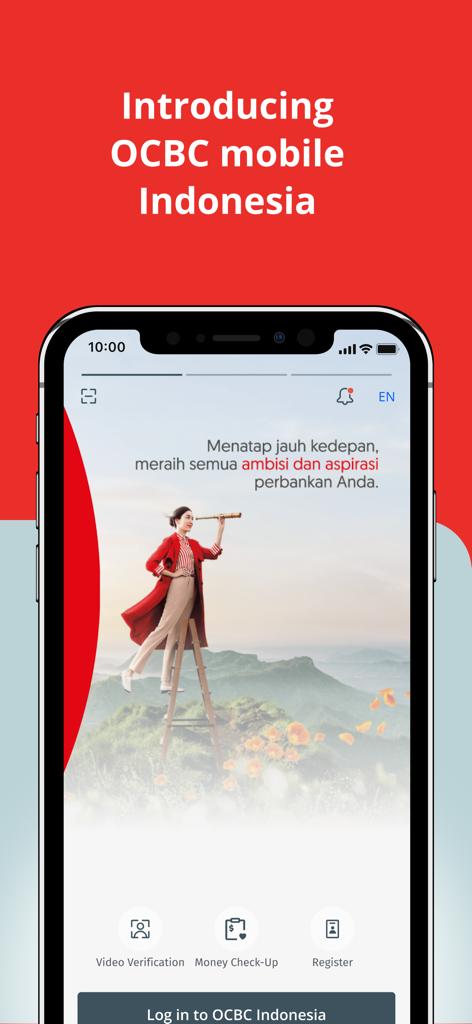
Introductory screen for the OCBC mobile Indonesia banking app
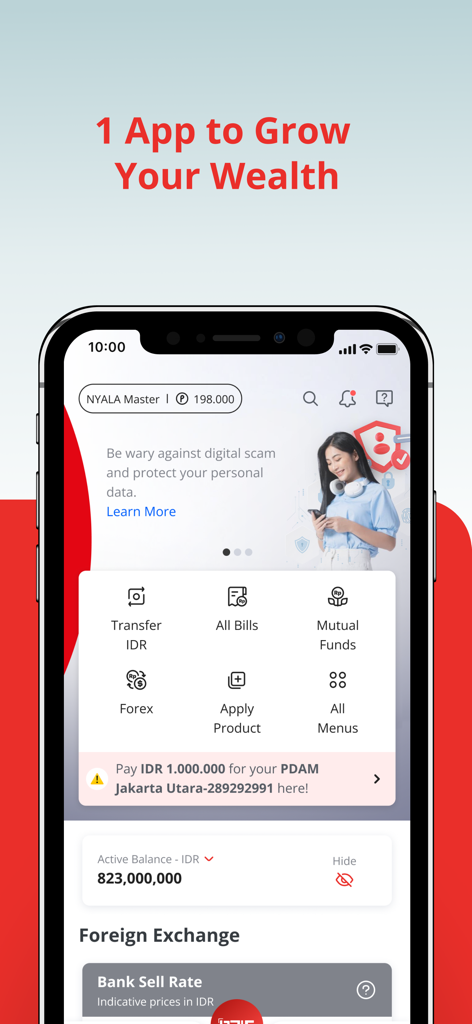
Dashboard of OCBC mobile Indonesia app highlighting investment and banking features for growing wealth
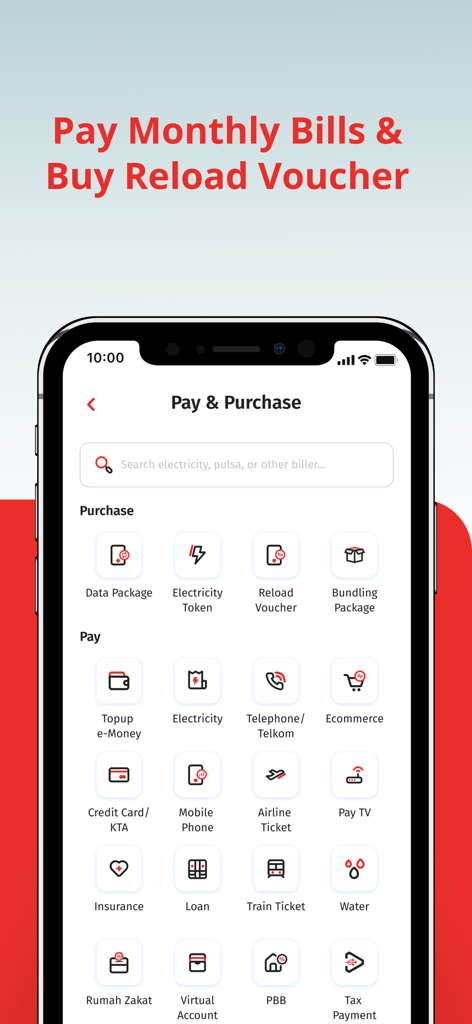
OCBC mobile Indonesia Pay and Purchase screen displaying options for monthly bills and reload vouchers
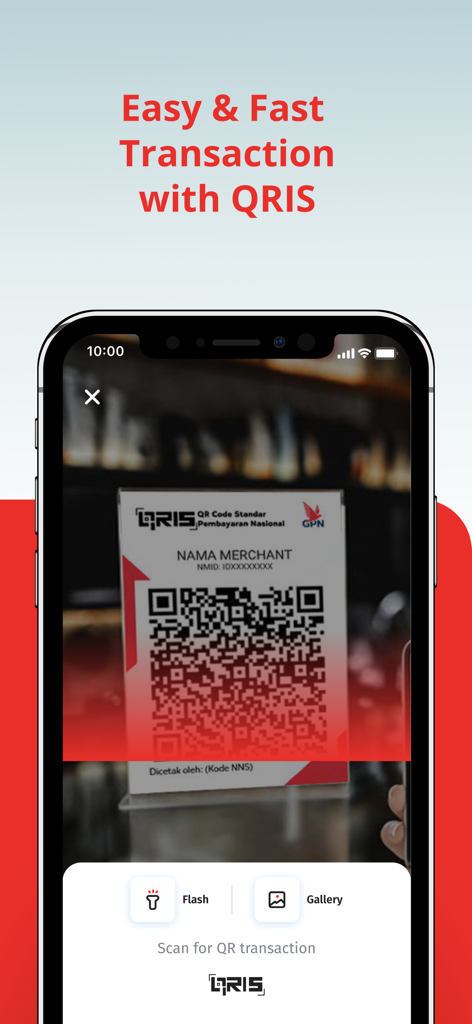
OCBC mobile Indonesia app scanning a QRIS code for easy and fast transactions
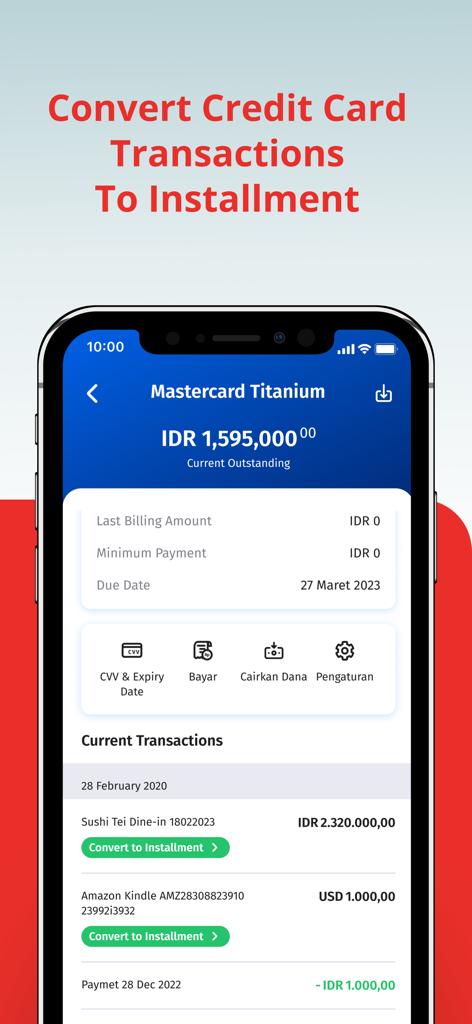
Interface of OCBC mobile Indonesia app showing credit card transaction history and options to convert payments into installments
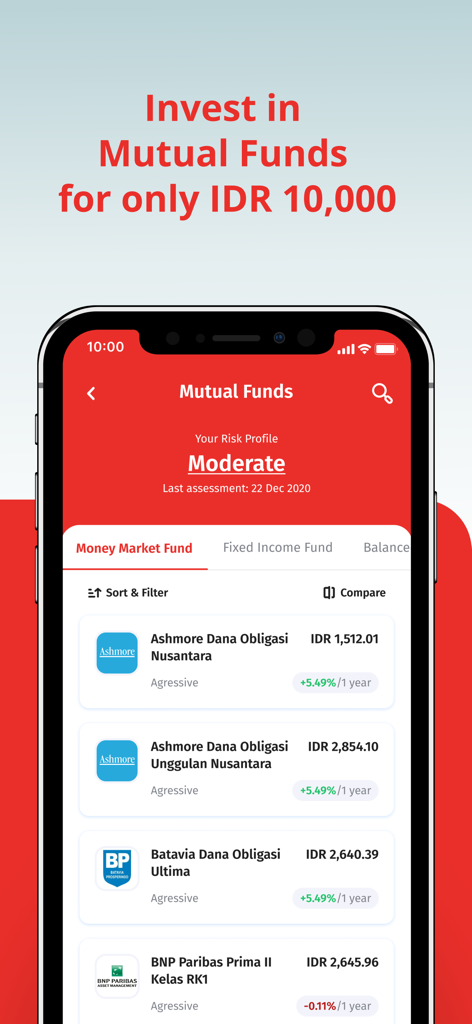
OCBC mobile Indonesia mutual funds investment screen showing funds with low entry points starting at IDR 10000
Description
Download
More Like This
Apps with similar features and user experience

Cocos: Invertí, ahorrá y pagá.
Cocos Capital Servicios Digitales SA

玉山行動銀行
E.SUN Commercial Bank, Ltd.

George Česko
Ceska sporitelna, a.s.

Wio Personal
WIO BANK P.J.S.C

Safra: investimentos e conta
Banco Safra SA

華南銀行+
Hua Nan Commercial Bank, Ltd.

ABB mobile: Təhlükəsiz Bank
International Bank Of Azerbaijan Ojsc

Santander Argentina
BANCO SANTANDER RIO SA

Bank al Etihad | بنك الإتحاد
Bank AlEtihad Co PLC
This page is not an official page of the app or its developer, but an independent editorial publication created for informational and commentary purposes. Unless expressly stated otherwise, neither the app nor its developer is affiliated with, endorsed by, sponsored by, authorized by, or otherwise officially connected with MWM, Apple, Google Play, the app publisher, or the app's developer, and nothing on this page implies that the app was developed using MWM's services. Any trademarks, logos, screenshots, and other content remain the property of their respective owners.