
This page is not an official page of the app or its developer, but an independent editorial publication created for informational and commentary purposes. Unless expressly stated otherwise, neither the app nor its developer is affiliated with, endorsed by, sponsored by, authorized by, or otherwise officially connected with MWM, Apple, Google Play, the app publisher, or the app's developer, and nothing on this page implies that the app was developed using MWM's services. Any trademarks, logos, screenshots, and other content remain the property of their respective owners.


Offline Music Player - Muzika
No signal? No problem. It empowers users to ditch streaming woes and command their personal soundtrack, anywhere.
Downloads
1M+User Rating
Total Ratings
38.4KPublisher
Category
MusicLocales
30Latest Version
1.7.6Size
211.4 MBFirst Released
Feb 16, 2025An Analytical Overview for Discerning Music Enthusiasts
Key Features of Offline Music Player - Muzika
Robust Offline Playback
The app ensures uninterrupted music enjoyment, enabling users to access their entire music library without an internet connection, ideal for travel or areas with poor connectivity.
Advanced Audio Customization
This tool features a comprehensive built-in equalizer with diverse presets (e.g., Car mode, Headphones, Bass Boost, Treble Boost) and a dedicated bass booster, allowing users to fine-tune their listening experience to perfection.
Interactive Karaoke Mode
It offers a dedicated karaoke mode that displays synchronized lyrics, enhancing user engagement and allowing for a fun, interactive singing experience with their favorite tracks.
Granular Library Control
The app provides extensive library organization by song, artist, and album, alongside smart playlists and ID3 metadata editing, empowering users with meticulous control over their music collection.
Integrated Audio Conversion
This tool features the capability to convert video files imported from various sources (like the Files app or camera) into high-quality audio, offering a versatile way to expand the music library.
Seamless WiFi Management
It allows users to manage and transfer music files instantly over WiFi via a web interface, simplifying the process of updating their library without physical connections.
Dynamic Real-time Lyrics
The app provides real-time dynamic lyrics directly on the home screen widget, offering an immersive listening experience and easy access to song texts while playing.
Broad File Import Support
This tool offers direct integration with the Files app, allowing users to easily import their audio files from various sources, streamlining the process of building their offline music library.
Frequently Asked Questions
Everything you need to know about Offline Music Player - Muzika
Does Muzika work offline without an internet connection?
Yes, Muzika is a modern music player that works entirely offline. All core features can be used without an internet connection, making it suitable for on-the-go listening.
Can Muzika convert video files into audio files?
Yes, Muzika features advanced audio conversion. It can convert video files imported from the Files app, camera roll, or other applications into high-quality audio files.
Does the Muzika app offer a karaoke mode?
Yes, Muzika includes a karaoke mode. This feature provides synchronized lyrics support, allowing users to sing along with their favorite songs.
Does Muzika have an equalizer and bass boost feature?
Yes, Muzika includes a built-in equalizer with various presets and a dedicated bass booster. This allows users to optimize their audio experience with extra low-end impact.
How does Muzika organize a user's music library?
Muzika organizes the music library by song, artist, and album. It also provides smart and easily manageable playlists to keep your collection structured and accessible.
How does premium access work in the Muzika app?
Muzika Premium grants unlimited access to all app features. It is a subscription that charges to the iTunes Account, automatically renewing unless canceled 24-hours before the current period ends.
Does Muzika offer video editing capabilities?
Yes, Muzika includes an Advanced Video Editor. Users can paint, add text, crop, rotate, blur, add stickers, and perform other edits on video files.
Can I transfer music to Muzika using WiFi?
Yes, Muzika supports WiFi transfer. Users can manage and listen to their music instantly using a web interface over WiFi, which is required for file transfer and web access.
Does Muzika allow users to edit ID3 metadata tags?
Yes, Muzika supports ID3 metadata editing. Users can take full control of their music collection by modifying song information directly within the app.
What audio optimization features does Muzika provide?
Muzika offers professional audio optimization, including noise reduction, bass boost customization, and adjustments for bass level, bass width, treble level, and treble frequency.
The following screenshots and description are sourced directly from the app's official store listing and are the property of the app developer.
App Store
Screenshots
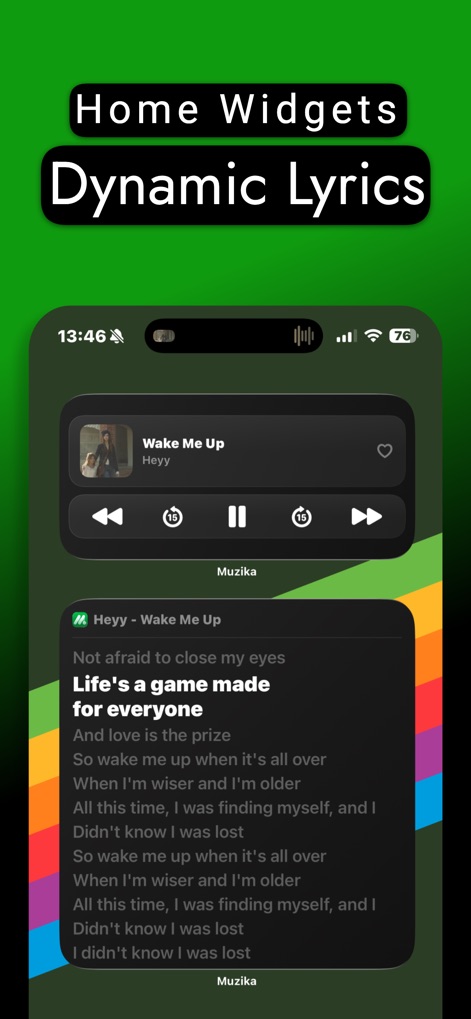
Users can enjoy seamless music control with the Home Screen widget and follow along with dynamic lyrics.
Widget & Lyrics
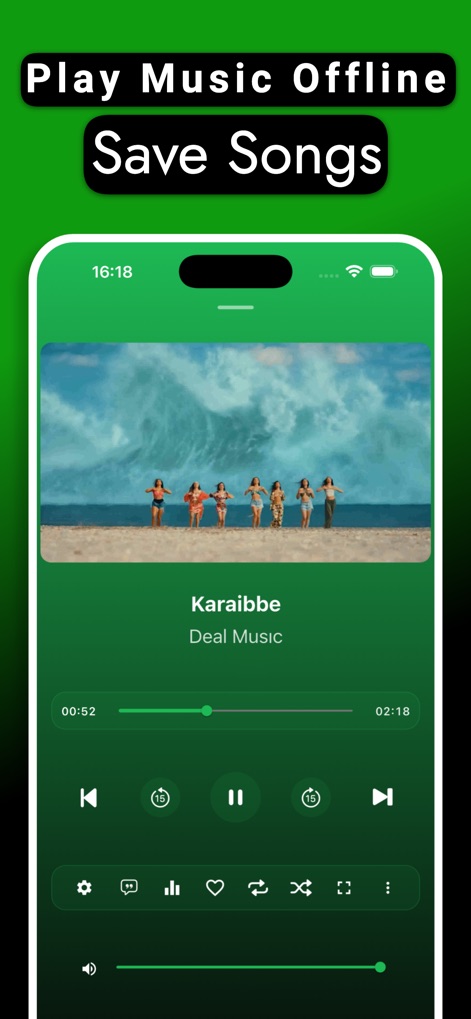
This tool enables uninterrupted offline playback, featuring comprehensive player controls for a personalized listening experience.
Offline Playback
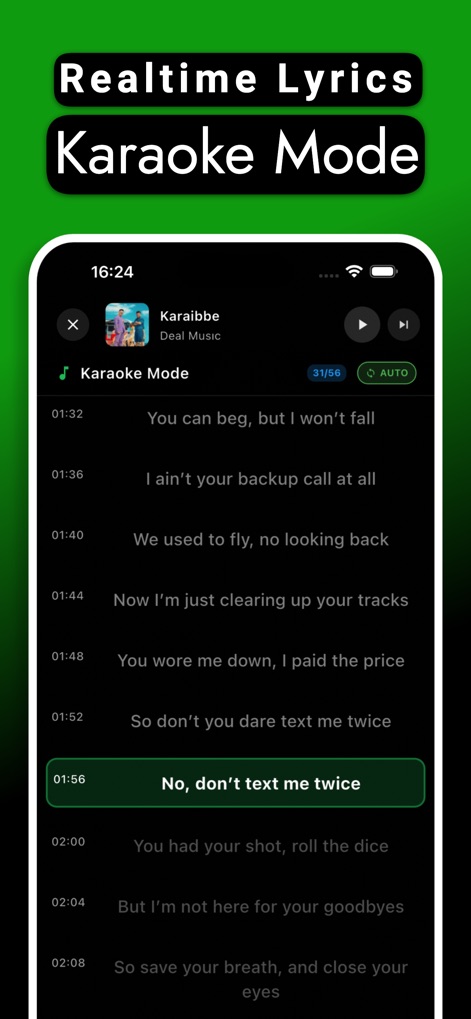
Dive into interactive listening with the app's dedicated Karaoke mode, showcasing synchronized lyrics that highlight the current line.
Karaoke Fun
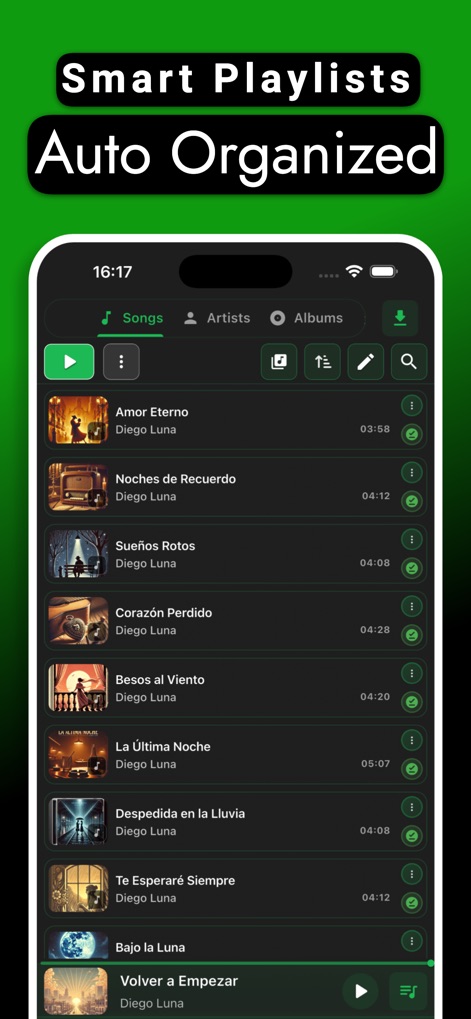
The app offers an organized library structure by song, artist, and album, complemented by smart playlists for efficient music management.
Organized Library
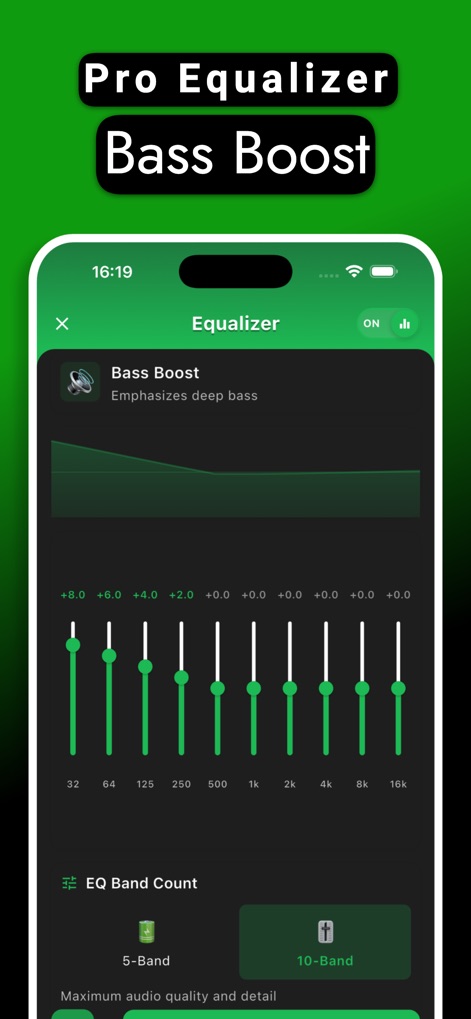
Users gain precise audio customization with the built-in equalizer, featuring a robust Bass booster for enhanced low-end impact.
Pro Audio Control
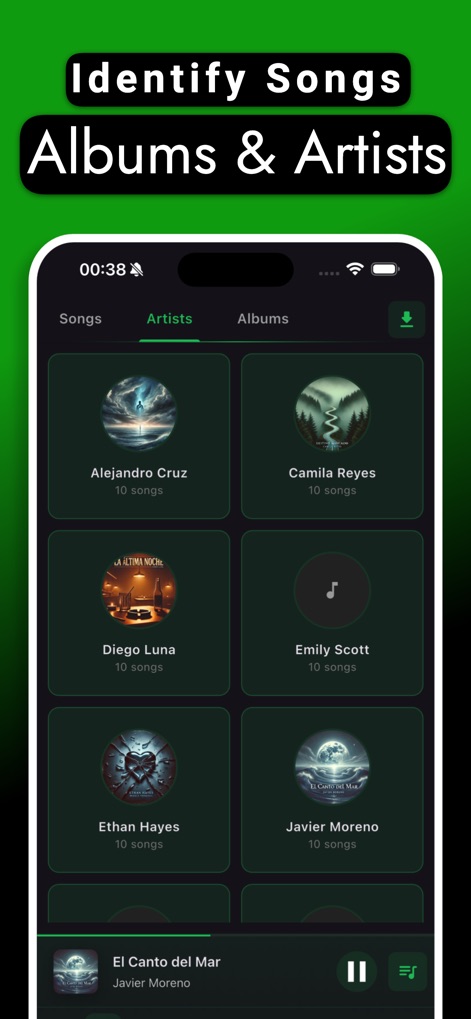
Discover new music effortlessly with the app's organized library, allowing users to browse by artists and albums for comprehensive exploration.
Explore Artists
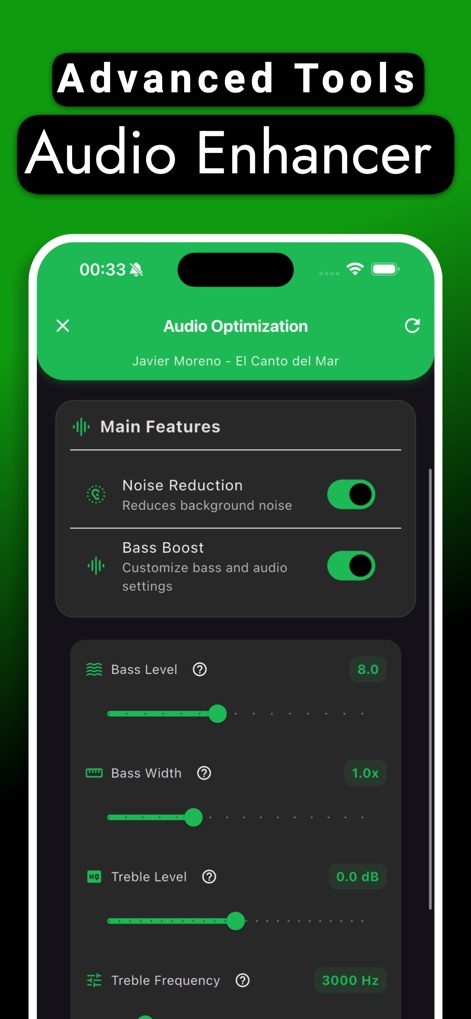
Experience superior sound quality through professional audio optimization, which includes intelligent noise reduction and customizable bass settings.
Sound Enhancement
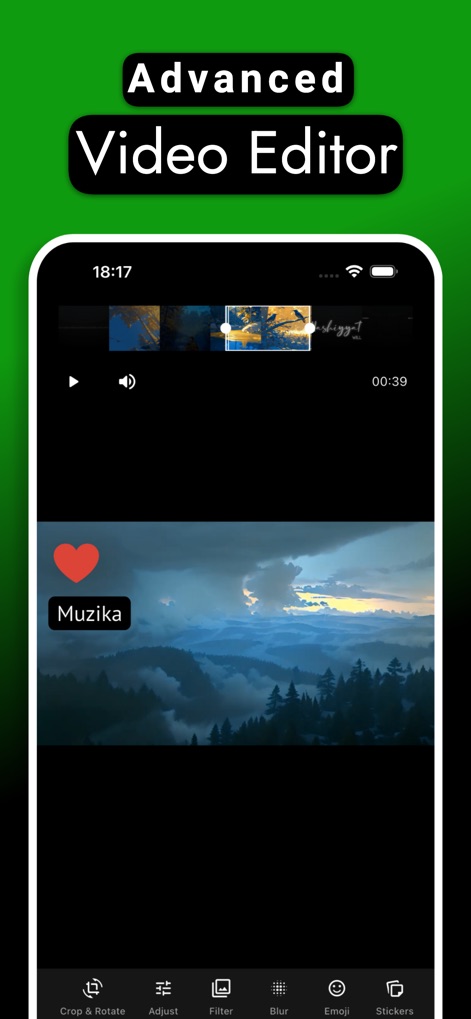
This tool includes an advanced video editor, empowering users to enhance visuals with powerful features like cropping, rotation, and creative stickers.
Video Editor
Description
Download
More Like This
Apps with similar features and user experience

iPlayer - Offline Music Player
Chengdu Shark Fin Network Technology Co., Ltd.

Offline Music Player
Md Zakir Hossain

Melodista Music Offline Player
Oleksandr Pylaiev

Pure Tuber : Videos, Music
Patrick Fronvier

RaMusi: Offline Music Player
EASECLICKMOBI HK LIMITED

Cloud Music Offline Player mp3
Astakhov Constantine

Offline Music & MP3 Player
Changsha Shenguangyuan Technology Co., Ltd.

Music X - Music Offline Player
Luzhou Haochuang Network Technology Co., Ltd.

SonicNest-Music Player
Shenzhen Lewan Technology Co., Ltd.
This page is not an official page of the app or its developer, but an independent editorial publication created for informational and commentary purposes. Unless expressly stated otherwise, neither the app nor its developer is affiliated with, endorsed by, sponsored by, authorized by, or otherwise officially connected with MWM, Apple, Google Play, the app publisher, or the app's developer, and nothing on this page implies that the app was developed using MWM's services. Any trademarks, logos, screenshots, and other content remain the property of their respective owners.