OkTalk: Keyboard Translator
Download on App Store

This page is not an official page of the app or its developer, but an independent editorial publication created for informational and commentary purposes. Unless expressly stated otherwise, neither the app nor its developer is affiliated with, endorsed by, sponsored by, authorized by, or otherwise officially connected with MWM, Apple, Google Play, the app publisher, or the app's developer, and nothing on this page implies that the app was developed using MWM's services. Any trademarks, logos, screenshots, and other content remain the property of their respective owners.


Logo of OkTalk: Keyboard Translator
Download on App Store

OkTalk: Keyboard Translator

Break language barriers without ever switching apps. Experience the power of 110 languages built directly into your keyboard, camera, and Apple Watch for frictionless travel and business.

Key Figures

Downloads

1M+

User Rating

4.5/5

Total Ratings

10K+

Publisher

Zapps Mobi Ltd

Category

Travel

Locales

19

Latest Version

2.65

Size

259.7 MB

First Released

Feb 20, 2019
Features

Seamless Communication for the Global Professional

Bridge language gaps effortlessly with a premium suite of tools designed to fit into your existing digital lifestyle and professional workflow.

Integrated Keyboard Translator

Communicate in real-time within WhatsApp, Slack, or Email. Type in your native language and send in any of the 110+ supported languages instantly.

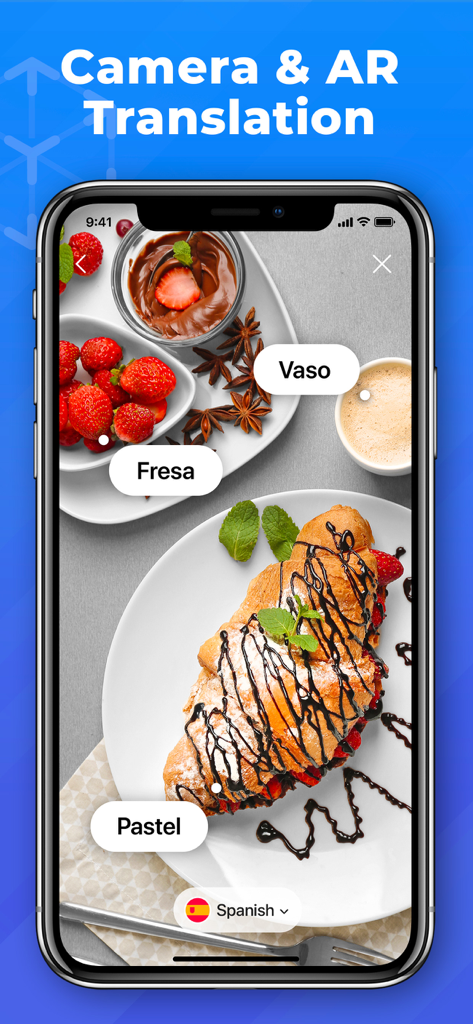
Instant AR & Camera Translation

Navigate foreign environments with ease. Point your camera at signs, menus, or contracts to see translations overlaid on your screen in real-time.

The following screenshots and description are sourced directly from the app's official store listing and are the property of the app developer.

App Store

Screenshots
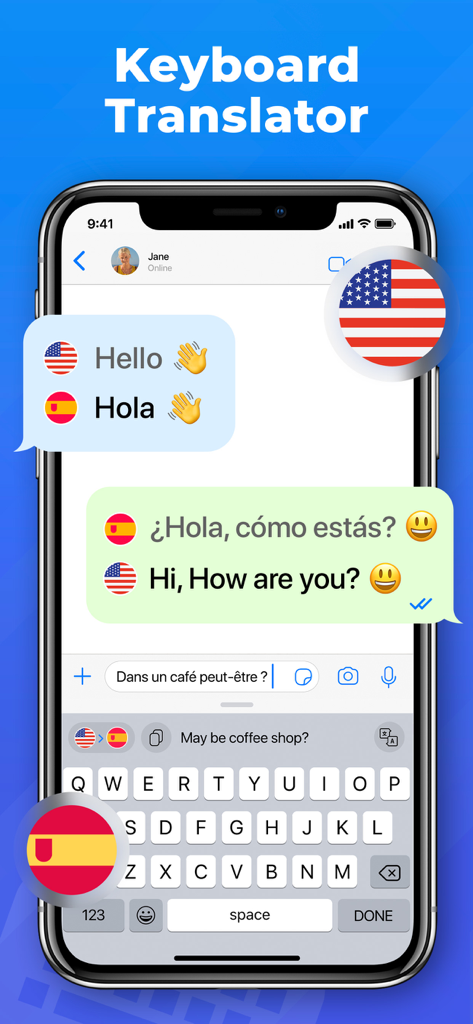
OkTalk: Keyboard Translator - iPhone displaying OkTalk keyboard translator feature within a messaging app showing English and Spanish translations
iPhone displaying OkTalk keyboard translator feature within a messaging app showing English and Spanish translations

OkTalk: Keyboard Translator - OkTalk app interface showing augmented reality translation of food items on a table
OkTalk app interface showing augmented reality translation of food items on a table

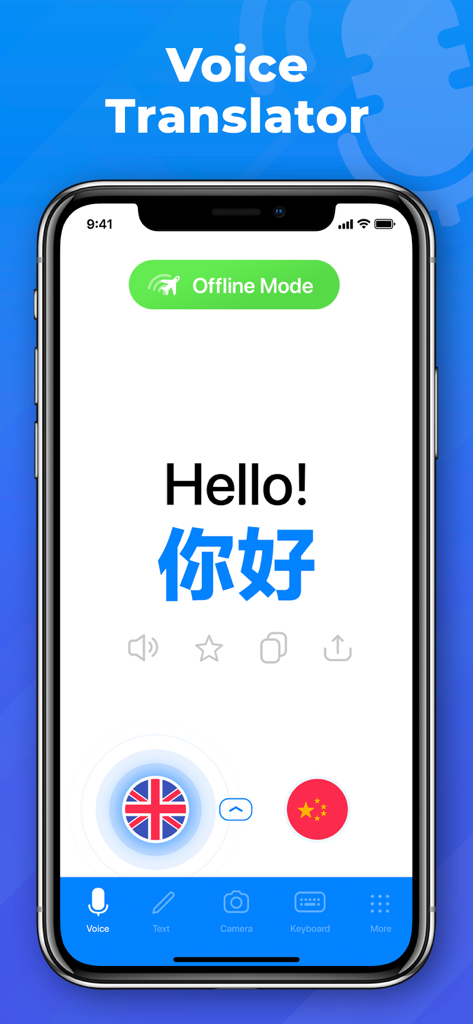
OkTalk: Keyboard Translator - OkTalk app interface showing voice translation from English to Chinese in offline mode
OkTalk app interface showing voice translation from English to Chinese in offline mode

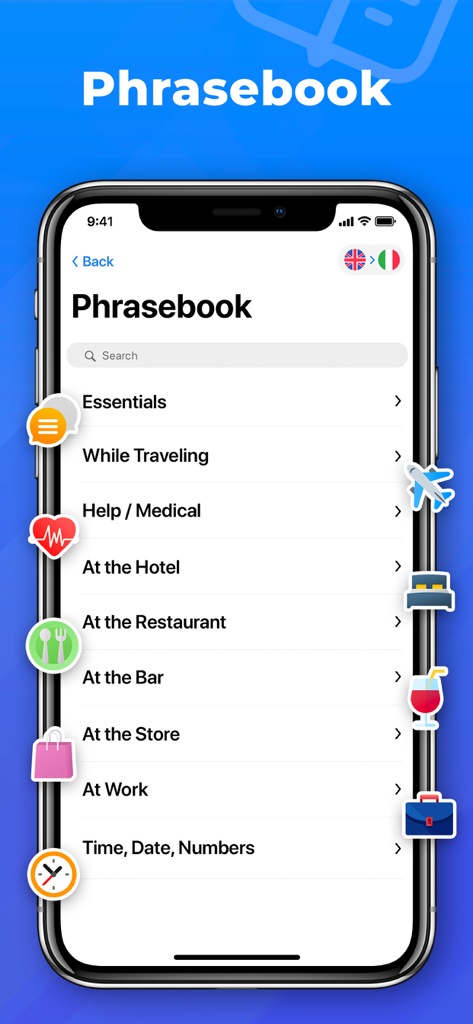
OkTalk: Keyboard Translator - OkTalk app interface showing the phrasebook feature with travel and business categories like essentials and at work
OkTalk app interface showing the phrasebook feature with travel and business categories like essentials and at work

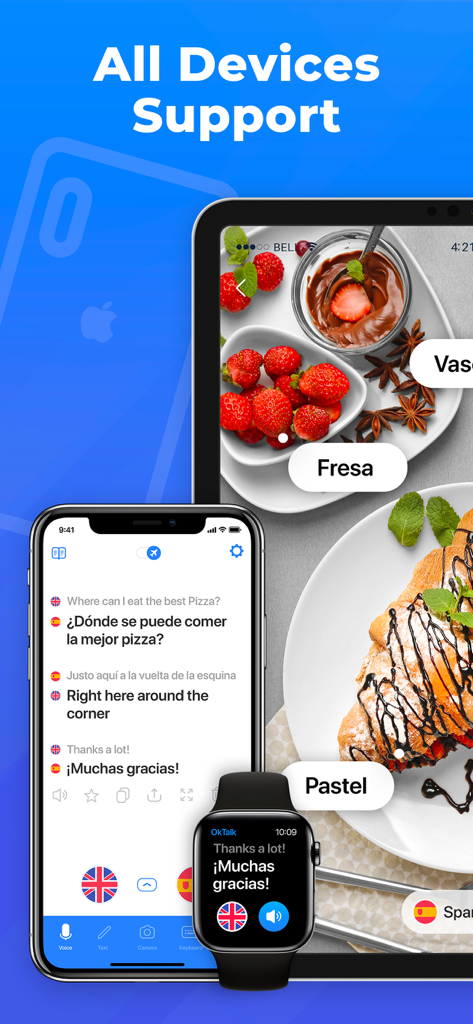
OkTalk: Keyboard Translator - OkTalk app interface displayed on iPhone iPad and Apple Watch showing multi-device translation features
OkTalk app interface displayed on iPhone iPad and Apple Watch showing multi-device translation features

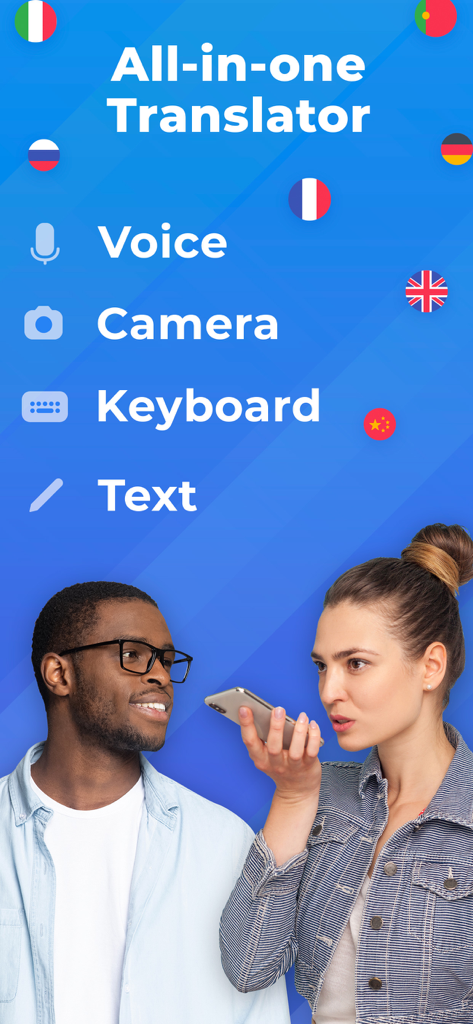
OkTalk: Keyboard Translator - Promotion of OkTalk: Keyboard Translator showing its main features: Voice, Camera, Keyboard, and Text translation with a couple using the app.

Promotion of OkTalk: Keyboard Translator showing its main features: Voice, Camera, Keyboard, and Text translation with a couple using the app.

Description

OkTalk Translator is a handy translator for travels, business and study. You will get instant translation to 110 languages by Voice, Text, Camera or Keyboard. This powerful combination will give you an opportunity to feel confident in every corner of the world. * Voice Translation Translate conversations and separate phrases by Voice recognition function. Use text translations for words, sentences and long texts. * Camera Translation Bring the camera on the object and find its translation to any of language. Camera recognizes as objects as well as text on the objects: menus, signboards, magazines etc. * AR Translation Translate the world around you with augmented reality. * Translator Keyboard Now you can translate right in your Messenger or email! No need for additional jumping over tabs and apps. Write in your native language and send in any language just clicking one single button on the keyboard! * Offline Mode No Internet connection? No problem! Text translations are available in the offline mode. * Translation Widget Set up widget on your iPhone. Easy and fast access to the translations without even opening the app. * Apple Watch Install Widget in your Apple Watch and get translations even faster and in more comfortable way! * Phrasebook Over 2000 most used phrases are included. * Siri Shortcuts Add shortcuts to Siri to get your translations even faster. How can you use OkTalk Translator? Apply a smart assistance in café, restaurants, shop, pharmacy, taxi and hotel booking during your trips. Use OkTalk as personal facilitator having small talks and asking for direction. Translate boards and signs through camera, get help from locals using simultaneous voice translation. Here is a list of available languages for translate: Afrikaans, Albanian, Arabic, Armenian, Azerbaijani, Basque, Belarusian, Bengali, Bosnian, Bulgarian, Catalan, Cebuano, Chichewa, Chinese (Simplified), Chinese (Traditional), Croatian, Czech, Danish, Dutch, English, Esperanto, Estonian, Filipino, Finnish, French, Galician, Georgian, German, Greek, Gujarati, Haitian Creole, Hausa, Hebrew, Hindi, Hmong, Hungarian, Icelandic, Igbo, Indonesian, Irish, Italian, Japanese, Javanese, Kannada, Kazakh, Khmer, Korean, Lao, Latin, Latvian, Lithuanian, Macedonian, Malagasy, Malay, Malayalam, Maltese, Maori, Marathi, Mongolian, Myanmar (Burmese), Nepali, Norwegian, Persian, Polish, Portuguese, Punjabi, Romanian, Russian, Serbian, Sesotho, Sinhala, Slovak, Slovenian, Somali, Spanish, Sundanese, Swahili, Swedish, Tajik, Tamil, Telugu, Thai, Turkish, Ukrainian, Urdu, Uzbek, Vietnamese, Welsh, Yiddish, Yoruba, Zulu Premium access: With OkTalk Premium Plan you get unlimited access to all features OkTalk Translator has in stock. Acquiring of Premium access will allow you: - Remove ads - Get unlimited camera translations - Use advanced Voice to Voice translations - Unlimited Intelligent Object recognition Here are 4 subscription options: - 7-day subscription after 3-day trial period costs $7,99 USD; - 7-day subscription after 3-day trial period costs $4,99 USD; - an annual subscription costs $59,99 USD. - 1 year subscription after 3-day trial period costs $79,99 USD; - 1 month subscription after 3-day trial period costs $19,99 USD; Please note, The exact cost may vary depending on your location. - Subscription automatically renews unless auto-renew is turned off at least 24-hours before the end of the current period. - Subscriptions may be managed by the user and auto-renewal may be turned off by going to the user's Account Settings after purchase. - Any unused portion of a free trial period will be forfeited when the user purchases a subscription. - Payment will be charged to iTunes Account at confirmation of purchase. - Account will be charged for renewal within 24 hours prior to the end of the current period. The cost depends on the selected plan. Private Policy http://zappsmobi.com/privacy.html Terms of Use http://zappsmobi.com/terms.html

Download

Download on App Store

This page is not an official page of the app or its developer, but an independent editorial publication created for informational and commentary purposes. Unless expressly stated otherwise, neither the app nor its developer is affiliated with, endorsed by, sponsored by, authorized by, or otherwise officially connected with MWM, Apple, Google Play, the app publisher, or the app's developer, and nothing on this page implies that the app was developed using MWM's services. Any trademarks, logos, screenshots, and other content remain the property of their respective owners.








