ONE Control Plus
ONE Control Plus
Download on App Store

This page is not an official page of the app or its developer, but an independent editorial publication created for informational and commentary purposes. Unless expressly stated otherwise, neither the app nor its developer is affiliated with, endorsed by, sponsored by, authorized by, or otherwise officially connected with MWM, Apple, Google Play, the app publisher, or the app's developer, and nothing on this page implies that the app was developed using MWM's services. Any trademarks, logos, screenshots, and other content remain the property of their respective owners.


Logo of ONE Control Plus
Download on App Store

ONE Control Plus

Streamline your creative workflow with a professional-grade command center. From Mackie Control emulation to custom modular layouts, take total command of your DAW and video editing software with the tactile precision you deserve.

Key Figures

Downloads

11K+

User Rating

2.8/5

Total Ratings

0

Publisher

Visuality srl

Category

Music

Locales

1

Latest Version

1.4.21

Size

117.4 MB

First Released

Apr 25, 2022
Features

Master Your Studio Workflow

Transform your iPad into a professional command center. ONE Control Plus gives you tactile, low-latency control over your DAW, plugins, and creative software without the bulk of expensive hardware.

Custom Modular Controllers

Design your perfect interface with faders, XY pads, and knobs. Map custom MIDI and OSC commands to fit your unique production style and complex orchestral libraries.

Seamless DAW Integration

Get hands-on with Logic Pro, Ableton Live, Cubase, and more. Enjoy faithful Mackie Control emulation with dynamic labels that sync perfectly with your desktop session.

The following screenshots and description are sourced directly from the app's official store listing and are the property of the app developer.

App Store

Screenshots
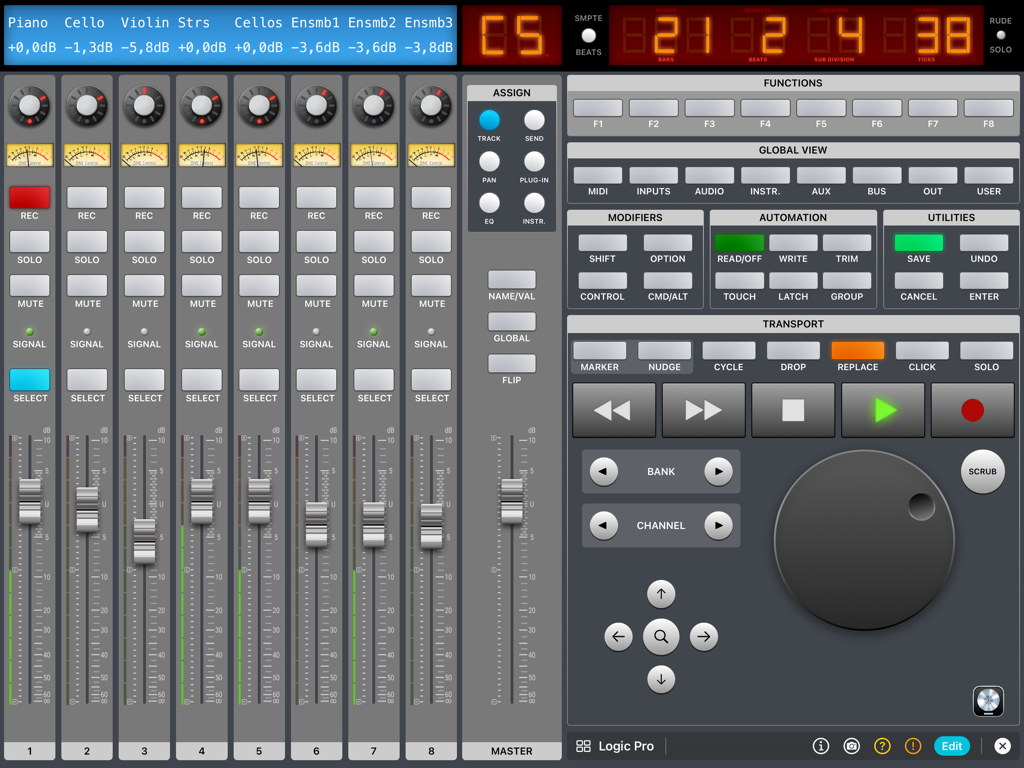
ONE Control Plus - ONE Control Plus iPad app interface featuring a Logic Pro DAW controller with digital faders and transport controls
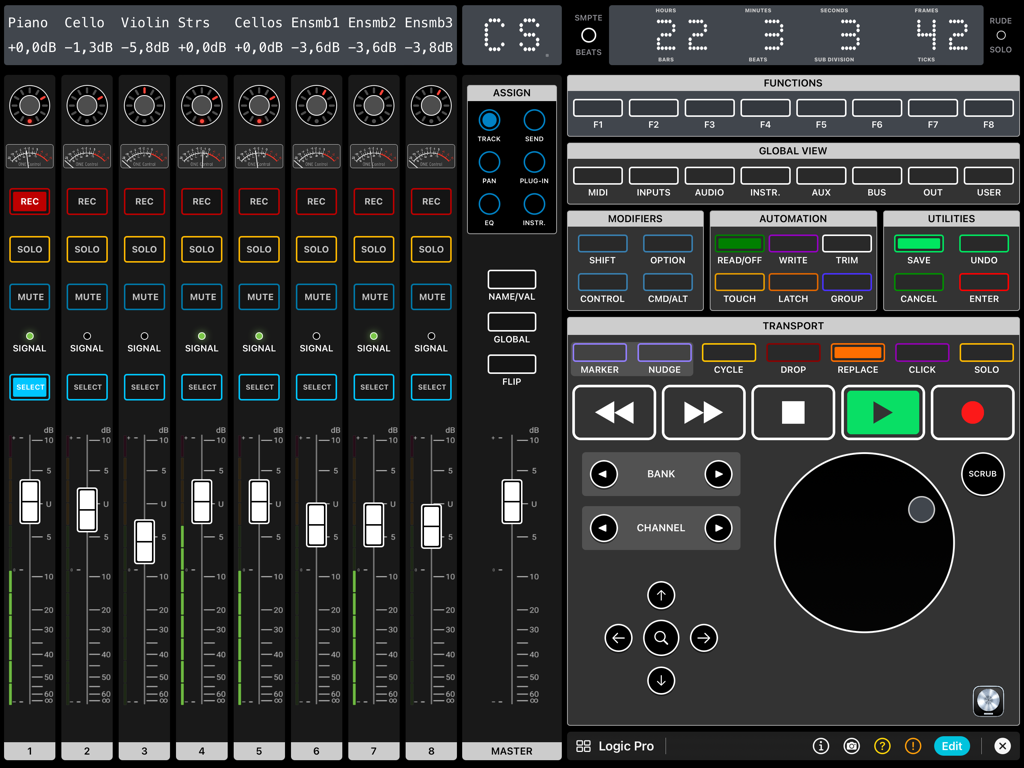
ONE Control Plus iPad app interface featuring a Logic Pro DAW controller with digital faders and transport controls

ONE Control Plus - iPad interface showing a professional digital DAW controller with faders, transport buttons, and a jog wheel for Logic Pro.
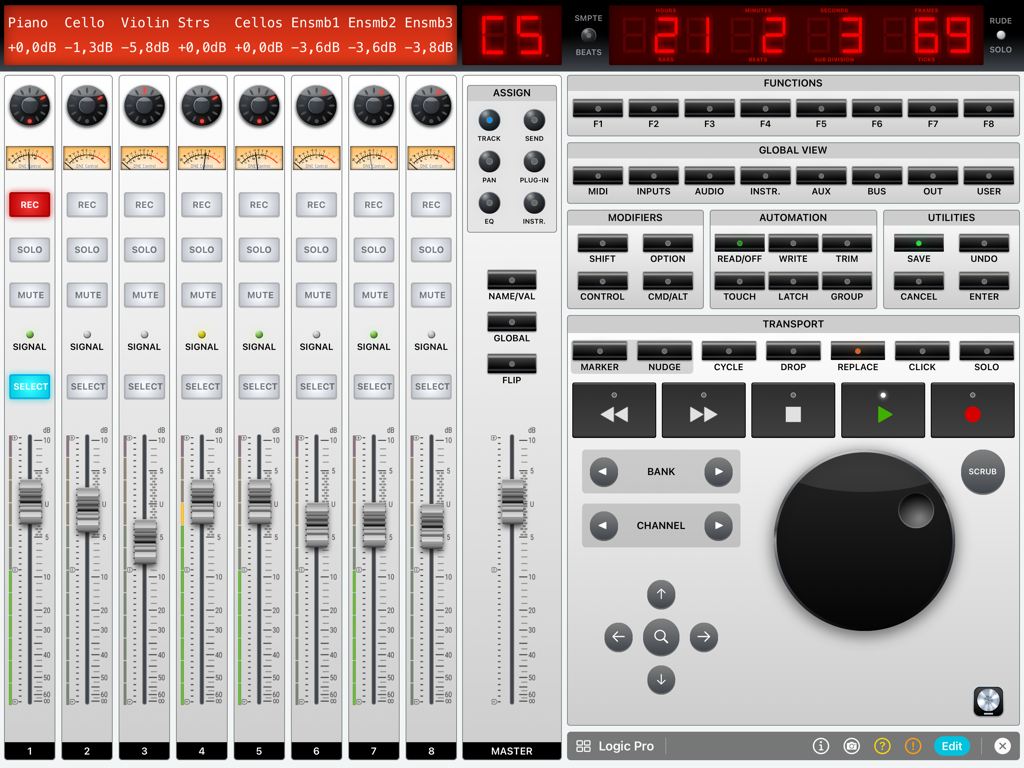
iPad interface showing a professional digital DAW controller with faders, transport buttons, and a jog wheel for Logic Pro.

ONE Control Plus - iPad screen displaying a digital audio workstation mixer with faders and transport controls for Logic Pro
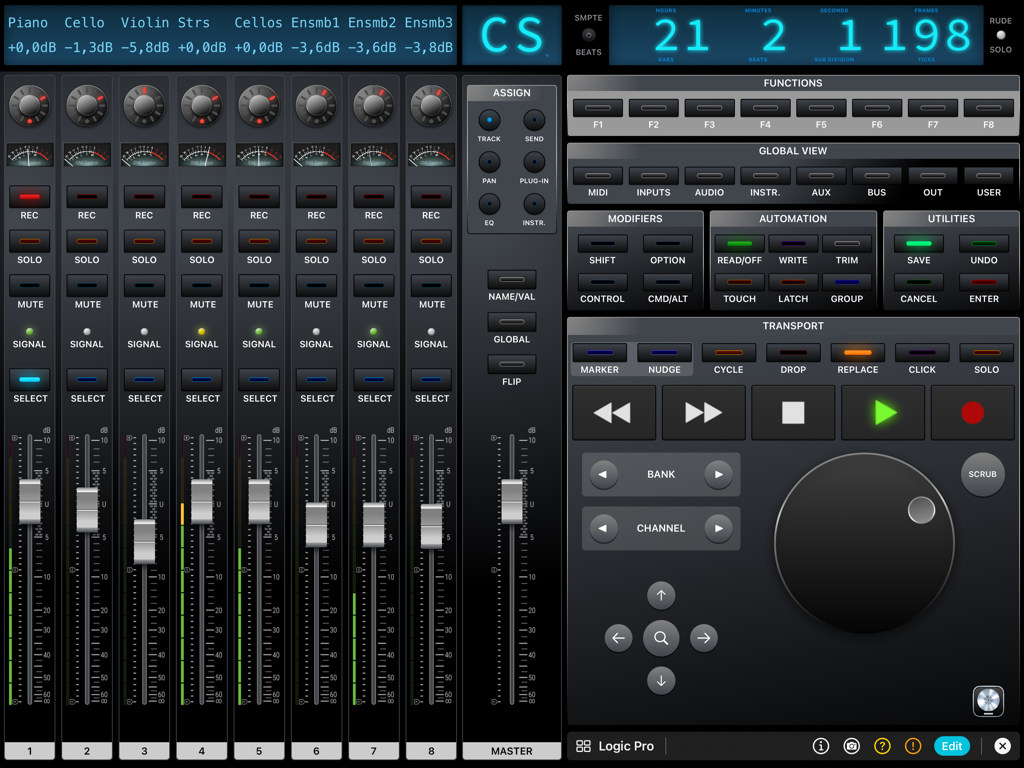
iPad screen displaying a digital audio workstation mixer with faders and transport controls for Logic Pro

ONE Control Plus - ONE Control Plus Logic Pro digital mixer interface on iPad featuring channel faders transport controls and a jog wheel
ONE Control Plus Logic Pro digital mixer interface on iPad featuring channel faders transport controls and a jog wheel

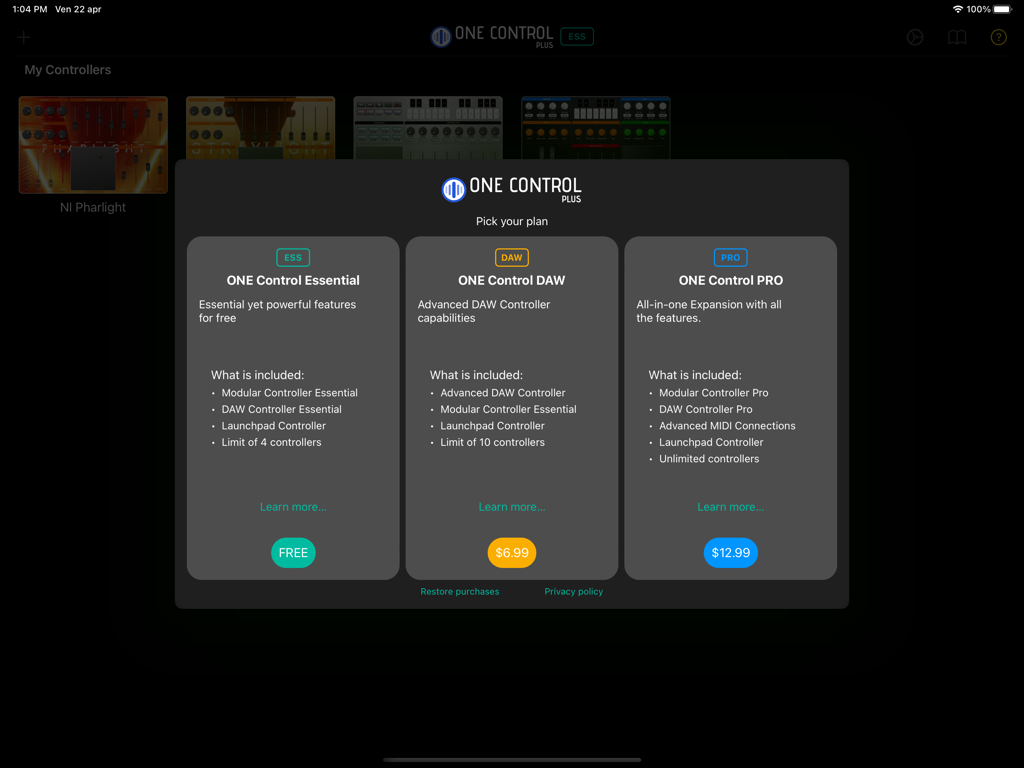
ONE Control Plus - Pricing tiers for the ONE Control Plus app showing Essential, DAW, and PRO options
Pricing tiers for the ONE Control Plus app showing Essential, DAW, and PRO options

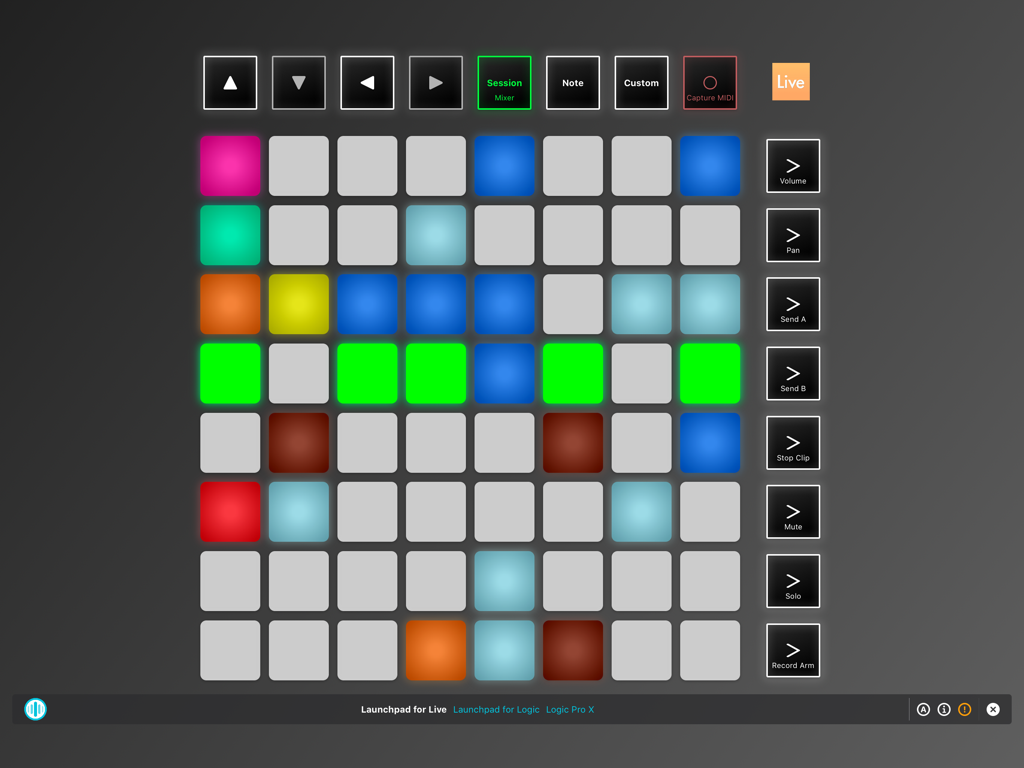
ONE Control Plus - Virtual Launchpad controller interface in ONE Control Plus app for iPad
Virtual Launchpad controller interface in ONE Control Plus app for iPad

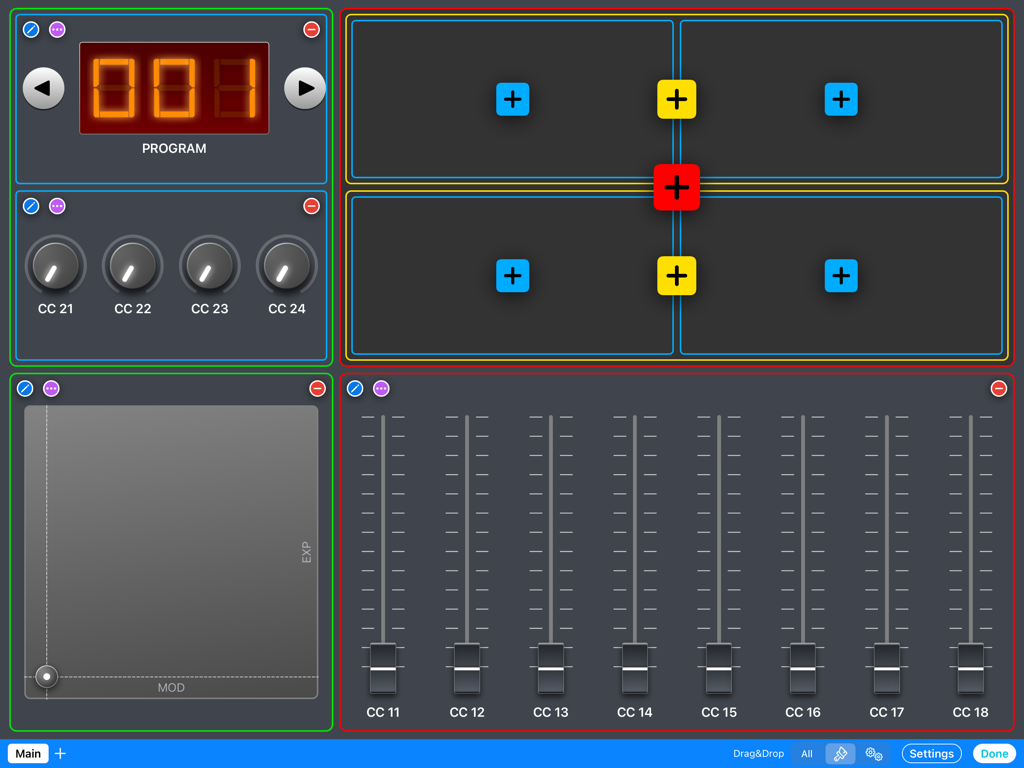
ONE Control Plus - iPad screen showing a custom modular MIDI controller layout with faders knobs an XY pad and program controls
iPad screen showing a custom modular MIDI controller layout with faders knobs an XY pad and program controls

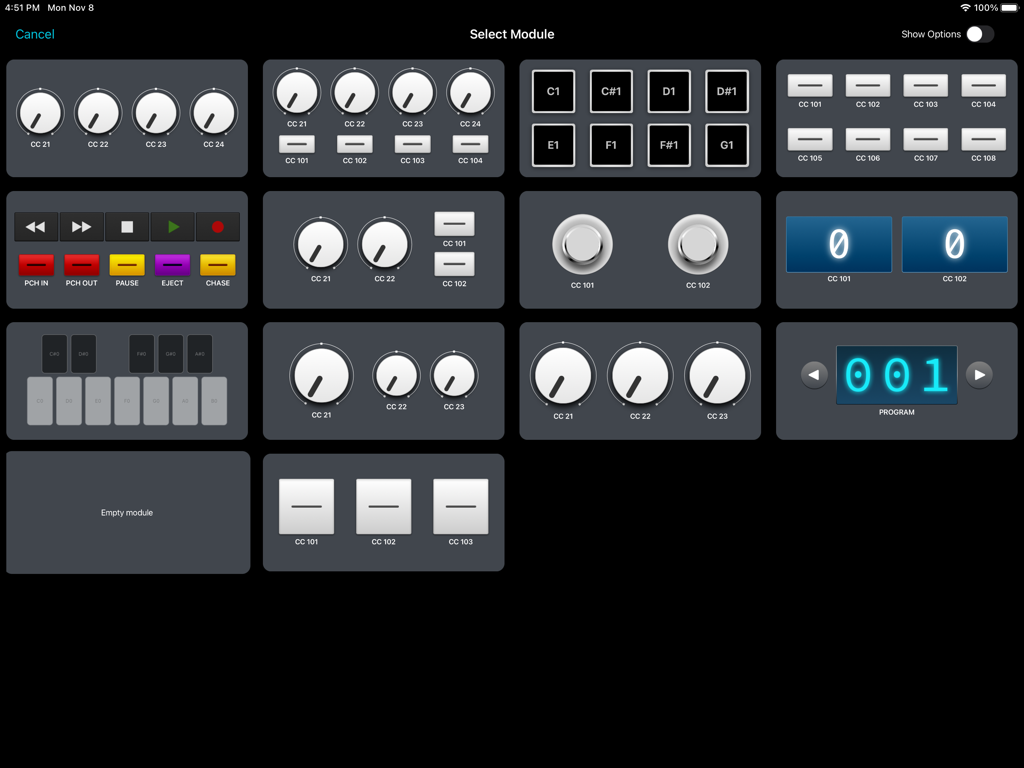
ONE Control Plus - ONE Control Plus app interface showing a selection grid of customizable MIDI and OSC modules like knobs, pads, and transport controls.
ONE Control Plus app interface showing a selection grid of customizable MIDI and OSC modules like knobs, pads, and transport controls.

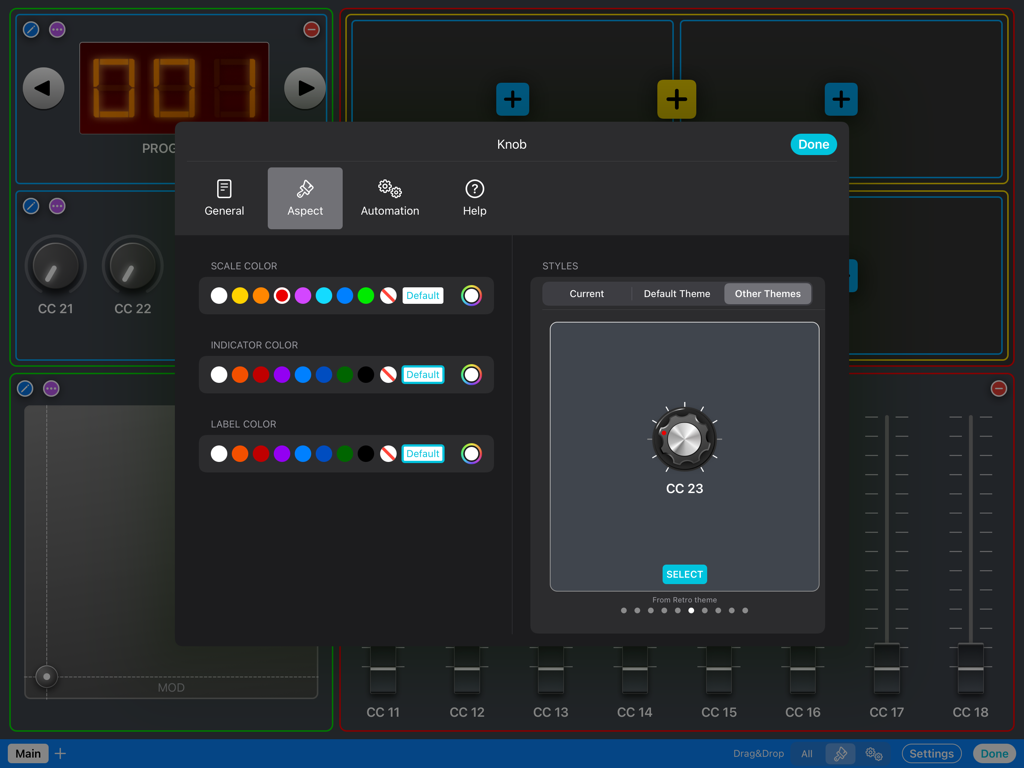
ONE Control Plus - Customization menu for MIDI knob appearance including color and style options in ONE Control Plus

Customization menu for MIDI knob appearance including color and style options in ONE Control Plus
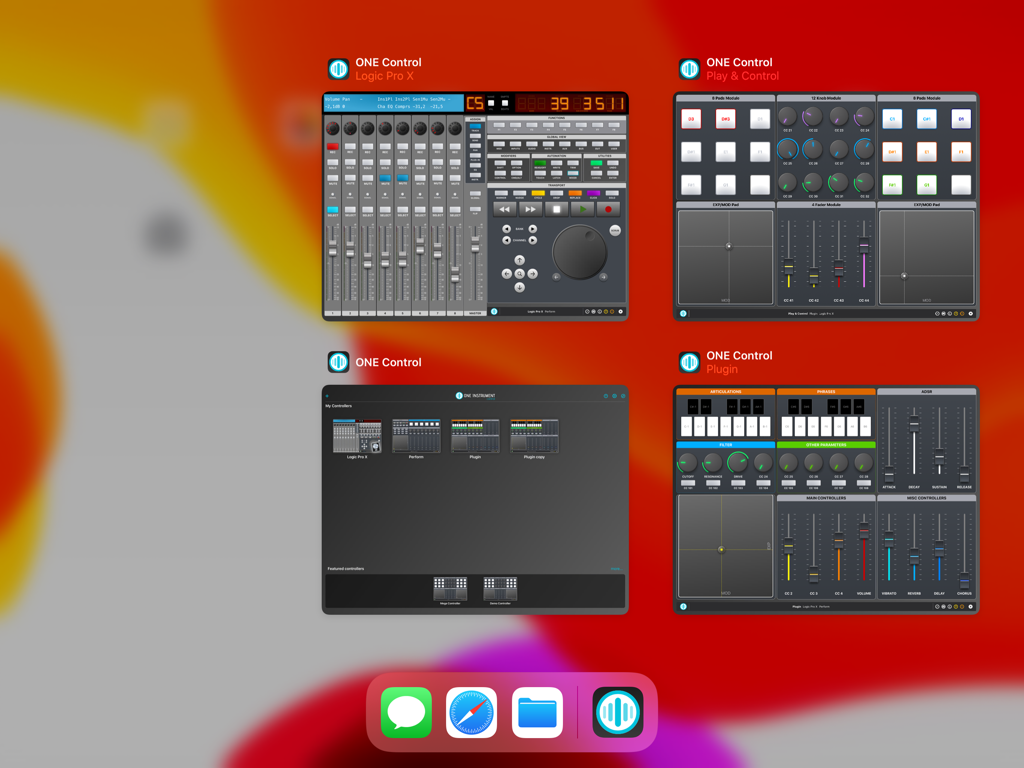
ONE Control Plus - Four concurrent ONE Control Plus windows on iPad showing various DAW and MIDI control surfaces.

Four concurrent ONE Control Plus windows on iPad showing various DAW and MIDI control surfaces.

Description

ONE Control Plus introduces a unified app with all the features of ONE Control DAW and ONE Control PRO, adding a free plan with essential yet powerful features.  If you’re happy with the Essential plan, enjoy it for free, forever. Yet, If you want to make the most of ONE Control, choose a one-time In-App Purchase Expansion Pack. Existing ONE Control DAW and PRO users will find an automatic, free of charge, migration process to ONE Control Plus. Essential (Free) * Essential Modular Controller * Essential DAW Controller * Launchpad controller * Limit of 4 controllers DAW Expansion Pack (In-App purchase) * Advanced DAW Controllers * Essential Modular Controller * Launchpad controller * Limit of 10 controllers PRO Expansion Pack (In-App purchase) * Pro Modular Controller * Pro DAW Controllers * Advanced MIDI communication * OSC Support * Unlimited Controllers MAIN FEATURES Modular Controller - Compose your MIDI/OSC controllers with a few touches - Choose between dozens of customizable modules: Faders, Knobs, Buttons, Pads, Keyswitches, XY Pads, Envelopes, Stepper, Interactive Displays, Keyboards and Background panels - Four amazing themes: Default, Minimal, Modern and Retro (PRO) - Many customisable control styles (PRO) - Configure your control’s aspect and actions exclusively, with custom events: MIDI Messages (CC, Note On/Off, etc.), MMC commands (Transport, Punch In/Out, etc.), OSC commands, Pitch Bend, Realtime Messages, and RPN/NRPN - Customisable Multi-Step components (PRO) - Add background textures and images. Apply effects to backgrounds. (PRO) - Save up to 128 presets (patches) for each controller (PRO) - Organise your controller in multiple pages (PRO) - Add help, comments and best practices for your collaborators (PRO) DAW Controller - Faithful replica of the glorious Mackie Control Surface (MCU) - Customisable templates for the main DAWs: Apple Logic Pro (Logic Control emulation) Steinberg Cubase/Nuendo Ableton Live Cakewalk by BandLab Universal Audio LUNA PerSonus Studio One MOTU Digital Performer Cockos Reaper Reason Studios Sony Vegas Waveform Tracktion Bitwig Studio Image Line FL Studio Adobe Audition Adobe Premiere Blackmagic Design DaVinci Resolve - Generic Mackie Control Universal template for other DAWs and Hardware - Dynamic buttons (labels and colors change depending on the current context) - Cheat Sheets for the major DAWs included - VU-Meters (PRO) - Customisable buttons (PRO) Launchpad Controller - Faithful replica of the Novation Launchpad X - Compatible with Ableton Live and Logic Pro 10.6+ - Play/record clips (Live) and live loops (Logic) - Control mixer parameters: Volume, Pan, Sends, Solo, Mute, Record Arm - Play MIDI notes - Billboard mode: Display scrolling messages at different speeds and aspects OTHER FEATURES - Supports wired, LAN and Bluetooth connections - Automatically connect to MIDI Network session (PRO) - Compatible with MacOS and Windows* hosts - Independent MIDI configuration for each controller - iPadOS multi-window support - Widget support: open your controller from the iPad Home Screen - Switch between your controllers with a single tap - Share your controllers with friends and collaborators - Save your controllers on iCloud Drive (PRO) - Optimized layouts for all iPad models, from the Mini to the iPad Pro 12.9" - Step by step guides to MIDI connection and DAW configuration - Online tutorials and videos *For Network MIDI connections with Windows PC, an RTP MIDI compatible driver is required. rtpMIDI is a free software fully compatible with ONE Control. Some MIDI interfaces also come with RTP MIDI drivers.

Download

Download on App Store

This page is not an official page of the app or its developer, but an independent editorial publication created for informational and commentary purposes. Unless expressly stated otherwise, neither the app nor its developer is affiliated with, endorsed by, sponsored by, authorized by, or otherwise officially connected with MWM, Apple, Google Play, the app publisher, or the app's developer, and nothing on this page implies that the app was developed using MWM's services. Any trademarks, logos, screenshots, and other content remain the property of their respective owners.







