
This page is not an official page of the app or its developer, but an independent editorial publication created for informational and commentary purposes. Unless expressly stated otherwise, neither the app nor its developer is affiliated with, endorsed by, sponsored by, authorized by, or otherwise officially connected with MWM, Apple, Google Play, the app publisher, or the app's developer, and nothing on this page implies that the app was developed using MWM's services. Any trademarks, logos, screenshots, and other content remain the property of their respective owners.

One Touch Alarm Clock
Stop struggling with complex menus. Experience a stress-free morning with a beautiful, analog-inspired interface designed to set your alarm in just two seconds.
Downloads
716K+User Rating
Total Ratings
33K+Publisher
Category
UtilitiesLocales
6Latest Version
1.7.1Size
23.6 MBFirst Released
Dec 3, 2013Master Your Time Without the Friction
Experience the perfect blend of analog simplicity and digital convenience. Set, sleep, and wake up in seconds.
Set Alarms in 2 Seconds
Ditch the complex scroll wheels. Our intuitive interface lets you adjust your wake-up time with a single, lightning-fast gesture.
Personalized Morning Vibes
Start your day happy by choosing your favorite music. Gentle fade-ins ensure you wake up refreshed, not startled.
Frequently Asked Questions
Everything you need to know about One Touch Alarm Clock
How quickly can I set an alarm with One Touch Alarm Clock?
The One Touch Alarm Clock app allows users to set an alarm in just two seconds. Its unique and intuitive interface is designed for maximum ease of use, enabling quick alarm setup upon launching the application.
Can I use my own music for alarms in One Touch Alarm Clock?
Yes, the One Touch Alarm Clock app allows users to set their favorite music as their alarm sound. You can also select from preset alarms or choose music from your device's library.
Does One Touch Alarm Clock include a snooze function?
Yes, the One Touch Alarm Clock app includes a snooze function. Users can customize the snooze duration, which ranges from 3 to 30 minutes, to suit their preferences.
Does the One Touch Alarm Clock app offer a sleep timer?
Yes, the One Touch Alarm Clock app features a sleep timer. This allows users to relax and fall asleep to their favorite song or one of the preset sleep music options, like 'Beach' or 'Rain'.
What time formats does the One Touch Alarm Clock support?
The One Touch Alarm Clock app supports both 12-hour and 24-hour time formats. This provides flexibility for users to choose their preferred display setting for the clock.
Can I use the One Touch Alarm Clock in both vertical and horizontal orientations?
Yes, the One Touch Alarm Clock app supports both vertical and horizontal modes. This feature allows the application's interface to adapt to how the user holds their device.
Does One Touch Alarm Clock have a fade-in alarm feature?
Yes, the One Touch Alarm Clock app includes a 'Fade in alarm' function. This feature gradually increases the alarm volume, providing a gentler wake-up experience for the user.
Can I vibrate my phone for the alarm with One Touch Alarm Clock?
Yes, the One Touch Alarm Clock app offers a vibration feature for alarms. Users can enable or disable this function within the alarm settings for a customized wake-up experience.
What types of sleep music are available in One Touch Alarm Clock?
The One Touch Alarm Clock app offers various preset sleep music options. These include 'Beach,' 'Train,' 'Babbling of a Brook,' 'Rain,' 'Restaurant,' 'Music Box,' 'Bonfire,' and 'Bell Cricket,' in addition to custom music.
The following screenshots and description are sourced directly from the app's official store listing and are the property of the app developer.
App Store
Screenshots
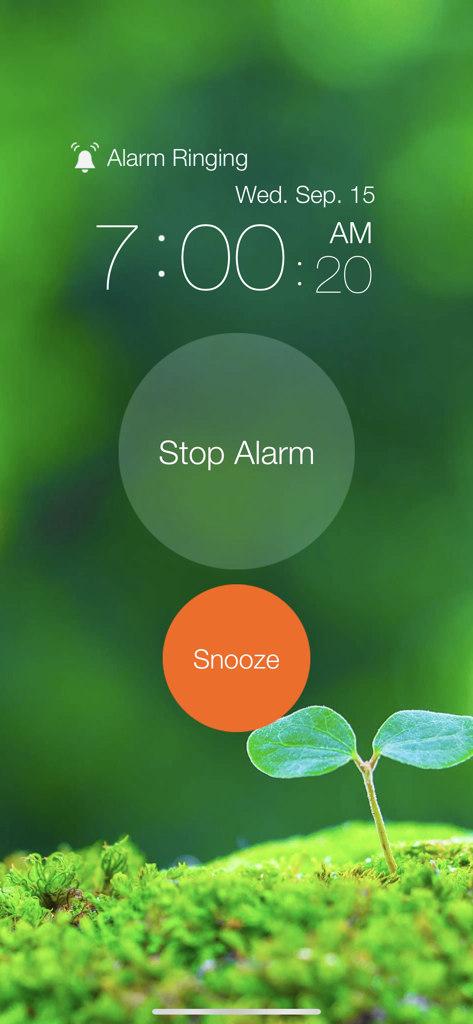
Interface of the One Touch Alarm Clock app showing an active alarm at 7 AM with Stop Alarm and Snooze buttons over a nature background
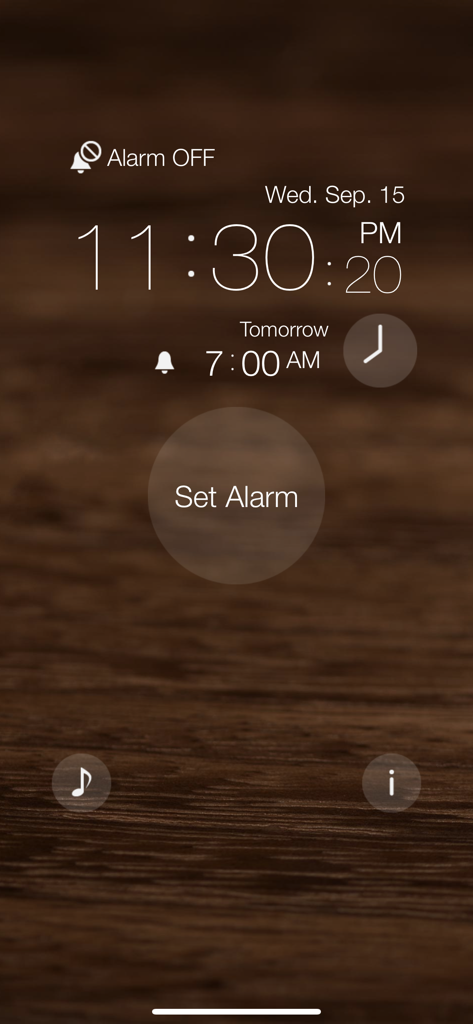
Main screen of the One Touch Alarm Clock app showing the digital time and a large button to set the alarm
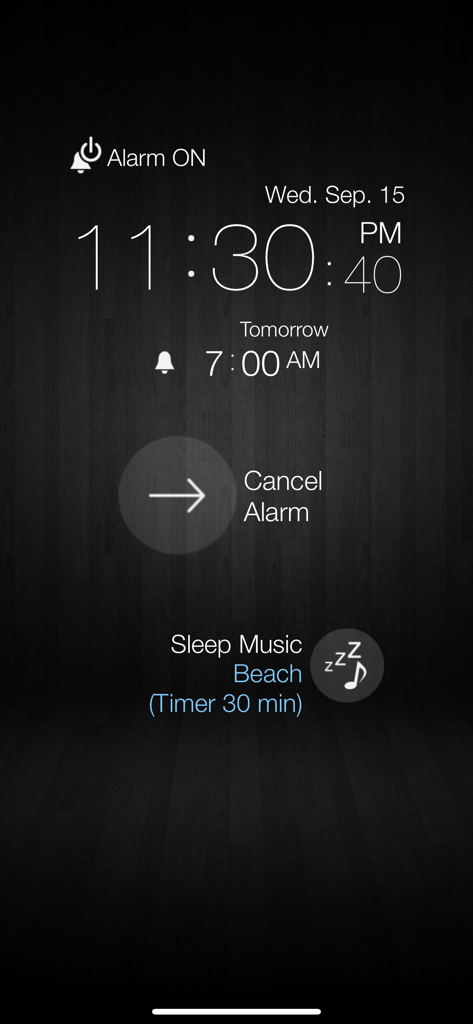
One Touch Alarm Clock app interface showing a 7 AM alarm and active sleep music timer on a dark background
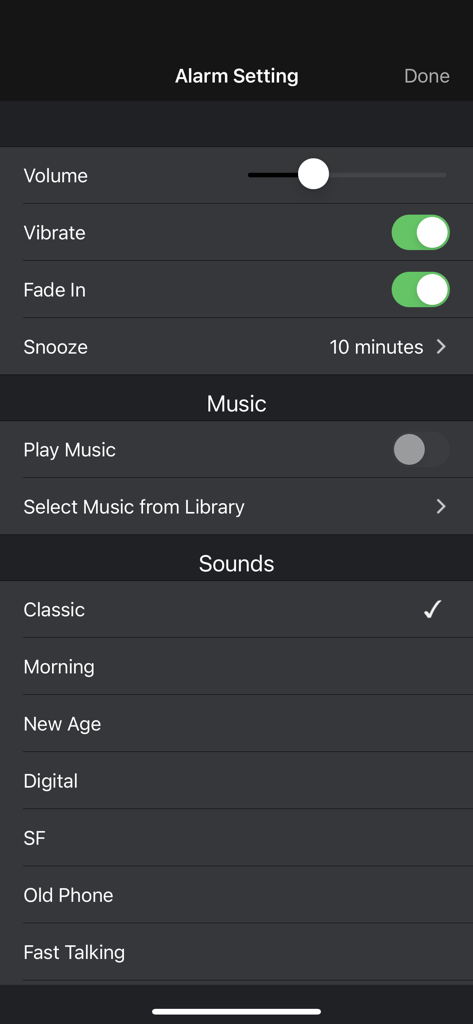
Interface for customizing alarm settings including volume, vibration, fade-in effect, and sound selection.
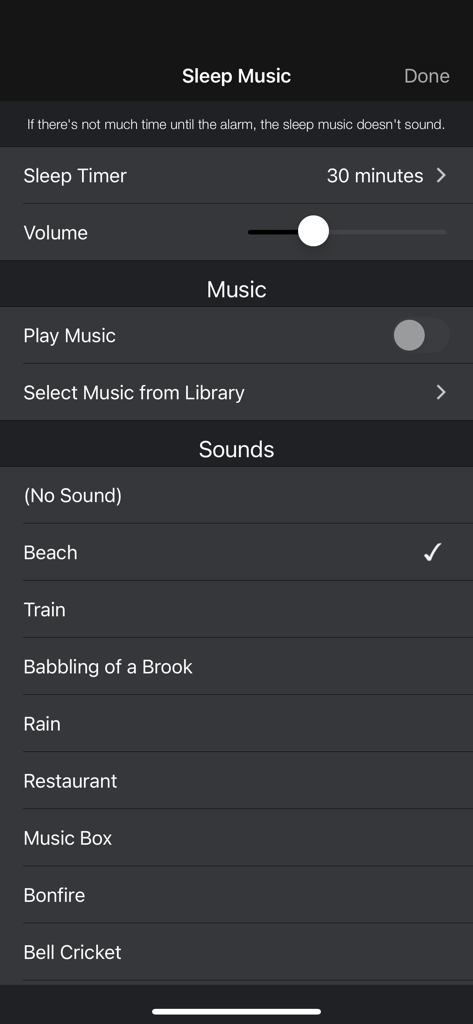
Sleep music settings screen showing options for nature sounds and a sleep timer
Description
Download
More Like This
Apps with similar features and user experience
This page is not an official page of the app or its developer, but an independent editorial publication created for informational and commentary purposes. Unless expressly stated otherwise, neither the app nor its developer is affiliated with, endorsed by, sponsored by, authorized by, or otherwise officially connected with MWM, Apple, Google Play, the app publisher, or the app's developer, and nothing on this page implies that the app was developed using MWM's services. Any trademarks, logos, screenshots, and other content remain the property of their respective owners.