
This page is not an official page of the app or its developer, but an independent editorial publication created for informational and commentary purposes. Unless expressly stated otherwise, neither the app nor its developer is affiliated with, endorsed by, sponsored by, authorized by, or otherwise officially connected with MWM, Apple, Google Play, the app publisher, or the app's developer, and nothing on this page implies that the app was developed using MWM's services. Any trademarks, logos, screenshots, and other content remain the property of their respective owners.

Onleihe 3
No longer tethered to paper, users gain instant mastery over their library's digital collection.
Downloads
100k+User Rating
Total Ratings
7.7KPublisher
Category
BooksLocales
2Latest Version
3.13.2Size
85.6 MBFirst Released
Oct 7, 2025Evaluating core functionalities for digital media access and user experience.
Onleihe 3: Key Features Analysis
Streamlined Loan Management
The app provides a streamlined process for extending digital media loans and returning e-audios early, enhancing flexibility for users managing their borrowed content.
Personalized Reading Experience
This tool features expanded reading settings, allowing users to customize their digital reading experience to personal preferences, which is crucial for comfort during long reading sessions.
Advanced Content Discovery & Filtering
It allows users to explore content through a dedicated 'Discover' page with recommendations, filter e-magazines and e-papers, and find more titles by specific authors or series, facilitating easy access to a wide array of digital media.
Robust Content Organization Tools
The app offers an unlimited watchlist for saving items of interest and advanced bookmarking functionality with notes, enabling users to organize their desired content and keep track of their reading progress effectively.
Intuitive Interface & Dark Mode
This tool features a completely new, user-friendly platform design, including a Dark Mode option, which enhances readability and overall user comfort, especially during extended use or in low-light conditions.
Detailed Loan History
It provides users with a detailed loan history, allowing them to review previously borrowed digital media, which aids in managing their reading and listening habits.
Frequently Asked Questions
Everything you need to know about Onleihe 3
Does the Onleihe 3 app offer a Dark Mode?
Yes, the Onleihe 3 app includes a Dark Mode feature. Users can activate this display setting to enhance readability, especially in low-light environments. This option is available within the app's extended reading settings.
Can I view my loan history in the Onleihe 3 app?
Yes, the Onleihe 3 app features a loan history function. This allows users to review their previously borrowed digital media.
Is it possible to extend the loan period for items in Onleihe 3?
Yes, the Onleihe 3 app allows for easy extension of borrowed items. Users can manage their current loans and extend their duration directly within the application.
Does the Onleihe 3 app have an unlimited watchlist feature?
Yes, the Onleihe 3 app includes an unlimited watchlist feature. Users can add an unrestricted number of titles to their watchlist for future access or reference.
Can I return e-audios early using the Onleihe 3 app?
Yes, the Onleihe 3 app supports the early return of e-audios. This feature allows users to return borrowed audio titles before their due date.
What advanced reading settings are available in the Onleihe 3 app?
The Onleihe 3 app offers extended reading settings. Users can adjust font types, choose between light, dark, or sepia display modes, and manage other visual preferences for an optimized reading experience.
Does Onleihe 3 support bookmarks and notes?
Yes, the Onleihe 3 app allows users to set bookmarks and add notes. This feature helps users mark important sections and record thoughts directly within their digital media.
Is the Onleihe 3 app GDPR compliant?
Yes, the Onleihe 3 app is GDPR compliant. The application adheres to data protection regulations to ensure user privacy and data security.
How do I sign in to Onleihe 3 for Städtische Bibliotheken Dresden?
To log in, download the Onleihe 3 app, open it, and follow the on-screen prompts. Select 'Dresden' during library selection to use your access data for Städtische Bibliotheken Dresden.
Where can I find support for the Onleihe 3 app?
Support and information for the Onleihe 3 app are available on the official help website. Users can find comprehensive assistance at hilfe.onleihe.de.
Can I change the playback speed for audiobooks in Onleihe 3?
Yes, the Onleihe 3 app allows users to adjust the playback speed of e-audios. Options range from 0.5x to 2x, with fine-tuning available to customize the listening experience.
The following screenshots and description are sourced directly from the app's official store listing and are the property of the app developer.
App Store
Screenshots
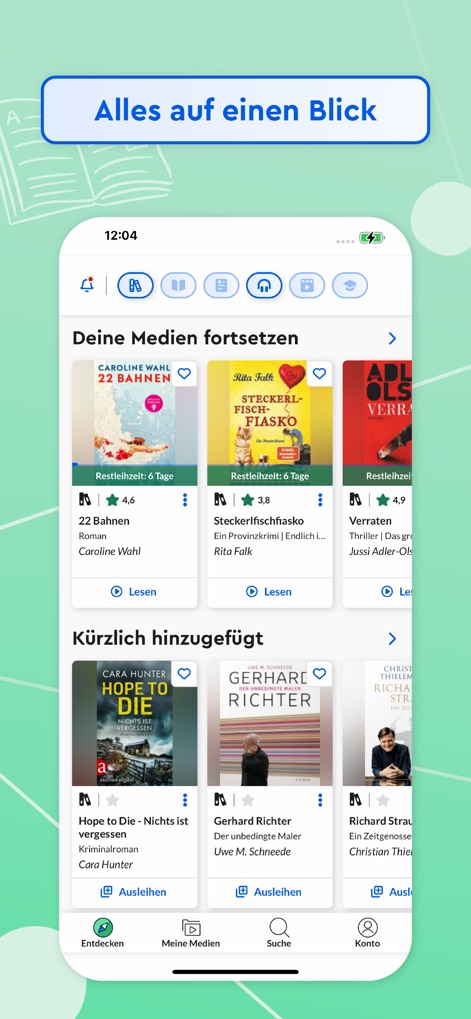
Explore the app's central dashboard, showcasing both active loans and recently added titles for quick access.
Dashboard Overview
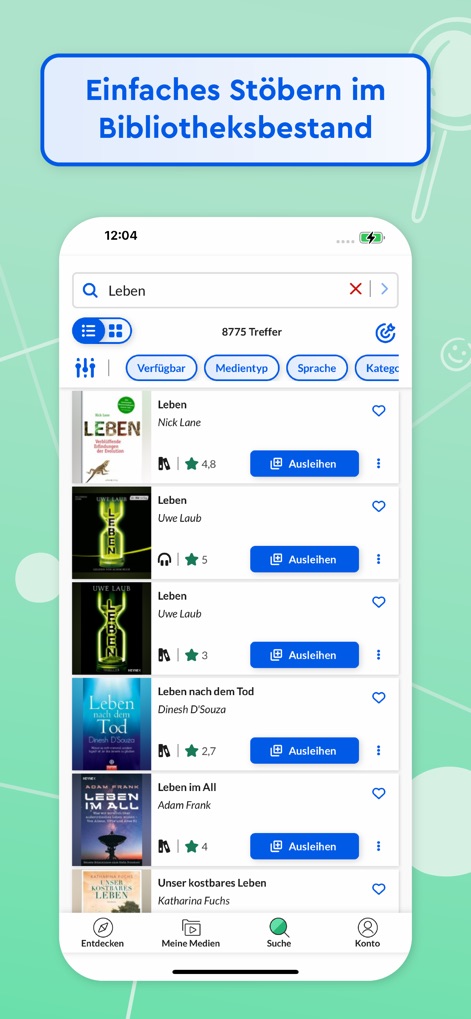
Witness the streamlined search functionality, complete with versatile filters and a clear list of available media.
Effortless Content Discovery

Observe the organized display of borrowed media, featuring clear tabs for different statuses and distinct media type icons.
Managed Digital Library
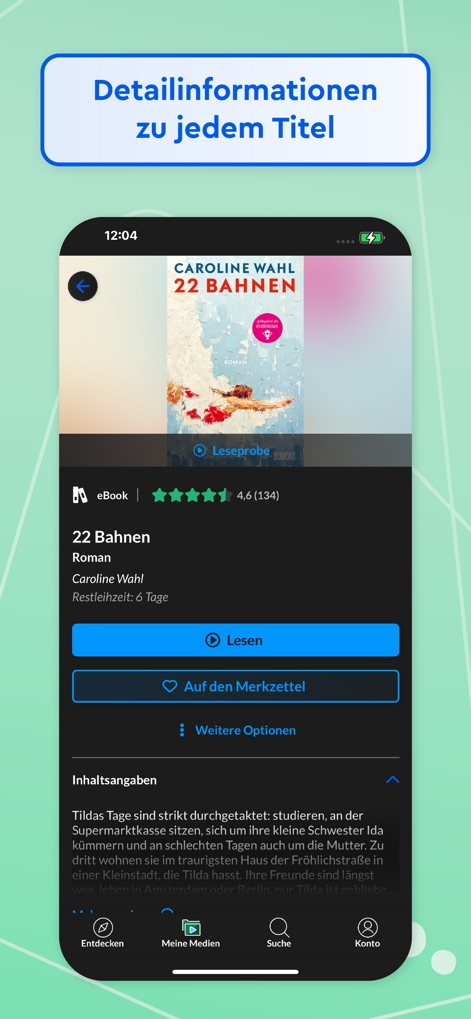
Examine the comprehensive detail page, presenting crucial title information and direct action buttons for reading or adding to a watchlist.
In-depth Title Insights
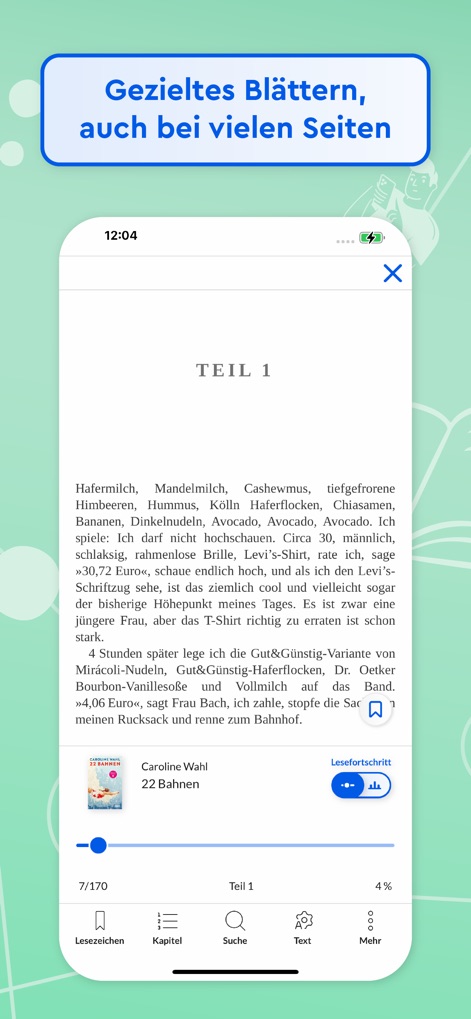
Discover the intuitive eBook reader, complete with page progress tracking and convenient navigation options like bookmarks and chapters.
Seamless Reading Experience
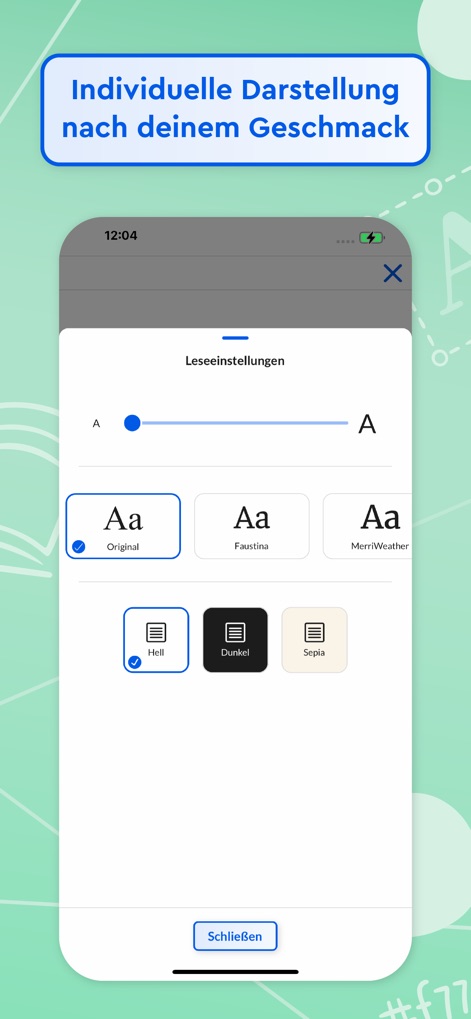
View the extensive reading settings, allowing users to adjust font styles and select preferred display modes like Dark Mode or Sepia.
Personalized Reading Comfort
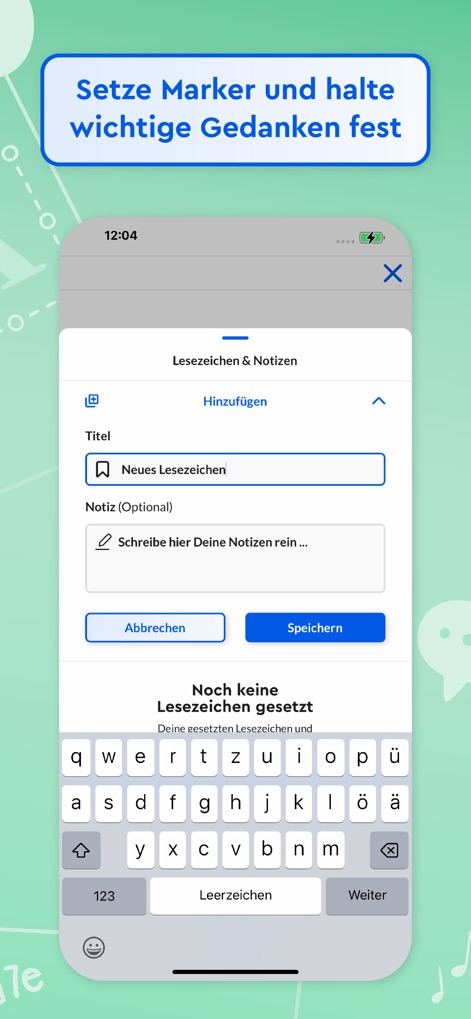
Explore the integrated bookmarking feature, enabling users to add notes and effortlessly organize important thoughts within their reads.
Capture Key Insights
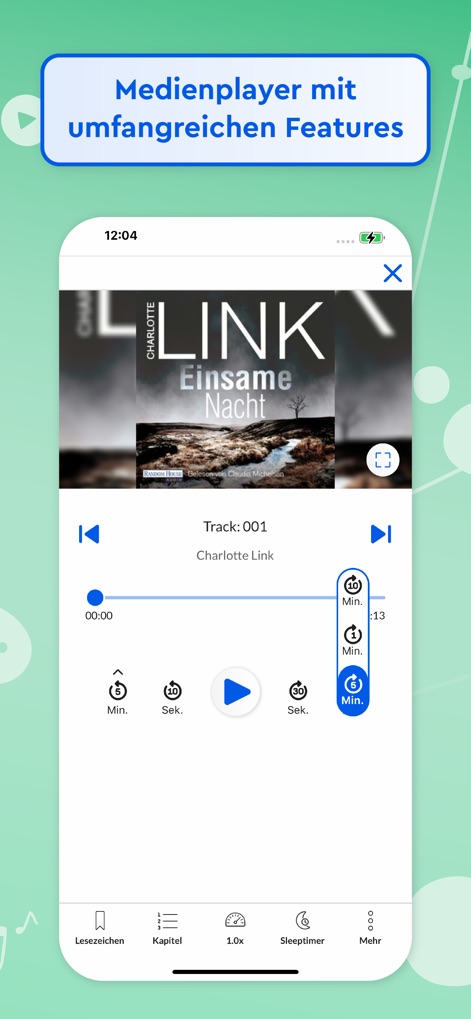
Examine the full-featured audio player, providing precise playback controls and dedicated access to bookmarks and chapter navigation.
Rich Audio Playback
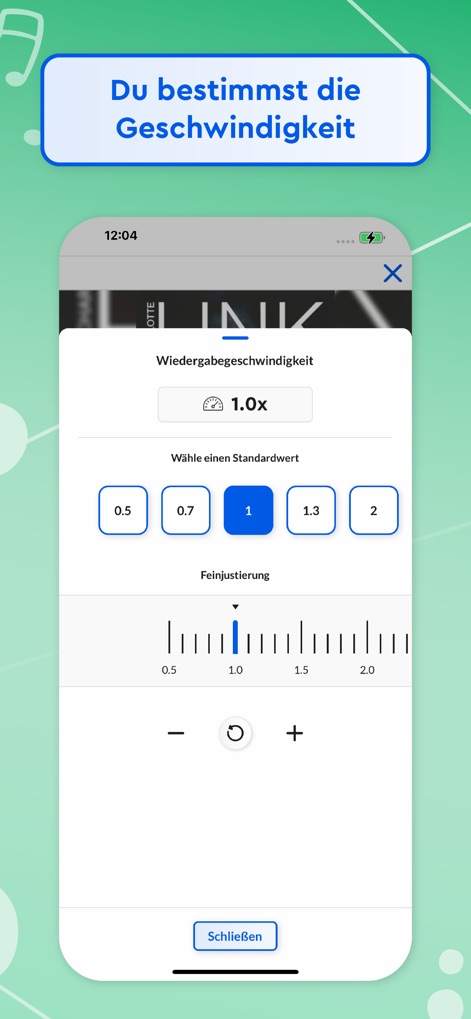
Illustrating the flexible playback speed settings, users can select quick presets or utilize a fine adjustment slider for personalized listening.
Customizable Audio Speed
Description
Download
More Like This
Apps with similar features and user experience

CloudLibrary
OCLC

The Palace Project
LYRASIS, Inc.

Biblio
BookBites A/S

Sora, by OverDrive Education
OverDrive, Inc.
online Bibliotheek
Koninklijke Bibliotheek

NLB Mobile
National Library Board

移动图书馆
Chengdu Superstar Digital Library Information Technology Co.,Ltd

교보문고 전자도서관
KYOBO BOOK CENTRE CO,.LTD

Open Library Reader
Loomis House, LLC
This page is not an official page of the app or its developer, but an independent editorial publication created for informational and commentary purposes. Unless expressly stated otherwise, neither the app nor its developer is affiliated with, endorsed by, sponsored by, authorized by, or otherwise officially connected with MWM, Apple, Google Play, the app publisher, or the app's developer, and nothing on this page implies that the app was developed using MWM's services. Any trademarks, logos, screenshots, and other content remain the property of their respective owners.