
This page is not an official page of the app or its developer, but an independent editorial publication created for informational and commentary purposes. Unless expressly stated otherwise, neither the app nor its developer is affiliated with, endorsed by, sponsored by, authorized by, or otherwise officially connected with MWM, Apple, Google Play, the app publisher, or the app's developer, and nothing on this page implies that the app was developed using MWM's services. Any trademarks, logos, screenshots, and other content remain the property of their respective owners.

Optiway Multi Stop Planner
Save up to 30% in time and fuel with professional route optimization. Plan 200+ stops in seconds, get accurate ETAs, and maximize your daily earnings.
Downloads
118K+User Rating
Total Ratings
800Publisher
Category
NavigationLocales
8Latest Version
1.75Size
85.6 MBFirst Released
Jan 4, 2023Optimize Your Day for Maximum Efficiency
Stop wasting time on manual planning. Optiway calculates the smartest routes so you can focus on making more deliveries and increasing your earnings.
Lightning-Fast Multi-Stop Planning
Add dozens of stops in seconds and instantly generate the most efficient route to slash your driving time by up to 30%.
Works With Your Favorite Maps
Sync seamlessly with Waze, Google Maps, or Apple Maps to get real-time traffic alerts while following your optimized Optiway path.
Frequently Asked Questions
Everything you need to know about Optiway Multi Stop Planner
What is Optiway Route Planner?
Optiway Route Planner is a multi-stop route optimization app designed for delivery drivers, couriers, and businesses. It builds the fastest and most efficient delivery routes to save time and money.
How does Optiway Route Planner optimize delivery routes?
Optiway Route Planner optimizes routes by mapping the fastest paths, avoiding traffic, and allowing for last-minute changes. It also supports setting priority stops and customizing stop durations for maximum efficiency.
Which navigation apps does Optiway Route Planner support?
Optiway Route Planner integrates with popular navigation apps including Google Maps, Apple Maps, Waze, and HERE WeGo. Users can select their preferred navigation service within the app.
Can I set time windows for deliveries using Optiway Route Planner?
Yes, Optiway Route Planner allows users to set specific delivery time windows and priority levels for individual stops. This feature helps manage scheduled deliveries efficiently.
How many stops can the free version of Optiway Route Planner handle?
The free plan of Optiway Route Planner allows users to plan delivery routes with up to 5 stops per route. It supports an unlimited number of total routes.
What is the maximum number of stops per route with an Optiway Route Planner subscription?
The Optiway Route Planner subscription plan enables users to plan delivery routes with up to 200 stops per route. This plan also offers an unlimited number of routes.
Can I import existing delivery routes into Optiway Route Planner?
Yes, Optiway Route Planner supports importing delivery routes. Users can easily upload their routes from XLSX or TXT files directly into the multi-stop route planner.
Does Optiway Route Planner provide estimated arrival times (ETAs) for stops?
Yes, Optiway Route Planner provides real-time estimated arrival times (ETAs) for each stop in your multi-stop delivery route. This helps drivers stay on schedule.
Who typically uses Optiway Route Planner?
Optiway Route Planner is utilized by delivery drivers, couriers, field service agents, business owners, sales agents, and various other professionals requiring optimized multi-stop routes.
How do I cancel my Optiway Route Planner subscription?
You must turn off auto-renewal at least 24 hours before the current period ends. Manage your subscription and auto-renewal settings by visiting your iTunes Account Settings after purchase.
Can Optiway Route Planner reorder stops on a route?
Yes, Optiway Route Planner allows users to reorder stops manually. This feature enables flexibility in adjusting the sequence of deliveries or pickups as needed.
Can I customize the duration for each stop in Optiway Route Planner?
Yes, Optiway Route Planner allows users to manually set stop times. This customization ensures maximum delivery efficiency by accounting for varying service times at each location.
The following screenshots and description are sourced directly from the app's official store listing and are the property of the app developer.
App Store
Screenshots
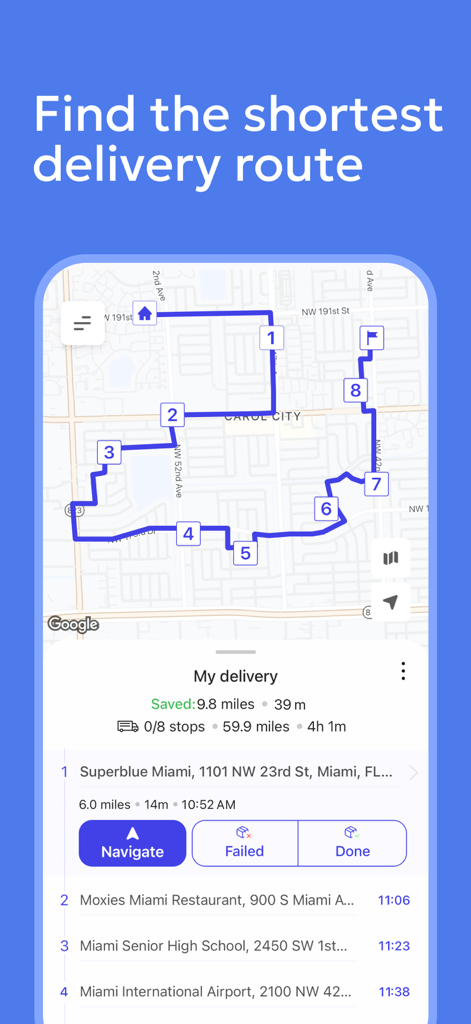
Optiway app showing a map with an optimized multi stop delivery route and navigation stops
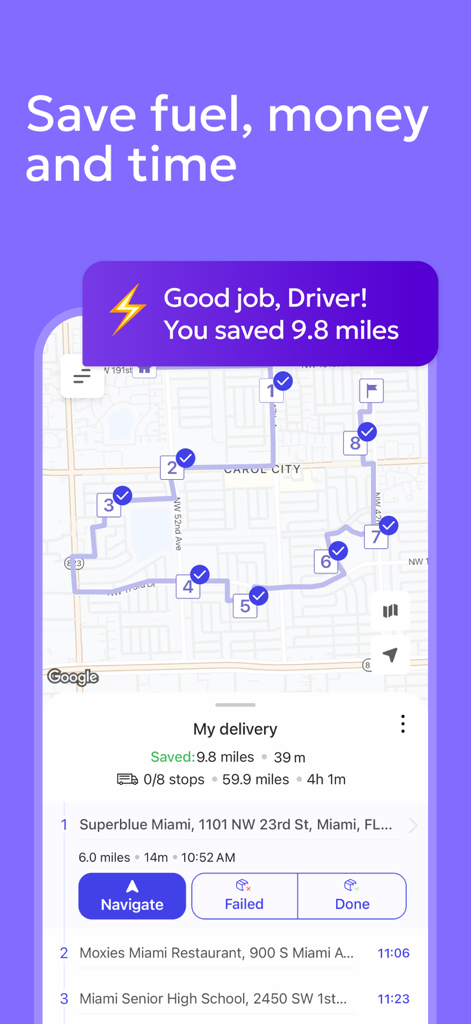
Optiway app showing an optimized delivery route with multiple stops and mileage savings
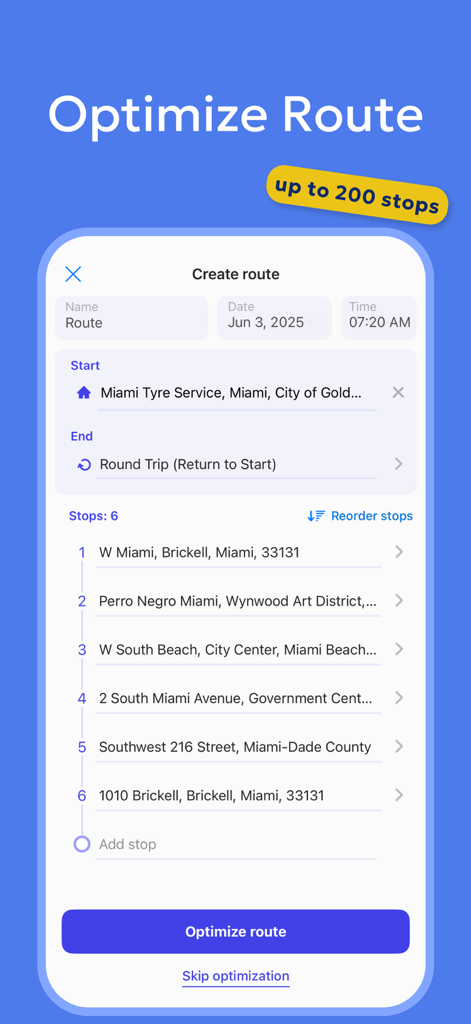
A screenshot of the Optiway app showing a list of delivery stops and the optimize route button.
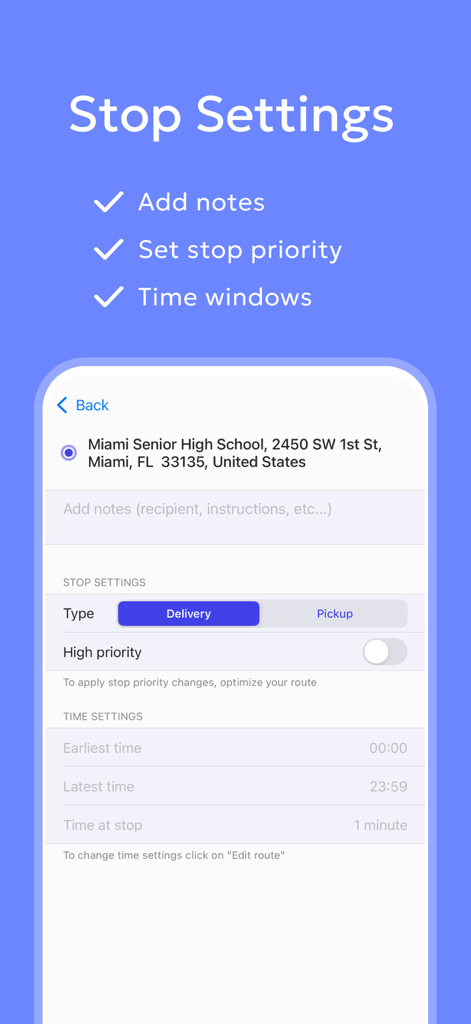
Interface of Optiway Multi Stop Planner showing stop settings including priority and time windows
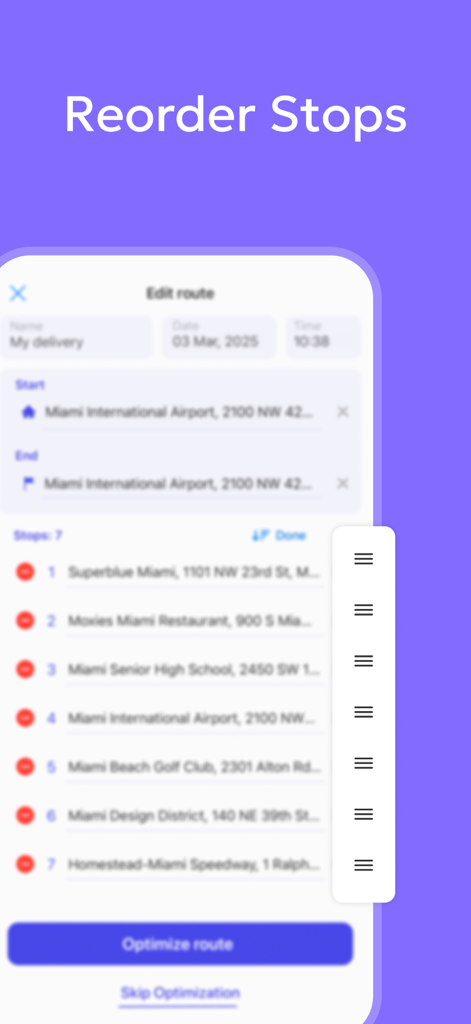
Interface showing how to manually reorder stops in the Optiway multi stop route planner app.
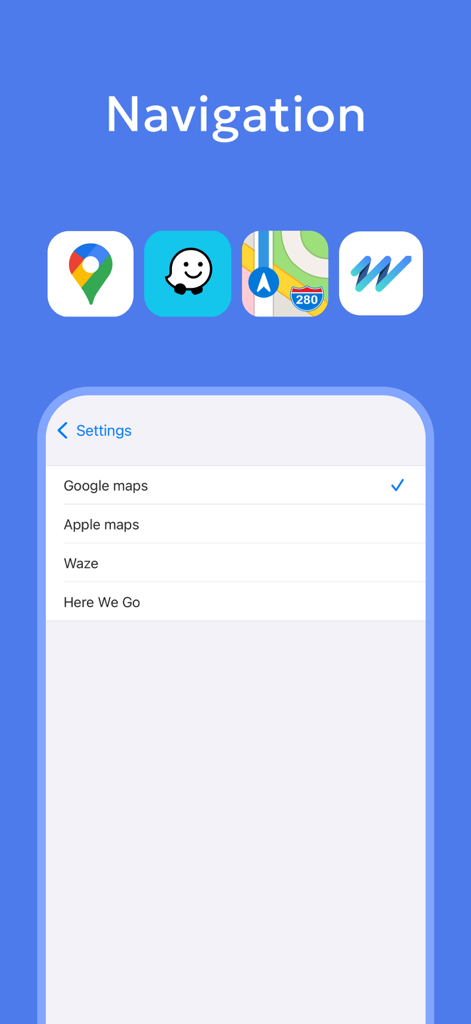
Selection screen for choosing preferred navigation apps like Google Maps or Waze in Optiway
Description
Download
More Like This
Apps with similar features and user experience
Route Planner, Delivery, MyWay
Proalab Limited
Delivery Driver App by Upper
Monocubed, Inc

Routo: Delivery Route Planner
Illarion Khliestov

Spoke (Circuit) Route Planner
Circuit Routing Limited
RoadWarrior Route Planner
MapQuest Holdings LLC

Routin Route Planner
ROUTIN BILGI TEKNOLOJILERI ANONIM SIRKETI

ナビタイムの配達アプリ 住宅地図を搭載
NAVITIME JAPAN CO.,LTD.

DelM8 UK Address Finder
Delmate LTD

Delm8 City Navigation, Maps UK
Delmate LTD
This page is not an official page of the app or its developer, but an independent editorial publication created for informational and commentary purposes. Unless expressly stated otherwise, neither the app nor its developer is affiliated with, endorsed by, sponsored by, authorized by, or otherwise officially connected with MWM, Apple, Google Play, the app publisher, or the app's developer, and nothing on this page implies that the app was developed using MWM's services. Any trademarks, logos, screenshots, and other content remain the property of their respective owners.