OrgChart - Organization Chart
Download on App Store

This page is not an official page of the app or its developer, but an independent editorial publication created for informational and commentary purposes. Unless expressly stated otherwise, neither the app nor its developer is affiliated with, endorsed by, sponsored by, authorized by, or otherwise officially connected with MWM, Apple, Google Play, the app publisher, or the app's developer, and nothing on this page implies that the app was developed using MWM's services. Any trademarks, logos, screenshots, and other content remain the property of their respective owners.

Logo of OrgChart - Organization Chart
Download on App Store

OrgChart - Organization Chart

Stop wasting time with manual lines and shapes. Automatically build, manage, and export professional team structures on your iPad with intuitive gestures and seamless iCloud sync.

Key Figures

Downloads

127K+

User Rating

4.6/5

Total Ratings

1K+

Publisher

皓 李

Category

Business

Locales

-

Latest Version

5.12

Size

89.5 MB

First Released

Apr 10, 2014
Features

Visualize Your Success, Effortlessly

Forget manual lines and alignment issues. OrgChart automates the design process so you can focus on leading your team, not drawing boxes.

Automatic Layout, Zero Drawing

Stop fighting with PowerPoint shapes. Simply input your data and let our engine instantly render a perfectly aligned organizational structure for you.

Executive-Ready Reporting

Turn your charts into professional PDF, Excel, or image files in seconds. Perfect for boardroom presentations, departmental audits, or stakeholder updates.

The following screenshots and description are sourced directly from the app's official store listing and are the property of the app developer.

App Store

Screenshots
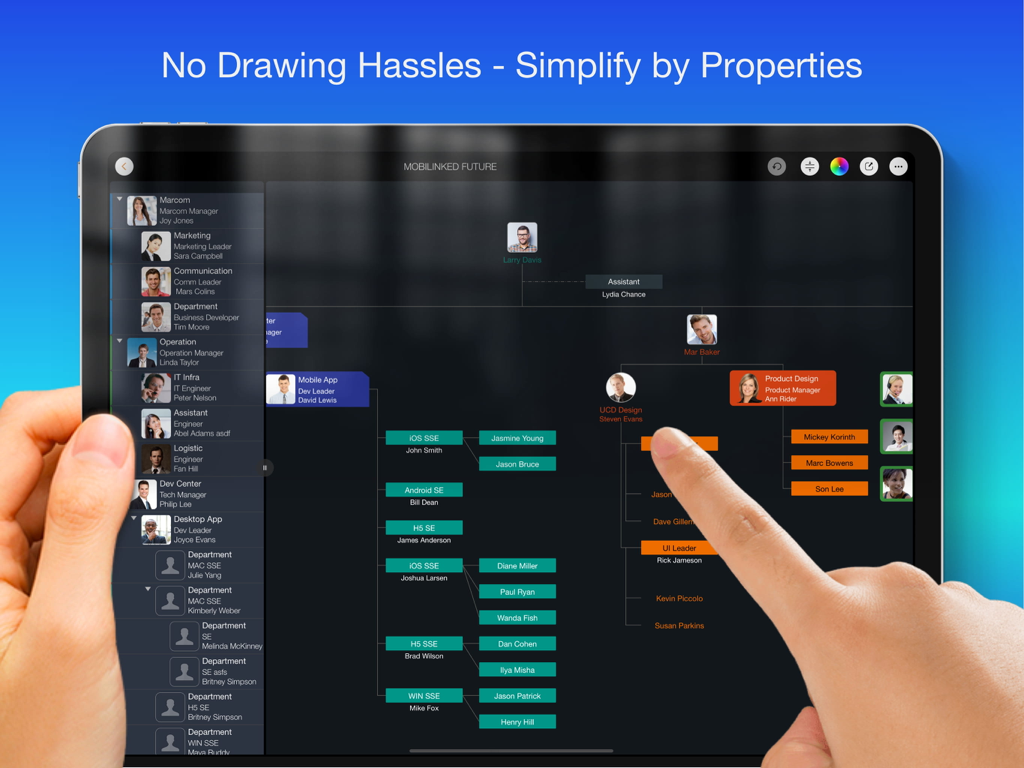
OrgChart - Organization Chart - An iPad screen displaying a professional organizational chart with employee photos and colorful department branches
An iPad screen displaying a professional organizational chart with employee photos and colorful department branches

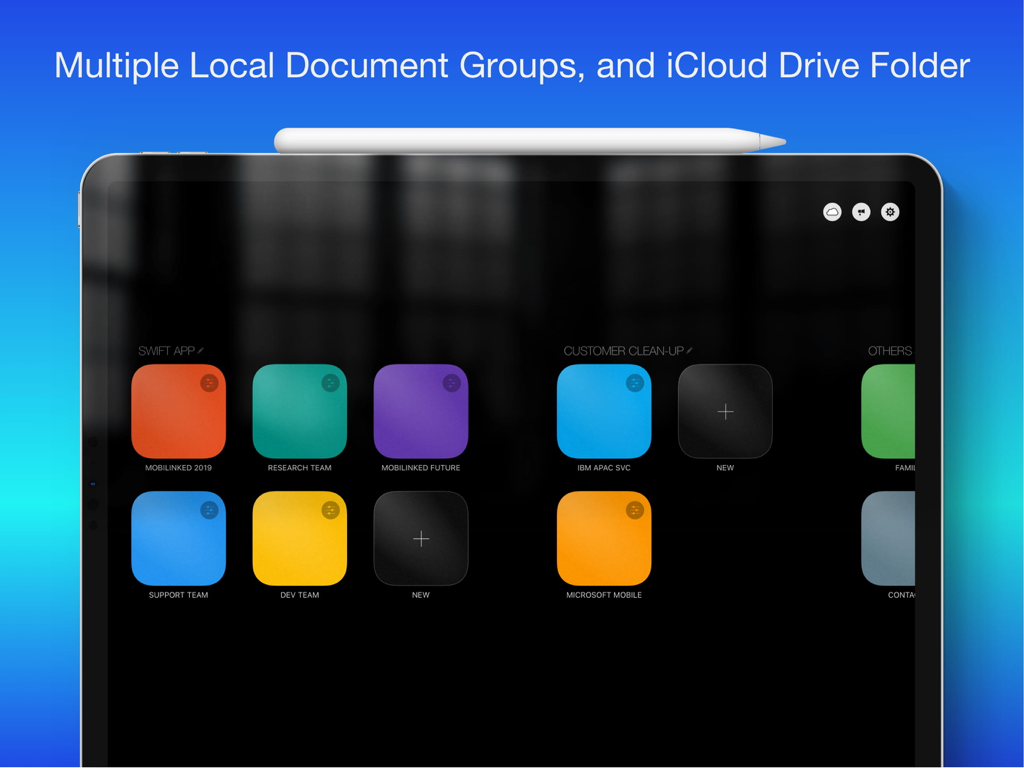
OrgChart - Organization Chart - OrgChart iPad app dashboard showing multiple document groups and iCloud Drive integration
OrgChart iPad app dashboard showing multiple document groups and iCloud Drive integration

OrgChart - Organization Chart - Professional organizational chart being edited on an iPad with an Apple Pencil
Professional organizational chart being edited on an iPad with an Apple Pencil

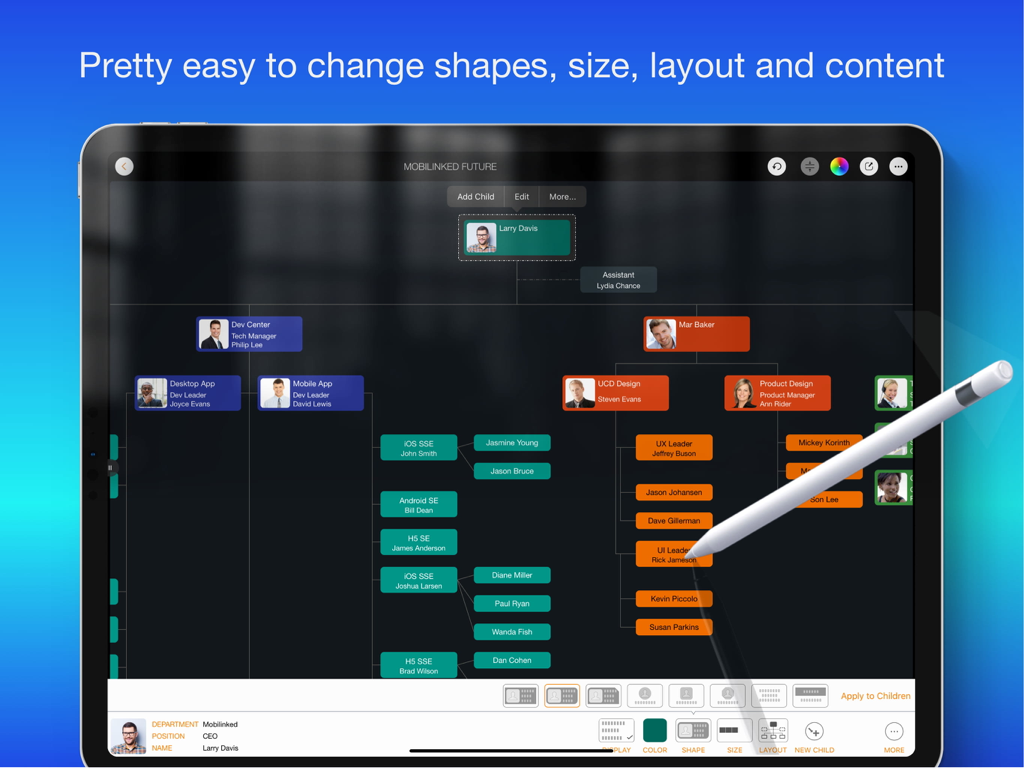
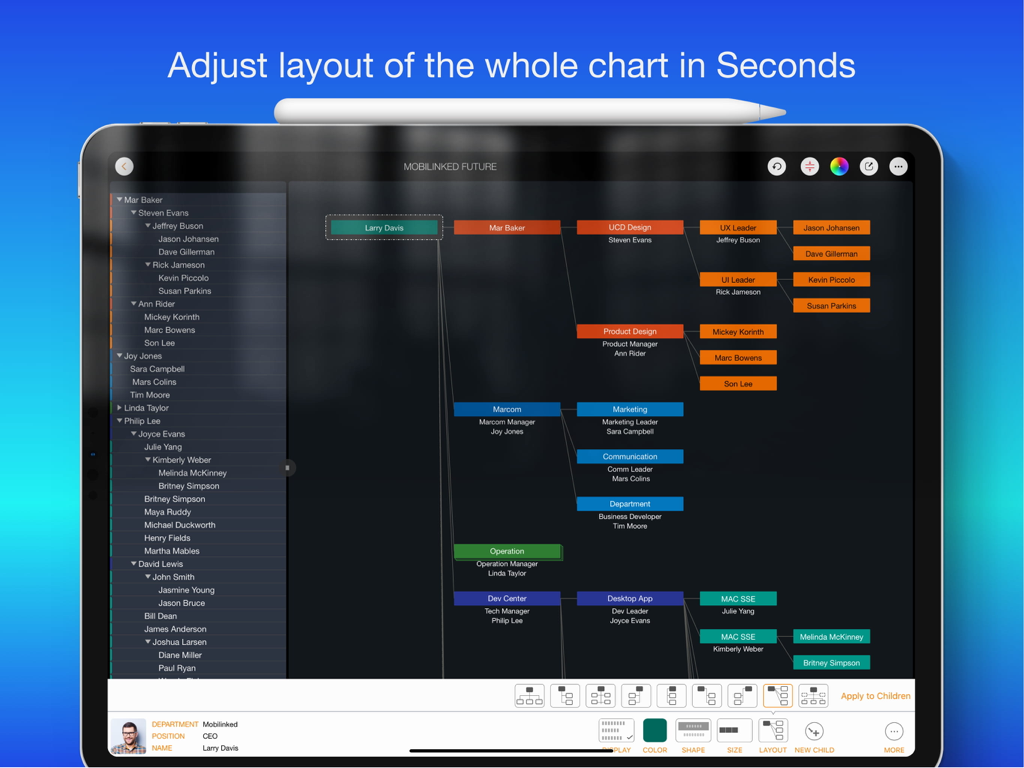
OrgChart - Organization Chart - A screenshot of the OrgChart app on an iPad showing a multi-level organizational chart with color-coded boxes and a layout adjustment menu at the bottom.
A screenshot of the OrgChart app on an iPad showing a multi-level organizational chart with color-coded boxes and a layout adjustment menu at the bottom.

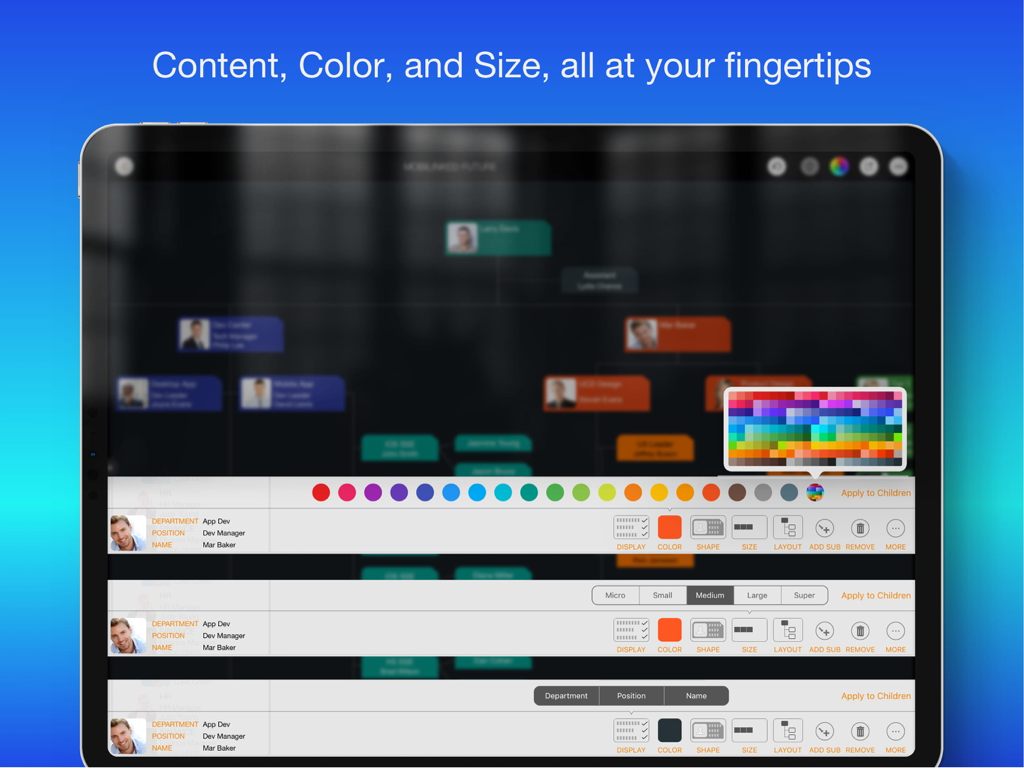
OrgChart - Organization Chart - iPad screen showing organizational chart customization options including color palette and unit size settings
iPad screen showing organizational chart customization options including color palette and unit size settings

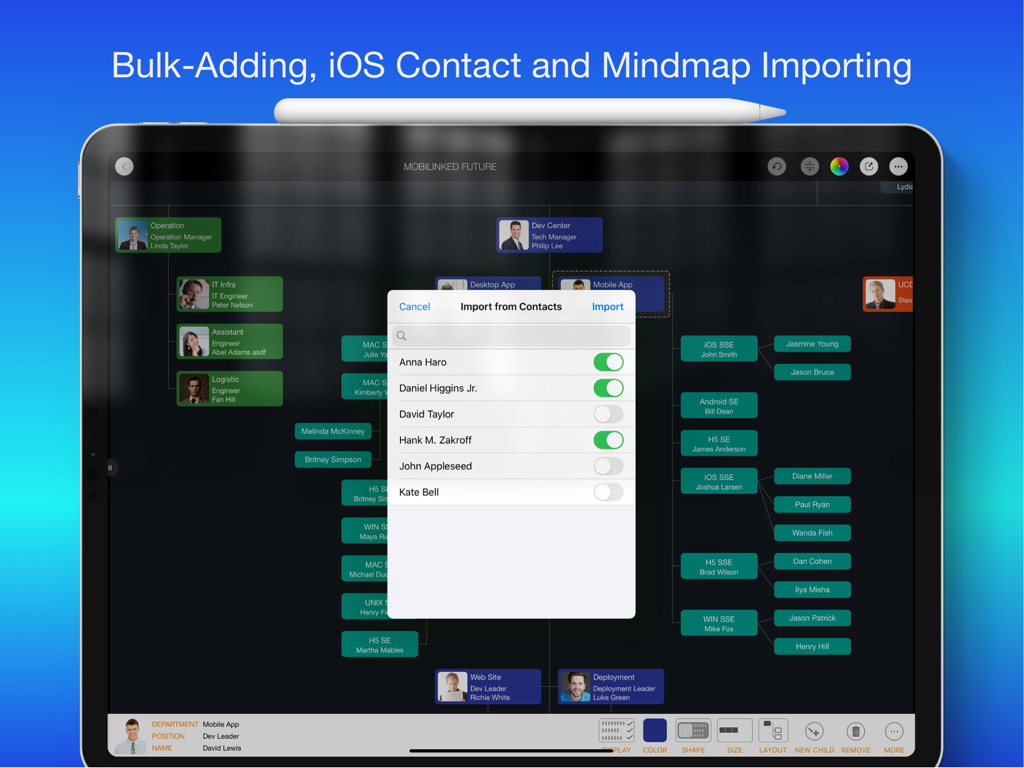
OrgChart - Organization Chart - Interface of the OrgChart app on an iPad showing a popup to import people from iOS contacts into a professional organization chart.
Interface of the OrgChart app on an iPad showing a popup to import people from iOS contacts into a professional organization chart.

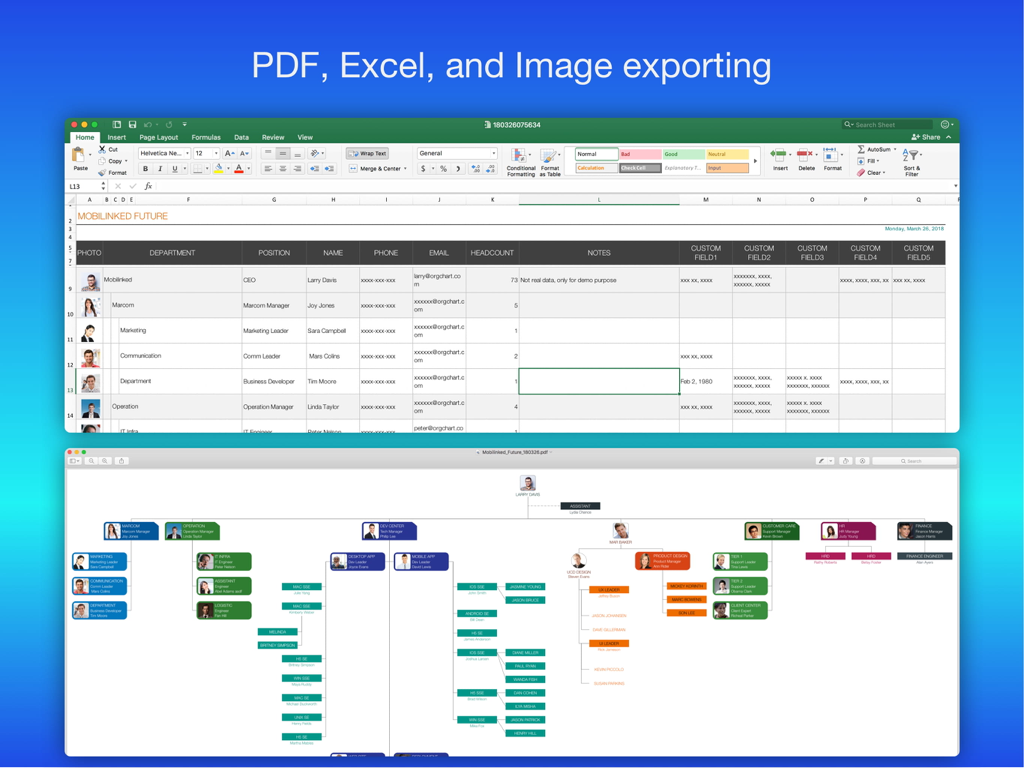
OrgChart - Organization Chart - Organizational chart app showcasing data export options to Excel spreadsheets and PDF visual diagrams.
Organizational chart app showcasing data export options to Excel spreadsheets and PDF visual diagrams.

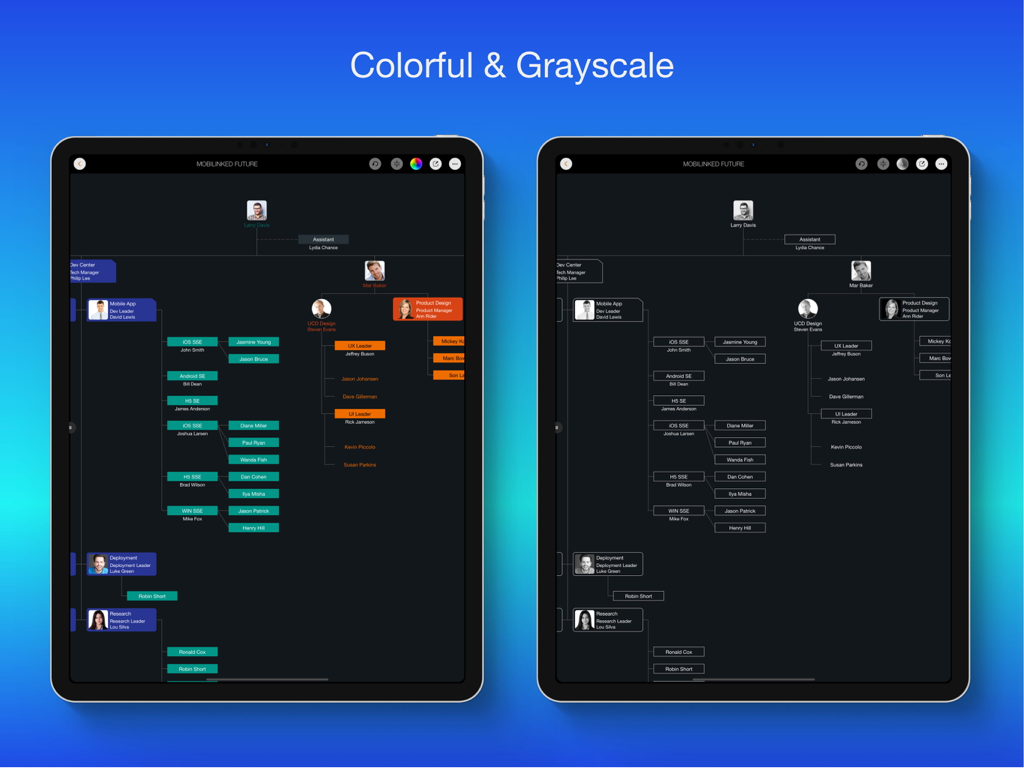
OrgChart - Organization Chart - Comparison of colorful and grayscale organizational charts on iPad screens
Comparison of colorful and grayscale organizational charts on iPad screens

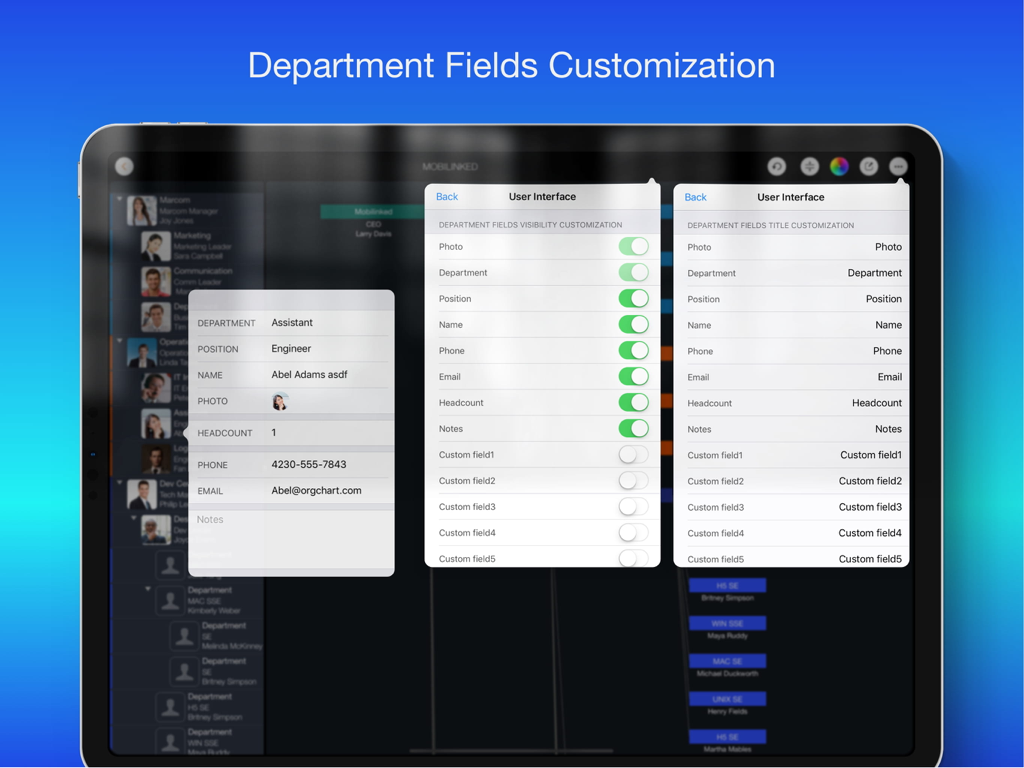
OrgChart - Organization Chart - OrgChart iPad app screen showing department field visibility and title customization settings

OrgChart iPad app screen showing department field visibility and title customization settings

Description

Please use OrgChartX: Search OrgChartX in App Store or visit https://orgchartx.mbl.app. OrgChartX is the modern, unified upgrade for iPhone, iPad, Mac & Vision Pro. This app stays for legacy users. Painless Organization Chart Creation - Simplify the maintenance, presentation, synchronization and sharing of organizational charts without having to deal with complicated drawings - OrgChart helps you render the shapes and place them in the right place automatically. ** NO DRAWING HASSLES ** With OrgChart, you don't have to waste time drawing shapes and connecting lines. OrgChart does it for you automatically. Just enter an element and customize its color, shape, size, text, and layout. OrgChart gives you an INTUITIVE and user-friendly interface to manage your org charts. ** TREE structure ONLY ** OrgChart is THE easy-to-use organizational chart app for iPad. Visualize, maintain and simplify organizational elements in a TREE structure. ## PRIVACY FOCUSED Your projects are stored on your device or in iCloud Drive, as you prefer. ## PRODUCTIVITY FOCUSED * Image, MS Excel and PDF export with options to customize the content. * Organizational charts can be synced between iOS and macOS devices via iCloud Drive. They can be shared as standalone files to other devices. * OrgChart supports sending people data directly to QuickPlan (https://itunes.apple.com/app/id621375878) as a project member. * Import from iOS contacts AND makes entering organization items easier, faster and more efficient. OrgChart is an innovative app that turns COMPLEXITY INTO SIMPLICITY. ## EFFICIENT MAINTENANCE - You do not need to draw manually anymore - you just need to set the visual styles of the elements. - Natural gestures to arrange parts, change element hierarchy, order, zoom, collapse, expand. - Bulk adding and importing iOS contacts. - The smoothest org chart app on a clean user interface. - Apply one visual style to all children. - In a clean user interface. ## STRONG MAINTENANCE - Multiple org charts organized in tile groups. - Maintain org charts in outline and diagram view. - Duplicate and import org charts. - Import an organizational unit from an iOS contact. - Batch input of organizational units. - Update unit properties - photo, unit name, job title, leader, phone, email, notes. - View organizational charts in color or black and white. - UNDO support. - Copy/paste support. - User interface customization options. ## FLEXIBILITY - Customization of title and visibility of department fields. - Visibility of department fields. - Color of department entries. - Nine layouts (customize where to place sub-items). - Eight shapes. - Size. - Three line styles. ## INTUITIVE - Pinch to zoom - Double tap to edit unit properties. - Long press to display the function menu. - Swipe left/right to change hierarchy. - Press and hold and swipe up/down to change the order and switch between groups. - Tap with two fingers to collapse/expand all groups together. ## REPORT - Export a full or partial org chart as an image, Excel, and PDF file (with PDF export options for PDF page size and zoom). - Export in color or black and white (automatic adjustment to current display color). ## SYNCHRONIZATION - Sync org charts between iOS and Mac devices via iCloud Drive. ## SHARE - Export org charts as .org files for sharing. - Share via email, airdrop, and third-party cloud apps. OrgChart is the best and only useful org chart app for Apple devices. ## USE CASES - Create an org chart for communication and presentation. - An option to manage personal contacts in a tree structure. - Change visual styles of existing org charts IN SECONDS, for different communication purposes. - Export a portion of a large org chart for presentation purposes. - Clean up the organization charts of customers and vendors. - Create a project team / new department / team. - Keep track of basic information of people in your team.

Download

Download on App Store

This page is not an official page of the app or its developer, but an independent editorial publication created for informational and commentary purposes. Unless expressly stated otherwise, neither the app nor its developer is affiliated with, endorsed by, sponsored by, authorized by, or otherwise officially connected with MWM, Apple, Google Play, the app publisher, or the app's developer, and nothing on this page implies that the app was developed using MWM's services. Any trademarks, logos, screenshots, and other content remain the property of their respective owners.