
This page is not an official page of the app or its developer, but an independent editorial publication created for informational and commentary purposes. Unless expressly stated otherwise, neither the app nor its developer is affiliated with, endorsed by, sponsored by, authorized by, or otherwise officially connected with MWM, Apple, Google Play, the app publisher, or the app's developer, and nothing on this page implies that the app was developed using MWM's services. Any trademarks, logos, screenshots, and other content remain the property of their respective owners.


OTC Health Solutions
Complexity, begone. This app puts your health benefits where they belong: in your control.
Downloads
750k+User Rating
Total Ratings
107.9KPublisher
Category
Health & FitnessLocales
1Latest Version
4.0.14Size
143.9 MBFirst Released
Dec 28, 2023Evaluating core functionalities for benefit management and product accessibility.
Analysis of OTC Health Solutions Key Features
Real-time Benefit Balance
The app provides real-time updates on benefit fund balances and activity, empowering users to actively manage their allowances.
Integrated Store & Online Access
It allows users to easily locate participating CVS stores for in-store use and seamlessly access online ordering for eligible products.
Comprehensive Transaction History
This tool features a detailed view of past transactions and provides the ability to track the status of current orders.
Flexible Shopping & Delivery
The app offers convenient shopping options, including in-store purchases, online ordering, and home delivery services from CVS.
Frequently Asked Questions
Everything you need to know about OTC Health Solutions
What is the OTC Health Solutions app used for?
The OTC Health Solutions app provides secure access to manage your over-the-counter benefits. You can check balances, view transaction history, find CVS stores, and shop for eligible items online or in-store.
How do I check my benefit balance with the OTC Health Solutions app?
Yes, the OTC Health Solutions app provides real-time updates on your benefit funds and activity. You can view your Grocery Wallet and CVS Over the Counter (OTC) Wallet balances directly within the app.
What stores accept OTC benefits through the OTC Health Solutions app?
The OTC Health Solutions app allows you to use your OTC benefits at CVS stores. You can shop in-store, order online, or utilize home delivery options offered by CVS.
Can I track my orders and transaction history using the OTC Health Solutions app?
Yes, the OTC Health Solutions app enables you to view your complete transaction history. It also allows you to track the status of your orders, such as shipped or delivered items.
Does the OTC Health Solutions app offer in-store payment options?
Yes, the OTC Health Solutions app supports in-store payments. It provides a 'Scan to Pay' feature with a barcode that shoppers can use to pay with their benefits at participating retailers.
How do I determine product eligibility using the OTC Health Solutions app?
The OTC Health Solutions app includes a feature to check product eligibility. You can scan an item's barcode with your camera or enter its name or SKU to see if it qualifies for your benefits.
The following screenshots and description are sourced directly from the app's official store listing and are the property of the app developer.
App Store
Screenshots

The initial screen introduces the application with its distinct "OTC Health Solutions" logo, presented against a serene, star-patterned light blue background.
App Introduction
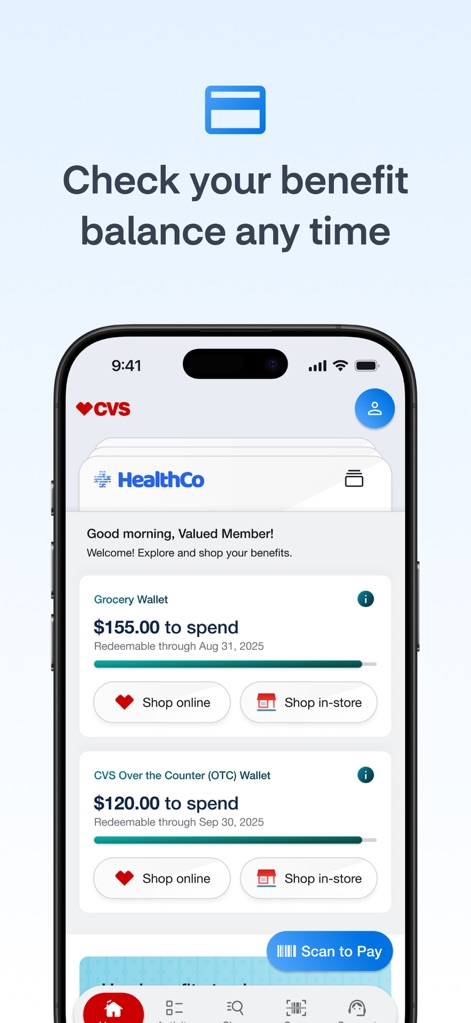
This crucial dashboard visually presents users with their real-time "Grocery Wallet" and "CVS Over the Counter (OTC) Wallet" balances, alongside direct options to "Shop online" or "Shop in-store."
Benefit Balances
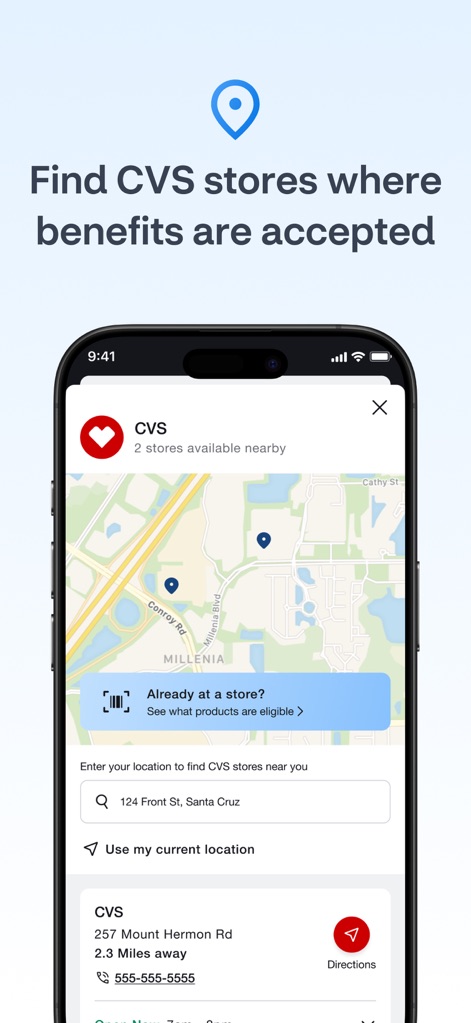
The integrated map feature visually displays nearby CVS store locations, offering users the convenience to "Use my current location" for precise directions and store details.
Store Locator
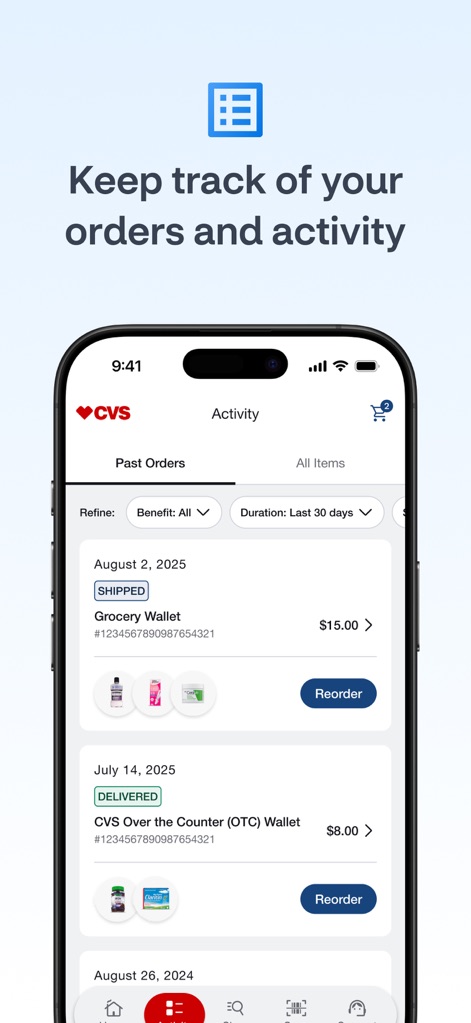
Users can review their comprehensive "Past Orders" and detailed "Activity," with clear statuses like "Shipped" and "Delivered" ensuring complete benefit transparency.
Transaction History

This screen streamlines in-store payment with a prominent scannable barcode and accessible "Shopper Instructions," simplifying the checkout process with a "Choose" cashier instructions option.
In-Store Payment
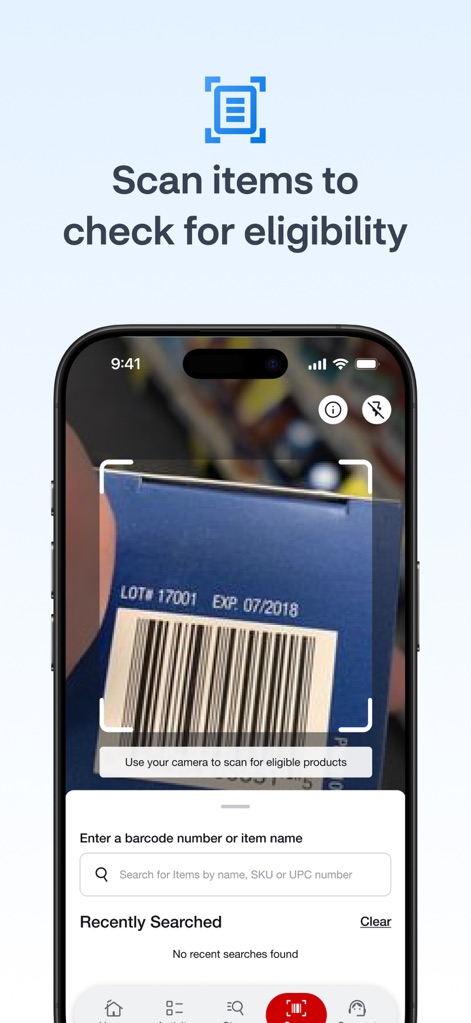
The app features a live camera view for scanning product barcodes to check eligibility, complemented by a robust search bar for entering item names or SKUs.
Eligibility Checker
Description
Download
More Like This
Apps with similar features and user experience

Pluxee Brasil
PLUXEE BENEFICIOS BRASIL S/A

Perks at Work
Next Jump

iFood Benefícios
iFood Agencia de servicos de restaurantes LTDA

Caju - Benefícios por inteiro
Empresa Brasileira de Beneficios e Pagamentos Ltda.

Flash App Benefícios e Vales
FLASH TECNOLOGIA E PAGAMENTOS LTDA.

Chèque-Vacances
AGENCE NATIONALE POUR LES CHEQUES VACANCES

Pluxee Cadeaux
Sodexo Pass France

Coverflex
UNIVERSAL COVER, S.A.

OTP SZÉP kártya
OTP Bank Nyrt.
This page is not an official page of the app or its developer, but an independent editorial publication created for informational and commentary purposes. Unless expressly stated otherwise, neither the app nor its developer is affiliated with, endorsed by, sponsored by, authorized by, or otherwise officially connected with MWM, Apple, Google Play, the app publisher, or the app's developer, and nothing on this page implies that the app was developed using MWM's services. Any trademarks, logos, screenshots, and other content remain the property of their respective owners.