Pantrist - Shopping & Pantry
Download on App Store

This page is not an official page of the app or its developer, but an independent editorial publication created for informational and commentary purposes. Unless expressly stated otherwise, neither the app nor its developer is affiliated with, endorsed by, sponsored by, authorized by, or otherwise officially connected with MWM, Apple, Google Play, the app publisher, or the app's developer, and nothing on this page implies that the app was developed using MWM's services. Any trademarks, logos, screenshots, and other content remain the property of their respective owners.

Logo of Pantrist - Shopping & Pantry
Download on App Store

Pantrist - Shopping & Pantry

Eliminate the mental load with automated restocking, real-time family syncing, and smart home integration. Manage your pantry like a pro with Alexa, Apple Watch, and barcode scanning.

Key Figures

Downloads

19K+

User Rating

4.4/5

Total Ratings

200

Publisher

Nico Lueg

Category

Food & Drink

Locales

6

Latest Version

4.79.1

Size

131.3 MB

First Released

Sep 17, 2020
Features

Your Kitchen, Fully Optimized

Stop the mental load of household management. Pantrist automates your inventory, syncs with your family, and integrates seamlessly with your smart home devices.

Smart Auto-Restocking

Define your minimum stock levels and watch items automatically appear on your shopping list the moment you run low, ensuring you never run out of essentials.

Seamless Smart Integration

Update your lists via Alexa while cooking or check items off on your Apple Watch at the store, with live syncing that keeps the whole family updated in real-time.

The following screenshots and description are sourced directly from the app's official store listing and are the property of the app developer.

App Store

Screenshots
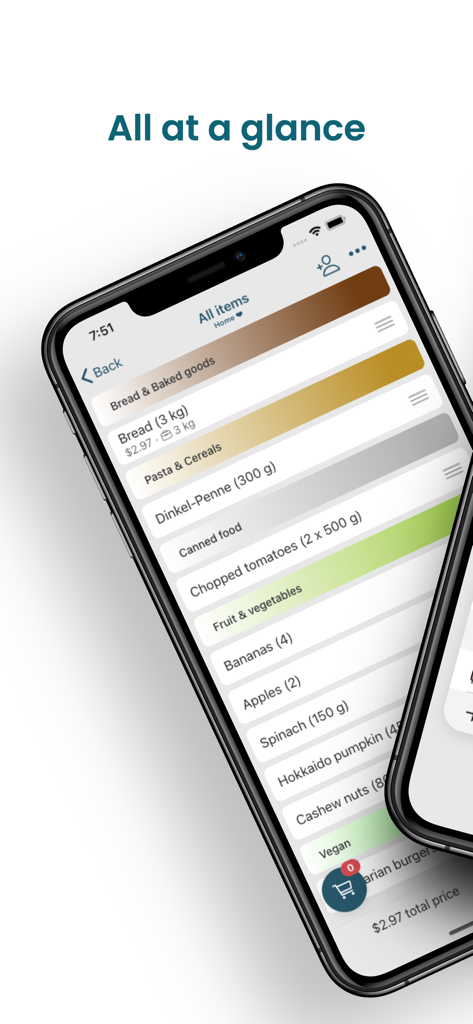
Pantrist - Shopping & Pantry - Categorized inventory list in the Pantrist app showing food items and quantities on an iPhone.
Categorized inventory list in the Pantrist app showing food items and quantities on an iPhone.

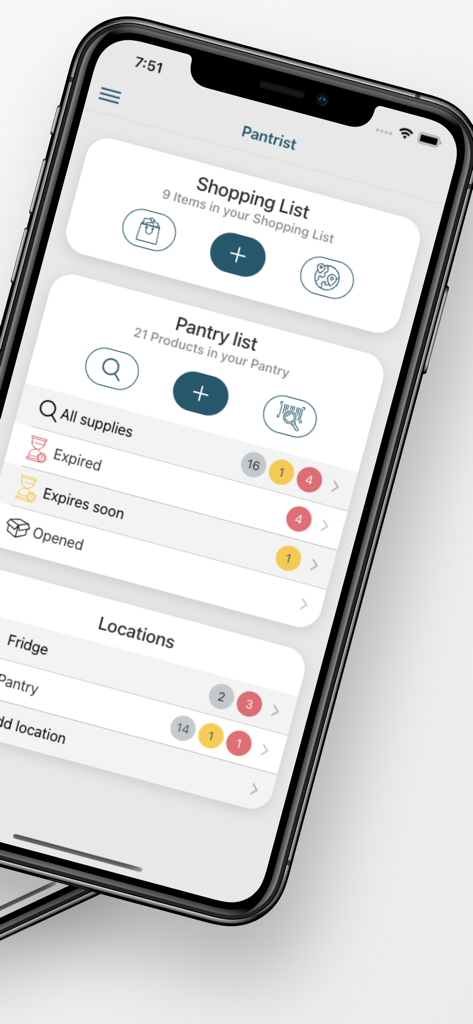
Pantrist - Shopping & Pantry - Smartphone screen showing the Pantrist app dashboard with shopping and pantry inventory lists
Smartphone screen showing the Pantrist app dashboard with shopping and pantry inventory lists

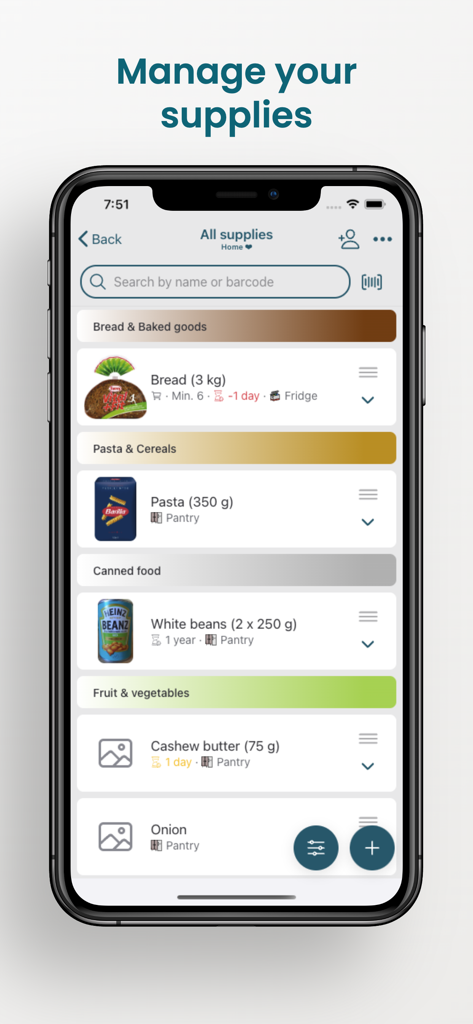
Pantrist - Shopping & Pantry - Screenshot of Pantrist app showing the manage your supplies screen with categorized food items like bread pasta and canned goods
Screenshot of Pantrist app showing the manage your supplies screen with categorized food items like bread pasta and canned goods

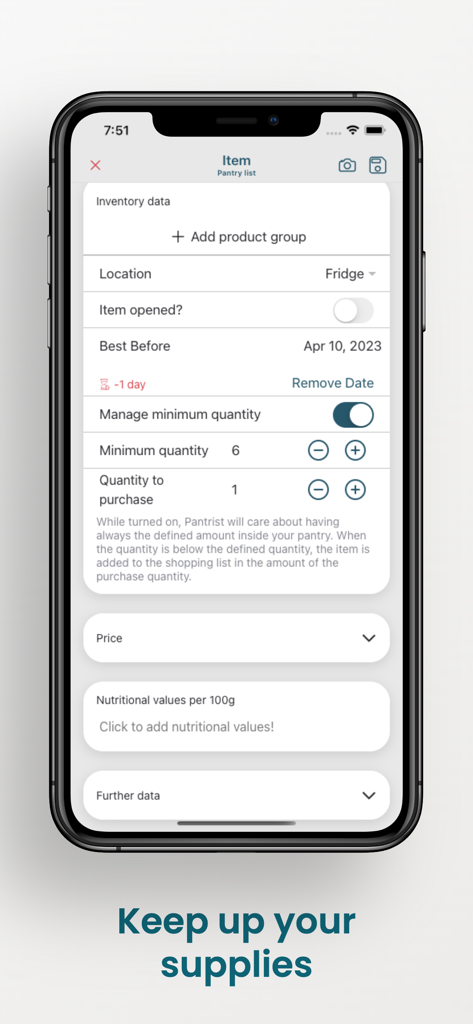
Pantrist - Shopping & Pantry - Smartphone screen of the Pantrist app showing inventory settings for a fridge item including best before date and minimum stock levels
Smartphone screen of the Pantrist app showing inventory settings for a fridge item including best before date and minimum stock levels

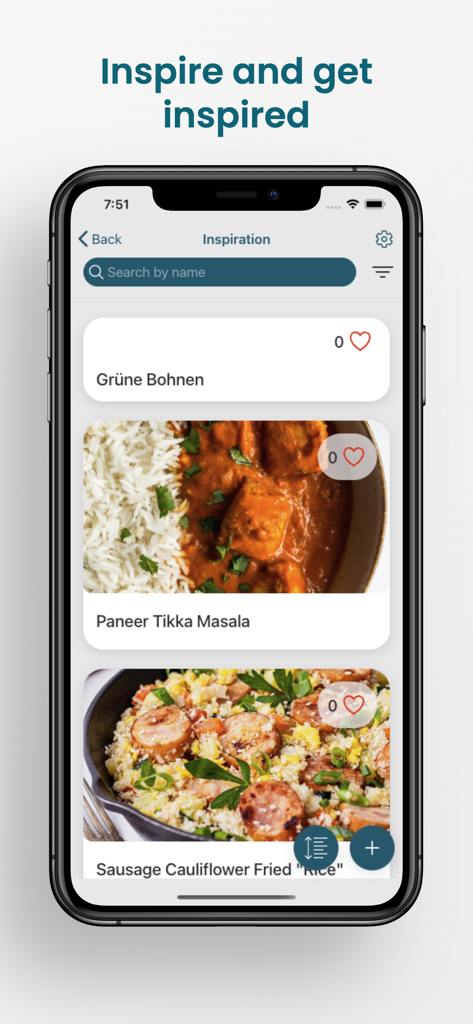
Pantrist - Shopping & Pantry - Pantrist app recipe inspiration screen showing various meal ideas and food photos
Pantrist app recipe inspiration screen showing various meal ideas and food photos

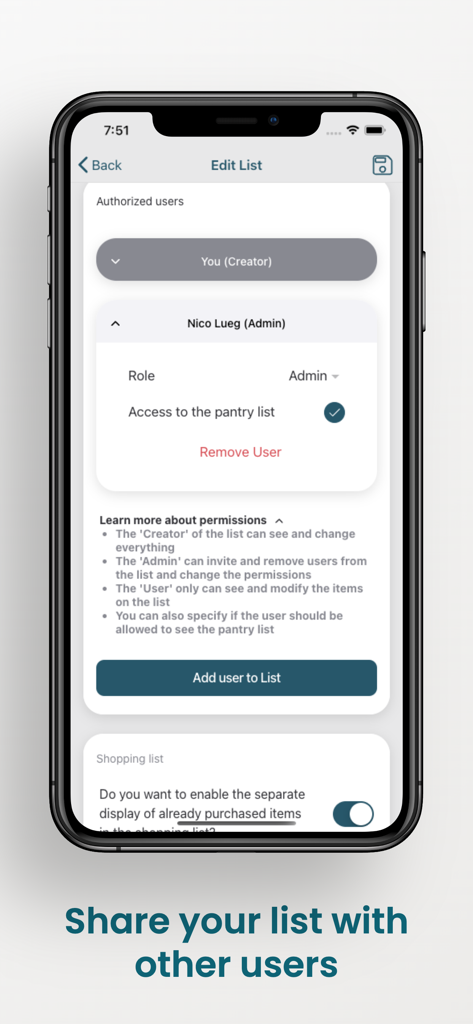
Pantrist - Shopping & Pantry - Smartphone screen of Pantrist app showing the user management interface for sharing lists and setting roles like Admin or Creator.
Smartphone screen of Pantrist app showing the user management interface for sharing lists and setting roles like Admin or Creator.

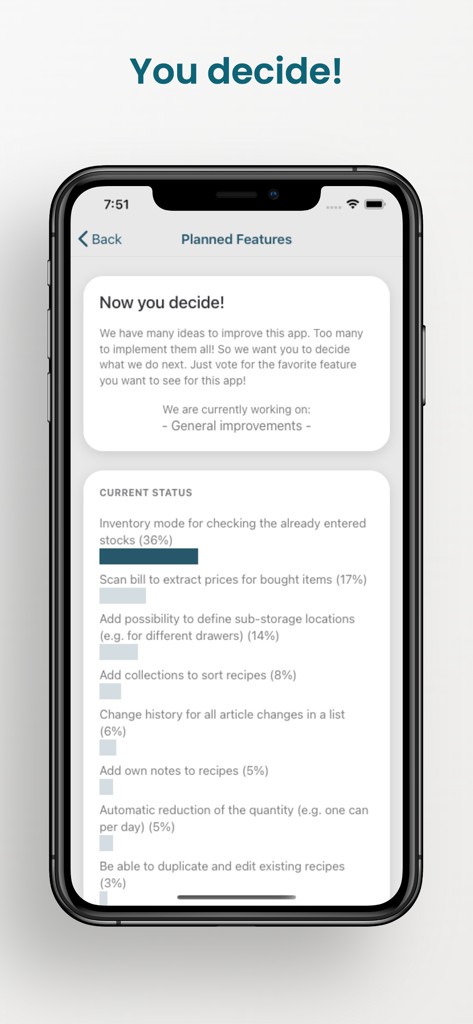
Pantrist - Shopping & Pantry - Voting screen in the Pantrist app where users choose and prioritize upcoming features
Voting screen in the Pantrist app where users choose and prioritize upcoming features

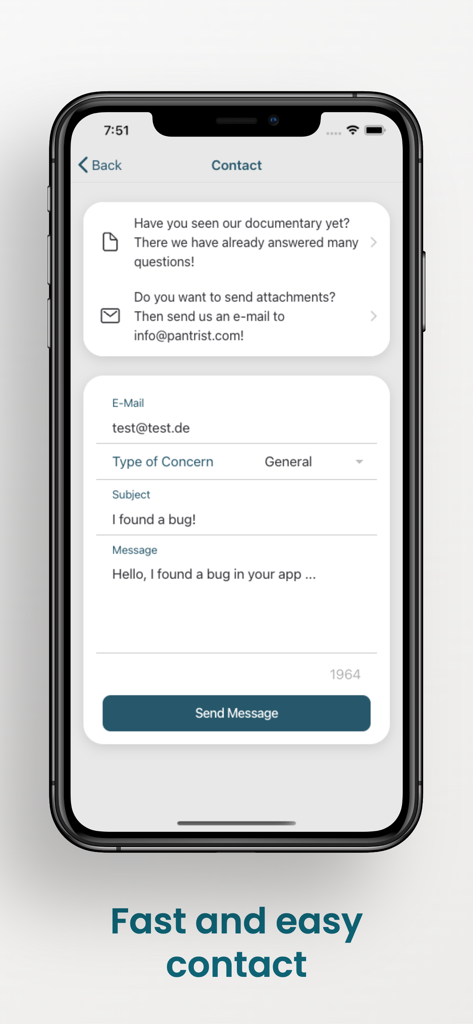
Pantrist - Shopping & Pantry - Pantrist app contact screen featuring a support message form for user feedback

Pantrist app contact screen featuring a support message form for user feedback

Description

With Pantrist you can easily keep track of your purchases and supplies at your convenience. Pantrist takes care that your supplies don't run out and automatically adds items that are below your desired minimum amount to your shopping list. You can share your list with as many people as you want, so you can use Pantrist to manage the purchases and supplies in your household or for the next party. FEATURES • Share your lists with family and friends • Manage the list with Alexa • Use your Apple Watch to handle your purchases • Highly configurable lists • Multiple shopping and supply lists • Direct contact option for feedback and feature requests • Minimum stock management • Record best before date per item • Add items by barcode scan or voice input • Calculation of the total price of a purchase • Save your favorite recipes with the recipe planner SHARING THE LIST You can easily share your lists via a link. Just send the link of your list via your preferred messenger service or by email. After clicking on the link, any number of people can be added to your list. Then everyone will see the content of the list live. A change appears in a fraction of a second on all devices. MANAGE YOUR PANTRY For individual items you can define how many you always want to have in your stock. If you take an item from your pantry and now have fewer items than you set in your minimum stock, the item will be automatically added to your shopping list. This will prevent you from running out of stock. You can also mark articles as open to create the greatest possible transparency about your stocks. BEST BEFORE DATE With Pantrist you can record your best before date per item. If you have several products of the same type with different expiration dates, you can enter a date for each product. Likewise, you can choose to have your products spread across multiple pantries, so you always know exactly where to find your products. RECIPE PLANNER Get inspired by created recipes and add needed items directly to your shopping list. You can also easily create your own delicious recipes and share them with the community. BARCODE SCANNER You can add your items via a barcode. Pantrist uses the "Open Food Facts" database to retrieve your barcode data. The database contains over one million items worldwide. If your article is not yet included in the database, you can enter the data for the barcode. Your entries will be saved and the next time a user scans the item, Pantrist will remember it. CONFIGURABILITY Pantrist offers you many possibilities to configure your lists and the functionality of the app. For example, you can set the sorting of the articles or categories and change them as you wish. You can create completely new categories or change the name or color of existing categories. Likewise, you can set a lot around the list to create the perfect app for you. DECIDE WITH US We have already implemented some feature requests from users to make Pantrist even better. If you have any ideas, you can easily tell us about them using the contact form within the app. We always do our best to implement any feedback. You can also use the "Planned Features" in the app to decide which feature should be implemented next. This way, we know which feature is most important to you! Alternatively, feel free to send your feedback and feature requests to info@pantrist.com. Privacy policy: https://www.pantrist.com/privacy Terms of use: https://www.pantrist.com/terms

Download

Download on App Store

This page is not an official page of the app or its developer, but an independent editorial publication created for informational and commentary purposes. Unless expressly stated otherwise, neither the app nor its developer is affiliated with, endorsed by, sponsored by, authorized by, or otherwise officially connected with MWM, Apple, Google Play, the app publisher, or the app's developer, and nothing on this page implies that the app was developed using MWM's services. Any trademarks, logos, screenshots, and other content remain the property of their respective owners.