
This page is not an official page of the app or its developer, but an independent editorial publication created for informational and commentary purposes. Unless expressly stated otherwise, neither the app nor its developer is affiliated with, endorsed by, sponsored by, authorized by, or otherwise officially connected with MWM, Apple, Google Play, the app publisher, or the app's developer, and nothing on this page implies that the app was developed using MWM's services. Any trademarks, logos, screenshots, and other content remain the property of their respective owners.

Paperback - Comic/Manga Reader
Take full control of your digital library with an ad-free, scriptable Komga client. Experience a premium native iOS interface designed for archivists who demand high-resolution reading and deep customization.
Downloads
105K+User Rating
Total Ratings
0Publisher
Category
EntertainmentLocales
1Latest Version
0.8.11Size
32.9 MBFirst Released
Jun 7, 2022Master Your Manga Collection
A premium, ad-free experience designed for tech-savvy readers who value privacy, customization, and self-hosted control.
Native Server Integration
Access your entire Komga or Kavita library on the go with a sleek, high-performance interface built for iOS and iPadOS.
Scripting & Extensibility
Leverage a robust TypeScript/JavaScript API to build your own extensions and tailor your reader exactly to your technical needs.
Frequently Asked Questions
Everything you need to know about Paperback - Comic/Manga Reader
What is Paperback - Comic/Manga Reader?
Paperback - Comic/Manga Reader is an iOS client for Komga. It allows users to read comics and manga on their iOS devices without ads and offers an extensive scripting API for extended functionality.
Is the Paperback - Comic/Manga Reader application ad-free?
Yes, the Paperback - Comic/Manga Reader application is ad-free. This feature is explicitly stated in the app's description, providing a clean reading experience.
Does Paperback - Comic/Manga Reader support scripting to extend its functionality?
Yes, Paperback - Comic/Manga Reader supports an extensive scripting API. Developers can use TypeScript or JavaScript to extend the app's functionality and customize features.
What is Komga, and how does Paperback connect to it?
Komga is a self-hosted media server for comics and manga. Paperback acts as an iOS client for Komga, enabling users to connect to their Komga server to access and read their digital library.
How do users connect the Paperback app to a Komga server?
Users connect Paperback to a Komga server by configuring server settings within the app. The 'Getting Started with Paperback' guide explicitly details how to connect your Komga server.
Does Paperback - Comic/Manga Reader include an Incognito Mode?
Yes, Paperback - Comic/Manga Reader includes an Incognito Mode. Users can enable this feature within the app's Settings menu for private browsing sessions.
Can users clear their search history within the Paperback app?
Yes, users can clear their search history in the Paperback app. The 'Clear All Search History' option is available and accessible within the app's Settings menu.
What is the current version of the Paperback iOS app?
The current version of the Paperback iOS app shown is 1.2.4. This version information is found within the 'External Sources' section under the 'Paperback' details in the app's settings.
The following screenshots and description are sourced directly from the app's official store listing and are the property of the app developer.
App Store
Screenshots
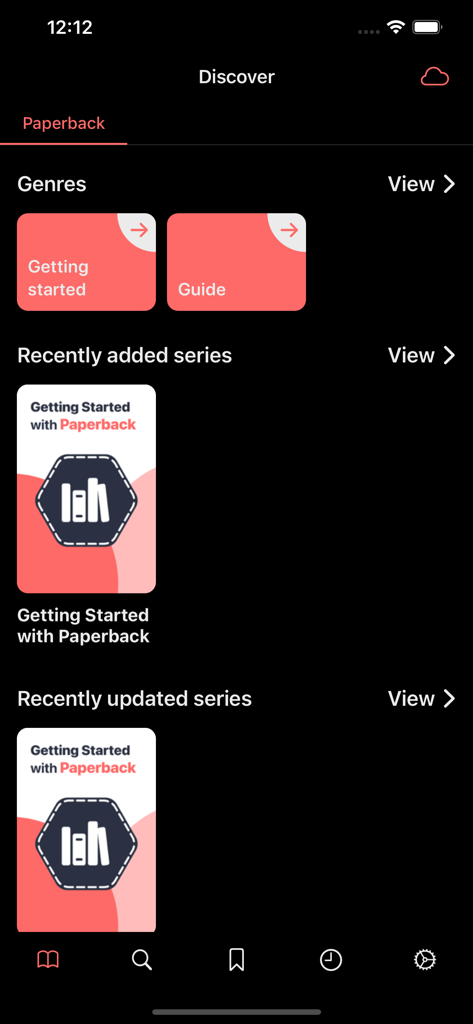
Paperback manga reader app Discover screen showing genres and series updates
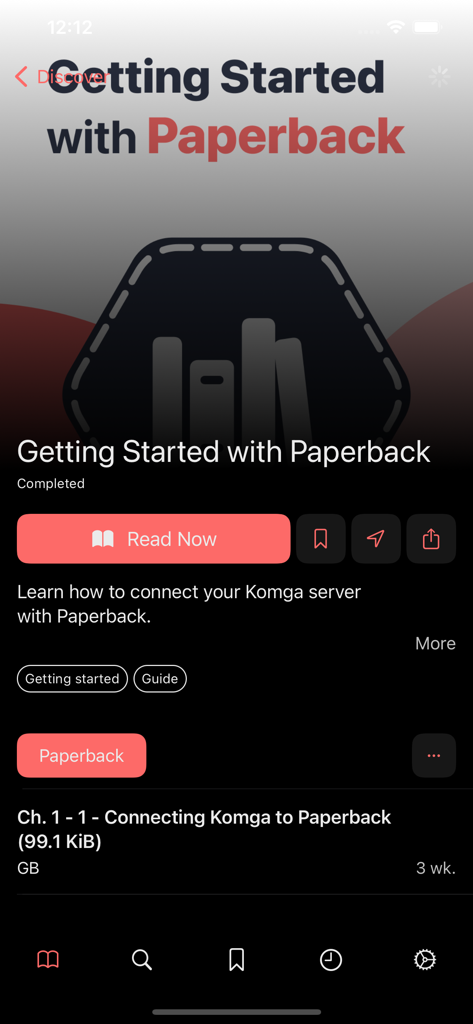
Paperback app onboarding screen showing a tutorial for connecting a Komga server
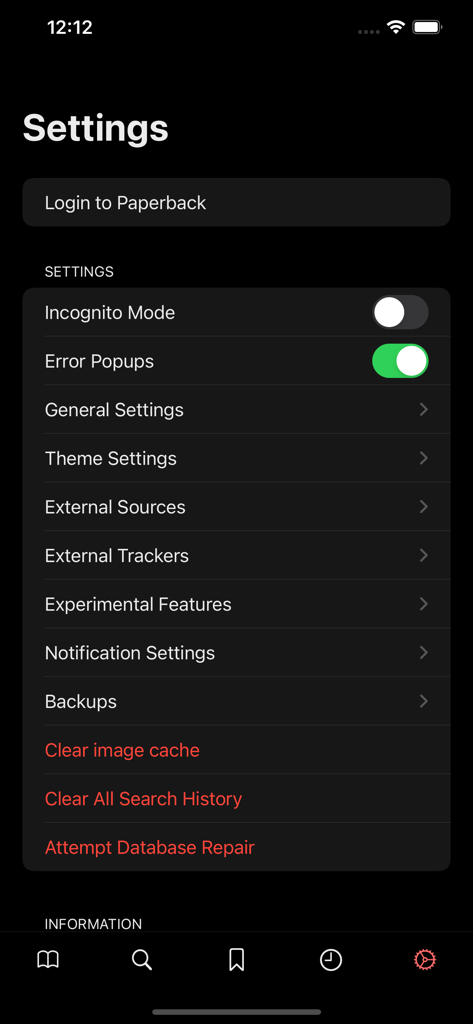
The settings menu of the Paperback manga reader app featuring privacy and source configuration options.
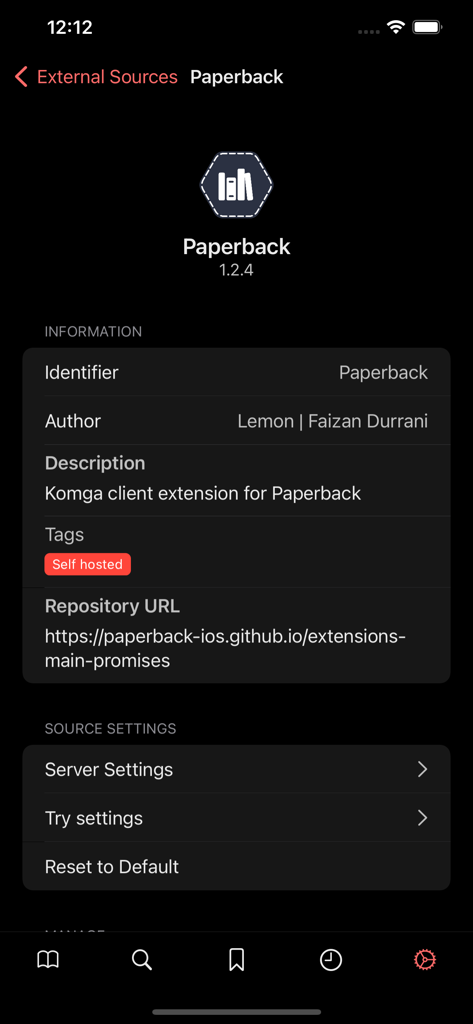
Paperback app screen displaying information for a self hosted Komga client extension including repository URL and server settings
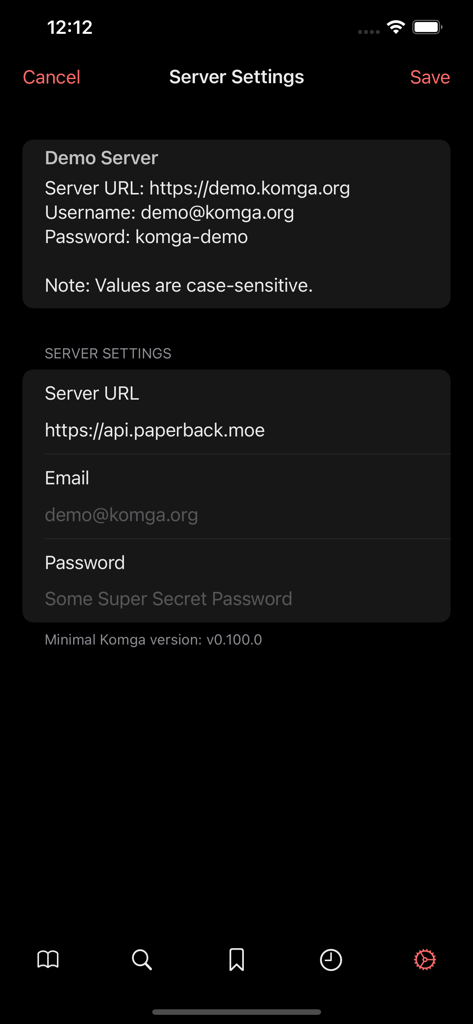
Paperback manga reader app server settings screen for Komga connection
Description
Download
More Like This
Top-ranked apps in the same category

TikTok - Videos, Shop & LIVE
TIKTOK PTE. LTD.

Netflix
Netflix, Inc.

Freecash - Get Paid Real Money
256 REWARDS LTD

DramaBox - Stream Drama Shorts
STORYMATRIX PTE. LTD

HBO Max: Stream Movies & TV
WarnerMedia Global Digital Services, LLC

Amazon Prime Video
AMZN Mobile LLC

NetShort - Popular Dramas & TV
NETSTORY PTE. LTD.

ReelShort - Stream Drama & TV
New Leaf Publishing, Inc.

Disney+
Disney Electronic Content, Inc.
This page is not an official page of the app or its developer, but an independent editorial publication created for informational and commentary purposes. Unless expressly stated otherwise, neither the app nor its developer is affiliated with, endorsed by, sponsored by, authorized by, or otherwise officially connected with MWM, Apple, Google Play, the app publisher, or the app's developer, and nothing on this page implies that the app was developed using MWM's services. Any trademarks, logos, screenshots, and other content remain the property of their respective owners.