
This page is not an official page of the app or its developer, but an independent editorial publication created for informational and commentary purposes. Unless expressly stated otherwise, neither the app nor its developer is affiliated with, endorsed by, sponsored by, authorized by, or otherwise officially connected with MWM, Apple, Google Play, the app publisher, or the app's developer, and nothing on this page implies that the app was developed using MWM's services. Any trademarks, logos, screenshots, and other content remain the property of their respective owners.


Passport Photo-ID Photo Snap
Skip the expensive retail lines and unflattering pharmacy lighting. Use smart background removal and pro-level retouching to create perfect, compliant photos for passports, visas, and licenses from your phone.
Downloads
77K+User Rating
Total Ratings
500Publisher
Category
Photo & VideoLocales
5Latest Version
1.5.0Size
58.6 MBFirst Released
Nov 25, 2024Professional ID Photos in Your Pocket
Skip the $15 pharmacy trip. Create government-compliant passport, visa, and license photos from home with professional results in minutes.
Save More, Print for Less
Stop overpaying for retail photo services. Generate print-ready layouts for free and print them at any local kiosk for just a few cents.
Aesthetic Control & Retakes
Don't settle for a bad ID photo. Take unlimited retakes and use smart enhancement tools to ensure you look polished and professional for years to come.
Frequently Asked Questions
Everything you need to know about Passport Photo-ID Photo Snap
What is the Passport Photo-ID Photo Snap app?
Passport Photo-ID Photo Snap is a free mobile application that creates professional ID photos for passports, visas, IDs, and driver's licenses. It offers smart background processing and photo enhancements.
Is the Passport Photo-ID Photo Snap app free to create ID photos?
Yes, the Passport Photo-ID Photo Snap app is completely free. Users can download high-resolution photos without charge. Printing costs at stores or home printers are separate.
Does Passport Photo-ID Photo Snap offer background removal and customization?
Yes, Passport Photo-ID Photo Snap features one-tap background removal. Users can customize backgrounds with options like pure white, light blue, gradient gray, and other colors.
What ID photo sizes does Passport Photo-ID Photo Snap support?
Passport Photo-ID Photo Snap supports common sizes like 2x2 inches (passport/visa), 1x1 inch (ID/driver’s license), and 35x45mm. It also allows custom sizes like 3x5, 4x6, and 5x7 inches.
Can users adjust photo parameters like brightness and contrast in Passport Photo-ID Photo Snap?
Yes, Passport Photo-ID Photo Snap includes professional-level enhancements. Users adjust brightness, contrast, and saturation directly within the app to achieve a natural and polished look.
Can Passport Photo-ID Photo Snap combine multiple ID photos for printing?
Yes, Passport Photo-ID Photo Snap generates print-ready layouts. It combines multiple ID photos onto a single sheet for formats like 4x6, 5x7, 8x10, Letter, and A4, compatible with various printers.
Does Passport Photo-ID Photo Snap allow users to manage and reuse past ID photos?
Yes, Passport Photo-ID Photo Snap includes a history feature. Users manage and easily reuse past ID photos created within the app, streamlining future photo needs.
The following screenshots and description are sourced directly from the app's official store listing and are the property of the app developer.
App Store
Screenshots
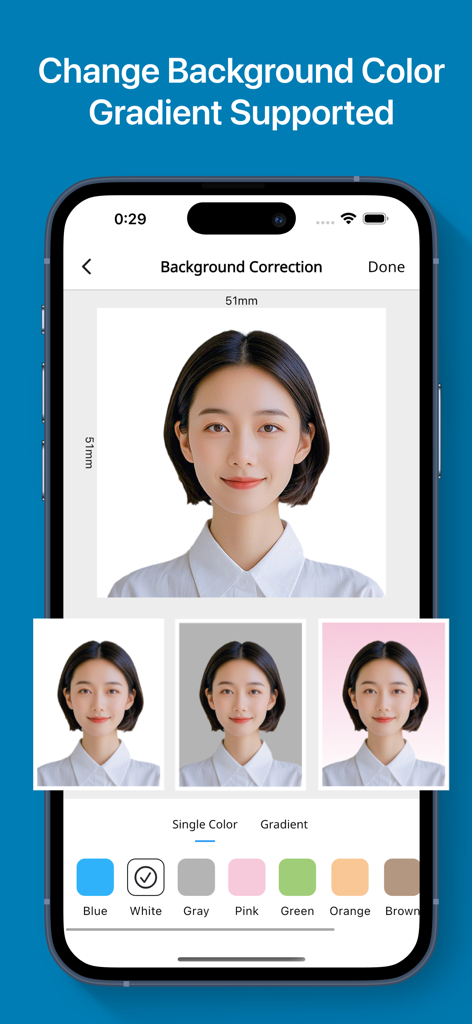
A mobile interface for an ID photo app showing options to change the background color of a passport picture with various solid and gradient options.
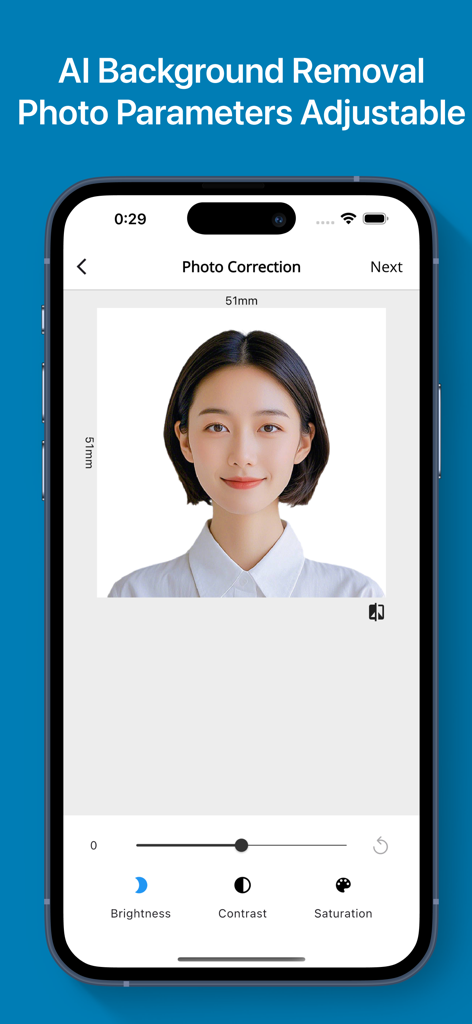
Smartphone screen showing ID photo correction with brightness and contrast sliders
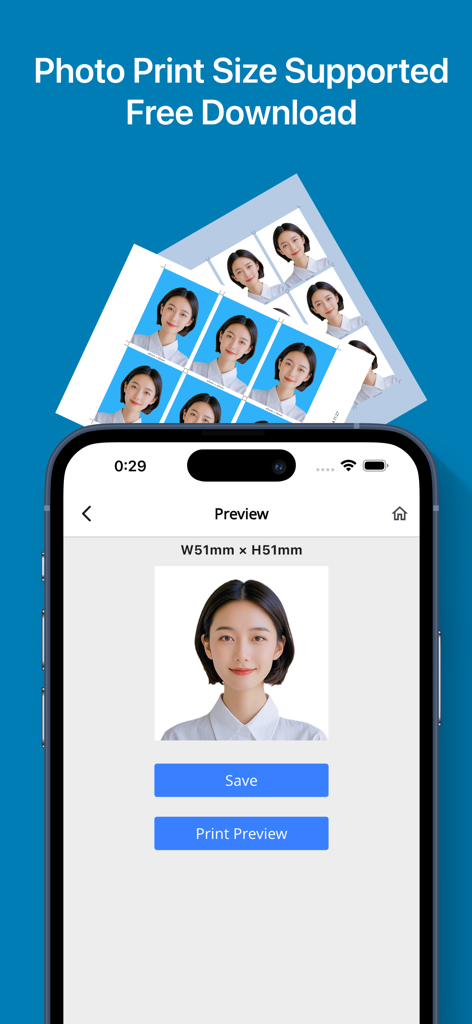
Mobile app screen showing a preview of a 51x51mm passport photo with buttons to save and view the print layout.
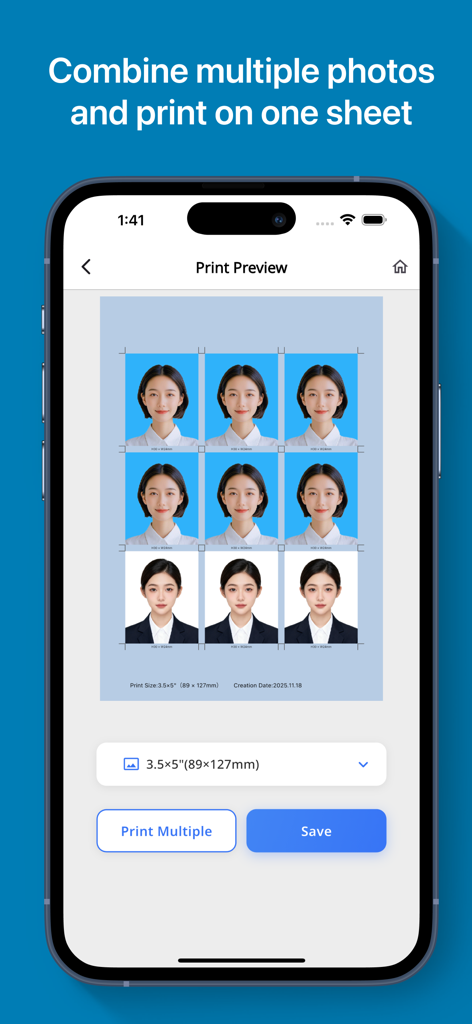
A mobile app interface showing a print preview of nine ID photos arranged on a single sheet for printing.
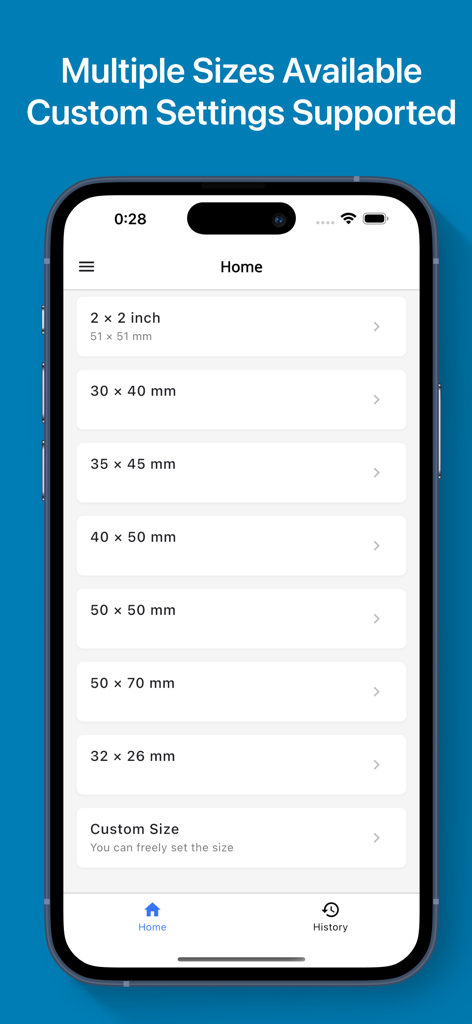
Interface of the Passport Photo app showing various photo size options and a custom size setting
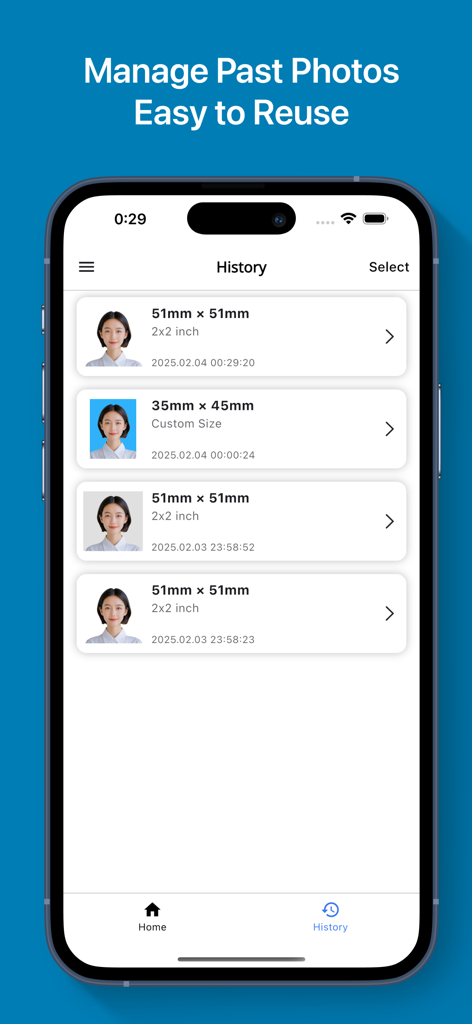
Mobile app screen showing a list of saved passport and ID photos in the history section for easy reuse
Description
Download
More Like This
Apps with similar features and user experience

Passport Photo Maker :ID Booth
Appable Yazilim Hizmetleri Limited Sirketi

Passport Photo-ID Photo Cutout
润娟 邹

ID photo passport maker:IDCam
Hangzhou Jiadi Bozhong Enterprise Management Partnership

证件照随拍-智能证件照制作软件
Shenzhen Piaopiao Baobei Co., Ltd

Passport Size Photo Maker App
Jatin Maniya

Print to Size
Clafou Ltd

Passport Photo Maker ID Photo・
泽沛 许

ID Photo:Passport Photo Maker
Retouch Photo Editor Technology Limited

ID Photo - Print Passport Pics
书敏 贾
This page is not an official page of the app or its developer, but an independent editorial publication created for informational and commentary purposes. Unless expressly stated otherwise, neither the app nor its developer is affiliated with, endorsed by, sponsored by, authorized by, or otherwise officially connected with MWM, Apple, Google Play, the app publisher, or the app's developer, and nothing on this page implies that the app was developed using MWM's services. Any trademarks, logos, screenshots, and other content remain the property of their respective owners.