
This page is not an official page of the app or its developer, but an independent editorial publication created for informational and commentary purposes. Unless expressly stated otherwise, neither the app nor its developer is affiliated with, endorsed by, sponsored by, authorized by, or otherwise officially connected with MWM, Apple, Google Play, the app publisher, or the app's developer, and nothing on this page implies that the app was developed using MWM's services. Any trademarks, logos, screenshots, and other content remain the property of their respective owners.


Paysign®
No more financial guessing games. Paysign® empowers users to seize total control of their prepaid funds, cutting through the noise of traditional finance.
Downloads
1M+User Rating
Total Ratings
656Publisher
Category
FinanceLocales
-Latest Version
3.1.126Size
65.2 MBFirst Released
May 23, 2018An analytical overview of key features for prepaid card users.
Paysign® App: Core Financial Management
Instant Balance Check
The app provides immediate access to current card balances, empowering users to stay informed about their available funds for daily financial planning.
Surcharge-Free ATM Locator
It allows users to quickly locate nearby surcharge-free ATMs, ensuring convenient and cost-effective access to cash whenever needed.
Mobile Fund Management
This tool features comprehensive capabilities for managing money and transactions directly from a mobile device, offering flexibility and control on the go.
Real-time Account Alerts
The app provides timely notifications for account activities, helping users monitor spending, detect unauthorized transactions, and maintain financial security.
Frequently Asked Questions
Everything you need to know about Paysign®
What are the main features of the Paysign® app?
The Paysign® app allows users to manage money and transactions on their Paysign® card. It enables viewing balances, transaction history, receiving account alerts, and finding surcharge-free ATMs.
Can I check my Paysign® card balance with the app?
Yes, the Paysign® app allows users to easily view their available balance and ledger balance directly within the application.
How do I view my transaction history using the Paysign® app?
Yes, the Paysign® app displays your recent transaction history, including deposits and purchases, with details such as date, time, and amount.
Can I find ATMs using the Paysign® app?
Yes, the Paysign® app includes an ATM Finder feature to locate nearby surcharge-free ATMs. Users can search by location.
Is the Paysign® app free?
Yes, the Paysign® app is free to use. It provides a secure and easy way to manage your funds on the go.
Where can I use my Paysign® card?
The Paysign® app works with your Paysign® card, which is accepted everywhere Visa Debit cards are used, including in stores, online, or over the phone.
How do I contact Paysign® customer service?
You can contact customer service for your Paysign® card by calling the 24/7 support number found on the back of your card.
Can I add funds to my Paysign® account via the app?
Yes, the Paysign® app features an 'Add Funds' option accessible through its quick navigation menu, allowing users to manage their account's balance.
Does the Paysign® app offer account alerts?
Yes, the Paysign® app is designed to provide account alerts, keeping users informed about their card activities.
Can I view my Paysign® statements in the app?
Yes, the Paysign® app provides a 'View Statements' option, allowing users to access and review their account statements.
The following screenshots and description are sourced directly from the app's official store listing and are the property of the app developer.
App Store
Screenshots
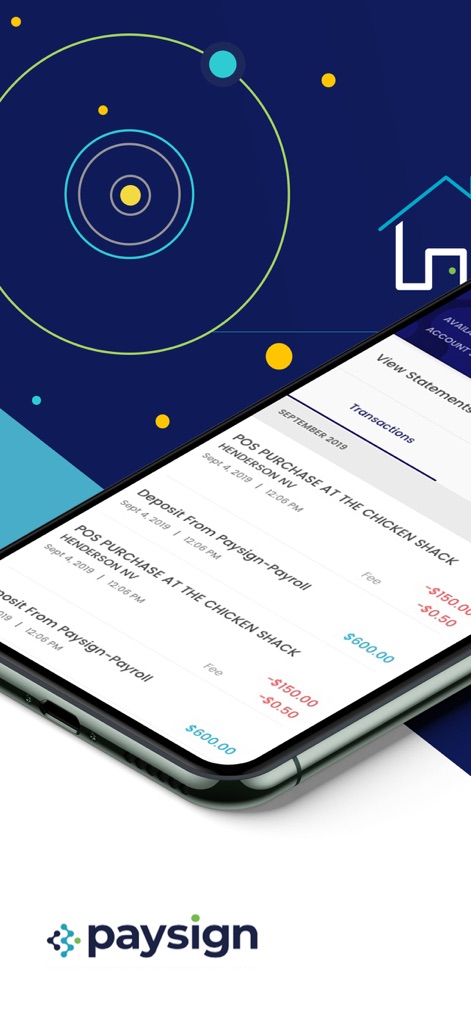
The app provides a clear log of recent activity, showing both POS purchases and payroll deposits with corresponding dates and amounts.
Transaction History View
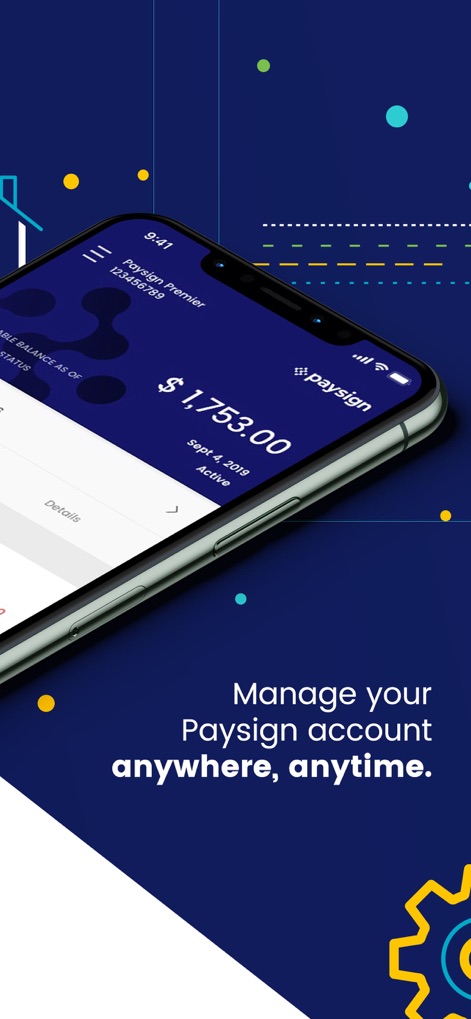
Users can instantly see their current account balance prominently displayed, along with their Paysign Premier card identifier.
Current Balance Display
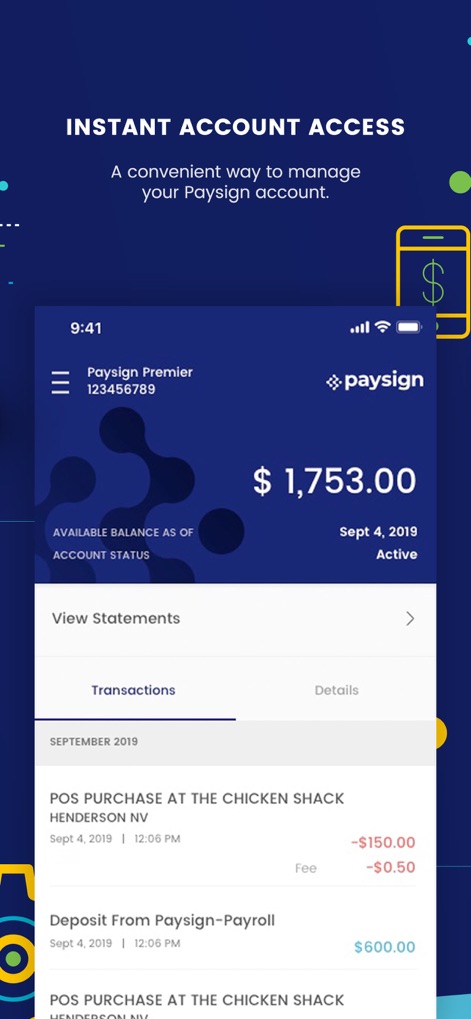
This screen offers a quick overview of the available balance and direct access to detailed transaction statements.
Account Dashboard Access
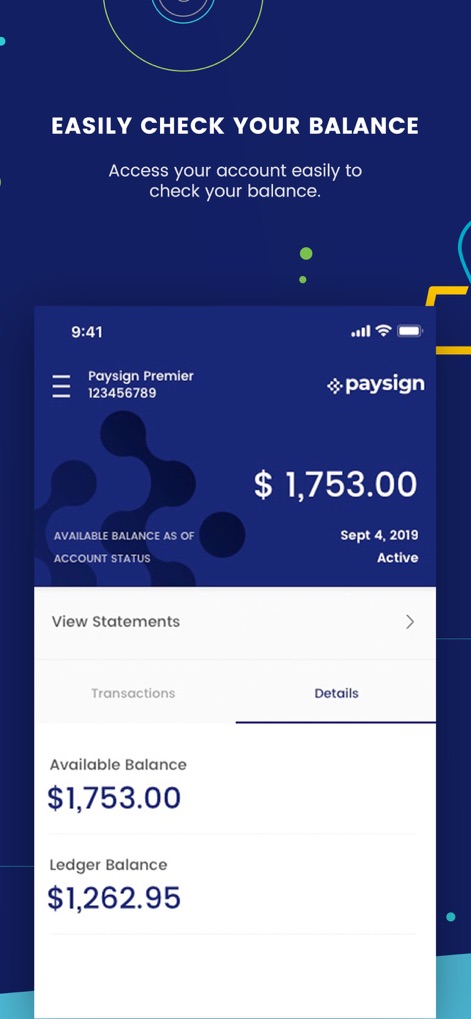
The app clarifies financial standing by differentiating between the available balance and the complete ledger balance.
Detailed Balance Breakdown
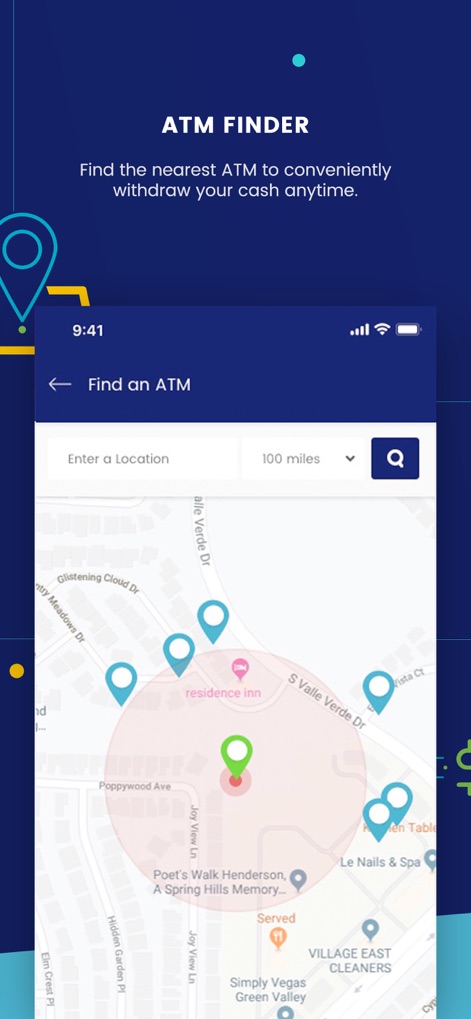
Users benefit from an interactive map that pinpoints nearby ATMs and allows for a customizable search range.
Convenient ATM Finder
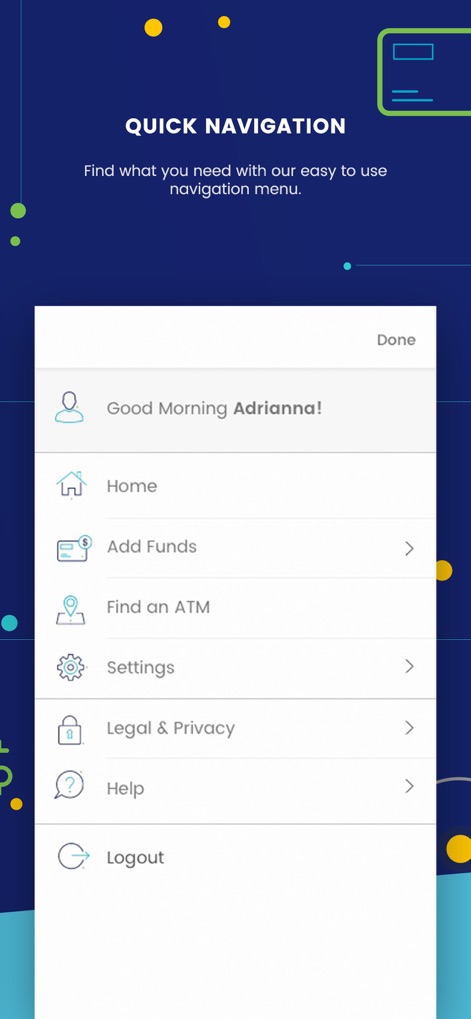
The tool features a user-friendly side menu for quick access to various functions, including help resources and account settings.
Intuitive Menu Navigation
Description
Download
More Like This
Apps with similar features and user experience

Marcus by Goldman Sachs®
Goldman Sachs

Esfera - Pontos
Esfera Fidelidade S.A.

Lyft Direct Powered By Payfare
payfare Inc.

Amazon Flex Debit Card
Green Dot Corporation

Stripe Express
Stripe Inc

iFood Pago
MI PAGAMENTOS DO BRASIL LTDA

GSPara
IBTECH A.S.

My illicado
SYNEDIS

Instacart Shopper Rewards
Branch Messenger Inc.
This page is not an official page of the app or its developer, but an independent editorial publication created for informational and commentary purposes. Unless expressly stated otherwise, neither the app nor its developer is affiliated with, endorsed by, sponsored by, authorized by, or otherwise officially connected with MWM, Apple, Google Play, the app publisher, or the app's developer, and nothing on this page implies that the app was developed using MWM's services. Any trademarks, logos, screenshots, and other content remain the property of their respective owners.