
This page is not an official page of the app or its developer, but an independent editorial publication created for informational and commentary purposes. Unless expressly stated otherwise, neither the app nor its developer is affiliated with, endorsed by, sponsored by, authorized by, or otherwise officially connected with MWM, Apple, Google Play, the app publisher, or the app's developer, and nothing on this page implies that the app was developed using MWM's services. Any trademarks, logos, screenshots, and other content remain the property of their respective owners.

PDF AI Scanner
Join 184,000+ professionals and students who transform physical documents into editable Word, Text, and PDF files instantly with high-accuracy OCR technology.
Downloads
184K+User Rating
Total Ratings
0Publisher
Category
UtilitiesLocales
1Latest Version
1.0.3Size
33.7 MBFirst Released
May 19, 2025Maximize Your Efficiency with AI-Powered Productivity
Transform your iPhone into a professional-grade mobile office with cutting-edge tools to scan, convert, and manage your documents on the go.
AI Text Extraction (OCR)
Turn physical documents into editable text instantly with smart recognition, saving hours of manual data entry for your projects.
Seamless Format Conversion
Effortlessly switch between PDF, Word, and Image formats with a single tap, ensuring your files are always professional and compatible.
Frequently Asked Questions
Everything you need to know about PDF AI Scanner
Can PDF AI Scanner convert files to and from PDF?
Yes, PDF AI Scanner converts PDF to images (JPG/PNG) and text (TXT/Word). It also converts Word, Camera, Txt, JPG, and scanned files into PDF format with one-click conversion.
Does PDF AI Scanner offer OCR text recognition?
Yes, PDF AI Scanner provides accurate OCR graphic and text recognition. It extracts text from images and scanned documents, supports multiple languages, and exports the recognized text as PDF.
How do I scan documents to PDF using PDF AI Scanner?
PDF AI Scanner allows users to scan files directly and convert them to PDF. You can scan images (JPG), use your camera, or other sources to create new PDF documents.
Does PDF AI Scanner support viewing various file types?
Yes, PDF AI Scanner supports viewing multiple file previews. Users can quickly and conveniently preview various document types directly within the application.
How can I access the Privacy Policy for PDF AI Scanner?
The Privacy Policy for PDF AI Scanner is accessible via its URL: https://pdfaiscanner.top/Privacy_Policy.txt. Users can also find a link to the Privacy Policy within the app's settings menu.
What are the main features of PDF AI Scanner?
PDF AI Scanner is an all-in-one PDF assistant. Its core features include format conversion between PDF and images/text, OCR text recognition, document scanning, and convenient file previewing.
Can PDF AI Scanner create new PDF documents?
Yes, PDF AI Scanner offers a "Create PDF" function. Users can generate new PDF files directly from the app's main interface or through the PDF Toolbox section.
The following screenshots and description are sourced directly from the app's official store listing and are the property of the app developer.
App Store
Screenshots
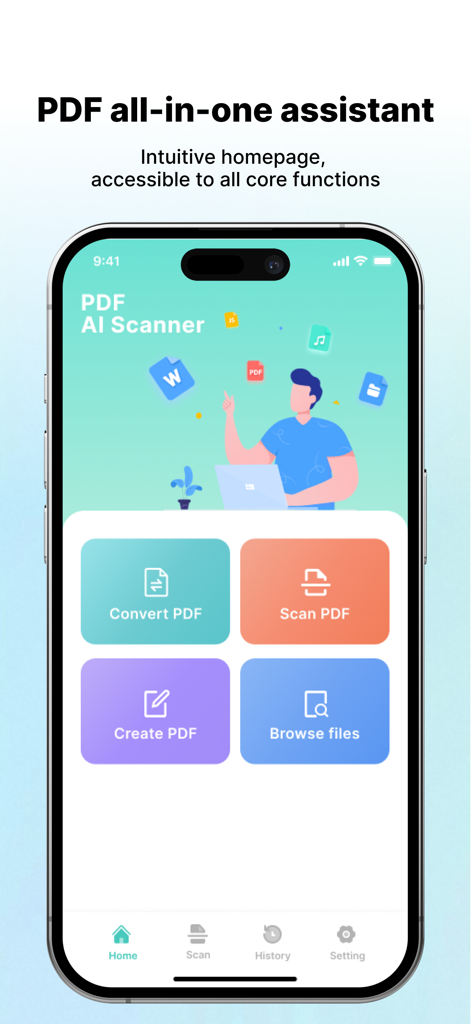
PDF AI Scanner app homepage showing options to convert scan create and browse files
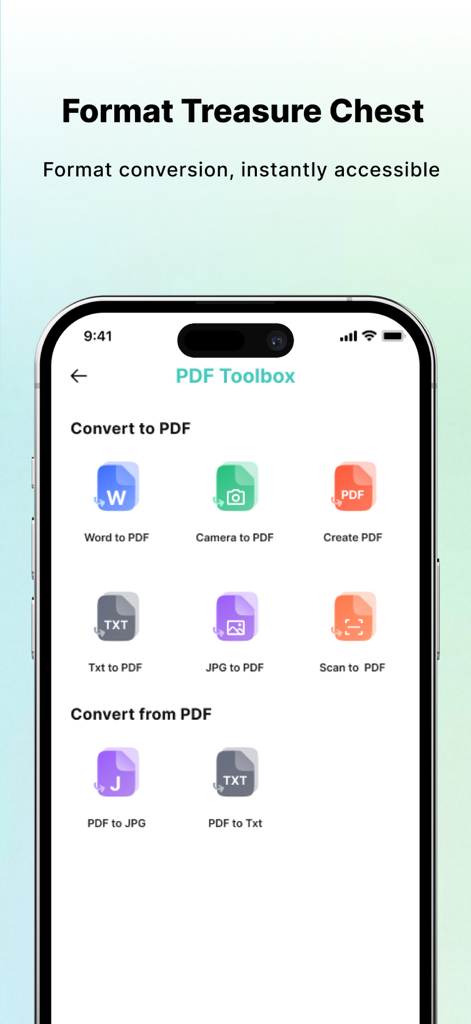
A mobile phone screen displaying the PDF AI Scanner app toolbox with various document conversion options like Word to PDF and PDF to Text.
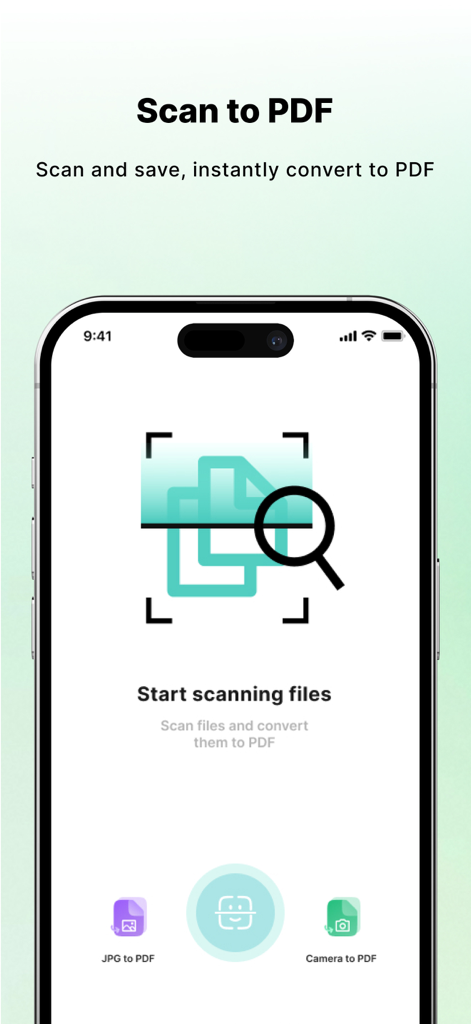
PDF AI Scanner app main screen showing the scan to PDF feature with camera and image conversion options
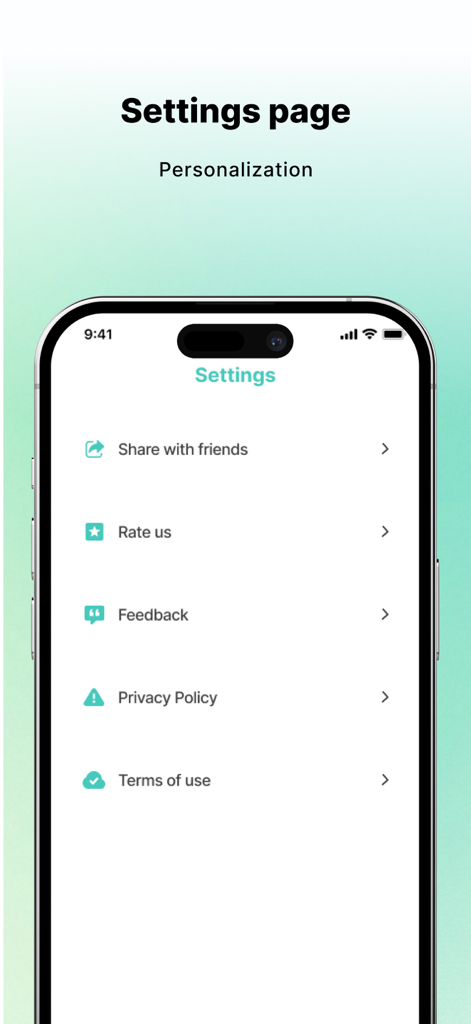
Settings interface of the PDF AI Scanner mobile application
Description
Download
More Like This
Apps with similar features and user experience

ScanScan(白描)-OCR Text Scanner
新乐 陶

Text Scanner AI - OCR Scan
EVOLLY HK LIMITED

Text Scan : Image to Text OCR
Appzys Technologies Private Limited

Copy Text On Screen
Appzys Technologies Private Limited

Screenshot PRO Screenshots App
Beatcode Srl

元ּ发生器
沛鑫 李

OCR Image AI - Photo to Text
RapidNova Private Limited

Klikk - Events
Levin Fritz
This page is not an official page of the app or its developer, but an independent editorial publication created for informational and commentary purposes. Unless expressly stated otherwise, neither the app nor its developer is affiliated with, endorsed by, sponsored by, authorized by, or otherwise officially connected with MWM, Apple, Google Play, the app publisher, or the app's developer, and nothing on this page implies that the app was developed using MWM's services. Any trademarks, logos, screenshots, and other content remain the property of their respective owners.