
This page is not an official page of the app or its developer, but an independent editorial publication created for informational and commentary purposes. Unless expressly stated otherwise, neither the app nor its developer is affiliated with, endorsed by, sponsored by, authorized by, or otherwise officially connected with MWM, Apple, Google Play, the app publisher, or the app's developer, and nothing on this page implies that the app was developed using MWM's services. Any trademarks, logos, screenshots, and other content remain the property of their respective owners.


AI Scanner : Image to Text
Stop retyping. This app grants you the power to instantly digitize and manipulate text from any image, document, or screen.
Downloads
1M+User Rating
Total Ratings
38.1KPublisher
Category
ProductivityLocales
1Latest Version
2.0.5Size
125.2 MBFirst Released
Apr 11, 2017An analytical overview of core functionalities and their impact on productivity.
Key Features of AI Scanner : Image to Text
AI-Powered OCR for Multilingual Text Extraction
The app provides highly accurate, AI-powered optical character recognition (OCR) to extract editable text from images, photos, screenshots, and PDFs, supporting over 92 languages.
AI Chat for Document Summarization & Q&A
This tool features an innovative AI chat interface, allowing users to interact directly with attached images or PDFs to ask questions, summarize content, or receive instant translations.
Direct Export to Editable Word Files
It allows users to convert extracted text into an editable Microsoft Word file, integrating seamlessly into professional and academic document workflows.
Universal Screenshot Text Capture
The app provides the capability to extract text from any screen, website, or app by simply sharing screenshots, offering broad versatility in content capture.
Searchable PDF Export with Text Layer
This tool enables the sharing of extracted text as a searchable PDF, embedding a text layer over the original image for enhanced searchability and text selection.
Multilingual Text Translation
It allows users to translate extracted text into over 100 languages, significantly aiding cross-cultural communication and understanding for diverse content.
Automatic Phone, Email, & URL Detection
The app intelligently extracts text from images and automatically identifies actionable information such as phone numbers, email addresses, and URLs within the content.
Smart Document Scanning to PDF
This tool features a robust PDF scanner that converts physical documents into clean, professional PDFs, enhanced by smart edge detection and auto-cropping.
Organized Scan History & Search
It provides comprehensive scan management capabilities, including saving history, organizing scans into folders, sorting by date, and searching for specific words within saved documents.
Handwriting Recognition & Conversion
The app enables the conversion of handwritten notes into editable digital text, streamlining the digitization of personal jottings, academic notes, or physical forms.
The following screenshots and description are sourced directly from the app's official store listing and are the property of the app developer.
App Store
Screenshots

See how the app highlights its key functionalities like "Extract text from Image & PDF" and "AI Chat with PDF & Image text" for quick understanding.
AI Scanner Core
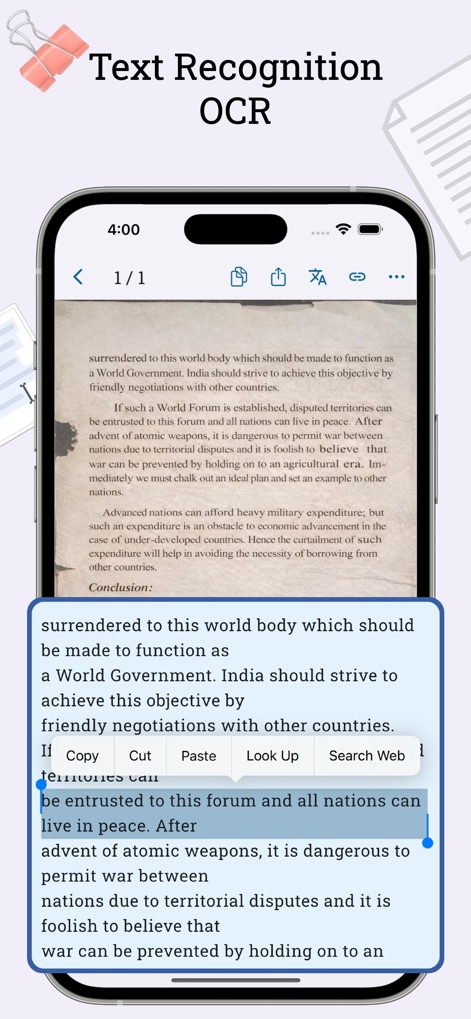
Observe the app's advanced "Text Recognition OCR" feature in action, allowing users to select and interact with extracted text directly from an image.
Precision Text Extraction

Witness the smart "Scan to PDF" functionality, showcasing the intuitive edge detection and auto-crop feature for professional document digitization.
Seamless Document Capture
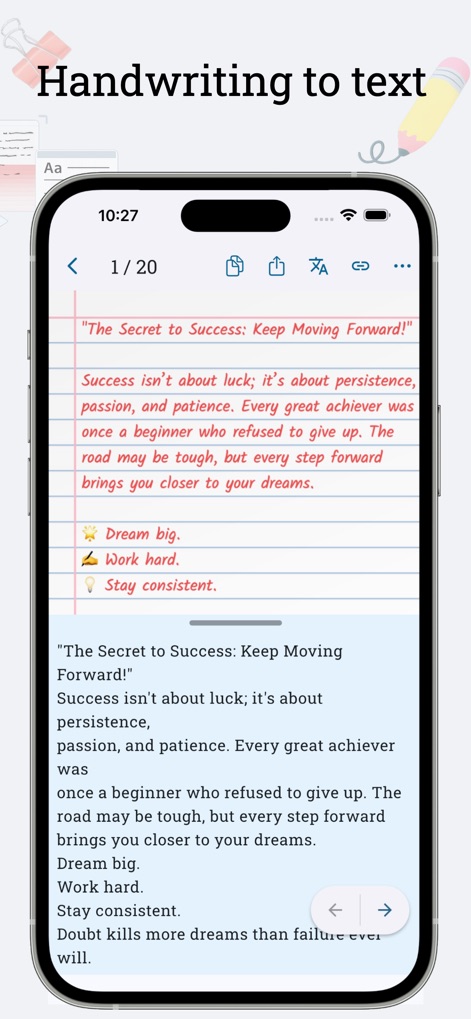
Explore how the app converts "Handwritten to text" with impressive accuracy, transforming notes from a lined page into editable digital content.
Handwritten Text Digitizer

Discover the innovative "AI Chat with PDF & Image Text" feature, enabling users to ask questions and summarize content directly from attached documents.
Intelligent Document Interaction
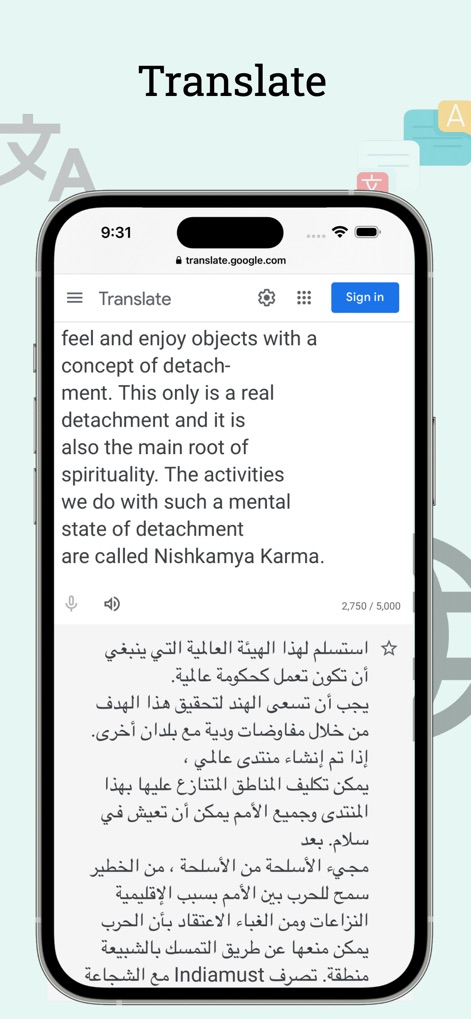
Experience the app's powerful "Translate" capability, effortlessly converting text from one language to another, as shown with English and Arabic examples.
Instant Text Translation
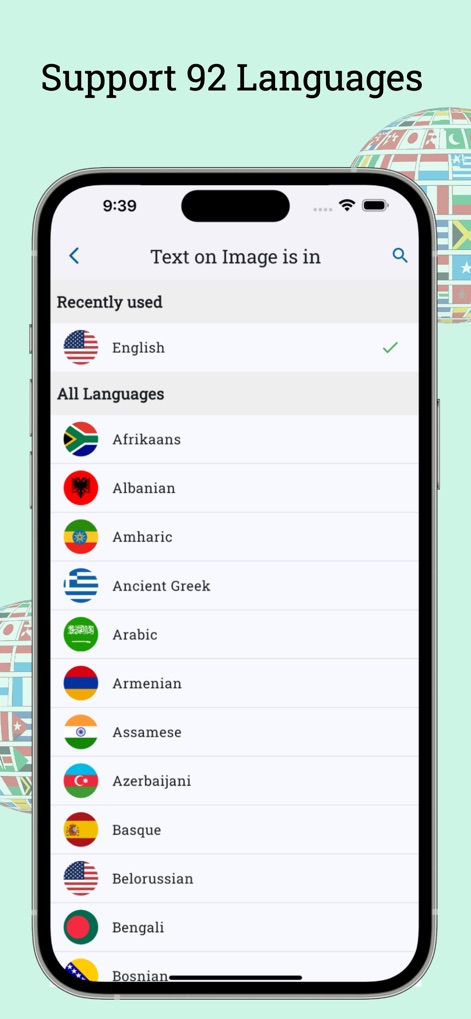
View the extensive "92 Languages" supported by the app, featuring a clear list of diverse languages from Afrikaans to Bengali for broad accessibility.
Global Language Support
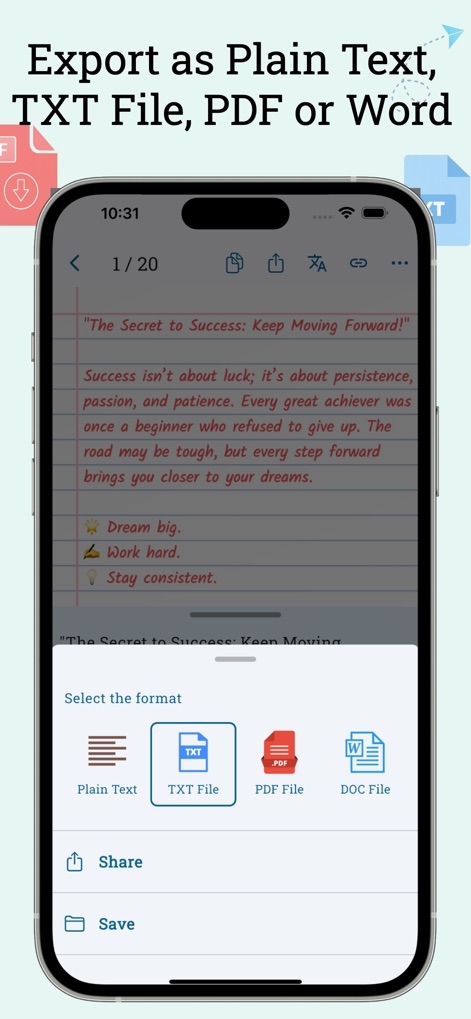
Understand the versatile export capabilities, allowing users to save extracted text as a "TXT File" or "PDF File" from a convenient selection menu.
Flexible Export Options
Description
Download
More Like This
Apps with similar features and user experience

ScanScan(白描)-OCR Text Scanner
新乐 陶

Text Scanner AI - OCR Scan
EVOLLY HK LIMITED

Copy Text On Screen
Appzys Technologies Private Limited
PDF AI Scanner
HONGKONG ADHEROS LIMITED

Screenshot PRO Screenshots App
Beatcode Srl

元ּ发生器
沛鑫 李

OCR Image AI - Photo to Text
RapidNova Private Limited

Klikk - Events
Levin Fritz
This page is not an official page of the app or its developer, but an independent editorial publication created for informational and commentary purposes. Unless expressly stated otherwise, neither the app nor its developer is affiliated with, endorsed by, sponsored by, authorized by, or otherwise officially connected with MWM, Apple, Google Play, the app publisher, or the app's developer, and nothing on this page implies that the app was developed using MWM's services. Any trademarks, logos, screenshots, and other content remain the property of their respective owners.