
This page is not an official page of the app or its developer, but an independent editorial publication created for informational and commentary purposes. Unless expressly stated otherwise, neither the app nor its developer is affiliated with, endorsed by, sponsored by, authorized by, or otherwise officially connected with MWM, Apple, Google Play, the app publisher, or the app's developer, and nothing on this page implies that the app was developed using MWM's services. Any trademarks, logos, screenshots, and other content remain the property of their respective owners.

PDF Editor - Edit, Sign, Read
The fastest way to sign contracts, edit text, and annotate files directly from your iPhone. Secure, offline, and built for professionals and students who need to work anywhere, anytime without a desktop.
Downloads
500User Rating
Total Ratings
0Publisher
Category
BusinessLocales
5Latest Version
1.0.3Size
49.3 MBFirst Released
Jul 23, 2025Powerful PDF Tools, Right in Your Pocket
From signing contracts to annotating lecture notes, handle every document task instantly with a professional toolkit designed for your mobile lifestyle.
Instant Digital Signatures
Sign contracts and NDAs in seconds without ever needing a printer. Stay professional and close deals faster while on the go.
Private & Secure Editing
Your sensitive data stays on your device. Edit and manage files offline with total peace of mind and no risky cloud uploads.
Frequently Asked Questions
Everything you need to know about PDF Editor - Edit, Sign, Read
What is PDF Editor - Edit, Sign, Read?
PDF Editor is an all-in-one iOS application for iPhone and iPad. It allows users to easily edit, sign, read, annotate, draw, and manage PDF documents directly on their mobile devices.
Can I edit text and images in PDF files with PDF Editor?
Yes, PDF Editor allows users to make quick changes to text and images within their PDF documents. This feature is useful for corrections and updates.
How do I sign PDF documents using PDF Editor?
PDF Editor enables users to add their digital signature or initials quickly to documents. This eliminates the need for printing or scanning.
Does PDF Editor support reading and annotating PDF files?
Yes, PDF Editor allows users to read, highlight text, add comments, and review documents directly on their iPhone or iPad device.
Does PDF Editor require an internet connection to use its core features?
No, PDF Editor does not require an internet connection for its core features. Users can work offline, and files remain private on their device.
Is my data private when using the PDF Editor app?
Yes, your files stay private on your device when using PDF Editor. The app explicitly states that no internet connection is required for core features.
From where can I import documents into PDF Editor?
PDF Editor allows users to import documents from various sources, including Files, Photos, iCloud, and Google Drive.
Can PDF Editor merge multiple PDF files into one?
Yes, PDF Editor includes a feature to merge multiple PDF pages or files into a single document. This functionality is available within the app's tools.
Does PDF Editor offer a document scanning feature?
Yes, PDF Editor includes a scanning feature that allows users to scan PDF and other documents directly using their device's camera.
Which devices are compatible with the PDF Editor app?
PDF Editor is designed for use on Apple devices. It is compatible with both iPhone and iPad, allowing users to manage documents on the go.
The following screenshots and description are sourced directly from the app's official store listing and are the property of the app developer.
App Store
Screenshots
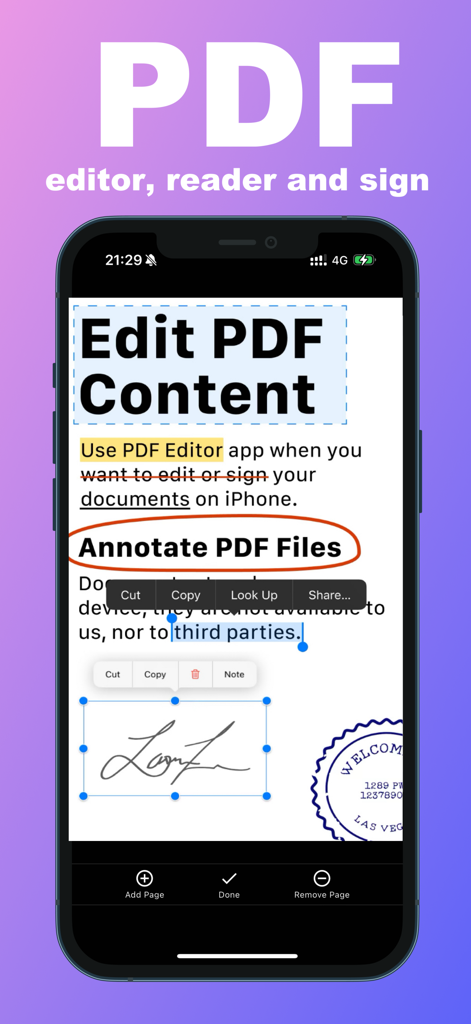
iPhone screen showing PDF editing, annotation, and digital signature features.
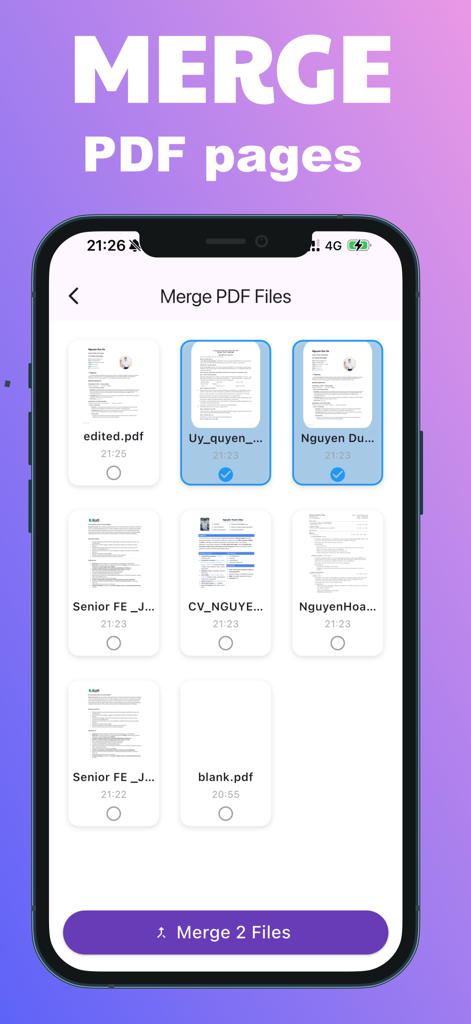
A mobile interface showing the feature to select and merge multiple PDF documents
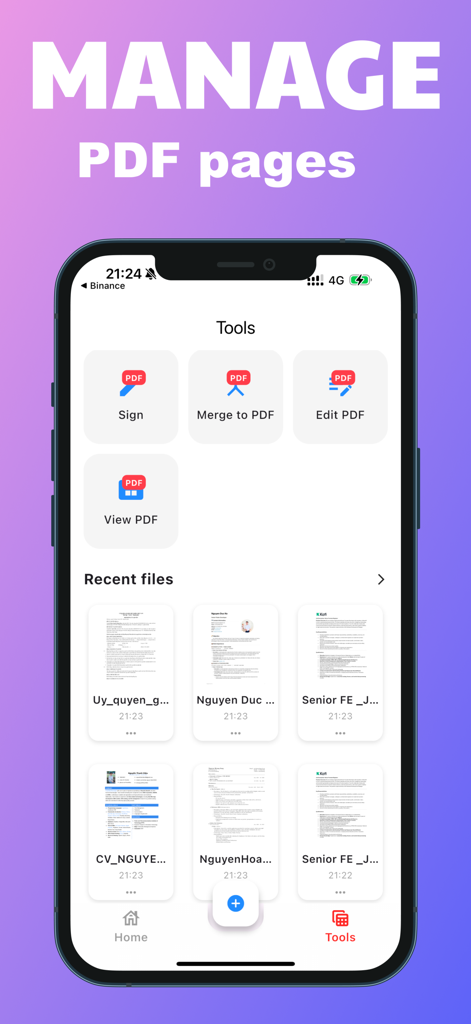
iPhone screenshot of the PDF Editor app tools menu for signing, merging, and editing PDF documents
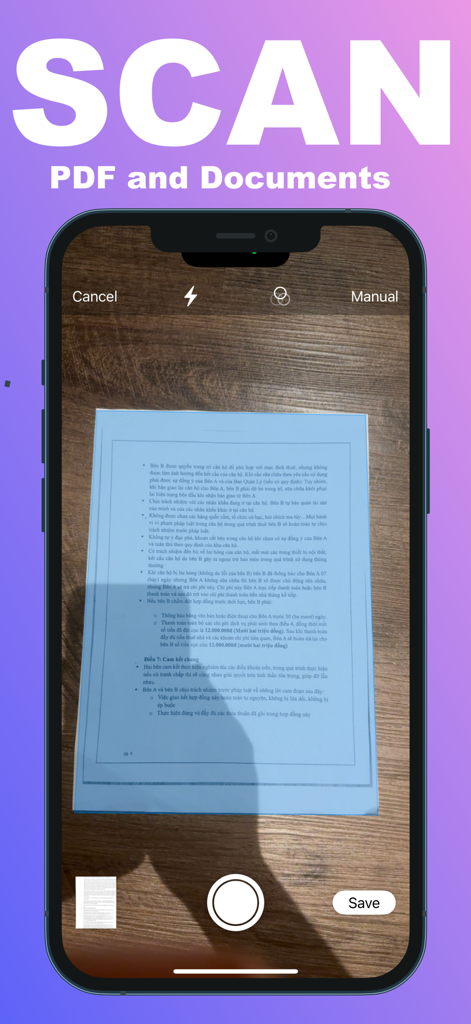
iPhone interface showing the document scanning feature of the PDF Editor app
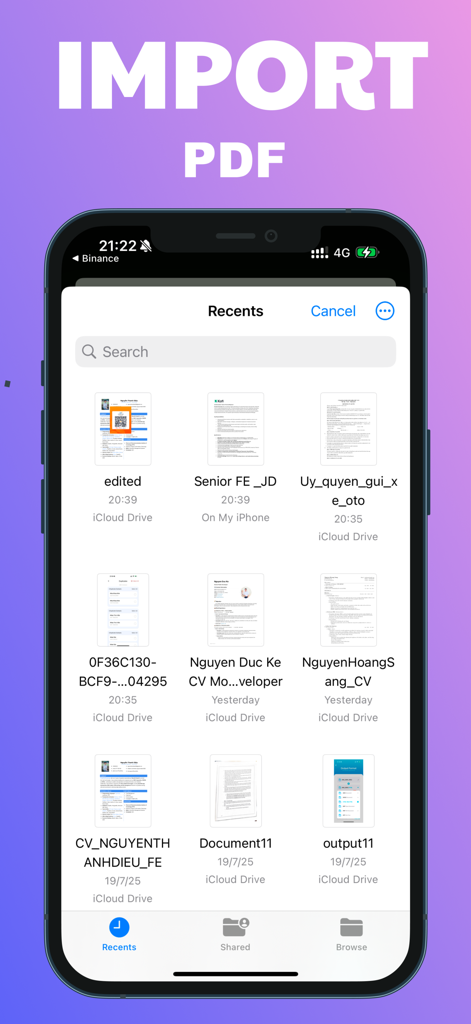
iPhone interface showing a list of recent PDF documents to import from iCloud Drive
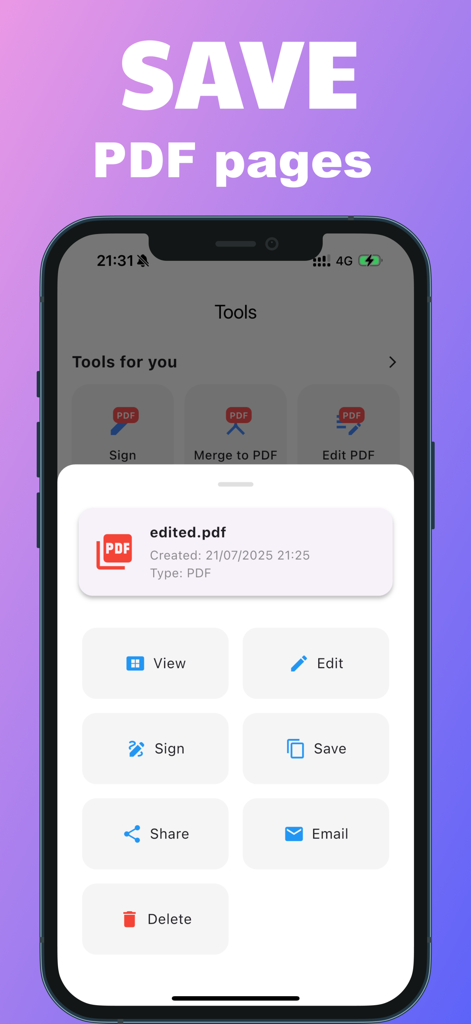
A smartphone screen showing the PDF Editor app interface with a menu of options for an edited file including sign, save, and share
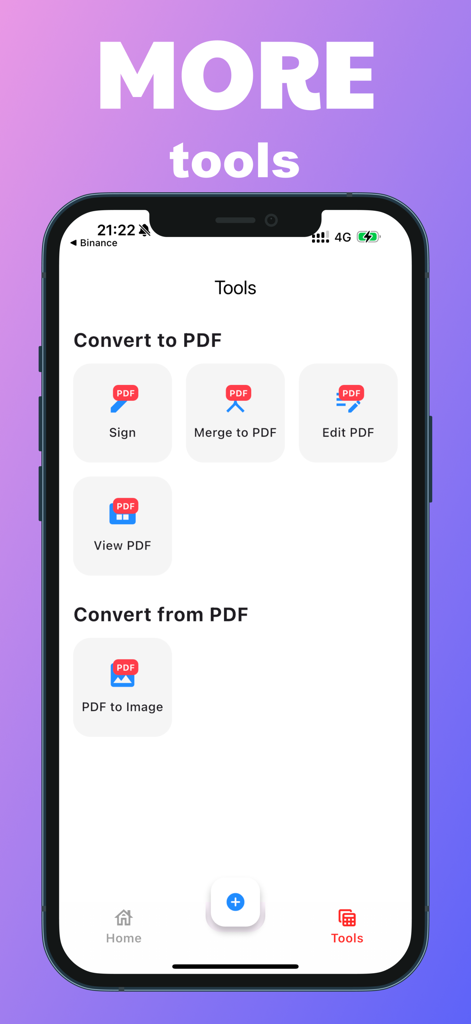
A mobile screen showing PDF tools for signing merging editing and converting documents
Description
Download
More Like This
Top-ranked apps in the same category

Microsoft Teams
Microsoft Corporation

Zoom Workplace
Zoom Communications, Inc.

WhatsApp Business
WhatsApp Inc.

Indeed Job Search
Indeed Inc.

LinkedIn: Network & Job Finder
LinkedIn Corporation

Adobe Acrobat Reader: Sign PDF
Adobe Inc.

DingDing - Redefine Work in AI
DingTalk Technology Co., Ltd.

WeCom-Work Communication&Tools
Tencent Technology (Shenzhen) Company Limited

BOSS直聘-招聘求职找工作神器
Beijing China Product Bo Farce Network Technology Co., Ltd.
This page is not an official page of the app or its developer, but an independent editorial publication created for informational and commentary purposes. Unless expressly stated otherwise, neither the app nor its developer is affiliated with, endorsed by, sponsored by, authorized by, or otherwise officially connected with MWM, Apple, Google Play, the app publisher, or the app's developer, and nothing on this page implies that the app was developed using MWM's services. Any trademarks, logos, screenshots, and other content remain the property of their respective owners.